:::::::How To Hack::::::::::

Chooty malli

Well-known member
  • Mar 17, 2010
    11,438
    854
    113
    ඉන්න තැනක් හොයනව
    Unofficial Guide To Ethical Hacking


    [FONT=&quot]01.Double Your Internet Browsing Speed

    02.Make Windows XP Boot-Up Faster With A Quick Registry Hack

    03.hack facebook accounts or passwords

    04.How To Make Notepad Write On Its Own

    05.Install Windows Xp in 10 minutes

    06.Restarting Windows without Restarting the Computer


    07.To Increase the Internet Speed

    08.Automatically close non-responsive programs

    09.Automatically close non-responsive programs

    10.Watching Videos That Require Log In or SIGNUP

    11.HOW TO MAKE FREE CALLS ?

    12.
    Steps to Get or Update Drivers absolutely Free


    13.WHAT IS GMAIL DOT TRICK ?????

    14.How To Use Parental Controls in Windows 7

    15.64 Tips to Make Windows 7 Faster, Secure, Easy to Use16.How To Restrict Access To Drives In My Computer In Windows


    17.A Bluescreen By Any Other Color

    18.How to Increase Internet Speed to Maximum available speed

    19.How To Repair Your Corrupted Windows System Files for Windows XP


    20.Adding Applications to the Desktop Context Menu
    [/FONT]


    MORE MORE MORE MORE


    To improve performance when navigating (studies show that 39% of all page navigations are renavigations to pages visited less than 10 pages ago, usually using the back button), Firefox implements a Back-Forward cache that retains the rendered document for the last five session history entries for each tab.
    This is a lot of data. If you have a lot of tabs, Firefox’s RAM memory usage can climb dramatically. It’s a trade-off. What you get out of it is faster performance as you navigate the web.
    Now a lot of us have found the ’secrets’ on how to manipulate settings in “about:config” to drop the memory usage as long as possible and to increase the speed at which Firefox loads sites. Read on to find out how to do this.
    Remember: Firefox (download it here) is the best internet browser available (in my opinion), and these tweaks below will make it even greater and faster. So enjoy!
    Reduce the amount of RAM Firefox uses for it’s cache feature

    Here’s how to do it:
    1. Type “about:config” (no quotes) in the adress bar in the browser.
    2. Find “browser.sessionhistory.max_total_viewer
    3. Set it’s value to “0“;(Zero)
    Increase the Speed in Which Firefox loads pages

    1. Type “about:config” into the address bar and hit Enter.
    (Normally the browser will make one request to a web page at a time. When you enable pipeliningit will make several at once, which really speeds up page loading.)

    2. Alter the entries as follows:
    Set “network.http.pipelining” to “true
    Set “network.http.proxy.pipelining” to “true
    Set “network.http.pipelining.maxrequests” to some number like 10.

    This means it will make 10 requests at once.
    3. Lastly, right-click anywhere and select New-> Integer. Name it “nglayout.initialpaint.delay” and set its value to “0“;.(Zero)
    This value is the amount of time the browser waits before it acts on information it receives. If you’re using a broadband connection you’ll load pages faster now.
    Optionally (for even faster web browsing) here are some more options for your about:config (you might have to create some of these entries by Right Click –> New– > Interger or String

    network.dns.disableIPv6: set “false”
    content.notify.backoffcount”: set “5“; (Five)
    plugin.expose_full_path”: set “true”.
    ui.submenuDelay”: set “0; (zero)
    Reduce RAM usage to 10mb when Firefox is minimized:

    This little hack will drop Firefox’s RAM usage down to 10 Mb when minimized:
    1. Open Firefox and go to the Address Bar. Type in about:config and then press Enter.
    2. Right Click in the page and select New -> Boolean.
    3. In the box that pops up enter “config.trim_on_minimize”. Press Enter.
    4. Now select True and then press Enter.
    5. Restart Firefox.

    These simple tweaks will make your web browsing with Mozilla Firefox 2-3 times faster and easier. And I think they are fairly easy to apply. Enjoy!
     
    Last edited:

    Chooty malli

    Well-known member
  • Mar 17, 2010
    11,438
    854
    113
    ඉන්න තැනක් හොයනව
    Make Windows XP Boot-Up Faster With A Quick Registry Hack


    Let’s get straight to the point. This Windows XP registry tweak will make your system boot much faster. How much?
    I can not say exactly how much faster, since it all depends on your computer specifications (processor, RAM, hard-drive and stuff like that…), but from my experience, this tweak decreased the time to boot-up for about 9-10 seconds.
    Now you see how great this registry tweak is and it will get even better when you see how simple it is to apply. I will do my best to show you step-by-step and make it plain simple and of course with screenshots included.
    How to make Windows XP start faster:

    1. Click on “Start” on the taskbar.
    2. Click “Run” located in the start menu.


    3. Then in the “Run” panel, type: “regedit” without the quotation marks. (that will open up the Windows registry editor)
    4. Then click on “HKEY_LOCAL_MACHINE” and expand it.
    hkey_local_machine.gif

    5. Then click on “SYSTEM” and expand it.
    6. Then scroll down, and expand “CurrentControlSet”.
    7. Under that, expand “Control”.
    8. Then, under that one, locate and click on “ContentIndex”. (so when you click on it, it needs to be highlighted and it’s options need to show up in the right panel of Windows XP Registry Editor)
    So to sum up, here’s where you need to navigate to:
    HKEY_LOCAL_MACHINE \ SYSTEM \ CurrentControlSet \ Control \ ContentIndex
    windows-registry-path.gif

    Let’s continue… You have just 6 more steps until the finish line!
    9. When you have clicked on “ContentIndex” and it is highlighted and you see the options and parameters on the right side of the panel… Among those, you need to scroll all the way to the bottom and find the Registry key named “StartupDelay”.
    10. Double-click on it and a new window panel will pop-up.
    11. The new window has a field to enter value (and a default value entered already). But before you change the value, you need to change the base from Hexadecimal to Decimal. Take a look at the screenshot below to see what I am talking about:
    startupdelay.jpg

    Now when you change it to Decimal, it displays a different value (480000 instead of 75300).
    12. So now, all you need to do is change the value from “480000” to “40000” (forty thousand)
    Many people ask me if they can change it to an even smaller value than 40000, but I would not recommend doing that. I tested it and it doesn’t work. I did not feel any difference in boot-up time when I change it to value less than 40000 (and no, you can’t put 0 either).
    13. After you’ve completed all the steps above, click “OK” and close the Registry Editor.
    And one just one little thing you need to do to finish all this registry tweaking…
    14. Restart your computer.
    Now you can notice big difference in time that your system takes to boot-up.
     

    Chooty malli

    Well-known member
  • Mar 17, 2010
    11,438
    854
    113
    ඉන්න තැනක් හොයනව
    How to hack facebook accounts or passwords


    Now I will tell you the latest approach of Hacking Facebook Passwords or Accounts i.e "Smart Phishing with Email trap". And guys you will be surprised to listen that what is the victim's trap ratio in Smart phishing trap is above 70% means , at least 70% people will going to come into your trap and success ratio is 100% means their accounts is yours ROFL. First of all What is "Smart Phishing with Email trap" ..


    SMART PHISHING WITH EMAIL TRAP
    Normal phishing is technique to hack passwords by fooling the victim make him login to particular website suing your phish or fake page. But normal phishing is easily detectable. But Smart Phishing with Email trap is almost undetectable and I will show you How its undetectable. In smart phishing we send HTML mails to the victim with same header as that of original mails by email address that looks similar to original one. And ask user to join some Group or watch video or read comment etc.. And mail looks that user has to enter in it and his password is ours. Here we exploit the fact that Most users who uses Facebook are subscribed to notification by their friends. So its quite easier to exploit fact.


    How to Hack Facebook Passwords or Accounts ?


    1. First of all download the Facebook Phisher.
    DOWNLOAD


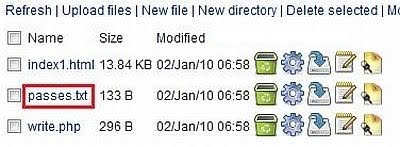
    2. Extract the rar file now you will get three files as given below:

    • index.html
    • passes.txt
    • write.php
    3. Upload all the Three files to any of the free Web hosting server. Remember while creating the account on these servers try the username as nearer as possible to the original URL like faccbook or facobook etc.. As its the most crucial step. Some Free Web hosting servers are given below you can also find few more for yourself.

    4. Once you have uploaded all the three files to web hosting server now you have to send these to your victim. This is the most important step regarding smart phishing technique.
    Below are some sample mails that will help you to understand how to TRAP victim effectively.

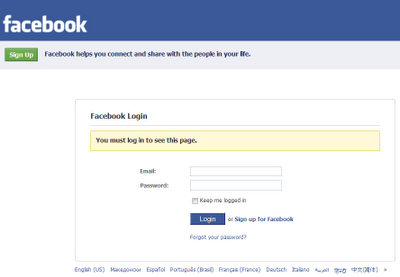
    Sample Is shown Below: This the sample email that comes to your email account from facebook.


    Now You have to edit this mail. Open this email and click on forward now you will see this email in editable mode now remove the forwarded headers etc and forward from Header.
    Remember your Name in Gmail must be Facebook and email account should be like [email protected] etc... Now you have to put the Fake link of index.html file that u have got after uploading on the Web hosting server in place of Two exploit points. Remember always put link in href and original text should be as such. And also try to keep the link as much as closer to facebook original link.


    Similarly you can use JOIN This Group on Facebook sample mail and Watch this video on Facebook in the similar fashion i have told you.


    5. Now After sending phisher to victim, once the user logs in to his Facebook account using your Phisher, his user ID and password are ours..And these are stored in passes.txt What you have to do is just refresh your Web hosting account files.


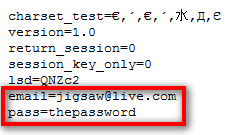
    6. The Log.txt file will contain the passwords and look like this:


    Thats all Now you have hacked the password of victim. I hope you all have Liked It.


    HOW to Protect Your Facebook Account?


    1. Never Follow any link from the any website or email. Always open manually www.facebook.com and then enter credentials.
    2. Always check the URL in the address bar while joining any Group.
     
    Last edited:

    Chooty malli

    Well-known member
  • Mar 17, 2010
    11,438
    854
    113
    ඉන්න තැනක් හොයනව
    How To Make Notepad Write On Its Own


    This Is another Awesome Trick I will share with you all.. Today I will show you " How to Write the Text automatically in Notepad" . This is a really an Awesome Prank .. You can show Your Friends and say that My Notepad Writes Automatically..So Read On..


    STEPS:


    1. Open the Notepad and Type
    the Code Given Below.

    set wshshell = wscript.CreateObject("wscript.shell")
    wshshell.run "Notepad"
    wscript.sleep 2000
    wshshell.AppActivate "Notepad"
    WshShell.SendKeys "H"
    WScript.Sleep 500
    WshShell.SendKeys "ell"
    WScript.Sleep 500
    WshShell.SendKeys "o "
    WScript.Sleep 500
    WshShell.SendKeys " "
    WScript.Sleep 500
    WshShell.SendKeys " Friends"


    2. Save it as anyname.vbs (Note the vbs extension)

    3. Now Open the anyname.vbs file by doublecliking on it and see the Magic..


    Note: Wscript.Sleep 500 is for delay (delay that you want to introduce between writing words) and
    WshShell.SendKeys " Any Text that you Want to Display"
     
    Last edited:

    Chooty malli

    Well-known member
  • Mar 17, 2010
    11,438
    854
    113
    ඉන්න තැනක් හොයනව
    Extreme Hack - Install Windows Xp in 10 minutes


    This Is another Extreme Hack That You Will Never Imagine But Its Truth and We have Done It. This Time I will explain How to Install Windows In Just 10 minutes??
    As We all know that During Formatting a Computer After the File Copying is Completed then windows Require 39 Minutes Time...But What Extreme In It.... Yes We can Bypass this fking Time .... How TO DO IT??? So read On..
    I have Included Snaps That will help you all....

    INSTALLING XP IN 10 MINUTES!
    STEP1 : After the Copy Part is Over ... System is Rebooted as we all know In general Foramatting Procedure...
    Now After Reboot The Below Image Will Appear....

    1239269026.gif


    STEP 2: Now As This Image APPEARS You Have to Press "Shift + F10 " . This Will Open The command Prompt... Now type taskmgr in it. This will open the Task manager .

    STEP 3 : After The task Manager Opens Goto Processes ... And Find "Setup.exe" process and Right CLICK on It.... and set the Priority to Highest....


    STEP 4: Now Just Watch the Set It will take around 9 minutes and 2 minutes for Tolerance(depends System to system)....

    Thats the Overall Tutorial...Hope You all Have LIKED IT...

    So When you Format your PC Next Time It will Really Save Your TIME i.e around 20 to 25 minutes...
     
    • Like
    Reactions: RAT 16F88

    Chooty malli

    Well-known member
  • Mar 17, 2010
    11,438
    854
    113
    ඉන්න තැනක් හොයනව
    Restarting Windows without Restarting the Computer:

    When you click on the SHUTDOWN button, make sure to simultaneous press SHIFT Button. If you hold the Shift key down while clicking on SHUTDOWN button, you computer would restart without restarting the Computer. This is equivalent to term "HOT REBOOT".


    :shocked::shocked::shocked::shocked::shocked::shocked::shocked:
     
    Last edited:

    Chooty malli

    Well-known member
  • Mar 17, 2010
    11,438
    854
    113
    ඉන්න තැනක් හොයනව
    To Increase the Internet Speed:


    Open Notepad and paste the below code in it.


    Windows Registry Editor Version 5.00
    [HKEY_LOCAL_MACHINE\SYSTEM\CurrentControlSet\Services\Tcpip
    \Parameters]


    "SackOpts"=dword:00000001
    "TcpWindowSize"=dword:0005ae4c
    "Tcp1323Opts"=dword:00000003
    "DefaultTTL"=dword:00000040
    "EnablePMTUBHDetect"=dword:00000000
    "EnablePMTUDiscovery"=dword:00000001
    "GlobalMaxTcpWindowSize"=dword:0005ae4c

    Now save this file as speed.reg. Execute it and observe the change!

     
    Last edited:
    • Like
    Reactions: -Nipuna1989-

    Chooty malli

    Well-known member
  • Mar 17, 2010
    11,438
    854
    113
    ඉන්න තැනක් හොයනව
    Automatically close non-responsive programs:


    With a small registry tweak, Windows XP can be set to automatically close any program that 'stops responding' (crashes), eliminating the need for you to use the task manager to close down the offending software manually.


    To do this:

    Open REGEDIT and navigate to HKEY_CURRENT_USER\Control Panel\ Desktop


    Modify the REG_SZ entry AutoEndTasks with a value of 1


    Chooty malli

    Well-known member
  • Mar 17, 2010
    11,438
    854
    113
    ඉන්න තැනක් හොයනව
    Clean up the “open with” Menu


    When you right-click a file, you see the menu option “Open With”, which provides a list of programs for you to open the file with. You can clean up the Open With list by using a Registry hack. Run the Registry Editor (Start Run Regedit) and go to the key:


    HKEY_CURRENT_USER\Software\Microsoft\Windows\CurrentVersion\Explorer \FileExts.


    Look for the file extension whose Open With list you want to edit and find its OpenWithList sub key. The sub key will have an alphabetical list of String values. Open each value and examine the value data. It will be the
    name of one of the programs on the Open With list. Delete any entry you don't want to appear. Don't delete the value data; delete the String value listing. In other words, if the value data for the String value is Winword.exe, delete the entire string rather than just the value data. Exit the Registry.
     

    Chooty malli

    Well-known member
  • Mar 17, 2010
    11,438
    854
    113
    ඉන්න තැනක් හොයනව
    Watching Videos That Require Log In or SIGNUP


    Stepwise Description:

    1. Suppose there is a
    video. Example as

    http://www.youtube.com/watch?v=Q4WnNo4VE1I


    2. Goto the above Url in New Window . You will see the following Window


    3. Now you have seen clearly that above video requires LOGIN or SIGNUP.
    Now We want to bypass that LOGIN or SIGNUP ERROR.

    4. So Do the Following as Shown in FIGURE:


    5. EDIT URL AS SHOW ABOVE that is replace the ? and = both by separate / and open the URL:
    http://www.youtube.com/watch/v/Q4WnNo4VE1I


    6. That's the End and You will be able to see video without LOGIN or SIGN UP.


    Chooty malli

    Well-known member
  • Mar 17, 2010
    11,438
    854
    113
    ඉන්න තැනක් හොයනව
    HOW TO MAKE FREE CALLS ?


    1. Download the latest Yahoo Messanger. OR Skype .

    2. Install The Yahoo Messanger and Login Into your yahoo Account.

    3. Type the Following Number +18003733411 in the Red Box Shown Below and Press Enter.

    4. After Pressing Enter a small Window will open showing Connecting a Call to that number . Shown Below

    5. Now Listen the Call And Wait Untill She Say "Free Calls" .
    6. When she Says Free Calls Use Your Microphone and Say Free Calls (Don't forgot to unmute your microphone Voice in Volume Properties By Right Click on Volume Icon in your Task Bar and then click on properties and then Advanced and then unclick mute button under Microphone).
    7. As you say Free Calls You will be Able To make 5 minutes free call anywhere in the World.
    Now Click on the Dialpad As Shown Below To dial the Number.


    8. Now The Dial Pad Opens Like Below


    9. Now Dial The Number In format Country code followed by friends number whom you want to call.
     

    Chooty malli

    Well-known member
  • Mar 17, 2010
    11,438
    854
    113
    ඉන්න තැනක් හොයනව
    Steps to Get or Update Drivers absolutely Free

    1. First of all you will need DRIVER ROBOT software trial version.
    LINK:http://driverrobot.com/download/


    2. Install the Software Now you will see something like this:


    Click on It.


    3. After Scanning of driver is Finished . Check the left hand side window u will see Exporter button .
    Click on it and then click export it for another PC as shown below.


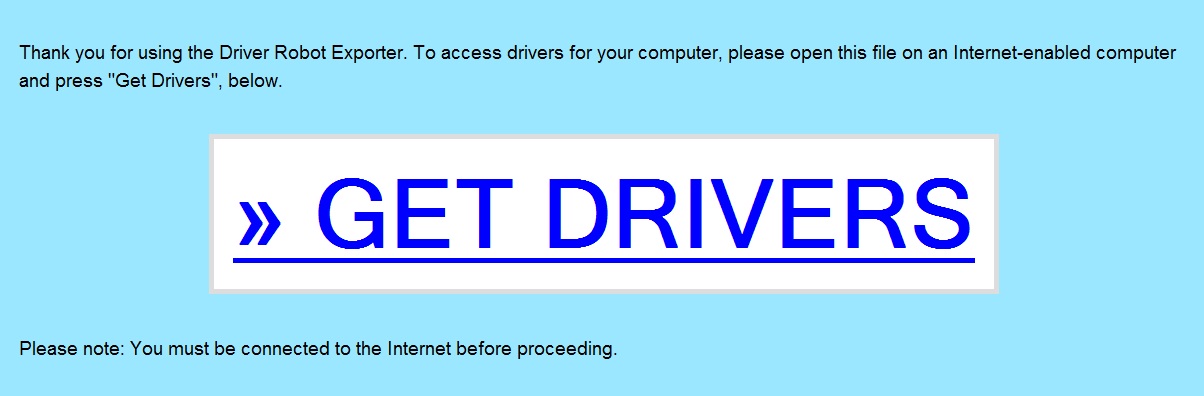
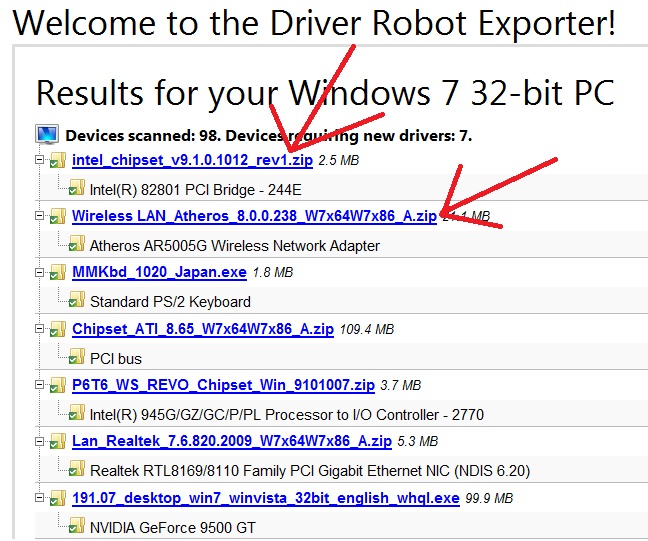
    4. Now A Html Page is created and you will need Driver robot No more....Now open the Exported one Html Page. You will something like this:


    5. Click on Get Drivers and u will get the following Page consisting of Direct Link Downloads..


    6. Download all drivers and Enjoy...


    Chooty malli

    Well-known member
  • Mar 17, 2010
    11,438
    854
    113
    ඉන්න තැනක් හොයනව

    WHAT IS GMAIL DOT TRICK ?????


    Suppose There is a Gmail account : [email protected]
    having password : abcd

    You will get logged in to [email protected] If you use
    email as : [email protected]
    password : abcd
    email as : [email protected]
    password : abcd
    email as : [email protected]
    password : abcd
    email as : [email protected]
    password : abcd
    email as : [email protected]
    password : abcd
    and so on..

    That means gmail does not count periods (.). So isnt its Great ...


    So you can use this trick for using the same email for various GPT, PTC, Twitter
    accounts as they interpret all the above emails as different but gmail considers it the same.