Solution
Install the MIT Certificate Authority
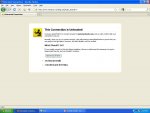
The error messages you are receiving are related to Firefox not recognizing MIT's certificate authority. In most cases, installing the MIT certificate authority (MIT CA) will resolve the issue.
- Download the MIT CA (Certificate Authority).
- Select Trust this CA to identify websites, and press OK.
- The CA should now be installed in Firefox. Try again to access the site.
If the error persists after installing the MIT Certificate Authority
This error should not occur for IS&T sites after the MIT CA (Certificate Authority) has been installed in the browser.
- Make sure that you've typed the full name for the web server, for example, "wikis.mit.edu", as opposed to "wikis".
- Note that the MIT CA needs to be installed separately for each web browser that you use.
- If you continue to get the error, contact the administrators for the site. They can let you know whether the following steps are needed for accessing the site:
(Note: follow these instructions only if you trust the administrator of the site.)
- Select Cancel to close the warning in the popup box. You may need to press Cancel multiple times.
- Select I Understand the Risks
Result: An Add Exception button appears
- Select Add Exception
Result: A message appears, "You are about to override how Firefox handles certificates"
- Press Get Certificate.
- Press Confirm Security Exception
Result: A confirm window appears.
- Press Resend.


 Peppa Pig Family Plush Toy Set – 5 Characters
 Singapore V2ray VPN for Tunneling