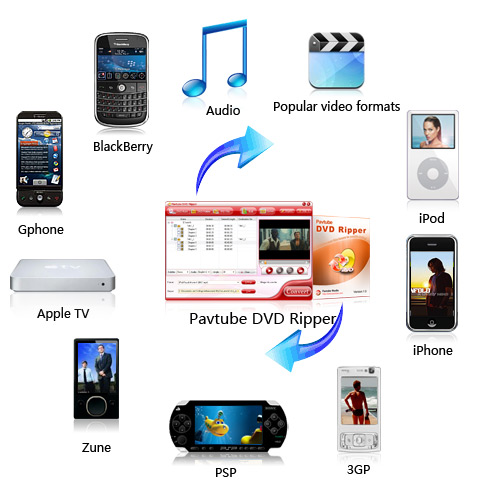
This guide shows you how to rip DVD to MP4, AVI, MP3, WMV, WMA, FLV, MKV, MPG, RM, 3GP, etc by using Aiseesoft DVD Ripper
Step 1: Install and run Aiseesoft DVD Ripper
Step 2: Import DVD.
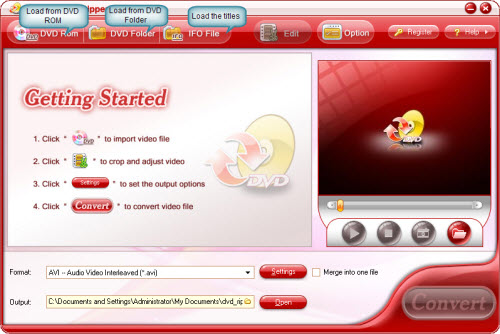
Place the DVD into your DVD drive and click the “Load DVD” button to load DVD.
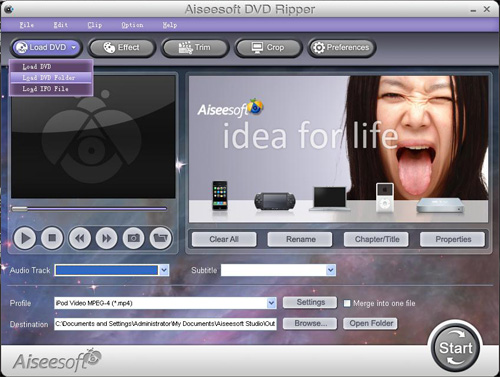
Tips: This DVD Ripper can load three DVD source, you can load your DVD from DVD drive, DVD folder in your PC and also IFO file.
Step 3: Video settings.
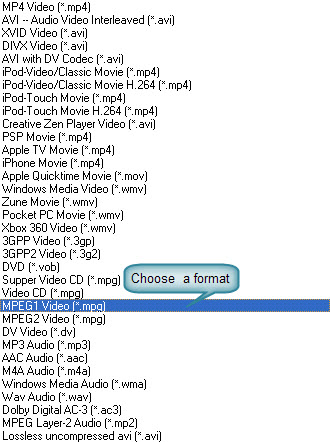
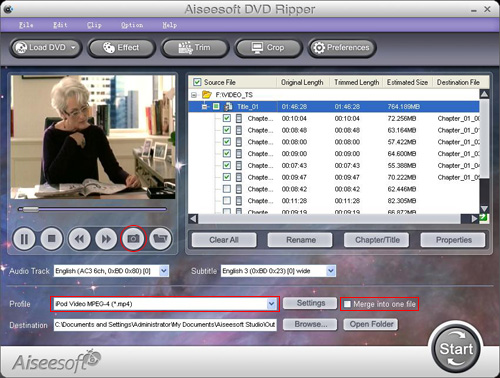
Select the output video format you want from the “Profile” drop-down list.
Tips:
1: You can also select Audio Track and Subtitle from their respectively drop-down list.
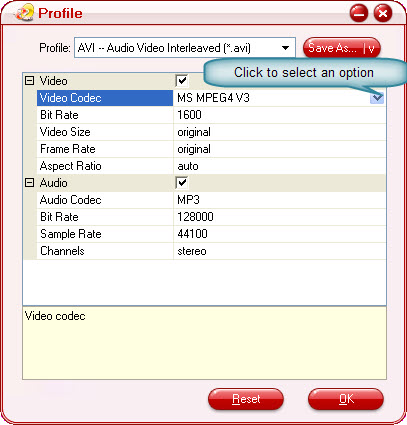
2: You can click the “Settings” button to set your video parameters.
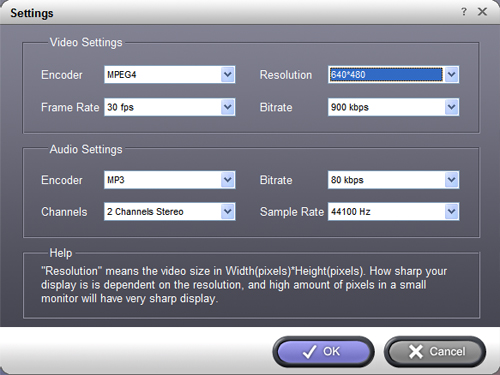
In the Video Settings, you can select Encoder, Frame Rate, Resolution and Bitrate for your movie
In the Audio Settings, you can select Encoder, Channels, Bitrate and Sample Rate for your movie.
when you choose the specific settings, the lower window will show the "help" to explain the meanings of each setting.
Step 4: Start conversion
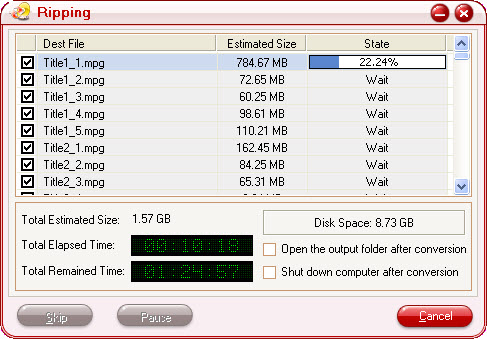
Click the “Start” button to start your conversion and in a short while it will be finished.
Step 5: Click “Open” button to open your output destination file.
More tips:
1: Trim Movie
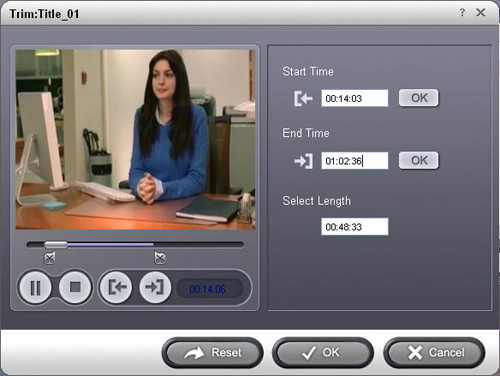
If you just want to convert a clip from your DVD movie, you can click the “Trim” button to open the Trim dialog, you can trim a duration of the selected title or chapter by either dragging the Start Time and End Time sliders or setting the time parameters in each corresponding field.
After you set the trimming time, the length of the captured clip will be shown in the Select Length box for your reference.
2. Movie Effect
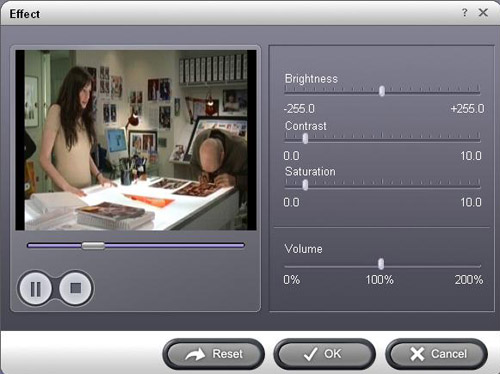
If you want to change the original video effect, you can click the Effect icon to set the video brightness, contrast, saturation, etc. You can also set the special effect for your movie to cater to your need.
Step 1: Install and run Aiseesoft DVD Ripper
Step 2: Import DVD.
Place the DVD into your DVD drive and click the “Load DVD” button to load DVD.
Tips: This DVD Ripper can load three DVD source, you can load your DVD from DVD drive, DVD folder in your PC and also IFO file.
Step 3: Video settings.
Select the output video format you want from the “Profile” drop-down list.
Tips:
1: You can also select Audio Track and Subtitle from their respectively drop-down list.
2: You can click the “Settings” button to set your video parameters.
In the Video Settings, you can select Encoder, Frame Rate, Resolution and Bitrate for your movie
In the Audio Settings, you can select Encoder, Channels, Bitrate and Sample Rate for your movie.
when you choose the specific settings, the lower window will show the "help" to explain the meanings of each setting.
Step 4: Start conversion
Click the “Start” button to start your conversion and in a short while it will be finished.
Step 5: Click “Open” button to open your output destination file.
More tips:
1: Trim Movie
If you just want to convert a clip from your DVD movie, you can click the “Trim” button to open the Trim dialog, you can trim a duration of the selected title or chapter by either dragging the Start Time and End Time sliders or setting the time parameters in each corresponding field.
After you set the trimming time, the length of the captured clip will be shown in the Select Length box for your reference.
2. Movie Effect
If you want to change the original video effect, you can click the Effect icon to set the video brightness, contrast, saturation, etc. You can also set the special effect for your movie to cater to your need.