


SPEED UP YOUR TORRENTS 200%
DETAILED REVIEW
ONNA MAGEN GODAK TORRENT USERSLATA WADAGATH WENA THREAD EKAK
 .......
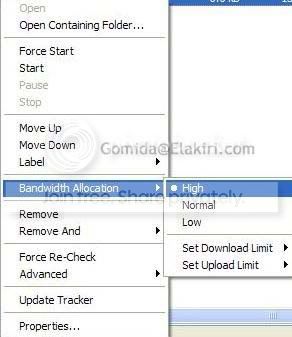
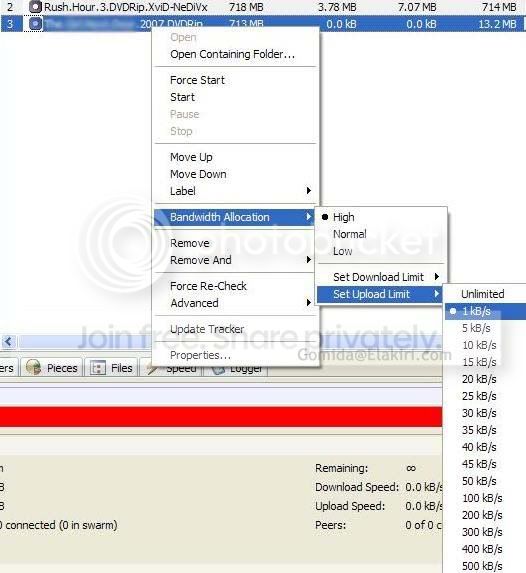
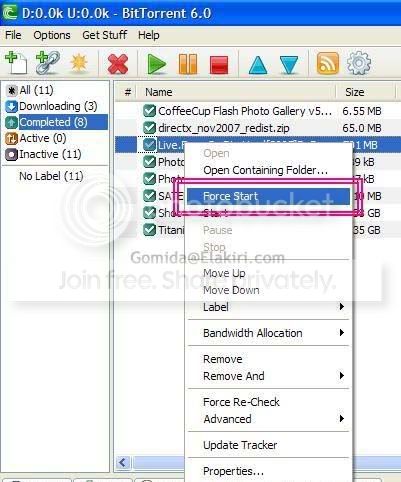
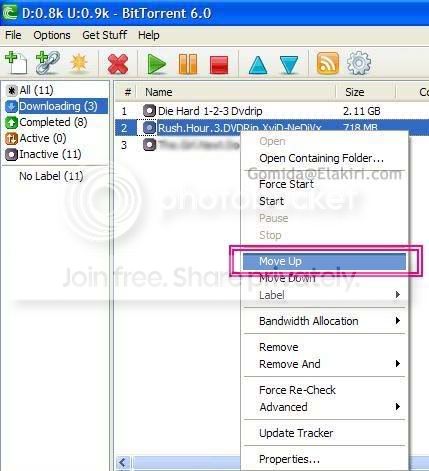
Right click on the torrent and then select these options
- Go Bandwidth Allocation -> High (You can have about 30% speed gain from this, but the normal web browsing speed will be reduced)
- Go Bandwidth Allocation -> Set Upload Limit -> 1kB/s (This will boost the speed almost 60%) *READ THE POST SCRIPT BELOW
- Update Tracker (This will add some 1-3% speed) [You will see the option in one of the below screenshots]
- Force Start (This will Boost the speed a bit)
- Move Up (Prioritize the torrent - Move the torrent priority up)
(Answer for this problem : Select another torrent which has a good share ratio and good number of seeds!)
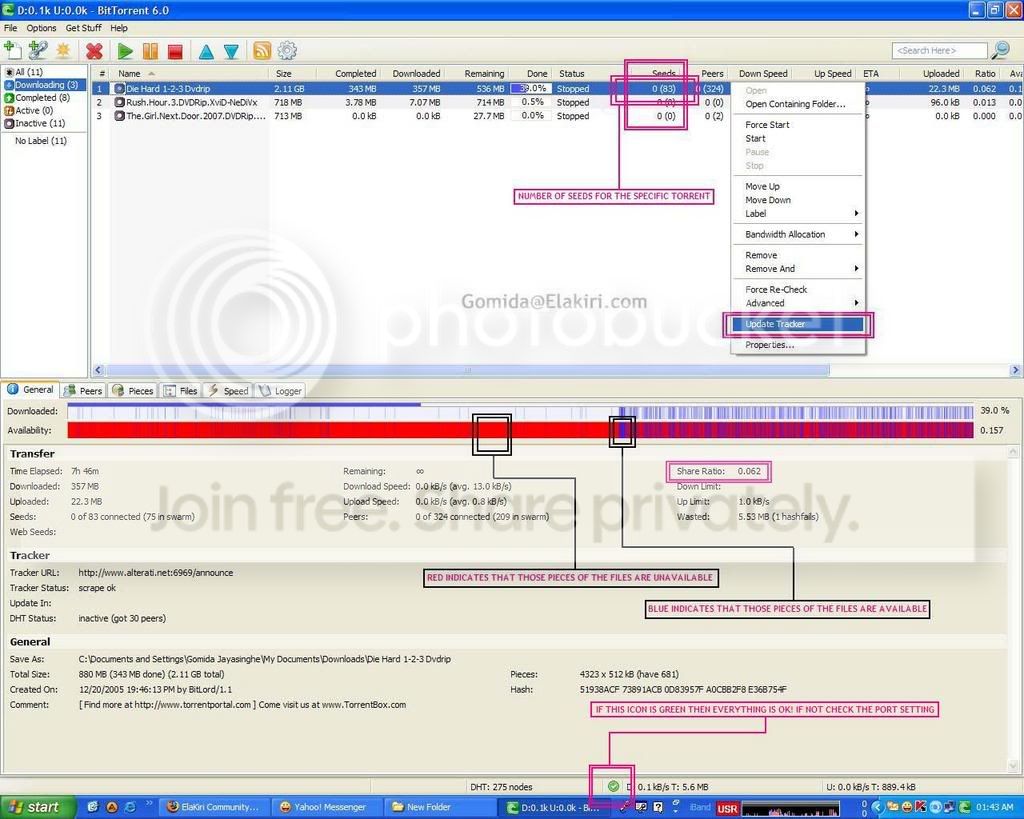
If you detect the download speed is unusually low or if that green icon is yellow then you have a port problem..
Everytime you power down the router/modem/PC and power it on again, you MUST do the following in order to gain more speed
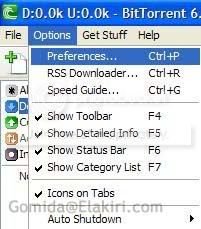
Go Options -> Preferences -> Connection -> Click on the Random Port Button, Then click Apply and OK
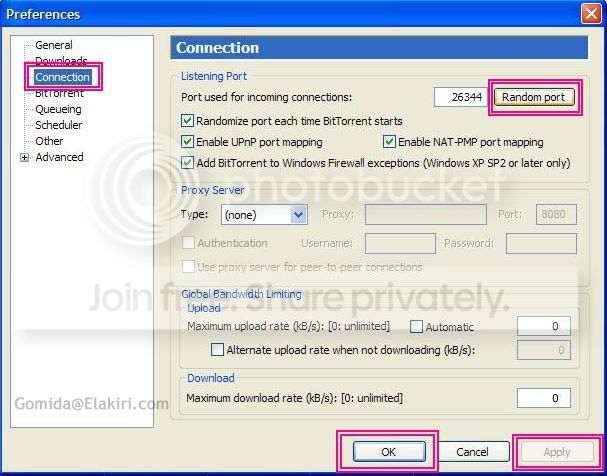
(If you don't do the last option, your download speed will be around 5-6kbps)
Prioritize files
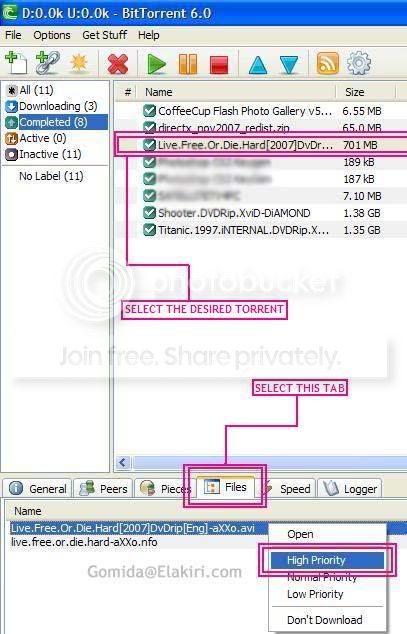
Normal download speed is around 45-52kbps if everything I told you is OK
To get a torrent download software,

CLICK HERE
** POST SCRIPT :-
- IF YOU / THE TORRENT USE A GET LIKE YOU GIVE TYPE TORRENT WEB SITE [Like if you upload over xx MB you get the time limit reduced] Then you may have your own decision, whether to use upload limit or not
- If the Upload limit doesnt show 1kB/s, then first select the lowest number (It'll be 10kB/s I think) Then right click again and see, you'll see 5kB/s like that 1kB/s will show up
 )
)
THIS GUIDE IS FOR BITTORRENT AND uTORRENT AND USERS WITH TORRENT PROGRAMMES WHICH USES SIMILAR USER INTERFACE.
FOR AZUREUS AND OTHER TORRENT PROGRAMME USERS CAN FIND SIMILAR COMMANDS
Last edited:


