Hello from Upwork Payments, the team that ensures freelancers get paid on Upwork. We're planning to introduce a new way for freelancers to withdraw their earnings, but before making it widely available, we'd like you to try it out and tell us what you think.
The new payment method is called Local Funds Transfer and lets you send your Upwork earnings directly to your local bank account, in your country's currency—for $.99 per transfer. It's a great option if you don't want to deal with third party fees and transfers and want your money in your local currency.
To try it out:
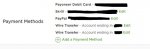
1. Set up Local Funds Transfer by going here and clicking “Add Payment Method” (or “Set up Payments” if it's your first time withdrawing from Upwork).
2. Withdraw your funds to this payment method (a small amount is fine).
Once you've given it a try, please tell us how it went.
Thank you for helping us make this new payment experience great for other freelancers like you!
Best,
The Upwork Payments Team
The new payment method is called Local Funds Transfer and lets you send your Upwork earnings directly to your local bank account, in your country's currency—for $.99 per transfer. It's a great option if you don't want to deal with third party fees and transfers and want your money in your local currency.
To try it out:
1. Set up Local Funds Transfer by going here and clicking “Add Payment Method” (or “Set up Payments” if it's your first time withdrawing from Upwork).
2. Withdraw your funds to this payment method (a small amount is fine).
Once you've given it a try, please tell us how it went.
Thank you for helping us make this new payment experience great for other freelancers like you!
Best,
The Upwork Payments Team