### Overview
The ZTE MF832 (JioDongle3) USB modem supports access to SMS messages stored on the inserted SIM card through both serial communication and socket connections. These methods leverage the device's embedded cellular module, which responds to standard GSM AT commands for SMS operations (e.g., reading via `AT+CMGL`). Serial communication requires switching the device to a mode that exposes serial ports, while socket connections utilize the device's HTTP-based API over its local network interface. Both approaches are compatible with a Mobitel SIM in Sri Lanka, as they operate at the hardware level independent of the carrier, provided the SIM supports SMS and the device is unlocked for Mobitel's bands.

Serial access is more direct but may interrupt data connectivity, whereas socket access allows non-disruptive remote querying. Below are detailed procedures for each method, including prerequisites and implementation examples in Python for clarity.

### Prerequisites
- **Hardware/Software**: ZTE MF832 connected via USB to a Linux, Windows, or macOS system. For serial, ensure USB drivers (e.g., `usb_modeswitch` on Linux) are installed. For sockets, connect via the device's Ethernet interface (typically IP: 192.168.0.1).
- **Python Libraries**: Install `pyserial` for serial (via `pip install pyserial`) and `requests` for sockets (via `pip install requests`).
- **SIM Verification**: Confirm the Mobitel SIM is active for SMS (dial *#100# from a phone or use Mobitel's selfcare portal). Test basic connectivity by inserting the SIM into a phone and sending/receiving an SMS.
- **Device Mode**: For serial, switch to "Factory Mode" or NDIS mode to expose ports (detailed below). Default admin access: Username/password `admin`.
- **Security Note**: These methods access local interfaces; ensure the device is not exposed to untrusted networks.

### Method 1: Serial Communication via AT Commands
The MF832 can expose virtual serial ports (e.g., `/dev/ttyUSB2` on Linux) when configured appropriately, allowing AT commands to interact with the SIM's SMS storage. This is feasible based on successful implementations with similar ZTE models (e.g., MF831, MF823), which use the Qualcomm chipset supporting AT commands like `AT+CMGF=1` (text mode) and `AT+CMGL="ALL"` (list messages).

#### Steps
1. **Identify and Switch USB Modes**:
   - On Linux: Run `lsusb` to find the device (Vendor: 19d2, Product: varies by mode). Use `usb_modeswitch` to switch from storage/network mode to modem mode: `usb_modeswitch -v 0x19d2 -p 0x2000 -J` (adjust PID as needed; test with `ls /dev/ttyUSB*` post-switch).
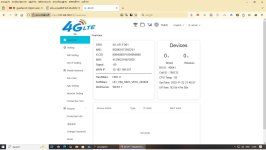
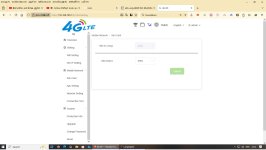
   - On Windows: Use Device Manager to install ZTE drivers (download from ZTE support if needed) and switch to "Modem" mode via the web interface at `http://192.168.0.1`.
   - Expected: Ports like `/dev/ttyUSB0` (diag), `/dev/ttyUSB1` (AT), `/dev/ttyUSB2` (data) appear.

2. **Test Connection**:
   - Use a terminal (e.g., `minicom -D /dev/ttyUSB1 -b 115200` on Linux) to send `AT` (response: `OK`).

3. **Python Implementation to Read SMS**:
   ```python
   import serial
   import time

   class SmsReader:
       def __init__(self, port='/dev/ttyUSB1', baudrate=115200):
           self.ser = serial.Serial(port, baudrate, timeout=5)
           time.sleep(1)

       def read_sms(self):
           # Reset and set text mode
           self.ser.write(b'ATZ\r')
           time.sleep(0.5)
           self.ser.write(b'AT+CMGF=1\r')
           time.sleep(0.5)
           self.ser.write(b'AT+CMGL="ALL"\r')
           time.sleep(1)

           # Read response
           response = self.ser.readlines()
           messages = []
           current_msg = {}
           for line in response:
               line_str = line.decode('utf-8', errors='ignore').strip()
               if '+CMGL:' in line_str:
                   # Parse index, status, sender, etc. (format: +CMGL: <index>,"<status>",<sender>,...)
                   parts = line_str.split(',')
                   current_msg['index'] = parts[0].split(':')[1].strip()
                   current_msg['sender'] = parts[2].strip('"')
               elif line_str and not line_str.startswith('OK') and not line_str.startswith('ERROR'):
                   current_msg['body'] = line_str
                   messages.append(current_msg)
                   current_msg = {}
           return messages

       def close(self):
           self.ser.close()

   # Usage
   reader = SmsReader()
   sms_list = reader.read_sms()
   for msg in sms_list:
       print(f"From: {msg['sender']}, Body: {msg['body']}")
   reader.close()
   ```
   - **Explanation**: This script initializes the serial port, issues AT commands to fetch all SMS, parses the response (PDU/text format), and prints messages. Adapt parsing for Mobitel-specific encoding if needed (e.g., Unicode via `AT+CSCS="UCS2"`).
   - **Limitations**: Data connection may drop during serial mode; switch back via USB mode tools. Polling is required for new messages (e.g., loop every 30 seconds).

#### Troubleshooting
- No ports: Verify mode switch; try `AT^SYSCFG=2,2,3FFFFFFF,1,2` for modem priority.
- Errors (e.g., +CMS ERROR: 305): SIM PIN required—use `AT+CPIN?` and `AT+CPIN="PIN"`.
- Windows Port: Use `COM3` or similar instead of `/dev/ttyUSB1`.

### Method 2: Socket Connection via HTTP API
The MF832 provides a local HTTP API (over TCP socket) for SMS management without interrupting data. This uses CGI endpoints like `/goform/goform_get_cmd_process?cmd=sms_data_total` to query messages, as reverse-engineered from similar ZTE devices (e.g., MF823, MF831). No authentication beyond the admin session is typically needed.

#### Steps
1. **Access the Interface**:
   - Connect to the device's IP (192.168.0.1) via browser or curl. Default credentials: `admin/admin`.
   - Enable API if hidden (some firmware requires debug mode: Edit `http://192.168.0.1/js/main.js` via telnet/root access, set `zte_web_ui_is_test = true`).

2. **Python Implementation to Read SMS**:
   ```python
   import requests
   import json
   import urllib.parse

   class ZteSmsApi:
       def __init__(self, ip='192.168.0.1'):
           self.base_url = f'http://{ip}/goform'
           self.session = requests.Session()
           # Basic auth if needed
           self.session.auth = ('admin', 'admin')

       def get_sms(self, page=0, per_page=5000):
           params = {
               'isTest': 'false',
               'cmd': 'sms_data_total',
               'page': page,
               'data_per_page': per_page,
               'mem_store': 1,  # SIM storage
               'tags': 10,
               'order_by': 'order by id desc'
           }
           response = self.session.get(f'{self.base_url}/goform_get_cmd_process', params=params)
           if response.status_code == 200:
               data = response.json()
               return data.get('messages', [])
           return []

   # Usage
   api = ZteSmsApi()
   sms_list = api.get_sms()
   for msg in sms_list:
       print(f"From: {msg.get('phone', 'Unknown')}, Body: {msg.get('content', '')}, Date: {msg.get('date', '')}")
   ```
   - **Explanation**: This establishes a session to the device's API, sends a GET request to retrieve SMS from SIM storage, and parses the JSON response. Messages include sender, body, and timestamp. For real-time polling, run periodically.
   - **Advanced**: To delete a message: POST to `/goform_set_cmd_process` with `goformId=DELETE_SMS&msg_id=<id>`.

#### Troubleshooting
- 404 Error: Confirm IP and debug mode; use browser dev tools to inspect AJAX calls.
- Empty Response: Ensure `mem_store=1` for SIM; test with curl: `curl "http://192.168.0.1/goform/goform_get_cmd_process?cmd=sms_data_total&page=0&data_per_page=5000"`.
- Firewall: Disable temporarily for local access.

### Additional Considerations
- **Polling vs. Notifications**: Both methods require polling (e.g., every 1-5 minutes) as the MF832 lacks push notifications for SMS. For production, implement error handling and retries.
- **Compatibility with Mobitel**: Fully supported; AT commands and API are carrier-agnostic. Test with a sample SMS to the Mobitel number.
- **Alternatives**: Libraries like `python-gsmmodem` (for serial) or custom ZTE API wrappers (e.g., on GitHub) can simplify integration.
- **Legal/Usage**: Ensure compliance with Mobitel's terms for automated SMS; avoid high-volume polling to prevent SIM suspension.

This configuration provides programmatic access without SIM removal. If specific errors arise or firmware details are available, further refinement is possible.