
Asphalt 7


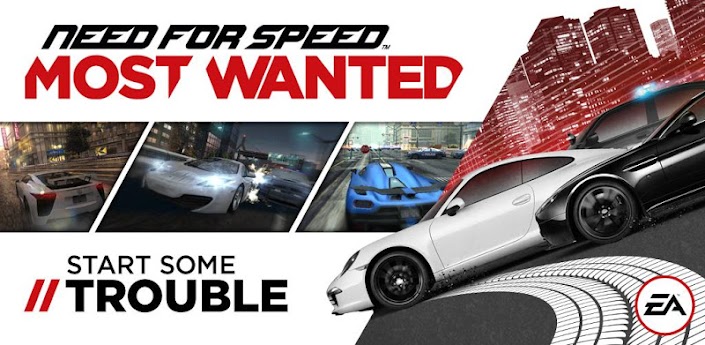
Need for Speed: Most Wanted


Asphalt 7
Need for Speed: Most Wanted


machanla hemoma eka thread ekakata witharak apps damuda?
neththan thread 3na 4ka ekama app eka dala wedak nene
aluthenma thread ekak hadala hemoma ekata apps demmath kamak ne
just an idea
denata thread 3ka thiyanawa
1) ANDROID වැඩකාරයෝ by චිරි චිරි වැස්ස
2) Google play for android by AWRORA
3) Android-apps (updating) by mjayanatha


පැටියා;13871323 said:
මචන් පොඩි අව්ලක් උනා..මම ගේම් එක ඩ්ලීට් කළා .මම සීරියල් එක හොයල දෙන්නම්

Need for Speed: Most Wanted
GAME EKA AULAK NISA REMOVE KALA
මචන් පොඩි අව්ලක් උනා..මම ගේම් එක ඩ්ලීට් කළා .මම සීරියල් එක හොයල දෙන්නම්
පැටියා;13871473 said:
ok machan.
පැටියා;13871323 said:
cracked version


චිරි චිරි වැස්ස;12240872 said:අපේ නවෝද් සහෝදරයගෙ අදහසක් පරිදි ඔන්න එහෙනම් මං කියන්න යන්නෙ THD Games කොහොමද Non Tegra Devices වල Run කරන්නෙ කියල,,,
මුලින්ම මේ App එක බාගන්න
- එහෙනම් වැඩේ පට්ටාං ගමු

1) First, install Chainfire 3D PRO
- දැන්,,, මේ පහල තියන විදිහට වැඩේ කොරගෙන යන්ඩලකෝ,,,

2) Start the app now, and select the 'CF3D driver' option. Now, select the 'Install - Install CF3D driver and reboot' option, and then press the Install option in the dialog box that pops up.

3) Your phone will automatically reboot, and install the Chainfire 3D driver.
4) Now to play Tegra 2 games, users first need to install the Nvidia shaders plugin. Download the required plugin from here.
5) Fire up Chainfire 3D again, and select the 'Install plugins/shaders' option. The app will now search your phone?s SD card for all the available plugins, and display them. Select and install the Nvidia plugin that you downloaded in the previous step. After you have installed the plugin, go to the 'Default OpenGL settings' option, and select the 'Use a Plugin' option, and then select the Nvidia plugin from the window that pops up.

6) Now, just install a Tegra 2 game and start playing!


