


Android 4.1 Jelly Bean Announced: Siri-like Voice Search, Revamped Notifications, Offline Voice Dictation And More
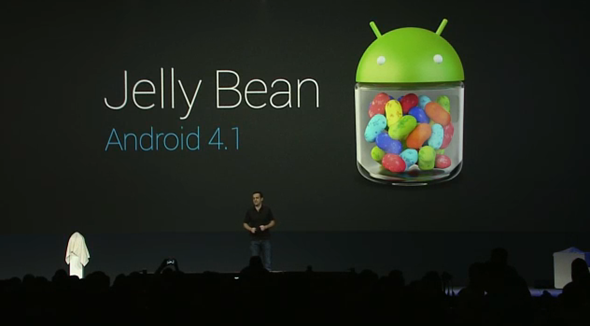
While Android 4.0 Ice Cream Sandwich is still on less than 10% of all Android smartphones and tablets, Google has announced the next version of Android: Android 4.1 Jelly Bean. As you can tell by the .1 increase in version number, it’s more of an incremental update than the revolutionary update that Ice Cream Sandwich was. We’ve got the details right after the jump!
Project Butter
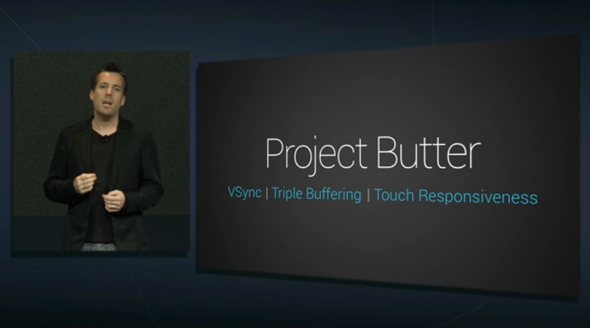
Google started the keynote by discussing Project Butter in Jelly Bean. With Jelly Bean, Google has put a lot of effort into making the UI much, much smoother. Using VSync (a term PC gamers will be familiar with) and triple buffering, animations are buttery smooth and frame rate is a consistent, mind-blowing 120FPS. Similar to how iOS handles things, in 4.1 Jelly Bean, the CPU speeds up when you touch the screen. Google showed the difference between ICS and JB’s UI with a high-speed camera. The difference is phenomenal.
Improved Home screen
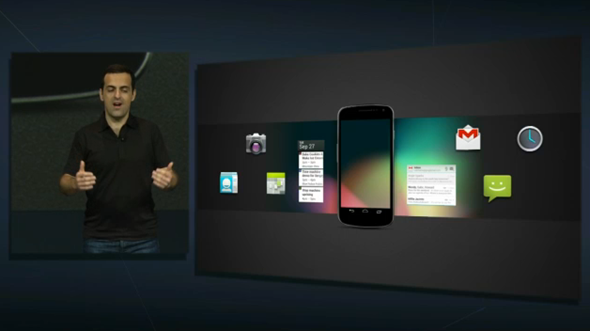
Got a bunch of icons and widgets haphazardly placed? The new homescreen in 4.1 can automatically arrange all your icons and widgets.
Improved Text Input And Offline Voice Typing
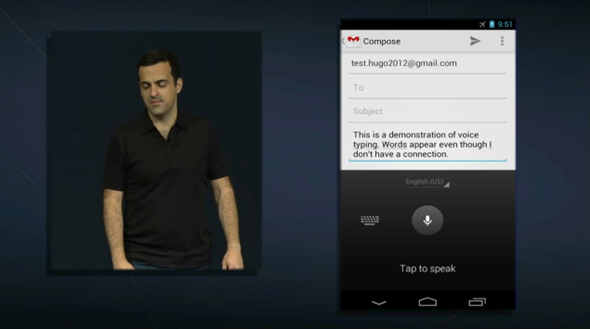
Android 4.1 already had a very strong keyboard. Now it’s being improve with a keyboard that predicts your next word (like SwiftKey). Not only that, you can type with your voice without an internet connection. That’s something new and awesome! The keyboard also supports 18 new languages and improved support for Arabic and Hebrew. Blind users can also make use of external brail input!
Improved Camera App
In order to complement the hyper-fast quick photo-shooting in the camera app on devices like the Galaxy Nexus, the camera app in Jelly Bean lets you quickly review your photos with a nice film-strip view. Sharing the photo takes just two taps.
Vastly Improved Notifications Drawer
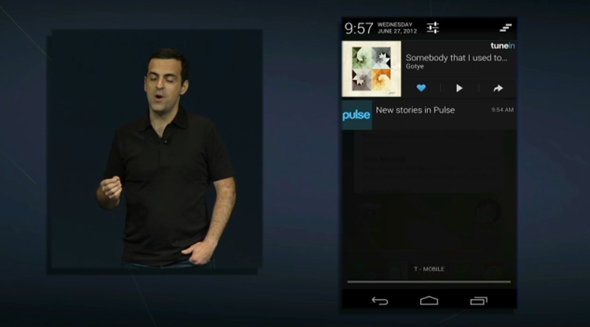
Notifications now show more information. Instead of saying “4 new messages”, Gmail now also gives you a preview of the message’s content. Updates from RSS feeds now go right into the drawer.
Also, with actionable notifications, you can, for example, receive a missed call notification with the option to call back or message the person. Google+ photos / Foursquare check-ins come up in your notification drawer and can be liked or commented without going into the app.
This is one part where Jelly Bean truly beats iOS’s notifications (which, admittedly, are a straight-up copy of Google’s notification drawer implementation).
Siri-like Voice Assistant With Google Knowledge Graph Integration
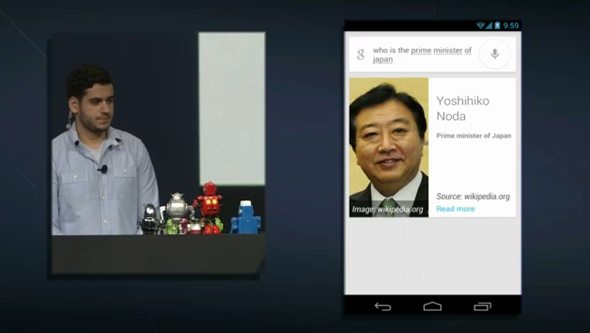
It’s not called Majel, but the improved Voice Commands now allow you to have conversations and ask general queries like “what is a robot?”. I’d say this is much more powerful than what Apple has to offer with Siri.
Google Now

A new Android service by the name of Google Now makes use of your search history, calendar items and much more to give you more powerful information. If you searched for the status of a flight, it will keep that information in mind and inform you in the form of a prompt when the flight’s status gets updated. It will know where your office is and give you directions accordingly so you don’t get stuck in traffic. Google Now will even pick up your favorite football teams and inform you of the results of their latest matches. It’s not particularly easy to describe, so we’ll have to wait for a video demo to get a good grasp of how the concept comes into play in daily life.
Android Beam
Android Beam is now much, much better. Now you can use your NFC-enabled device to send photos and videos to other ones by tapping them together, but wait, there’s more; you can now simply tap your device to another NFC-enabled hardware, such as speakers, and you’re done pairing. How neat is that?
Availability
Over The Air updates for the Nexus S, Galaxy Nexus and Xoom will be released in mid-July.
Source:
While Android 4.0 Ice Cream Sandwich is still on less than 10% of all Android smartphones and tablets, Google has announced the next version of Android: Android 4.1 Jelly Bean. As you can tell by the .1 increase in version number, it’s more of an incremental update than the revolutionary update that Ice Cream Sandwich was. We’ve got the details right after the jump!
Project Butter
Google started the keynote by discussing Project Butter in Jelly Bean. With Jelly Bean, Google has put a lot of effort into making the UI much, much smoother. Using VSync (a term PC gamers will be familiar with) and triple buffering, animations are buttery smooth and frame rate is a consistent, mind-blowing 120FPS. Similar to how iOS handles things, in 4.1 Jelly Bean, the CPU speeds up when you touch the screen. Google showed the difference between ICS and JB’s UI with a high-speed camera. The difference is phenomenal.
Improved Home screen
Got a bunch of icons and widgets haphazardly placed? The new homescreen in 4.1 can automatically arrange all your icons and widgets.
Improved Text Input And Offline Voice Typing
Android 4.1 already had a very strong keyboard. Now it’s being improve with a keyboard that predicts your next word (like SwiftKey). Not only that, you can type with your voice without an internet connection. That’s something new and awesome! The keyboard also supports 18 new languages and improved support for Arabic and Hebrew. Blind users can also make use of external brail input!
Improved Camera App
In order to complement the hyper-fast quick photo-shooting in the camera app on devices like the Galaxy Nexus, the camera app in Jelly Bean lets you quickly review your photos with a nice film-strip view. Sharing the photo takes just two taps.
Vastly Improved Notifications Drawer
Notifications now show more information. Instead of saying “4 new messages”, Gmail now also gives you a preview of the message’s content. Updates from RSS feeds now go right into the drawer.
Also, with actionable notifications, you can, for example, receive a missed call notification with the option to call back or message the person. Google+ photos / Foursquare check-ins come up in your notification drawer and can be liked or commented without going into the app.
This is one part where Jelly Bean truly beats iOS’s notifications (which, admittedly, are a straight-up copy of Google’s notification drawer implementation).
Siri-like Voice Assistant With Google Knowledge Graph Integration
It’s not called Majel, but the improved Voice Commands now allow you to have conversations and ask general queries like “what is a robot?”. I’d say this is much more powerful than what Apple has to offer with Siri.
Google Now
A new Android service by the name of Google Now makes use of your search history, calendar items and much more to give you more powerful information. If you searched for the status of a flight, it will keep that information in mind and inform you in the form of a prompt when the flight’s status gets updated. It will know where your office is and give you directions accordingly so you don’t get stuck in traffic. Google Now will even pick up your favorite football teams and inform you of the results of their latest matches. It’s not particularly easy to describe, so we’ll have to wait for a video demo to get a good grasp of how the concept comes into play in daily life.
Android Beam
Android Beam is now much, much better. Now you can use your NFC-enabled device to send photos and videos to other ones by tapping them together, but wait, there’s more; you can now simply tap your device to another NFC-enabled hardware, such as speakers, and you’re done pairing. How neat is that?
Availability
Over The Air updates for the Nexus S, Galaxy Nexus and Xoom will be released in mid-July.
Source:
Last edited:


