...::: Applications Zone :::...

what do u think about this ...::: Applications Zone :::...


  • Total voters
    394

MaD-DoC

Member
Oct 27, 2007
6,337
22
0
SLIIT/Malabe
WinRaR All Editions 2008 + Theme Packs

th_winrar.jpg


t9b9zt.png


WinRAR is a powerful archive manager. It can backup your data and reduce size of email attachments, decompress RAR, ZIP and other files downloaded from Internet and create new archives in RAR and ZIP file format. You may try WinRAR before buy, its trial version is available in downloads.

Screens:

th_WinRar.jpg
th_WinRaR.jpg


Download Crystal Edition:
Code:
Code:
http://rapidshare.com/files/110493030/WinRAR_Crystal_2008_By_DiScOvErY.rar

Download Extreme Edition:
Code:
http://rapidshare.com/files/112374152/WinRAR_v3.71_Extreme_Edition.rar

Download Corporate Edition: Code:
Code:
http://rapidshare.com/files/112372666/WinRAR_3.71_Corporate_Edition.exe

Download CORE Edition:
Code:
Code:
http://rapidshare.com/files/112373617/WinRAR_3.71_Inc_Keygen_CORE._.rar

Download Genaral Edition:
Code:
Code:
http://rapidshare.com/files/112372604/wrar371.exe

Download Theme Packs: Code:
Code:
http://rapidshare.com/files/112378023/Winrar_Theme_Packs.rar

No Password
 

MaD-DoC

Member
Oct 27, 2007
6,337
22
0
SLIIT/Malabe
SpyHunter 3.4.9 Security Suite

SpyHunter.jpg


SpyHunter v.3 is the latest in spyware detection and removal. SpyHunter will hunt down and remove from your machine spyware/adware. SpyHunter utilizes proprietary developed techniques to remove difficult programs that other anti-spyware programs cannot.

Our scanner has been timed and it is extremely fast and efficient.

In addition to scanning and removing spyware and adware, SpyHunter also has the ability to rapidly generate support logs and interface directly with our customer support department for new spyware threats.

FEATURES:
- Removes spyware, adware, keyloggers, cookies, spyware registry keys, toolbars, internal popup programs, memory resident spyware.
- Removes spyware programs that may be slowing down your computer.
- Database of 47,000 spyware and adware threats.
- Free Updates when available for new spyware parasites .
- Fastest Scanner on the marketplace (timed vs other products).
- Rollback Capabilities, to undo the spyware you removed.
- Easy to use interface

Operating System Requirements:
Windows 98, Me, 2000, XP or Vista.

dl.gif


Code:
http://rapidshare.com/files/100830550/SpyHunter_3.4.9_Security_Suite_www.smforum.net.rar

1zd1w1x.gif
 

shelan

Member
Dec 19, 2007
728
5
0
MaD-DoC said:
Ovation
Enhance your PowerPoint presentations


78438335.jpg


Ovation™ turns lifeless PowerPoint® slides into a stunning visual experience in seconds. Sensational themes called PowerLooks™ add subtle motion, high-resolution text, and dynamic TV-style transitions to plain PowerPoint slides. Ovation also offers built-in presentation tools that help you deliver a superior message.

More info-
Code:
http://www.adobe.com/products/ovation/
Download-
Code:
http://rapidshare.com/files/13496593/Serious_Magic_Ovation_v1.0.1472_Retail_Incl_Keymaker-Zwt.rar
OR
Code:
http://rapidshare.com/files/31933536/Ovation.1.0.1472.part1.rar 
http://rapidshare.com/files/31935140/Ovation.1.0.1472.part2.rar


thanx a lot machan
 

MaD-DoC

Member
Oct 27, 2007
6,337
22
0
SLIIT/Malabe
WorldWide Telescope
fw_information.png

The WorldWide Telescope (WWT) is a Web 2.0 visualization software environment that enables your computer to function as a virtual telescope—bringing together imagery from the best ground and space-based telescopes in the world for a seamless exploration of the universe.

Choose from a growing number of guided tours of the sky by astronomers and educators from some of the most famous observatories and planetariums in the country. Feel free at any time to pause the tour, explore on your own (with multiple information sources for objects at your fingertips), and rejoin the tour where you left off. Join Harvard Astronomer Alyssa Goodman on a journey showing how dust in the Milky Way Galaxy condenses into stars and planets. Take a tour with University of Chicago Cosmologist Mike Gladders two billion years into the past to see a gravitational lens bending the light from galaxies allowing you to see billions more years into the past.

WorldWide Telescope is created with the Microsoft® high performance Visual Experience Engine™ and allows seamless panning and zooming around the night sky, planets, and image environments. View the sky from multiple wavelengths: See the x-ray view of the sky and zoom into bright radiation clouds, and then crossfade into the visible light view and discover the cloud remnants of a supernova explosion from a thousand years ago. Switch to the Hydrogen Alpha view to see the distribution and illumination of massive primordial hydrogen cloud structures lit up by the high energy radiation coming from ~Censored~ stars in the Milky Way. These are just two of many different ways to reveal the hidden structures in the universe with the WorldWide Telescope. Seamlessly pan and zoom from aerial views of the Moon and selected planets, as well as see their precise positions in the sky from any location on Earth and any time in the past or future with the Microsoft Visual Experience Engine.

WWT is a single rich application portal that blends terabytes of images, information, and stories from multiple sources over the Internet into a seamless, immersive, rich media experience. Kids of all ages will feel empowered to explore and understand the universe with its simple and powerful user interface.

System Requirement:
* Microsoft® XP SP2 (minimum), Windows® Vista® (recommended)
* PC with Intel Core 2 Duo processor with 2 gigahertz (GHz) or faster, recommended
* 1 gigabyte (GB) of RAM; 2 GB RAM recommended
* 3D accelerated card with 128 megabytes (MB) RAM; discrete graphics card with dedicated 256-MB VRAM recommended for higher performance
* 1 GB of available hard disk space; 10 GB recommended for off-line features and higher performance browsing
* XGA (1024 x 768) or higher resolution monitor
* Microsoft Mouse or compatible pointing and scrolling device
* Microsoft® DirectX® version 9.0c and .NET Framework 2.0
* Required for some features; Internet connection at 56 Kbps or higher through either an Internet service provider (ISP) or a network. Internet access might require a separate fee to an ISP; local or long-distance telephone charges might also apply
fw_download.png

Code:
http://rapidshare.com/files/118728847/wwtsetup.msi
 

MaD-DoC

Member
Oct 27, 2007
6,337
22
0
SLIIT/Malabe
Adobe Illustrator CS3

1194384992.jpg


4mv7wxy.png

Discover new ways to experiment with color; work faster with new
drawing tools and controls; and produce artwork for print, web,
mobile, and motion designs with Adobe® Illustrator® CS3 software.

4u2f85y.png


Code:
 http://rapidshare.com/files/102298421/ADOBE_ILLUSTRATOR_CS3.part12.rar 
http://rapidshare.com/files/102288788/ADOBE_ILLUSTRATOR_CS3.part11.rar 
http://rapidshare.com/files/102279064/ADOBE_ILLUSTRATOR_CS3.part10.rar 
http://rapidshare.com/files/102269274/ADOBE_ILLUSTRATOR_CS3.part09.rar 
http://rapidshare.com/files/102258964/ADOBE_ILLUSTRATOR_CS3.part08.rar 
http://rapidshare.com/files/102246228/ADOBE_ILLUSTRATOR_CS3.part07.rar 
http://rapidshare.com/files/102236630/ADOBE_ILLUSTRATOR_CS3.part06.rar 
http://rapidshare.com/files/102227999/ADOBE_ILLUSTRATOR_CS3.part05.rar 
http://rapidshare.com/files/102159443/ADOBE_ILLUSTRATOR_CS3.part04.rar 
http://rapidshare.com/files/102150840/ADOBE_ILLUSTRATOR_CS3.part03.rar 
http://rapidshare.com/files/102145743/ADOBE_ILLUSTRATOR_CS3.part02.rar 
http://rapidshare.com/files/102140577/ADOBE_ILLUSTRATOR_CS3.part01.rar 
Keygen : http://rapidshare.com/files/102336954/Adobe_Illustrator_CS3_Keygen.rar
 

MaD-DoC

Member
Oct 27, 2007
6,337
22
0
SLIIT/Malabe
Camtasia Studio v5.1.0

269387-ss1.jpeg

269388-ss2.jpeg

269389-ss3.jpeg


ra2a68.jpg

Camtasia Studio description
A program that creates videos of on-screen activity from any application
Camtasia Studio is the complete professional solution for recording, editing and sharing high-quality screen video on the Web, CD-ROM and portable media players, including iPod.

Easily record your screen, PowerPoint, multiple audio tracks, and webcam video to create compelling training videos, screencasts, and presentations without ever leaving your desk. With the power of interactive Camtasia Studio videos, you can deliver high-quality content anytime, to even your most remote audience.

Here are some key features of "Camtasia Studio":

Record
• Precision Recording
• Record all or any portion of the screen.
• Record webcam video.
• Record voice narration and system audio.
• Record all elements of a PowerPoint presentation, including slide timing, animations and voice narration.
• Record mouse clicks and keystrokes.
• Record layered windows and application interaction.
• Capture single frames for still image AVI slideshow.
• Step through the recording process with the aid of a Recording Wizard.
• Use TechSmith TSCC Codec to get high-performance video compression for fast and smooth recording.

Add Emphasis
• Highlight and alter cursor with onscreen visual effects.
• Add multiple-choice quizzes.
• Draw on the screen with pens, highlights using ScreenPad.
• Cycle through ScreenPad tools and layouts with Hotkeys.
• Use Hotkeys to zoom in and out.
• Zoom in on a smaller portion of the window and have the video window follow the cursor.

Pre-Production
• Preview audio levels prior to recording narration.
• Record audio input from microphone.
• Use time-lapse recording.
• Add time stamps and text captions to videos.
• Record annotation drawings with ScreenDraw.
• Add text notes while recording.
• Add and change text in ScreenPad shapes.
• Add a watermark

Edit and Enhance
Add, Cut, Splice and Join Clips
• Add video from digital video files, for personal video introductions, in WMV, MPEG and AVI formats.
• Add audio clips (WAV, MP3).
• Add still images (BMP, JPG, GIF).
• Select and cut portions of a video clip or multiple video clips.
• Select a single frame of a video to separate one video file into two.
• Zoom in and out on the timeline to edit with frame-by-frame precision.
• Select a single frame to export as a BMP file.
• Extend the duration of the exported bitmap file or video file to accommodate more lengthy explanation.
• Edit, review, cut and join AVI clips.
• Preview your edits and transitions in real-time.
• Resize and detach the video preview window.
• Chose from 18 new video transitions between clips.

Add, Edit Audio
• Narrate an entire timeline.
• Use microphone to record new narration while viewing video clips.
• Record audio from applications (sound card driver dependent).
• Add a second audio track, including background music or second language tracks for international audiences.
• Record and/or edit audio for a single image (BMP, JPG, GIF).
• Narrate a series of still images to create a slideshow playable in standard media players.
• Trim and attach WAV audio files from video clips.

Add Emphasis
• Add Flash Hot Spots to simulate applications and add onscreen navigation.
• Provide users with clickable areas to either continue video, jump to another frame or go to a URL.
• Zoom-n-Pan in over time or cut immediately to a focused area of the screen to make full-screen recording playable on the smallest PC and handheld screens.
• Add callouts, annotations and text notes to AVI videos after recording.
• Customize the callout text, font face and size.
• Customize the callout color, shape and location.
• Customize the callout duration and speed of the fade in and out.
• Use timeline bar to choose where and when annotations appear in videos.

Publish
• Versatile Publishing Options
• Publish in industry standard formats - Macromedia Flash, AVI, Microsoft Windows Media, RealNetworks RealMedia and QuickTime.
• Production Wizard with Help Me Choose feature.
• Output as animated GIF.
• Export as EXE file with Pack and Show.
• Publish multiple videos at the same time with batch production.
• Save a user-defined publishing profile.
• Select from a list of codecs to match your content.
• Select color depth and frame rate.
• Select audio quality.
• Resize video dimensions with smooth scaling

Web & CD Menus
• Launch MenuMaker and Theater from within Producer.
• Create a Table of Contents for navigation within a video for the Web.
• Create a Theater Web pane for navigation between multiple videos.
• Create a CD-ROM menu (MenuMaker) of your videos and other files, including: Video files, PowerPoint files, Word documents, PDF files, EXE files, Web pages, Submenus
• Customize your CD interface with over 350 custom background graphics from 30 categories.
• Customize the menu's text, alignment and font.
• Create headings for media groupings with static text.
• Use the Wizard to organize and deliver videos.
• Exercise font and color control.
• Save production info in project files.
• Create customized Web menus (Theater) for Flash movies.
• Select a single Flash file or complete directories.
• Order a group of Flash movies for sequential playback.
• Output as HTML.
• Use XML output for custom configuration.
• Apply an auto-sequencing option.
• Make use of the scrolling menu.
• Sort and rename movies.
• Send/post a link to a single video within the Web menu.

Plays Well with Others
• SCORM 1.2 compliance.
• Macromedia Flash MX 2004 Professional users can produce their screen recordings as true streaming Flash files (.FLV).
• Introduce these files into MX 2004 Pro via TechSmith's Components for Flash MX to enhance them with additional interactivity.
• Enables Flash MX users to customize presentation of Flash screen movies.
• Drag the Movie Loader component onto the Flash MX stage to easily reference the Flash movie.
• Create a menu for multiple Flash movies.
• Customize preloading animation.
• Use the Flash playback controls.
• Add a seekbar (aka "scrubber") to your movies for easy navigation.
• Customize the color and placement of playback controls.
• Customize presentation of movie duration and elapsed time.
• Files can be combined as part of a larger Flash MX 2004, Macromedia Breeze and/or Flash Communication Server presentation.
• Videos can also be edited and enhanced in Apple Final Cut Pro and Adobe Premiere Pro and After Effects.

Requirements:

Authoring Requirements:
• Microsoft DirectX 9 or later
• 1.0 GHz processor minimum, Recommended: 2.5 GHz (for PowerPoint and camera recordings)
• 500 MB of RAM minimum, Recommended: 1.0 GB
• 60 MB of hard disk space for program installation
• Camtasia Studio Add-in for PowerPoint requires PowerPoint 2000, 2002, 2003, 2007 or later
• Production to Apple iPod format requires QuickTime 7.1 or later
• Optional: Windows-compatible sound card, microphone, and speakers (recommended)
• Optional: USB Web camera
• Camtasia Studio is not designed for use with digital video (DV) cameras.

Playback Requirements:
• 300 MHz processor
• 64 MB of RAM

What's New in This Release:
General:
• Added a production option for Apple's iPod Touch/iPhone devices.
• Added the ability to zoom in/out on the timeline using CTRL + mouse-wheel when editing.
• Added an option for producing to ExpressShow for FLV files.
• Updated the minimum version of QuickTime requirement to be version 7.2.0 or later.
• Modified the workflow of adding and working with Callouts.
• Added an enhanced shading option for callouts.
• Addressed an issue that would cause some users to get a Flash install error when installing the product on Windows Vista.
• Updated the QuickTime MOV defaults to use H.264 + AAC
• Updated and modified the Camtasia Theater application for improved workflow and options.
• Added the ability to have an Audio 3 track on the timeline.
• Added the ability to edit Camtasia Relay content if the Camtasia Relay Client Recorder is installed on the system.
• Added a Highlighter callout as an option.
• Added a Spotlight callout as an option.
Recorder:
• Fixed an issue that would show an error message when recording to AVI and pausing the recording.
• Fixed an issue that would cause the Recorder UI to be the wrong size when restoring from a minimized state from the task bar.
Studio:
• Fixed an issue when resizing the timeline in a secondary monitor would show strange results.
• Fixed an issue where users were able to switch to storyboard view while in the Record Camera view.
• Fixed an issue that would cause the "Fast Start" option to not work when producing to the Apple QuickTime MOV format.
• Fixed an issue that would cause the aspect ratio settings to be affected when using the floating TOC option with an ExpressShow production template.
• Fixed an issue when producing and selecting the "Include PPT File" option with Office 2007 would cause the file to not work properly if uploaded to Screencast.com.
• Added a warning message when producing with the Blog production preset and you have a non-side-by-side PiP video on the timeline.
• Fixed an issue with producing using the Blog production preset and having a quiz on the timeline would create a cropped quiz.
• Updated the recording preset sizes to include 720x576 for support of PAL video standards.
• Fixed an issue where Hotspots would not work as expected when producing with an ExpressShow template.
• Fixed an issue where the second of two identical .camrec files on the timeline would not show video for the second file.
• Fixed an issue with the Quiz/Survey Reporting button not being available when producing with an ExpressShow template.
• Fixed an issue where Web Production presets would not allow overlaid captions and closed captions.
• Fixed a crash that would be caused when producing a Flash SWF format using 44.100kHz, stereo, 128kBits/sec.
• Fixed a security hole where a cross-site scripting (XSS) attack would be possible with a malicious URL passed to controller.swf.
• Fixed an issue where FLV productions would not display the Answers Summary page as expected.
• Fixed an issue where the send email button would not work with ExpressShow if Flash Player version 9,0,115 is installed.
• Fixed a crash that could occur if you changed transitions on the timeline using the context menu.
• Fixed an issue that would cause a Flash produced video with quizzing to restart at the beginning after pausing for the quiz.
• Fixed an issue When producing to WMV and selecting iPod as an additional output, the resulting iPod video may be missing a video track.
• Implemented a change so Callouts are reliably added to the Timeline based on cursor position.
• Fixed an option if "Minimize to system tray during recording" is unchecked then the Recorder UI should always display.
• Fixed an issue when captions are selected to display and overlay, the preset does not produce the captions in overlay...

2j34kz8.jpg


Code:
http://rapidshare.com/files/117857420/CamtasiaStudiov5.1.0.rar
 

MaD-DoC

Member
Oct 27, 2007
6,337
22
0
SLIIT/Malabe
Sony Vegas Pro 8

2m7yamw.jpg


Review: Here

Home Site:
Code:
http://www.sonycreativesoftware.com/products/product.asp?pid=404

23sbr05.jpg


The Vegas Pro collection combines Vegas Pro 8, DVD Architect Pro 4.5, and Dolby® Digital AC-3 encoding software to offer an integrated environment for all phases of professional video, audio, DVD, and broadcast production. These tools let you edit and process DV, AVCHD, HDV, SD/HD-SDI, and all XDCAM™ formats in real time, fine-tune audio with precision, and author surround sound, dual-layer DVDs.


Precise Editing Tools
Edit SD or HD video with drag-and-drop functionality, mouse and keyboard trimming, and ripple editing. Features include ProType Titling technology, multicamera editing tools, 32-bit floating point video processing, customizable window layouts, color-coded snapping, improved HDV/SDI/XDCAM support, Cinescore plug-in support, A/V synchronization detection and repair, and auto-frame quantization. More about video editing

Efficient, Professional Workflow
The Vegas Pro 8 interface provides a fully customizable workspace for accomplishing a wide range of production requirements. Dock multiple windows across multiple monitors, and save your layouts to fit specific editing tasks; nest Vegas projects within the timeline, customize and save keyboard commands, and use application scripting to automate repetitive tasks. System-wide media management produces maximum efficiency. Network rendering saves time by using multiple computers and networked drive arrays to render complex projects. Vegas Pro software also supports 24p, HD and HDV editing. More about the Vegas Pro workflow

Superior Audio Control
Use unlimited tracks, 24-bit/192 kHz audio, punch-in recording, 5.1 surround mixing, effects automation, and time compress/expand. Apply customizable, real-time audio effects like EQ, Reverb, Delay, and more. Expand your audio processing and mixing options with supported third-party DirectX® and VST audio plug-ins. Use the Mixing Console for precise audio control. More about audio production

Powerful DVD Tools
Burn Blu-ray discs directly from the timeline for high-definition delivery. Create standard DVDs with multiple video angles, subtitles, multiple languages, and running commentary. Apply Brightness and Contrast, Auto Levels, Crop, and Anti-Flicker filters. Set CSS and Macrovision® copy-protection flags for masters. DVD Architect Pro 4.5 software supports the latest devices, including dual-layer DVD burners. More about DVD creation

Interactive Tutorials New!
Vegas Pro 8 software has a comprehensive help system, as well as detailed interactive tutorials that provide walk-through demonstrations of common features and functionality. These tutorials provide an easy step-by-step method of learning the product and the workflow necessary to complete most common tasks.


How To Make İt Work?:

How To Install:

1- Run Sony setup. And install as you want.
2- Run KEygen and patch Sony directory.
3- Run App and use Keygen ( Select vegas Pro8a) to generate a serial.
3- Click on activate online.
4- When it says cannot contact bla bla.. click retry.
5- Then click on cancel and you will see offline activation page. Copy in your activation code from the keygen. There, all done.

Download:

Code:
http://rapidshare.com/files/118730086/CW-SonyVegas8.0-STEVE357.part1.rar 
http://rapidshare.com/files/118731553/CW-SonyVegas8.0-STEVE357.part2.rar
 

MaD-DoC

Member
Oct 27, 2007
6,337
22
0
SLIIT/Malabe
Nero 8.3.2.1. Micro edition

a0ibzr.jpg

i4l83n.jpg


Code:
http://rapidshare.com/files/107849099/Nero.rar


20 MB file...
keygen included...just click generate and copy/paste into the desired box.

This is the version with ONLY :

Nero Burning Rom
Nero Express

1zd1w1x.gif


MaD-DoC

Member
Oct 27, 2007
6,337
22
0
SLIIT/Malabe
Super DVD Creator 9.5

Super DVD Creator 9.5

4378.jpg


- Convert and burn movies into DVD, VCD, SVCD Disc.

- Convert and burn movie files direct to DVD disc with DVD chapter menu & DVD subtitle (*.srt), can be played on home DVD player.

- Support a wide range of video formats.
Including: AVI, WMV, DivX, Xvid, RM, RMVB, Asf ,VOB, MPEG-1/2, MOV(quick time), MP4, 3GP files to DVD burning.

- Convert and burn Video from portable device.
Such as: from Digital video recorder, Webcam or other media files downloaded from internet.


- Super DVD Creator - You can not only convert video files to VOB, but also burn all kinds of video files to blank VCD, SVCD and DVD Disc.

- High picture and sound quality - After conversion, you will get the same picture and sound comparing with the original media.

- Super fast conversion speed - we use the New Super Encode Engine and DVD Burning Method to improve converting and burning speed.

- Support DVD title Menu - With Super DVD Creator you can organizing a large number of clips in one DVD Disc, and easy to play any of your favor clips on your home DVD Player.

Code:
http://rapidshare.com/files/111650651/Super_DVD_Creator.9.5.rar

No password

1zd1w1x.gif
 

MaD-DoC

Member
Oct 27, 2007
6,337
22
0
SLIIT/Malabe
Stardock IconPackager 4.0

a411e.jpg


Stardock IconPackager 4.0 | 22,8 Mb | Multilingual

IconPackager is a program that allows users to change nearly all of their Windows icons at once by applying "packages" of icons. A package of icons contains icons to replace most of the common icons on your Windows PC.

Home page: www.stardock.com

What makes IconPackager special is that unlike Microsoft's themes which only change a few icons, IconPackager changes hundreds of icons. Everything from "My Computer", "Recycle Bin", Folders, all the way to specific file format icons such as .doc and .xls files and any other file type a user wishes to use.

Everything from "My Computer", "Recycle Bin", Folders, all the way to specific file format icons such as .doc and .xls files and any other file type a user wishes to use. With its shell integration, IconPackager also allows users browsing through their system to right-click on any file and go to the added "Icon" tab and change the icon.

Features
IconPackager has hundreds of different features for enabling users to customize the look and feel of Windows icons.
New! Automatically upscale to extra large size on Windows Vista
New! Recolor icon sets on the fly
New! User interface
Transform all Windows icons
Thousands of icon packages to choose from on Wincustomize.com
Use large icons on Windows XP
Apply random package on boot on Windows XP
Create icon packages
Easily preview icons using IconExplorer
Shell integration to allow for icon changes quickly and easily
Easily mix and match icons

System Requirements:
Windows 2000/XP/2003/Vista
50MB free drive space
256MB RAM

Languages Supported: Danish, English, French, Italian, Japanese, Korean, Spanish


Code:
http://www.megaupload.com/?d=6E22OAB6

1zd1w1x.gif
 

MaD-DoC

Member
Oct 27, 2007
6,337
22
0
SLIIT/Malabe
AVG Antivirus 8.1 Pro Edition Build 2008

AVG Antivirus 8.1 Pro Edition Build 2008 with key

f_downloadavgm_13a0b6b.jpg


1209769762_1.jpg


b46vs4.png


t9b9zt.png

Antivirus and antispyware protection for Windows from the world's most trusted security company. Use the Internet with confidence in your home or small office.

* Easy to download, install and use
* Protection against viruses, spyware, adware, worms and trojans
* Real-time security while you surf and chat online
* Top-quality protection that does not slow your system down
* Free support and service around the clock and across the globe
* Compatible with Windows Vista and Windows XP

Features:

Integrated protection

* Anti-Virus: protection against viruses, worms and trojans
* Anti-Spyware: protection against spyware, adware and identity-theft
* Anti-Rootkit: protection against hidden threats (rootkits)
* Web Shield & LinkScanner: protection against malicious websites

Easy-to-use, automated protection

Real-time protection, automatic updates, low-impact background scanning for on-line threats, and instant quarantining or removal of infected files ensures maximum protection. Every interaction between your computer and the Internet is monitored, so nothing can get onto your system without your knowledge. AVG scans in real time:

* All files including documents, pictures and applications
* E-mails (all major email clients supported)
* Instant messaging and P2P communications
* File downloads and online transactions such as shopping and banking
* Search results and any other links you click on

Internet use with peace of mind

The new web shield checks every web page at the moment you click on the link to ensure you’re not hit by a stealthy drive-by download or any other exploits. All links on search results pages in Google, Yahoo, and MSN are analyzed and their current threat level is reported in real time before you click on the link and visit the site.
The best Windows protection - trusted by millions of users

AVG's award-winning antivirus technology protects millions of users and is certified by major antivirus testing organizations (VB100%, ICSA, West Coast Labs Checkmark).

System requirements

Windows Vista, Windows XP, Windows 2000, Windows NT, Windows Me, Windows 98. Note: AVG home and small office products do not have support for server operating systems (Windows NT Server, Windows 2000/2003 Server, etc.).
1,2 GHz Processor
70 MB free hard drive space
256 MB RAM

Download.gif

Code:
http://rapidshare.com/files/117212746/AVG_8.1_Pr0_Build__with_Key_2008.rar

nl1pow.png
 

MaD-DoC

Member
Oct 27, 2007
6,337
22
0
SLIIT/Malabe
Trend Micro PC-Cillin Internet Security Pro 2008 16.10 Build

25oz950.jpg


Trend Micro Internet Security Pro safeguards your online transactions, identity, and irreplaceable files with the most comprehensive protection available. Get all the benefits of our proven Internet security plus enhanced identity theft protection, Wi-Fi validation, data theft protection, and system recovery.
Trend Micro Internet Security 2008 makes it easy to protect your home network, personal identity, and online activity. It guards against present viruses, spyware, and identity theft as well as the web threats of tomorrow. Confidently e-mail, shop, bank, or share photos online, knowing your privacy and files are well protected


Trend Micro™ PC-cillin™ Internet Security is the first personal Internet security solution specifically designed to extend desktop security to your home and wireless networks. Trend Micro PC-cillin Internet Security combines award-winning antivirus security and a personal firewall-for comprehensive protection against viruses, worms, Trojans, and hackers. It also detects and removes spyware and blocks spam. It even guards against identity theft by blocking phishing and pharming attacks. Plus, PC-cillin protects your wireless network with Wi-Fi Intrusion Detection, an innovative security feature that alerts you when an intruder uses your Wi-Fi connection.

Easy to install, configure, and manage, Trend Micro Internet Security 2008 automatically updates and immunizes your PC and removes malicious threats buried deep inside your computer. With features for home network protection, URL filtering, data theft and online fraud protection, unauthorized change prevention, and much more, this superior suite goes far beyond the basics.

Automatic Protection. Once installed, Trend Micro Internet Security 2008 protects you by automatically performing the following tasks:
• Checks for and downloads any new update every three hours
• Helps prevent spyware from monitoring your computer, as well as unauthorized changes to your computer’s settings
• Searches for risks every time you open, copy, move, or save a file
• Stops you from downloading risky files, and blocks attempts to visit sites that pose a security threat
• Helps protect your computer from hackers and network viruses
For greater protection, enable the optional Parental Controls, Spam Email Filter, Data Theft Prevention, and Wireless Home Network Monitor features.

PC-Cillin Internet Security contains:
• Anti-virus
• Anti-spyware
• Email safety scan
• Protection against rootkits
• Proactive intrusion blocking
• Anti-spam
• Two-way firewall
• Home network protection
• Website authentication
• Parental controls
• Data theft prevention
• Protection against ID theft
• Wireless hotspot verification
• PC performance tuning

What’s New:
• A sophisticated monitoring system intercepts and blocks unauthor changes to your computer’s operating system and applications.
• A single integrated scan now checks for computer viruses, spywar operating system security flaws.
• Security activity reports let you see at a glance how Trend Micro I Security 2008 has protected you recently.
• New Trend Micro Data Network controls offer more protection.
• A streamlined installation process sets up the software quickly and
• Image spam filtering catches unwanted messages containing only advertising graphics used to bypass text-based scanning systems.

This release is working on the following systems:
* Windows Vista™ Home Basic (32/64 bit)
* Windows Vista Home Premium (32/64 bit)
* Windows Vista Ultimate (32/64 bit)
* Windows XP Professional or Home Edition with Service Pack 1 or 2 (32 bit)
* Windows XP Media Center Edition 2004 or 2005 (32 bit)
* Windows XP Tablet PC Edition 2004 or 2005 (32 bit)
* Windows 2000 Professional with Service Pack 4


Code:
http://rapidshare.com/files/111039694/Trend_Micro_Internet_Security_Pro_2008_16.10_Build_1106_Dr_AfnDeEnAa.rar 
 
Or 
 
http://www.megaupload.com/?d=741RYROH
 

MaD-DoC

Member
Oct 27, 2007
6,337
22
0
SLIIT/Malabe
Quick Heal Total Security 2008 9.50

Quick Heal Total Security 2008 9.50
x1ngiv.jpg


Quick Heal Total Security 2008 9.50 | 39,8 MB

Quick Heal Total Security 2008 gives you complete protection from viruses, spywares, and hackers. It also helps you stay connected and communicate over the internet by preventing your system from threats over the Internet. With Quick Heal Total Security in your PC - Enjoy your freedom to work and play in the connected world. With Quick Heal Total Security 2008 in your PC, you can scan and clean mobile phone connected via Bluetooth or USB cable.

Quick Heal AntiVirus and AntiSpyware


Check Mark and VB100% certified engine
100% protection from all the viruses in-The-Wild
Daily automatic updates
Detects and removes complex Spywares and Trojans
Detects and removes latest adwares, dialers, bots and riskwares
DNAScan technology takes care of new unknown malwares even before the signature update is available

Quick Heal Firewall Professional 2.0
Easy configuration of security level
Detects all types of hacker attacks
Protects all types of network connectivity
Monitors all incoming connections automatically
Port stealth

DNAScan Technology provides

Comprehensive future virus protection
Automatic protection from new worms, trojans and bots

Fastest detection rates

Link:-

Code:
http://rapidshare.com/files/118356983/Quick.Heal.Total.Security.2008.9.50-CW-CD.rar
 

MaD-DoC

Member
Oct 27, 2007
6,337
22
0
SLIIT/Malabe
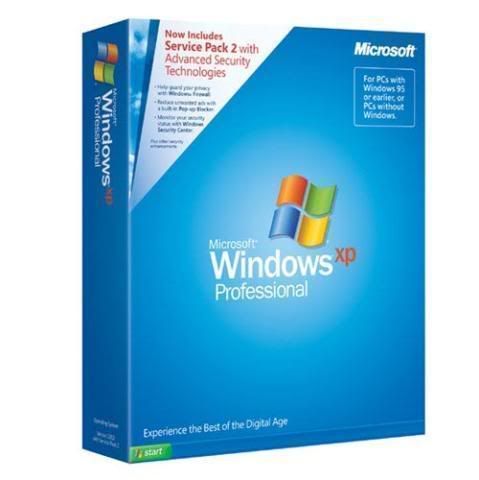
Windows Xp Pro Sp3-5512 (RTM) Gold Transparency

Windows Xp Pro Sp3-5512 (RTM) Gold Transparency| Passes WGA


21m883p.png


Windows Xp Pro Sp3-5512 (RTM) Gold Transparency


*****************
32 Bit Custom O/S
*****************


MULTILANGUAGE- NO LANGUAGES TOUCHED
(SELECT PREFERENCES DURING INSTALL)

NO SERIALS NEEDED
PASSES ALL M/S VALIDATION CHECKS
OBTAIN M/S UPDATES WITHOUT CONCERN

BURN ISO TO BOOTABLE CD OR DVD AT SLOW SPEED (SUGGEST X1)
AND INSTALL FROM BOOT; CHOOSING FULL FORMAT OPTION


================
SPECIAL FEATURES:-
================

CUSTOM THEMES ADDED AND APPLIED AS DEFAULT

TRANSPARENCY BY DEFAULT ON ALL THEMES

CUSTOM GLASS CURSERS AND VISTA SOUNDS BY DEFAULT

WMP11 VISTA CUSTOMIZED SKIN BY DEFAULT

LCLOCK CUSTOMIZED SETTINGS/CUSTOMIZED CALENDAR BY DEFAULT

VISTA CUSTOMIZED ROCKET DOCK

VISTA SIDEBAR CUSTOMIZED GADGETS

CUSTOMIZED PROPERTY BOXES

CUSTOMIZED INSTALLATION/BOOT/LOGON/LOGOFF SCREENS

CUSTOM WALLPAPERS


=================
SPECIAL ADDITIONS:-
=================


SATA SUPPORT
(DRIVER PACKS)
CHIPSET V.8.03
CPU V.8.04
LAN V.8.04
M.SGE V.8.04
WLAN V.8.03
NETFRAME 1..2…3…AND 3.5
vISUAL C 2005 SP1
DIRECT 9X RUNTIMES (MARCH 2008)
jAVA 6 UPDATE 6
KLITE CODEC PACK V.3.9.0
WGA (APRIL 2008)


hui1ds.jpg


2uswwhy.jpg


15hibo5.jpg


106eqz8.jpg


258p1xu.jpg


2di55dw.jpg


m9nals.jpg


=======
PATCHES:-
=======

TcpIp - increased from 10 to 100
UxTheme - patch enabled
Sys.File Protection - disabled


==========================
TWEAKS FOR LOOKS AND SPEED:-
==========================


Explorer-Add ‘Command Prompt’ to folder context menu
Explorer-Disable shortcut arrow
Explorer-Recycle Bin: allow to rename and delete
Explorer-Show Drive Letters in front of Drive Names
Internet Explorer-Set Homepage-www.google.com
Internet Explorer-Set Internet Explorer to accept 10 connects at a time
Performance-Disable Warn on low disk space
Start Menu-Reduce popup delay
Start Menu-Remove Windows Catalog shortcut
Start Menu-Remove Windows Update shortcut
Taskbar-Disable Balloon Tips
Taskbar-Disable Language-Bar
Taskbar-Hide Volume Control Icon in System Tray
Visual Effects-Animate windows when minimizing and maximizing-Disable
Visual Effects-Combo box animation-Disable
Visual Effects-Cursor shadow-Disable
Visual Effects-Display mouse pointer trails-Disable
Visual Effects-Fade out selection-Disable
Visual Effects-Gradient captions in windows-Disable
Visual Effects-Menu animation-Disable
Visual Effects-Menu shadows-Disable
Visual Effects-Show translucent selection rectangle-Enable
Visual Effects-Show window contents while dragging-Enable
Visual Effects-Slide taskbar buttons-Disable
Visual Effects-Smooth edges of screen fonts-ClearType
Visual Effects-Smooth-scroll list boxes-Enable
Visual Effects-Tooltip animation-Disable
Visual Effects-Use a background image for each folder type-Disable
Visual Effects-Use drop shadows for icon labels on the desktop-Enable


=====
ADDED:-
=====


DotNetFx All In 1
Vis.C Redis.2005 Sp1
DirectX 9.0c End-User Runtime
Java6upd6
ImageResizer v1.2
TrueTransparency(Repack)
TTskins(Repack)
CabTool v1.8
ClearType v1.1
DAMN NFO Viewer v2.10.0032
CursorsCGlass v1.2
Firefox 2.0.0.14
IZArc 3.81 Build 1550
LClock v.1.62b custom
Sysinternals Tools 25.07.2007
AIOVistaAeroCursors v7.07.03
CCleaner2.06.567
StylerTB1401
VistaRTMFonts v1.1
VistaSceenSavers v1.1
VistaSoundsReplacement
WindowsSidebarSP3 AlkyXP1.0
Adobe Flash v.9.0.115(F-Fox)
HashTab v.2
IconPackager.v.3.2
Klite Codecs v.3.9.0
RocketDock v.1.3.5
Transparency Effect
Unlocker v.1.8.6
uTorrent 1.7.7 (8179) (BLUE) + SBG
WinRAR.v.3.71
VistaLoud
SP3UpdPk1.0.9 Repack
IE7

KEY IF YOU NEED TI!!

Code:
 http://www.inethouse.info/files/143371_2z6f9m9_1.jpg


Code:
 http://rapidshare.com/files/118577689/xp.pro-sp3.5512_RTM_-GOLD_Transp.part1.rar 
http://rapidshare.com/files/118583695/xp.pro-sp3.5512_RTM_-GOLD_Transp.part2.rar 
http://rapidshare.com/files/118589426/xp.pro-sp3.5512_RTM_-GOLD_Transp.part3.rar 
http://rapidshare.com/files/118595266/xp.pro-sp3.5512_RTM_-GOLD_Transp.part4.rar 
http://rapidshare.com/files/118600877/xp.pro-sp3.5512_RTM_-GOLD_Transp.part5.rar 
http://rapidshare.com/files/118607516/xp.pro-sp3.5512_RTM_-GOLD_Transp.part6.rar 
http://rapidshare.com/files/118611900/xp.pro-sp3.5512_RTM_-GOLD_Transp.part7.rar
 

MaD-DoC

Member
Oct 27, 2007
6,337
22
0
SLIIT/Malabe
Windows XP Professional SP2 April 2008 Genuine+bootable

Pro.jpg


Windows XP Professional Corporate SP2 April 2008 Genuine

Full Install | Passes WGA | Bootable ISO | | SP2 Included | | 32-Bit |Fastest and Clean XP


This is the original genuine version of Windows XP Professional.
It includes Service Pack 2. It does not requires any cracks or tools to pass the validation.
This release includes all hotfixes and security updates until April 2008 .


INSTALL NOTES:
1. Unrar.
2. Burn ISO with MagicISO to DVD.
3. Install


Serial Included

Download(6 Parts)
Code:
http://rapidshare.com/files/116436964/Windows_XP_Pro_SP2_Activated_april._2008.Genuine.part1.rar 
http://rapidshare.com/files/116443674/Windows_XP_Pro_SP2_Activated_april._2008.Genuine.part2.rar 
http://rapidshare.com/files/116437746/Windows_XP_Pro_SP2_Activated_april._2008.Genuine.part3.rar 
http://rapidshare.com/files/116437915/Windows_XP_Pro_SP2_Activated_april._2008.Genuine.part4.rar 
http://rapidshare.com/files/116438760/Windows_XP_Pro_SP2_Activated_april._2008.Genuine.part5.rar 
http://rapidshare.com/files/116438568/Windows_XP_Pro_SP2_Activated_april._2008.Genuine.part6.rar
 

MaD-DoC

Member
Oct 27, 2007
6,337
22
0
SLIIT/Malabe
Bandwidth Monitor v3.2.0.699

m1o9l8huvkyhmu112phv.gif

Bandwidth Monitor tracks traffic of all network connections and displays real-time download and upload speeds in graphical and numerical forms (refer to screen shot below). The software logs traffic of all network connections and provides daily, weekly and monthly traffic reports. Bandwidth Monitor can also display download and upload speeds of multiple network connections on a computer at a time. For example, you can monitor bandwidth of mutiple network cards on your computer at the same time.

Bandwidth Monitor also offers useful built-in utilities: speeds stopwatch, transfer rates recorder, and bandwidth usage notification.

Bandwidth Monitor works with the majority network connections including modem, ISDN, DSL, ADSL, cable modem, Ethernet cards, wireless, VPN, and more. It's fully compatible with Windows 98, Windows Me, Windows NT 4.0, Windows 2000, Windows XP, Windows 2003, and Windows Vista.

Top 10 Benefits of Bandwidth Monitor:

1. Network bandwidth monitoring

You can view the traffic flow of your network connections (LAN and WAN) in real-time using Bandwidth Monitor. The software is full compatible with all kinds of network connections.
2. Internet bandwidth monitoring

If your computer connects to Internet via a dial-up connection based on modem, ISDN, DSL, ADSL, cable modem, or VPN, you can monitor the Internet bandwidth in real time and get your total bandwidth usages to avoid overshooting your Broadband limitation.
3. Views download and upload speeds in real-time

You can view the download and upload speeds of your network or Internet connections in real-time. Bandwidth Monitor supports two units: kB/sec (kilobytes per second) and kbps (kilobits per second).
4. Multiple network connections monitoring at a time

It's very useful when you want to monitor the Internet and LAN connections network traffic on one computer at the same time. You can also monitor traffic rates of ALL network connections on your computer.
5. Gets daily, weekly, monthly and annual network traffic report

Bandwidth Monitor provides daily, weekly, monthly and summary traffic report. You can easy to get your bandwidth usages of every day, every week, every month, every year, or in total.
6. Bandwidth usage notification

You can set a notification that alerts you when you exceed a certain amount of bandwidth usage for a specific connection.
7. Tests download and upload speeds of a network connection within a user-specified period

The built-in speeds stopwatch can help you to test the download and upload speeds of an network or Internet connection.
8. Records traffic rates of a specified network connection

You can record download upload speeds of one or more network connections and export to a text or Microsoft Excel .csv file.
9. No extra drivers needed

The Bandwidth Monitor doesn't install extra drivers to your computer. This will keep your system clean and reliable.
10. Small, easy to use, and accurate

Size of Bandwidth Monitor is less than 1 MB; it has a simple interface, and uses very low CPU and memory resources.
Code:
http://www.megaupload.com/?d=IDAQRLMX
 

MaD-DoC

Member
Oct 27, 2007
6,337
22
0
SLIIT/Malabe
Limewire PRO 4.18.1

29xwxh5.jpg


2nqz1pu.jpg


he latest and greatest new additions to LimeWire 4.18

* Protection Against Identity Theft
New ways to control your sensitive material.
* Even Better Control Over Shared Files
Easily see and control what files you are sharing.
* Built-In Browser*
Browse the Web, right from LimeWire!

* Windows users only
And LimeWire still has all of these great features:

* NO BUNDLED SOFTWARE OF ANY KIND!
No spyware. No adware. Guaranteed.
* Firewall to Firewall Transfers.
Since about 60% of users are currently firewalled, this feature greatly increases the amount of content on the network.
* Faster network connections.
Using new "UDP Host Caches", LimeWire starts up and connects faster than ever before!
* Universal Plug 'N Play.
UPnP support allows LimeWire to find more search results and have faster downloads.
* iTunes Integration.
Windows and Mac users can now take advantage of LimeWire's iTunes integration.
* Creative Commons Integration.
LimeWire now recognizes OGGs and MP3s licensed under a Creative Commons License.
* "What's New?" feature.
Users can browse the network for the most recent content additions.
* Search drill down results.
Searches in LimeWire now immediately display information that fully describes files.
* Proxy support.
Users can now use web proxies to route their downloads to protect their identity.
* Support for International searches and International groups.
Users can now search in any language, and LimeWire ensures that a user will be connected to other users with their own language to aide international users to receive search results in their native language and to find content from sources that are close to home.


DOWNLOAD:

Code:
http://rapidshare.com/files/118692684/Limewire_Pro_4.18.1_NEW_www.wareztalk.info.rar
PASSWORD:
Code:
www.wareztalk.info
 

*danushka*

Well-known member
  • Oct 15, 2007
    13,922
    1,098
    113
    Hali-ela
    MaD-DoC said:
    269387-ss1.jpeg

    269388-ss2.jpeg

    269389-ss3.jpeg


    ra2a68.jpg

    Camtasia Studio description
    A program that creates videos of on-screen activity from any application
    Camtasia Studio is the complete professional solution for recording, editing and sharing high-quality screen video on the Web, CD-ROM and portable media players, including iPod.

    Easily record your screen, PowerPoint, multiple audio tracks, and webcam video to create compelling training videos, screencasts, and presentations without ever leaving your desk. With the power of interactive Camtasia Studio videos, you can deliver high-quality content anytime, to even your most remote audience.

    Here are some key features of "Camtasia Studio":

    Record
    • Precision Recording
    • Record all or any portion of the screen.
    • Record webcam video.
    • Record voice narration and system audio.
    • Record all elements of a PowerPoint presentation, including slide timing, animations and voice narration.
    • Record mouse clicks and keystrokes.
    • Record layered windows and application interaction.
    • Capture single frames for still image AVI slideshow.
    • Step through the recording process with the aid of a Recording Wizard.
    • Use TechSmith TSCC Codec to get high-performance video compression for fast and smooth recording.

    Add Emphasis
    • Highlight and alter cursor with onscreen visual effects.
    • Add multiple-choice quizzes.
    • Draw on the screen with pens, highlights using ScreenPad.
    • Cycle through ScreenPad tools and layouts with Hotkeys.
    • Use Hotkeys to zoom in and out.
    • Zoom in on a smaller portion of the window and have the video window follow the cursor.

    Pre-Production
    • Preview audio levels prior to recording narration.
    • Record audio input from microphone.
    • Use time-lapse recording.
    • Add time stamps and text captions to videos.
    • Record annotation drawings with ScreenDraw.
    • Add text notes while recording.
    • Add and change text in ScreenPad shapes.
    • Add a watermark

    Edit and Enhance
    Add, Cut, Splice and Join Clips
    • Add video from digital video files, for personal video introductions, in WMV, MPEG and AVI formats.
    • Add audio clips (WAV, MP3).
    • Add still images (BMP, JPG, GIF).
    • Select and cut portions of a video clip or multiple video clips.
    • Select a single frame of a video to separate one video file into two.
    • Zoom in and out on the timeline to edit with frame-by-frame precision.
    • Select a single frame to export as a BMP file.
    • Extend the duration of the exported bitmap file or video file to accommodate more lengthy explanation.
    • Edit, review, cut and join AVI clips.
    • Preview your edits and transitions in real-time.
    • Resize and detach the video preview window.
    • Chose from 18 new video transitions between clips.

    Add, Edit Audio
    • Narrate an entire timeline.
    • Use microphone to record new narration while viewing video clips.
    • Record audio from applications (sound card driver dependent).
    • Add a second audio track, including background music or second language tracks for international audiences.
    • Record and/or edit audio for a single image (BMP, JPG, GIF).
    • Narrate a series of still images to create a slideshow playable in standard media players.
    • Trim and attach WAV audio files from video clips.

    Add Emphasis
    • Add Flash Hot Spots to simulate applications and add onscreen navigation.
    • Provide users with clickable areas to either continue video, jump to another frame or go to a URL.
    • Zoom-n-Pan in over time or cut immediately to a focused area of the screen to make full-screen recording playable on the smallest PC and handheld screens.
    • Add callouts, annotations and text notes to AVI videos after recording.
    • Customize the callout text, font face and size.
    • Customize the callout color, shape and location.
    • Customize the callout duration and speed of the fade in and out.
    • Use timeline bar to choose where and when annotations appear in videos.

    Publish
    • Versatile Publishing Options
    • Publish in industry standard formats - Macromedia Flash, AVI, Microsoft Windows Media, RealNetworks RealMedia and QuickTime.
    • Production Wizard with Help Me Choose feature.
    • Output as animated GIF.
    • Export as EXE file with Pack and Show.
    • Publish multiple videos at the same time with batch production.
    • Save a user-defined publishing profile.
    • Select from a list of codecs to match your content.
    • Select color depth and frame rate.
    • Select audio quality.
    • Resize video dimensions with smooth scaling

    Web & CD Menus
    • Launch MenuMaker and Theater from within Producer.
    • Create a Table of Contents for navigation within a video for the Web.
    • Create a Theater Web pane for navigation between multiple videos.
    • Create a CD-ROM menu (MenuMaker) of your videos and other files, including: Video files, PowerPoint files, Word documents, PDF files, EXE files, Web pages, Submenus
    • Customize your CD interface with over 350 custom background graphics from 30 categories.
    • Customize the menu's text, alignment and font.
    • Create headings for media groupings with static text.
    • Use the Wizard to organize and deliver videos.
    • Exercise font and color control.
    • Save production info in project files.
    • Create customized Web menus (Theater) for Flash movies.
    • Select a single Flash file or complete directories.
    • Order a group of Flash movies for sequential playback.
    • Output as HTML.
    • Use XML output for custom configuration.
    • Apply an auto-sequencing option.
    • Make use of the scrolling menu.
    • Sort and rename movies.
    • Send/post a link to a single video within the Web menu.

    Plays Well with Others
    • SCORM 1.2 compliance.
    • Macromedia Flash MX 2004 Professional users can produce their screen recordings as true streaming Flash files (.FLV).
    • Introduce these files into MX 2004 Pro via TechSmith's Components for Flash MX to enhance them with additional interactivity.
    • Enables Flash MX users to customize presentation of Flash screen movies.
    • Drag the Movie Loader component onto the Flash MX stage to easily reference the Flash movie.
    • Create a menu for multiple Flash movies.
    • Customize preloading animation.
    • Use the Flash playback controls.
    • Add a seekbar (aka "scrubber") to your movies for easy navigation.
    • Customize the color and placement of playback controls.
    • Customize presentation of movie duration and elapsed time.
    • Files can be combined as part of a larger Flash MX 2004, Macromedia Breeze and/or Flash Communication Server presentation.
    • Videos can also be edited and enhanced in Apple Final Cut Pro and Adobe Premiere Pro and After Effects.

    Requirements:

    Authoring Requirements:
    • Microsoft DirectX 9 or later
    • 1.0 GHz processor minimum, Recommended: 2.5 GHz (for PowerPoint and camera recordings)
    • 500 MB of RAM minimum, Recommended: 1.0 GB
    • 60 MB of hard disk space for program installation
    • Camtasia Studio Add-in for PowerPoint requires PowerPoint 2000, 2002, 2003, 2007 or later
    • Production to Apple iPod format requires QuickTime 7.1 or later
    • Optional: Windows-compatible sound card, microphone, and speakers (recommended)
    • Optional: USB Web camera
    • Camtasia Studio is not designed for use with digital video (DV) cameras.

    Playback Requirements:
    • 300 MHz processor
    • 64 MB of RAM

    What's New in This Release:
    General:
    • Added a production option for Apple's iPod Touch/iPhone devices.
    • Added the ability to zoom in/out on the timeline using CTRL + mouse-wheel when editing.
    • Added an option for producing to ExpressShow for FLV files.
    • Updated the minimum version of QuickTime requirement to be version 7.2.0 or later.
    • Modified the workflow of adding and working with Callouts.
    • Added an enhanced shading option for callouts.
    • Addressed an issue that would cause some users to get a Flash install error when installing the product on Windows Vista.
    • Updated the QuickTime MOV defaults to use H.264 + AAC
    • Updated and modified the Camtasia Theater application for improved workflow and options.
    • Added the ability to have an Audio 3 track on the timeline.
    • Added the ability to edit Camtasia Relay content if the Camtasia Relay Client Recorder is installed on the system.
    • Added a Highlighter callout as an option.
    • Added a Spotlight callout as an option.
    Recorder:
    • Fixed an issue that would show an error message when recording to AVI and pausing the recording.
    • Fixed an issue that would cause the Recorder UI to be the wrong size when restoring from a minimized state from the task bar.
    Studio:
    • Fixed an issue when resizing the timeline in a secondary monitor would show strange results.
    • Fixed an issue where users were able to switch to storyboard view while in the Record Camera view.
    • Fixed an issue that would cause the "Fast Start" option to not work when producing to the Apple QuickTime MOV format.
    • Fixed an issue that would cause the aspect ratio settings to be affected when using the floating TOC option with an ExpressShow production template.
    • Fixed an issue when producing and selecting the "Include PPT File" option with Office 2007 would cause the file to not work properly if uploaded to Screencast.com.
    • Added a warning message when producing with the Blog production preset and you have a non-side-by-side PiP video on the timeline.
    • Fixed an issue with producing using the Blog production preset and having a quiz on the timeline would create a cropped quiz.
    • Updated the recording preset sizes to include 720x576 for support of PAL video standards.
    • Fixed an issue where Hotspots would not work as expected when producing with an ExpressShow template.
    • Fixed an issue where the second of two identical .camrec files on the timeline would not show video for the second file.
    • Fixed an issue with the Quiz/Survey Reporting button not being available when producing with an ExpressShow template.
    • Fixed an issue where Web Production presets would not allow overlaid captions and closed captions.
    • Fixed a crash that would be caused when producing a Flash SWF format using 44.100kHz, stereo, 128kBits/sec.
    • Fixed a security hole where a cross-site scripting (XSS) attack would be possible with a malicious URL passed to controller.swf.
    • Fixed an issue where FLV productions would not display the Answers Summary page as expected.
    • Fixed an issue where the send email button would not work with ExpressShow if Flash Player version 9,0,115 is installed.
    • Fixed a crash that could occur if you changed transitions on the timeline using the context menu.
    • Fixed an issue that would cause a Flash produced video with quizzing to restart at the beginning after pausing for the quiz.
    • Fixed an issue When producing to WMV and selecting iPod as an additional output, the resulting iPod video may be missing a video track.
    • Implemented a change so Callouts are reliably added to the Timeline based on cursor position.
    • Fixed an option if "Minimize to system tray during recording" is unchecked then the Recorder UI should always display.
    • Fixed an issue when captions are selected to display and overlay, the preset does not produce the captions in overlay...

    2j34kz8.jpg


    Code:
    http://rapidshare.com/files/117857420/CamtasiaStudiov5.1.0.rar
    thanks machan.mama mewage akak hoya hoya hitye.........
     

    MaD-DoC

    Member
    Oct 27, 2007
    6,337
    22
    0
    SLIIT/Malabe
    Nero 7 Ultra Premium v7.11.6.0
    1-1.jpg


    Released: April 15th, 2008
    Size: 333 MB
    Languages: All
    Keygen: Included
    Archive Format: Self-Extracting WinRar
    Recovery Record: Yes
    Recovery Record Percentage: 1%
    Compression Ratio: Best
    Archive Tested: Yes
    Max Archive Size: 100 MB


    2-3.jpg


    [Note]
    - Having problems with Nero 8 ?
    - Certain components of Nero 8 not working ?
    - Can't Encode or Burn DVDs with Nero 8?
    - Nero Vision not working with Nero 8?
    - Notice Nero 8 causes problems after Cracking?
    - Nero 8 nagging about Pirated Serial ?
    - Can't find a working Keygen or Serial for Nero 8 ?
    - Notice Nero 8 is bloated and a Resource Hog ?
    - Switch back to Nero 7 like me !
    - Nero 7 is lightweight, all components work, and no "Pirated Serial" nag


    [Description]
    Nero 7 Ultra Edition Enhanced provides you with everything you need to complete your digital media tasks on your PC or on your TV. This award-winning software provides you with over 20 applications in ONE solution with ease of use and cutting-edge technology. Whether you want to burn CDs or DVDs, edit your videos or digital photos, backup your favorite DVD movies*, access your files from your TV, record your favorite TV programs, or complete an entire system backup, Nero 7 Ultra Edition offers you the most complete and comprehensive digital media solution available today!

    Simplify all of your multimedia needs and gives you the capabilities of a seasoned professional. The new Enhanced version of Nero 7 Ultra Edition offers over 20 applications to manage all of your PC and home entertainment needs as well as new tools to share withfriends and take your media with you, anywhere you go.


    [Release Notes]


    ReleaseNotes2-1.jpg
    ReleaseNotes1-1.jpg


    ReleaseNotes3-1.jpg
    ReleaseNotes4-1.jpg


    [Installation Process & Keygen Highlights]


    installation5.jpg
    installation4.jpg


    installation6.jpg


    installation12.jpg


    installation13.jpg


    [Download]
    Code:
    http://rapidshare.com/files/109120090/Nero_7_Ultra_Premium_v7.11.6.0.part1.exe 
    http://rapidshare.com/files/109125944/Nero_7_Ultra_Premium_v7.11.6.0.part2.rar 
    http://rapidshare.com/files/109130660/Nero_7_Ultra_Premium_v7.11.6.0.part3.rar 
    http://rapidshare.com/files/109133398/Nero_7_Ultra_Premium_v7.11.6.0.part4.rar

    [Size]
    Code:
    Link #1: 100MB 
    Link #2: 100MB 
    Link #3: 100MB 
    Link #4: 51MB

    [Included]

    Code:
    - Nero Setup Files 
    - Keygen 
    - All Languages


    [Installation]
    - Completely Uninstall Previous Version
    - Restart PC
    - Start Installation of New Nero Version
    - When Prompted.. Generate New Serial via Provided Keygen
    - Enter Serial
    - Name & Company can be your choice
    - Continue until complete

    --------------------------------------------------------------------------------------------------------------------------------------------------------------------------


    - DON'T HAVE A RAPIDSHARE PREMIUM ACCOUNT? -


    [Mirror]
    Code:
    http://www.nero.com/enu/downloads-nero7-update.php

    [Size]
    Code:
    333MB


    [Keygen]
    Code:
    http://rapidshare.com/files/109135482/NeRoX.exe

    [Keygen Mirror]
    Code:
    http://www.ftp2share.com/file/bc8b2b3e-ec27-465c-9018-219b28d8db14/Nero_7.x.x.x_Keygen.exe.html

    [Keygen Mirror]
    Code:
    http://www.megaupload.com/?d=FWVCWVJT

    [Keygen Mirror]
    Code:
    http://rapidshare.com/files/97493379/NeRoX.exe

    [Keygen Size]
    Code:
    174 KB
     

    MaD-DoC

    Member
    Oct 27, 2007
    6,337
    22
    0
    SLIIT/Malabe
    Logo Design Studio v3.5.0.0

    logoZdesignQstudio.jpg


    Logo Design Studio v3.5.0.0 | 12 MB

    A great logo design is critical to catching the attention of the world around you - Create and enhance your look with Logo Design Studio

    Logo Design Studio offers the greatest range of designer tools to help you quickly and easily create an identity from your own library of uniquely branded logos and graphic images. By modifying or importing images, shapes, graphic objects and text, each professionally designed logo included in the software is able to produce thousands of unique results all in a matter of minutes! If your identity evolves or completely changes at any time, simply recreate a new company logo design at no additional cost.

    The unmatched features of Logo Design Studio include:
    >> Over 2500 logo design objects
    >> Professionally designed high quality artwork
    >> Over 500 industry based logo templates
    >> Slogan and tagline resource library
    >> Special effects such as Shadows, Blurs, Embossing & Frames

    Don't be limited to a single logo design concept from an overpriced design firm. Get easy recognition of your name, image, symbol, icon or trademark using the flexible tools of Logo Design Studio, the #1 selling logo design software (based on NPD Techworld reporting from May 2005 - Present).

    Creative Logo Design with Logo Design Studio - The #1 selling logo design software

    Go beyond company logo design by creating identifying graphics or text for stationery, website icons and buttons, page headers, titles for eBooks, text effects for digital movies, sports teams, festivals, churches, fundraisers, local guides, conventions, fraternal organizations, educational institutions, television or radio media, newspapers and publications, music events or artists—just fire up your imagination and go to work! The logo design software has all the right tools to aid your creativity. You can even trademark logos created by you using helpful trademark guidelines to keep others from copying your unique look.

    Logo Design Studio Features
    Includes logo objects and artwork designed by professional graphic artists
    Change over 500 customizable logo templates to fit the look of any industry or interest
    Over 2500+ logo design objects include spheres, signs, swooshes, shapes, images, flags and other creative graphics
    Wipe the logo canvas clean with the undo and revert tools
    Import and export your logo in all popular formats including JPEG, TIFF, GIF, PNG, WMF, BMP, PDF and more
    Summarize your identity using the Slogan & Tagline resource library
    Capture your logo design look with every essential Object & Text tool
    Shape drawing tools allow you to create unique looks that get noticed
    Special effects such as Shadows, Blurs, Embossing & Frames ignite your image
    New text effects include Projective, Wavy, Outline, Memo & Circular styles
    Advanced color control options and gradients help sharpen your look
    Place your new logo on the included custom letterhead templates
    Print sharp results with any project by adjusting your export resolution up to 600 dpi
    Trademark logo guidelines help secure your identity
    Video tutorials display the easy steps of Logo Design Studio
    Professional, Creative, Refined & Designer fonts included

    Object & Text Tools
    Font manipulation
    Resize & rotate
    Full layer control
    Advanced color adjustment
    Professional alignment tools
    Transparent, colored & shaped backgrounds
    3D & mirrored effects
    Shadows
    Gradients
    Reflections
    Fades
    Blurs
    Embossing
    Frames
    Shapes

    Creating logos has never been this easy
    Identify your image clearly with a custom logo created and designed by you. From one logo you can create unlimited new looks simply by adjusting the colors, fonts, shapes and effects. Import your own graphics or pictures to further personalize your look.

    1 - Type in your text. Company name, organization, website, event, sports team You Name It!

    2 - Modify your text. Change the font type, format, size, color, gradient, rotation, letter spacing and more to get the results you want.

    3 - Add a slogan or tagline. Easily add a catchphrase to any part of your logo, or give yourself a jumpstart using the included Slogans & Taglines. Modify the text as needed.

    4 - Add objects, shapes, pictures & graphics. Customize your logo with over 2500 professionally designed objects, or import your own. Replace colors and add gradients for eye-catching results.

    5 - Finalize your design. Add shadows, outlines, blurs and other effects to complete your professional look. Change your design at any time without added cost!

    Download

    Code:
    http://rapidshare.com/files/114930174/Logo.Design.Studio.v3.5_by_www.black-final.com.rar