Avid Sibelius 7.1.2 + Sounds Content Library Addon + Hybrid Installers | 52.78 GB
Hear their scores in stunning clarity with exceptional, professional-quality sound library. Collaborate more easily thanks to full support of the exchange MusicXML, and others. With all these and many more other intersnyh improvements. Sibelius 7 is the fastest, smartest, easiest way to compose music.
Sounds Sibelius 7 - is not normally supplied with a typical library.
This collection contains a unique, carefully selected by experts from the highest voice in the industry.
Adds arsenvl your sound library of professional quality instruments covering all groups -from full symphony orchestra to such a specific sound, like hand bells, or 27-note pedal church organ.
And all this wealth - the size of only 38 GB!
Content
- Sibelius.7.Sounds.Content.Library.Addon.Inc.Hybrid.Installers.NFO
- Avid Sibelius 7 Installer DVD + Content Discs [DMG]
- Avid Sibelius 7.0.2 Update (WIN & MAC)
- Avid Sibelius 7.1.0 Update (WIN)
- Avid Sibelius 7.1.2 Update (WIN & MAC)
- AudioScore Ultimate v7 [MAC OSX iNTEL]
- PhotoScore Ultimate v7 [MAC OSX iNTEL]
- PhotoScore Ultimate v6.1 [WIN]
- SOUNDS UPDATERS
- Added soft
- Exported - Demos
- For RME Audiocards
- Manuals
Description of distribution:
If, on the installation on Win7 x64 I have personally had no problems.
Then on a Macintosh had to tinker ...
But now:
1) Install Sibelius 7 Sounds.app (sound library installer for the Mac) works!
(Re-extract the archive from the original, but is already on the Macintosh)
In any case, included in the distribution packaged versions of the installer (zip + dmg)
Try again to install on MAC using already downloaded distribution (InstallerData) with a new installer!
Folder / [SOUNDS] Sibelius.7.Sounds.Content.Library.Addon.Inc.Hybrid.Installers
For lovers of "pure experiment" included in the distribution disks DVD-DMG for Mac
2) Avid Sibelius 7 Installer DVD | DMG | 2.87 GB, and Avid Sibelius 7 Content Disc 3 DVD |. DMG | 21.3 GB
In the folder / [MAC] Avid Sibelius 7 Installer DVD + Content Discs [DMG] there is also
Separately Repackaged installer (without InstallerData). Contained in the file Avid - Sibelius 7 - Installers only.dmg
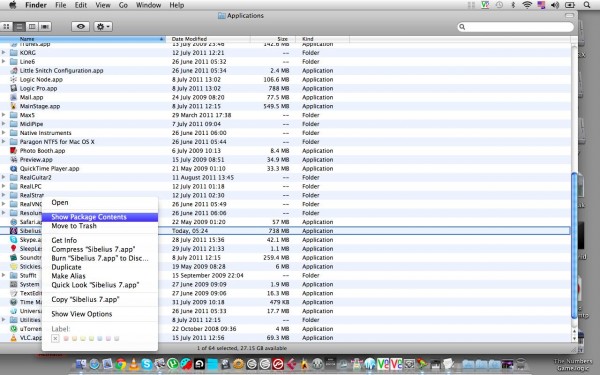
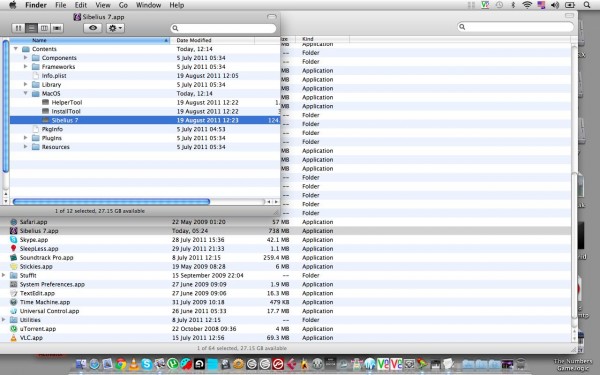
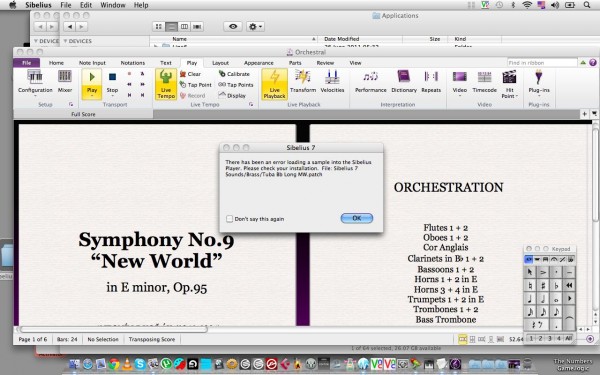
See Screenshots of "Sibelius 7 on Mac OS X 10.6.8"
Also, the sound was proapdeytit official updates ...
It gave, is not clear yet ... But it works
3) Look in the folder / [SOUNDS UPDATERS]
4) In the folder / [MAC] Avid.Sibelius.v7.0.2.b8 (App + Update) - separately - the installer and updater for the Mac Plus - Patch.
Use just one. If you have an older version of the 7th, then - Sibelius702Updater
Patch = Sibelius 7 (just in case, and in archived form) (as a patch - please read Readme.txt and screenshots, see "How to patch the Mac OS X 10.6.8")
In the folder / [WIN] Avid.Sibelius.v7.0.2.b8.x86.x64.ASSiGN, respectively, the installer for WINDOWS
5) In the folder / Added soft
AudioScore Ultimate v7 and PhotoScore Ultimate v7 for Mac and PhotoScore Ultimate v6.1 for WIN (AudioScore could not be found)
Also, the utility can be useful PermissionsReset
6) In the folder / Exported - Demos
Examples of scores, bundled articulated through new sound banks.
No additional edits are not applied. Soundset clung automatically (offered load)
Then - just export to wav and pdf (plus - convert to mp3)
7) In the folder / For RME Audiocards
Fix for sound cards RME (I have this, I had to bustle as the program saw no audio)
Those who have these cards - very useful
8) In the folder / Manuals [/"]www.musicmanuals.ru]
The beginning of the translation into Russian of the program manual. For the continuation of stay on the site http//www.musicmanuals.ru (referred to in the same folder)
Quote: "In this chapter, and then a manual for the program Sibelius 7 will be laid out chapter by chapter, as translated in the order in which the heads are in the original User Reference. Stay tuned."
Extras. information:
Read Sibelius.7.Sounds.Content.Library.Addon.Inc.Hybrid.Installers.NFO
Sibelius 7 Sounds is no ordinary bundled sample library. This collection combines exclusive content with hand-selected sounds from industry experts to bring you more than 38 GB of professional-quality sounds covering every instrument family—from a complete symphony orchestra to specialist sounds like handbells and a 27-stop church organ.
Exclusive, specially recorded Avid Orchestra
An expert sound designer, who has worked with some of Hollywood’s most demanding composers, recorded one of Europe’s top orchestras to build the Avid Orchestra.
Every orchestral instrument is represented, including unusual ones such as the Wagner tuba, alto flute, heckelphone, and lithophone. We've also included several period instruments, including Baroque trumpet and oboe d’amore. There is a full complement of string instruments, including beautiful solo, chamber and full sectional patches.
Wherever possible, instruments have been recorded with a consistent set of playing techniques (including legato, détaché, staccato, tenuto, and trills), with specialist techniques for many instruments (e.g. double-tonguing for flute, mutes for brass and strings, unmeasured tremolo for strings, etc.)
World-class licensed content
To match the professional quality of the included content, Sibelius 7 Sounds also features hand-selected sounds from specialized sample providers.
It includes a full 27-stop pipe organ, taken from the E.M. Skinner Organ from Our Lady of Mount Carmel, Chicago, IL as sampled by Milan Digital Audio— the developers of Hauptwerk, the world’s finest virtual organ software.
Listen to an organ score
And for marching band and drum corps arrangers, Sibelius 7 includes a selection of sounds from the brand new Rumble and Fanfare libraries from Sample Logic. The first sound libraries to feature the multi-time world champion drum corps, The Blue Devils, these sounds were recorded at the world-famous Skywalker Sound scoring stage in Marin County, CA
Read info Avid Sibelius 7 Installer DVD + Content Discs [DMG]
Avid - Sibelius 7: 4xContent DVDs
The latest generation of the world’s best-selling music notation software, Avid Sibelius 7 is sophisticated enough to meet the demands of top composers, arrangers, and publishers, yet simple enough for beginners and students. Work quickly with the brand-new, task-oriented user interface. Experience your scores in stunning clarity with the exclusive, professional-quality sound library. Collaborate more easily thanks to full MusicXML interchange support and other sharing options. With all these advancements and many more, Sibelius 7 is the fastest, smartest, easiest way to write music.
Task-oriented user interfaceTask-oriented user interface
The brand-new Sibelius 7 user interface provides task-focused tabs that lead you through the process of creating a score from start to finish. Every feature has both an icon and a text description—which you can access via a button or a keyboard shortcut—with full contextual help available when you need it.
Professional sound library—only in SibeliusProfessional sound library—only in Sibelius
You finesse every detail of your score—you want to hear every nuance during playback. Sibelius 7 includes more than 38 GB of professional content, including a specially recorded symphony orchestra, rock and pop instruments, and much more. This exclusive content is only available in Sibelius 7.
64-bit logo Native 64-bit support—only in Sibelius
Today’s 64-bit capable hardware and operating systems provide big speed and memory advantages. Sibelius 7 is the world’s first 64-bit notation software, enabling you to unlock the full power of your 64-bit system—and work more quickly, with more virtual instruments and effects, than ever before.
Optimized for single monitor use—only in SibeliusOptimized for single monitor use—only in Sibelius
We understand that many of our customers favor laptops or other single-display systems. That’s why we designed the Sibelius 7 interface to allow you to focus on the music at all times—and easily hide information that you only need to see occasionally.
Switch to Sibelius from Finale
There’s never been a better time to switch from Finale® to Sibelius. Sibelius now features a step-time note input method that is very similar to Finale software’s Speedy Entry method—right down to using many of the same keystrokes. So if you know how to input notes in Finale, you know Sibelius too. And because today’s workflows include a wide variety of software applications, Sibelius 7 now includes full MusicXML export capability, so you can exchange files with hundreds of other applications, including Finale.
Text and typography enhancementsText and typography enhancements
Take advantage of the latest OpenType fonts, including advanced features like ligatures, and employ them in text frames with full DTP-level capabilities. There’s no need to export projects to a separate DTP application—now you can complete many of them within Sibelius 7.
Graphics import and exportGraphics import and export
Sibelius 7 makes it easy to import graphics in all major formats, then manipulate them to build complex layouts for publishing, creating teaching materials, instructional books, and more. You can export the full score as publication-quality graphics in PDF format, plus individual pages or smaller sections in EPS, PNG, and SVG formats. It’s never been faster or easier to finish the job to the highest standards.