


In this tut i will show u how to make portable app using winrar
Tools:
Winrar pre-cracked
Check Download Links Code:
http://rapidshare.com/files/179091884/Winrar_3.80.zip
Icon converter plus
Download:
Check Download Links Code:
http://rapidshare.com/files/198223606/Icon_Converter_Plus.Portable.MZ.rar
Password:
PASS: Check Download Links Code:
MZ
IT IS PORTABLE SO U CAN USE IT DIRECTLY.
Lets start!
Notes:
We will use FireFox in this tut.
before starting using winrar u must delete files like uninstall logs and other unwanted files you like
test the application after deleting the files...
Here we go...!!
1.We will copy FireFox from its directory to desktop.
2.Extract the main app icon by using Icon Converter Plus (if u don't want icon for your portable app, so you can skip this step)
launch icon converter plus then follow as shown below
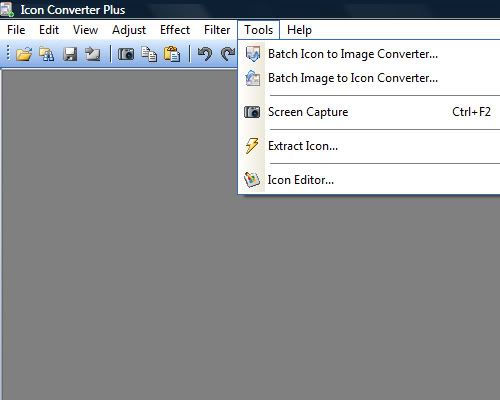
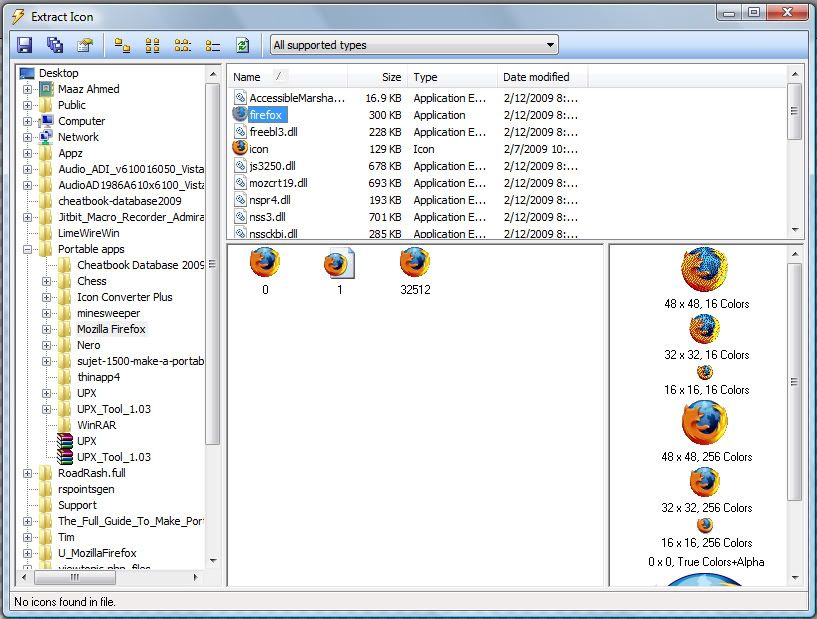
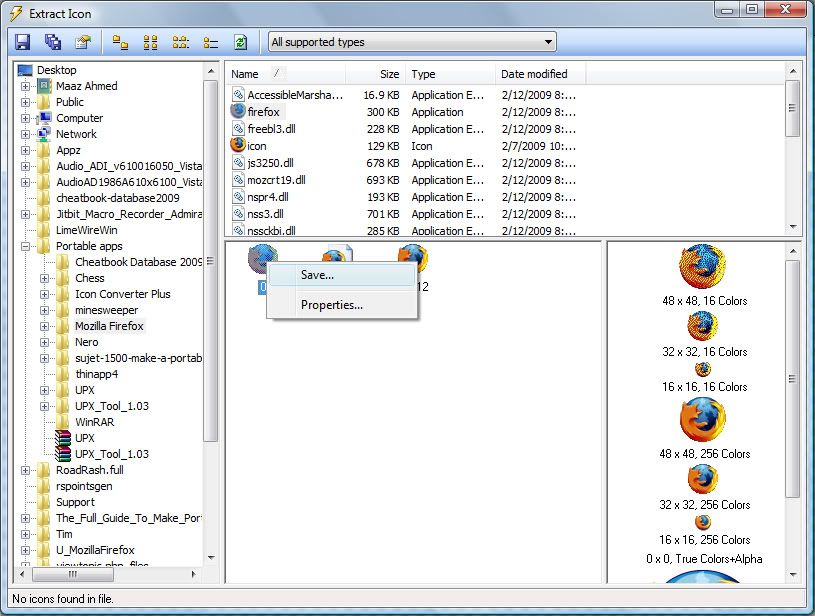
3.Go to your copied mozilla firefox folder
then select all files and do as shown below
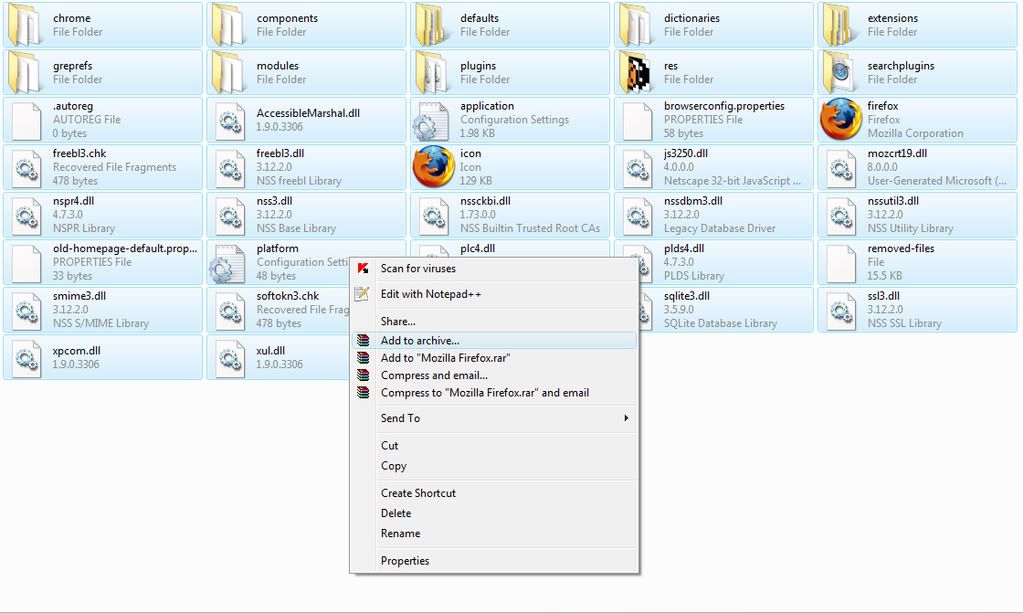
right click and click add to archive
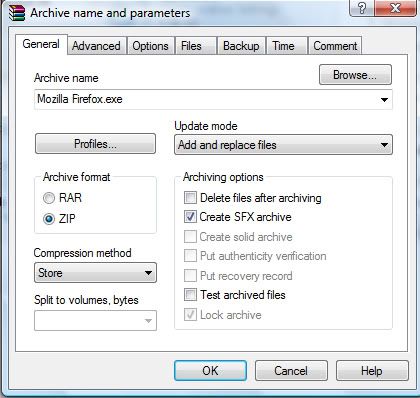
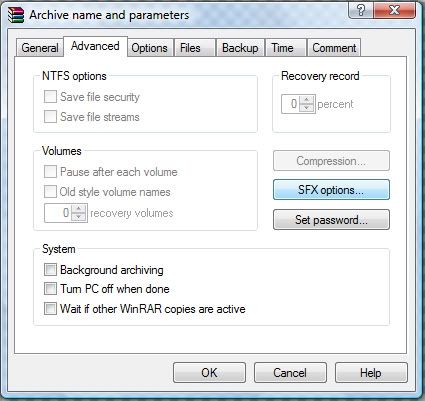
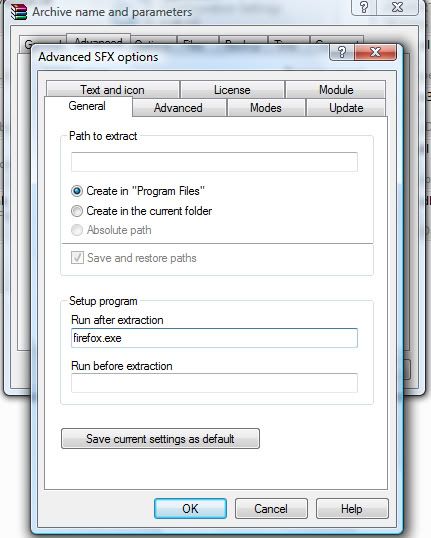
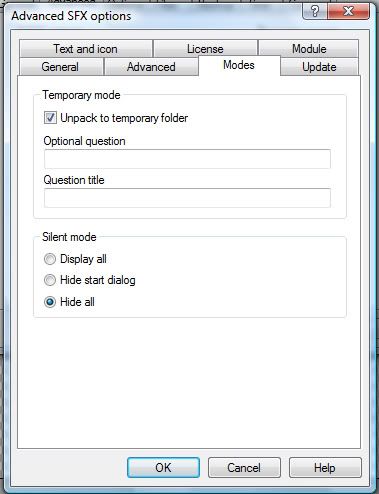
4.Enter settings in winrar as shown below:
Select your icon which you saved from icon converter plus
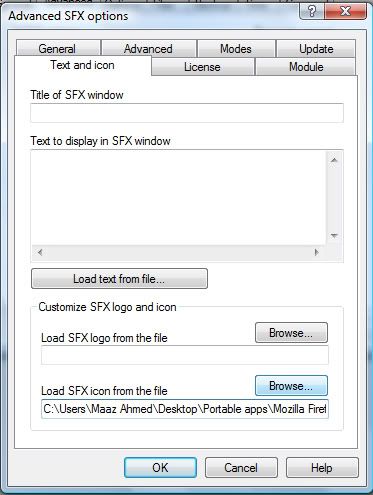
5.Click ok
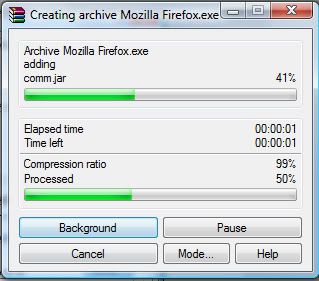
Your application is ready to use!!
Please say thanks if you liked my tutorial..

Tools:
Winrar pre-cracked
Check Download Links Code:
http://rapidshare.com/files/179091884/Winrar_3.80.zip
Icon converter plus
Download:
Check Download Links Code:
http://rapidshare.com/files/198223606/Icon_Converter_Plus.Portable.MZ.rar
Password:
PASS: Check Download Links Code:
MZ
IT IS PORTABLE SO U CAN USE IT DIRECTLY.
Lets start!
Notes:
We will use FireFox in this tut.
before starting using winrar u must delete files like uninstall logs and other unwanted files you like
test the application after deleting the files...
Here we go...!!
1.We will copy FireFox from its directory to desktop.
2.Extract the main app icon by using Icon Converter Plus (if u don't want icon for your portable app, so you can skip this step)
launch icon converter plus then follow as shown below
3.Go to your copied mozilla firefox folder
then select all files and do as shown below
right click and click add to archive
4.Enter settings in winrar as shown below:
Select your icon which you saved from icon converter plus
5.Click ok
Your application is ready to use!!
Please say thanks if you liked my tutorial..


