desktop help tawama hari giya naha

Helo1

Well-known member
  • Sep 7, 2014
    2,782
    295
    83
    TrustWorld
    machine eka off wenna kalin plug eka galauwa. eta passa on karapuwahama desktop eka tibuna file naha. Documents and Settings gihin balapuwahama file tika tiyanawa. nawatta yata tatwayata hada ganna khomada??


    desktop eka mulut tiya ganna baha com eka off karapuwahama file delete wanawa??????

    Documents and Settings walata gihin balapuwahama file tika tiyanawa:rofl:

    com eka on karapuwahama Text file akak open wanawa maa M.G eka anawa

    [.ShellClassInfo]
    LocalizedResourceName=@%SystemRoot%\system32\shell 32.dll,-21787

    mahama eroor ekak anawa accont ekata log wanakota

    makan ma wana M.G ekak anawa eka nam copy karaganna bari una

    ures enverment

    Windows cannot load the locally stored profile. Possible causes of this error include insufficient security rights or a corrupt local profile. If this problem persists, contact your network administrator.
    DETAIL - Error performing inpage operation.


    Restort kara hari giya naha????
     
    Last edited:

    TNTRoCkZ

    Active member
  • Apr 20, 2008
    559
    32
    28
    Colombo
    Might be an HDD ERROR.
    oya user profile eka courupt wela thiyenne.
    Data Backup Ekak Dala format karanna… tika kalekin aith awoth HDD eka maru karala Balanna.
     
    • Like
    Reactions: Helo1

    Helo1

    Well-known member
  • Sep 7, 2014
    2,782
    295
    83
    TrustWorld
    gggg.jpg

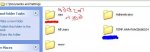
    aaa ratu patin lakunu karala tiyanna maga account eka

    TEMP.AAA nil patin lakunu karala tiyanna alutan hadunu account eka?? eka delete karanna baha??

    User account walin balapuwahama maa account eka naha TEMP.AAA

    hariyata account ekak atula account ekak waga???:eek::eek::eek:

    Temp.aaa account eka ain karot aulak wai da???


    Cmd hariyanna naha??
     

    Malinga

    Well-known member
  • Jul 20, 2006
    61,301
    1,013
    113
    View attachment 68132

    aaa ratu patin lakunu karala tiyanna maga account eka

    TEMP.AAA nil patin lakunu karala tiyanna alutan hadunu account eka?? eka delete karanna baha??

    User account walin balapuwahama maa account eka naha TEMP.AAA

    hariyata account ekak atula account ekak waga???:eek::eek::eek:

    Temp.aaa account eka ain karot aulak wai da???


    Cmd hariyanna naha??

    https://support.microsoft.com/en-us/help/326688/windows-xp-problems-if-your-profile-is-damaged

    ඕකෙ අංක 9 ඉඳල තියෙන විදියට කරන්න.
     

    TNTRoCkZ

    Active member
  • Apr 20, 2008
    559
    32
    28
    Colombo
    [SIZE=“5"]Fix Corrupt User Profile in Windows XP[/SIZE]


    To fix a corrupted user profile on a Windows XP computer, follow these steps:

    1 Boot into your Windows XP computer as an Administrator or any other user (Another_Username.).If you’re not able to log in as an Administrator, go to Cannot log in / No other user account available.
    2 Go to Control Panel
    3 Click User Accounts
    4 Click Create A New Account
    5 Type a name for this new account (example: New_Username)
    6 Click Next
    7 Make sure the account is Administrator
    8 Click Create Account
    9 Restart the computer and logon with the new account you’ve just created (New_Username)
    10 Once logged in, restart the computer
    11 Login with the first account you used before you created the new account (Another_Username)
    12 Right-click on My Computer
    13 Select Properties
    14 Go to Advanced
    15 Click Settings at the User Profiles section
    windows-xp-user-profiles.png

    16 Select the corrupted account
    17 Click Copy To
    18 Click Browse and browse the Documents and Settings folder of the new account you created just now.
    windows-xp-copy-to-user-profiles.png

    19 Click Yes to confirm that the files of this account will be deleted and that the new files will be copied
    20 Once this operation is done, restart the computer
    21 Login with the new username, New_Username


    If the above method didn’t copied the files successfully, you can also copy the files manually:

    1 Boot into Windows XP as an Administrator or any other user except the corrupted user (CORRUPT_USERNAME).If you’re not able to do so, go to Cannot log in / No other user account available.
    2 Click Start
    3 Click Control Panel
    4 Click User Accounts
    5 At the Pick a task section, click Create a new account
    6 Type a name (example: NEW_USERNAME)
    7 Click Next
    8 Select an account type (make sure it would be part of Administrator group)
    9 Click Create Account
    10 Open Windows Explorer or My Computer
    11 Click Tools > Folder Options > View
    12 Click Show hidden files and folders
    13 Uncheck Hide protected operating system files
    14 Click OK
    15 Go to C:\Documents and Settings\CORRUPT_USERNAME, where CORRUPT_USERNAME is the corrupted username
    16 Select all files from this folder, except:

    ◦ Ntuser.dat
    ◦ Ntuser.dat.log
    ◦ Ntuser.ini​
    17 Right-click on these files (make sure the above files aren’t being copied), click Copy
    18 Go to C:\Documents and Settings\NEW_USERNAME, where NEW_USERNAME is the username you’ve recently created
    19 Find an empty space to right-click and click Paste
    Restart the computer and logon as the new username (NEW_USERNAME)
     

    ThimalM™

    Well-known member
  • Nov 4, 2010
    3,470
    2,499
    113
    Ube user account eka damage wela. Dan aluth ekak hadila thiyenne. Kalin files athi ube kalin user name eke nama thiyna folder ekaka