


Files විතරක් use කරලා Bootable Disc එකක් හදමු...
මම පොඩි කාලේ පොඩි ගොන් වැඩක් කළා..ඒ තමයි windows cd wage bootable cd වල image හදන්නේ නැතුව නිකන් files විතරක් copy කරගන්න එක..write කරලා බැලුවමයි තේරුනේ එහෙම වැඩ කරන්නේ නෑ කියලා..පස්සේ ඉගෙන ගත්ත ඒවා copy disc walin write කරගන්න හැටියි image file හදන හැටියි..එත් මං කෝකටත් කියලා අර file ටික නිකන් write කරලා තියාගත්තා..මොකද ඒවා Vista වලයි XP වලයි special edition ටිකක්..උඹලා සමහරවිට අහලත් ඇති xp black edition,evil edition,vista valentine package වගේ ඒවා..මට මේ ලඟදි ඔය dvd එක අහු වෙලා හිතුනා පොඩි ට්රය් එකක් දාල බලන්න මේවා ආයෙත් bootable විදියට ගොඩ දාගන්න පුලුවන්ද කියලා..නෙට් එකේ search පාරක් දීලා හොයා ගත්තා බාන්ඩයක්..උඹලටත් මෙහෙම උවමනාවක් උනොත් use කරහන්..පහල පොස්ට් එකේ විස්තර ඇති..simple english තියෙන්නේ..තේරුම ගන්න එච්චර අවුලක් නෑ...
This guide will take you through the steps in burning a pre-prepared Windows Vista / Windows 7 / Windows 8 installation source directory to a disc.
Note: Instructions wise, Windows 2008 should be basically the same as Windows Vista, Windows 2008 R2 should be basically the same as Windows 7 and Windows 2012 should be basically the same as Windows 8.
My source directory (which I've called 'VISTA_INSTALL') looks as follows:
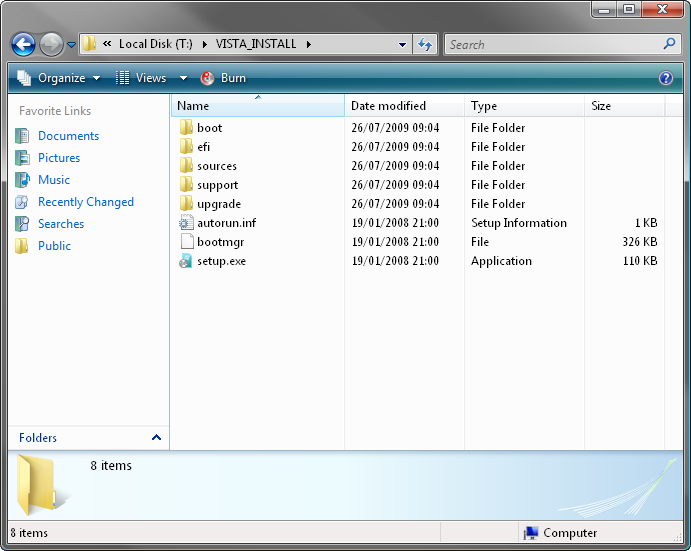
That's everything you'd get on an original Vista installation disc. If you're missing bits (e.g. the 'boot' folder), it probably won't work.
Right, let's begin!
1. Load ImgBurn!
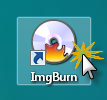
2. Click the 'Write files/folders to disc' button.
Note: This is basically the same as switching the 'Mode' to 'Build' and setting 'Output' to 'Device'.
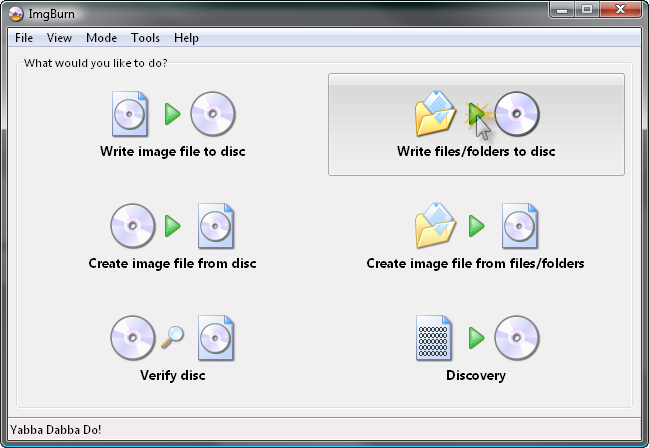
You should now see a screen like this:
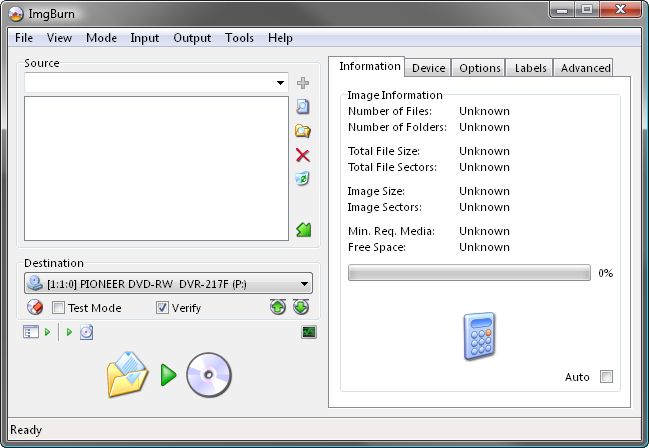
3. Insert a blank (or erasable) DVD disc in your burner.
Note: The message in the status bar should now say something along the lines of 'Ready'.
4. Add the installation source folder to the 'Source' box.
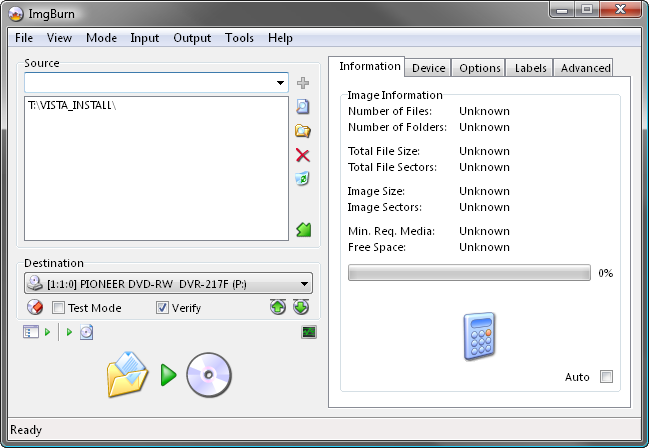
5. Switch to the 'Advanced' tab, and then to the 'Bootable Disc' one.
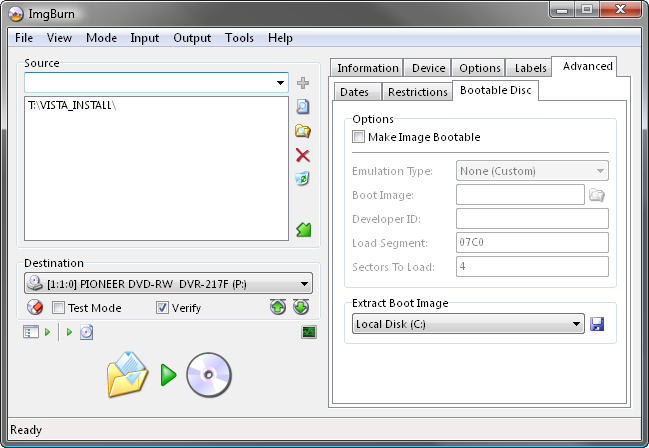
6. Enable the 'Make Image Bootable' option.
Set the 'Emulation Type' to 'None (Custom)'.
Point the 'Boot Image' to the 'etfsboot.com' file within the 'boot' folder in your source folder - i.e. "T:\VISTA_INSTALL\boot\etfsboot.com"
Set the 'Platform ID' to '80x86'.
Enter 'Microsoft Corporation' in the 'Developer ID' field.
Enter '07C0' in the 'Load Segment' field.
Enter '4' in the 'Sectors To Load' field if your etfsboot.com file is 2K in size, enter '8' if it's 4K. (Basically it's the size of the file in bytes divided by 512 - i.e. 2048 / 512 = 4)
Note: Vista's is normally 2KB and Windows 7 / 8's is 4KB... so enter '4' if you're building a Vista OS installation disc and '8' if you're building a Windows 7 / 8 OS installation disc.
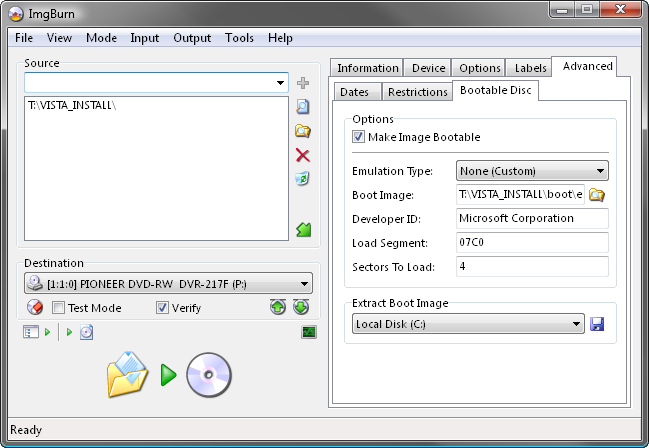
7. Now we're ready to burn so click the big 'Build' button!
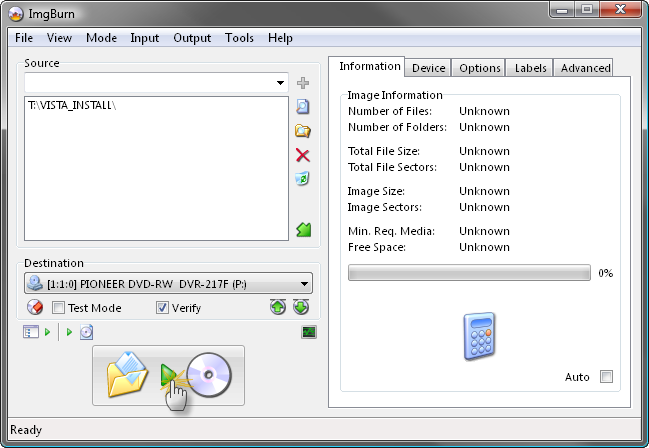
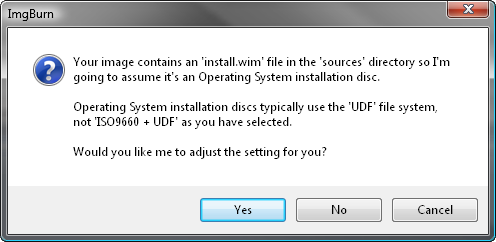
8. Assuming your source folder is in order (i.e. it contains a 'sources' folder with an 'install.wim' file in it) and depending on your current settings, the program will prompt to correct certain things so they match (as closely as possible) an official Microsoft disc/image.
Click 'Yes' to whatever it says needs correcting - these settings have been tried and tested so we know they work!
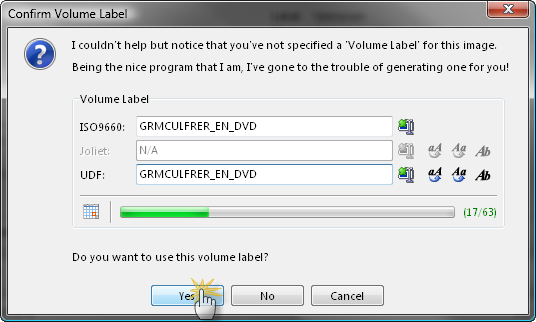
9. When prompted, give the disc a name and click the 'Yes' button.
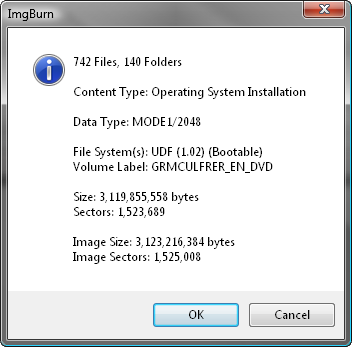
10. You'll then be presented with one final 'information' screen before the program starts to burn the disc.
Double check everything looks roughly as it does below and then click 'OK'.
That's it!
මෙන්න ඩවුන් කරන්න ලින්කුව....
https://www.dropbox.com/s/1epbdmwlt3h4ish/SetupImgBurn_2.5.8.0.exe
මම පොඩි කාලේ පොඩි ගොන් වැඩක් කළා..ඒ තමයි windows cd wage bootable cd වල image හදන්නේ නැතුව නිකන් files විතරක් copy කරගන්න එක..write කරලා බැලුවමයි තේරුනේ එහෙම වැඩ කරන්නේ නෑ කියලා..පස්සේ ඉගෙන ගත්ත ඒවා copy disc walin write කරගන්න හැටියි image file හදන හැටියි..එත් මං කෝකටත් කියලා අර file ටික නිකන් write කරලා තියාගත්තා..මොකද ඒවා Vista වලයි XP වලයි special edition ටිකක්..උඹලා සමහරවිට අහලත් ඇති xp black edition,evil edition,vista valentine package වගේ ඒවා..මට මේ ලඟදි ඔය dvd එක අහු වෙලා හිතුනා පොඩි ට්රය් එකක් දාල බලන්න මේවා ආයෙත් bootable විදියට ගොඩ දාගන්න පුලුවන්ද කියලා..නෙට් එකේ search පාරක් දීලා හොයා ගත්තා බාන්ඩයක්..උඹලටත් මෙහෙම උවමනාවක් උනොත් use කරහන්..පහල පොස්ට් එකේ විස්තර ඇති..simple english තියෙන්නේ..තේරුම ගන්න එච්චර අවුලක් නෑ...
This guide will take you through the steps in burning a pre-prepared Windows Vista / Windows 7 / Windows 8 installation source directory to a disc.
Note: Instructions wise, Windows 2008 should be basically the same as Windows Vista, Windows 2008 R2 should be basically the same as Windows 7 and Windows 2012 should be basically the same as Windows 8.
My source directory (which I've called 'VISTA_INSTALL') looks as follows:
That's everything you'd get on an original Vista installation disc. If you're missing bits (e.g. the 'boot' folder), it probably won't work.
Right, let's begin!
1. Load ImgBurn!
2. Click the 'Write files/folders to disc' button.
Note: This is basically the same as switching the 'Mode' to 'Build' and setting 'Output' to 'Device'.
You should now see a screen like this:
3. Insert a blank (or erasable) DVD disc in your burner.
Note: The message in the status bar should now say something along the lines of 'Ready'.
4. Add the installation source folder to the 'Source' box.
5. Switch to the 'Advanced' tab, and then to the 'Bootable Disc' one.
6. Enable the 'Make Image Bootable' option.
Set the 'Emulation Type' to 'None (Custom)'.
Point the 'Boot Image' to the 'etfsboot.com' file within the 'boot' folder in your source folder - i.e. "T:\VISTA_INSTALL\boot\etfsboot.com"
Set the 'Platform ID' to '80x86'.
Enter 'Microsoft Corporation' in the 'Developer ID' field.
Enter '07C0' in the 'Load Segment' field.
Enter '4' in the 'Sectors To Load' field if your etfsboot.com file is 2K in size, enter '8' if it's 4K. (Basically it's the size of the file in bytes divided by 512 - i.e. 2048 / 512 = 4)
Note: Vista's is normally 2KB and Windows 7 / 8's is 4KB... so enter '4' if you're building a Vista OS installation disc and '8' if you're building a Windows 7 / 8 OS installation disc.
7. Now we're ready to burn so click the big 'Build' button!
8. Assuming your source folder is in order (i.e. it contains a 'sources' folder with an 'install.wim' file in it) and depending on your current settings, the program will prompt to correct certain things so they match (as closely as possible) an official Microsoft disc/image.
Click 'Yes' to whatever it says needs correcting - these settings have been tried and tested so we know they work!
9. When prompted, give the disc a name and click the 'Yes' button.
10. You'll then be presented with one final 'information' screen before the program starts to burn the disc.
Double check everything looks roughly as it does below and then click 'OK'.
That's it!
මෙන්න ඩවුන් කරන්න ලින්කුව....
https://www.dropbox.com/s/1epbdmwlt3h4ish/SetupImgBurn_2.5.8.0.exe


