


Latest ads
-
 Gemini AI PRO 18 months Offer
- Hawaka
- Updated:
-
koko account
- DasunEranga
- Updated:
-
koko account
- DasunEranga
- Updated:
You are using an out of date browser. It may not display this or other websites correctly.
You should upgrade or use an alternative browser.
You should upgrade or use an alternative browser.


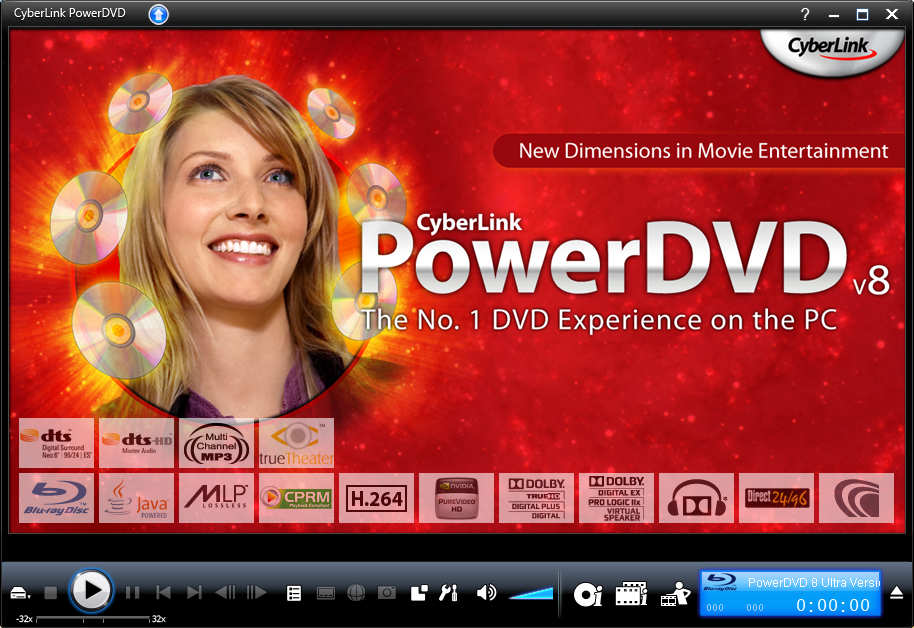
Power DVD 8 ULTRA

What's New in CyberLink PowerDVD 8:
Audio
* New! - Dolby Digital Plus*
* New! - Dolby TrueHD*
* New! - DTS-HD*
* DTS-ES*
* DTS Neo:6 (Discrete, Matrix)*
* DTS 96/24**
* AAC 5.1 Channel support**
* DTS**
* Dolby Digital 5.1
* Dolby Digital EX**
* Dolby Pro Logic IIx**
* Dolby Headphone**
* Dolby Virtual Speaker**
* TrueTheater? - Surround (Multi-channel Environment Impression Mode)
* TrueTheater? - Surround (Virtual Speaker Mode)
* TrueTheater? - Surround (Headphone Mode)
* MLP lossless**
* SRS TruSurroundXT**
* Pitch scaling technology
* Audio equalizer presets
* Audio visualizations
* Direct 96/24 output
* MP3, WAV
Video
* New! - SMPTE VC-1 High-Definition Video*
* MPEG4 AVC (H.264) High-Definition Video**
* TrueTheater? - Lighting (Adaptive lighting for video quality enhancement)
* TrueTheater? - Stretch (Non-linear stretch technology)
* Video smart de-interlacing
Playback Format
* New! - BD-ROM (Blu-ray Disc) playback*
* New! - BD-RE (Blu-ray Disc) playback*
* VCPS for DVD+VR with content protection
* CPRM for DVD-VR with content protection**
* DVD-Audio**
* External subtitles
* DVD files (DVD-Video, DVD-VR, DVD+VR) from any folder in your hard drive
Advanced Features
* New! - Movie Collection Support
* New! - Movie Remix
* New! - Integration with MoovieLive Service
* UPnP Support - Access your media from a Home Network**
* Say-It-Again - Automatically repeats the last movie scene
* See-It-All - Automatically speeds playback to show as much of the movie as possible
* Read-It-Clearly - Moves subtitles from the viewing screen
PowerDVD is the latest evolution of the world acclaimed DVD software program that offers maximum video and audio playback entertainment on the PC. It
comes complete with numerous customizable video/audio controls that can deliver the highest quality viewing and listening experience. PowerDVD
incorporates support for high-definition audio and video, true 8-channel home theater audio playback, virtual surround sound, as well as complete
controls and extra features for DVD enthusiasts.
Direct Link :
Code:
http://download.cyberlink.com/ftpdload/trial/pdvd/8/CyberLink.1531D_R4_DVD071109-06_Trial_DVD.exe
Keygen & Patch:
Code:
http://rapidshare.com/files/119807945/Keygen_Patch_by_Beqir.rar

What's New in CyberLink PowerDVD 8:
Audio
* New! - Dolby Digital Plus*
* New! - Dolby TrueHD*
* New! - DTS-HD*
* DTS-ES*
* DTS Neo:6 (Discrete, Matrix)*
* DTS 96/24**
* AAC 5.1 Channel support**
* DTS**
* Dolby Digital 5.1
* Dolby Digital EX**
* Dolby Pro Logic IIx**
* Dolby Headphone**
* Dolby Virtual Speaker**
* TrueTheater? - Surround (Multi-channel Environment Impression Mode)
* TrueTheater? - Surround (Virtual Speaker Mode)
* TrueTheater? - Surround (Headphone Mode)
* MLP lossless**
* SRS TruSurroundXT**
* Pitch scaling technology
* Audio equalizer presets
* Audio visualizations
* Direct 96/24 output
* MP3, WAV
Video
* New! - SMPTE VC-1 High-Definition Video*
* MPEG4 AVC (H.264) High-Definition Video**
* TrueTheater? - Lighting (Adaptive lighting for video quality enhancement)
* TrueTheater? - Stretch (Non-linear stretch technology)
* Video smart de-interlacing
Playback Format
* New! - BD-ROM (Blu-ray Disc) playback*
* New! - BD-RE (Blu-ray Disc) playback*
* VCPS for DVD+VR with content protection
* CPRM for DVD-VR with content protection**
* DVD-Audio**
* External subtitles
* DVD files (DVD-Video, DVD-VR, DVD+VR) from any folder in your hard drive
Advanced Features
* New! - Movie Collection Support
* New! - Movie Remix
* New! - Integration with MoovieLive Service
* UPnP Support - Access your media from a Home Network**
* Say-It-Again - Automatically repeats the last movie scene
* See-It-All - Automatically speeds playback to show as much of the movie as possible
* Read-It-Clearly - Moves subtitles from the viewing screen
PowerDVD is the latest evolution of the world acclaimed DVD software program that offers maximum video and audio playback entertainment on the PC. It
comes complete with numerous customizable video/audio controls that can deliver the highest quality viewing and listening experience. PowerDVD
incorporates support for high-definition audio and video, true 8-channel home theater audio playback, virtual surround sound, as well as complete
controls and extra features for DVD enthusiasts.
Direct Link :
Code:
http://download.cyberlink.com/ftpdload/trial/pdvd/8/CyberLink.1531D_R4_DVD071109-06_Trial_DVD.exe
Keygen & Patch:
Code:
http://rapidshare.com/files/119807945/Keygen_Patch_by_Beqir.rar
N@rUT0 said:Power DVD 8 ULTRA
What's New in CyberLink PowerDVD 8:
Audio
* New! - Dolby Digital Plus*
* New! - Dolby TrueHD*
* New! - DTS-HD*
* DTS-ES*
* DTS Neo:6 (Discrete, Matrix)*
* DTS 96/24**
* AAC 5.1 Channel support**
* DTS**
* Dolby Digital 5.1
* Dolby Digital EX**
* Dolby Pro Logic IIx**
* Dolby Headphone**
* Dolby Virtual Speaker**
* TrueTheater? - Surround (Multi-channel Environment Impression Mode)
* TrueTheater? - Surround (Virtual Speaker Mode)
* TrueTheater? - Surround (Headphone Mode)
* MLP lossless**
* SRS TruSurroundXT**
* Pitch scaling technology
* Audio equalizer presets
* Audio visualizations
* Direct 96/24 output
* MP3, WAV
Video
* New! - SMPTE VC-1 High-Definition Video*
* MPEG4 AVC (H.264) High-Definition Video**
* TrueTheater? - Lighting (Adaptive lighting for video quality enhancement)
* TrueTheater? - Stretch (Non-linear stretch technology)
* Video smart de-interlacing
Playback Format
* New! - BD-ROM (Blu-ray Disc) playback*
* New! - BD-RE (Blu-ray Disc) playback*
* VCPS for DVD+VR with content protection
* CPRM for DVD-VR with content protection**
* DVD-Audio**
* External subtitles
* DVD files (DVD-Video, DVD-VR, DVD+VR) from any folder in your hard drive
Advanced Features
* New! - Movie Collection Support
* New! - Movie Remix
* New! - Integration with MoovieLive Service
* UPnP Support - Access your media from a Home Network**
* Say-It-Again - Automatically repeats the last movie scene
* See-It-All - Automatically speeds playback to show as much of the movie as possible
* Read-It-Clearly - Moves subtitles from the viewing screen
PowerDVD is the latest evolution of the world acclaimed DVD software program that offers maximum video and audio playback entertainment on the PC. It
comes complete with numerous customizable video/audio controls that can deliver the highest quality viewing and listening experience. PowerDVD
incorporates support for high-definition audio and video, true 8-channel home theater audio playback, virtual surround sound, as well as complete
controls and extra features for DVD enthusiasts.
Direct Link :
Code:
http://download.cyberlink.com/ftpdload/trial/pdvd/8/CyberLink.1531D_R4_DVD071109-06_Trial_DVD.exe
Keygen & Patch:
Code:
http://rapidshare.com/files/119807945/Keygen_Patch_by_Beqir.rar
thanks bro

podi udawwak karapan puluwan nam meka compress karala dennako mage internet limit eka paninda lagai ekai
dickey said:podi udawwak karapan puluwan nam meka compress karala dennako mage internet limit eka paninda lagai ekai
hmm.. enna balanna.....
Cyberlink Powerdvd 8 Cracked


Quote:
 PowerDVD description
Play the broadest range of audio and video files and formats
PowerDVD - Play the broadest range of audio and video files and formats. Enjoy the smoothest, brightest, and most natural visuals. Using PowerDVD you can experience high-definition audio and 8-channel expansion. Navigate quickly with shortcuts, bookmarks and other cool controls. Expand your features online with DVD enhancement packs
Unsurpassed Video Quality
Intensely Vivid Images
The second generation of CyberLink's world-renowned video enhancing technology makes images brighter and colors more natural. CLEV-2 adjusts a scene's chroma and luminance to enhance image detail, and thus achieves the best possible results for LCD/CRT monitors and playback of overly dark or bright DVD movies.
Smart Video Deinterlacing
CyberLink's adaptive video deinterlacing technology ensures a smoother and clearer video image while playing video files and DVDs. Deinterlacing is unavoidable as a result of playing interlaced DVD video on modern high-definition (mainly non-interlaced) displays (e.g. TVs). Without advanced deinterlacing, video can appear jagged, blotchy, shadowy, or blurry. CyberLink's intelligent deinterlacing technology retains video quality and minimizes distortion by analyzing video frame-by-frame and dynamically applying adaptive deinterlacing only when necessary.
Users also have a choice of deinterlacing options, including automatic deinterlacing or user-defined settings. Defining how
deinterlacing is performed and by what algorithm is also an option: Pixel Adaptive, Median or Bob.
Multi-Display Ratios
PowerDVD supports multiple display ratios, letting users play 4:3 DVD movies on widescreen displays and 16:9 DVD movies on 4:3 displays. A natural stretching technology is utilized to avoid losses that would otherwise be created by Pan & Scan cropping or Letterbox display
Superior Audio Fidelity
Cinematic Surround Sound
The second generation of CyberLink's proprietary audio technology expands 2-channel audio into multi-channel audio (e.g. CD expanded to 5.1 channels). CLMEI-2 maps stereo or general surround sound and converts it for output via a maximum of 7.1-channel systems. Music mode, Movie mode, and the unique Onstage music modes are offered.
Virtual Surround Sound
CyberLink's Virtual Surround technologies simulates the feeling of surround sound when multi-channel audio is played via two speakers or headphones (CLVS and CLHP). PowerDVD provides a choice of three audio environments for CLVS: Living Room, Theater, and Stadium.
Virtual Surround Sound
CyberLink Headphone and CyberLink Virtual Surround let you enjoy a wider sound image and virtual surround experience via two speakers or headphones.
Quote:
Requirements:
To play DVDs
· Screen Resolution: 1024 x 768 or 1280 x 1024
· Screen Ratio: 4:3 or 16:9 widescreen
· Intel Pentium 4 2.4 GHz (Pentium 4 3.0 GHz or above recommended)
· AMD Sempron 2600+ 1.6 GHz (Athlon 64 2800+ 1.8GHz or above recommended)
· Memory: for XP: 256 MB, for Vista: 512 MB
· Graphics Card: AGP or PCI Express graphic accelerator supporting DirectX 9.0.
· Sound Card: PCI sound card or on-board audio.
· Optical Drive DVD-ROM, DVD-ROM/CD-RW combo, DVD-R/RW, DVD+RW or DVD-RAM drive for playing VCDs and DVDs.
To play Blu-ray Discs
· Screen Resolution: 1920 x 1080
· Screen Ratio: 16:9 widescreen
Processor:
· Intel: Pentium 4 541 3.2 GHz, Pentium D 840 3.2 GHz, Pentium D 930 3.0 GHz, 935 3.2GHz or 940 3.2 GHz, Core Duo T2400 1.83 GHz, Pentium M 755 2.0 GHz, Core 2 Duo E4300 1.8 GHz, or T5600 1.83 GHz
· AMD: Athlon 64 X2 3800+ 2.0 GHz or 4000+ 2.0 GHz, Turion 64 X2 TL-50 1.6 GHz, TL-52 1.6 GHz or TL-56 1.8 GHz
· Memory: for XP: 512 MB, for Vista: 1 GB
· Hard Disk Space: 150 MB
Graphics Card:
· Intel 965G
· nVidia: GeForce 7600 GT, GeForce 7800 GTX 512, GeForce 7900 GX2, GeForce 7900 GTX, GeForce 7950 GX2, GeForce 8400 series, GeForce 8500 series, GeForce 8600 series, GeForce 8800 series
· ATI: ATI Radeon X1600 series, X1800 series, X1900 series
· Sound Card: PCI sound card or on-board audio
· Optical Drive: Blu-ray Disc drive for playing Blu-ray Discs and DVDs.
Quote:
What's New in This Release:
· Audio
· Dolby Digital Plus
· Dolby TrueHD
· DTS-HD
· DTS-ES
· DTS Neo:6 (Discrete, Matrix)
· DTS 96/24
· AAC 5.1 Channel support
· DTS
· Dolby Digital 5.1
· Dolby Digital EX
· Dolby Pro Logic IIx
· Dolby Headphone
· Dolby Virtual Speaker
· TrueTheater - Surround (Multi-channel Environment Impression Mode)
· TrueTheater - Surround (Virtual Speaker Mode)
· TrueTheater - Surround (Headphone Mode)
· MLP lossless
· SRS TruSurroundXT
· Pitch scaling technology
· Audio equalizer presets
· Audio visualizations
· Direct 96/24 output
· MP3, WAV
·
· Video
· SMPTE VC-1 High-Definition Video
· MPEG4 AVC (H.264) High-Definition Video
· TrueTheater - Lighting (Adaptive lighting for video quality enhancement)
· TrueTheater - Stretch (Non-linear stretch technology)
· Video smart de-interlacing
·
· Playback Formats
· BD-ROM (Blu-ray Disc) playback
· BD-RE (Blu-ray Disc) playback
· VCPS for DVD+VR with content protection
· CPRM for DVD-VR with content protection
· DVD-Audio
· External subtitles
· DVD files (DVD-Video, DVD-VR, DVD+VR) from any folder in your hard drive

Code: http://rapidshare.com/files/117250933/Cyberlink_Powerdvd_8_Full.part1.rar
http://rapidshare.com/files/117264184/Cyberlink_Powerdvd_8_Full.part2.rar
PowerDVD 8.0.1730.0 Update Only
Code: http://rapidshare.com/files/119723198/CyberLink.1730U_Ultra_Patch_DVD080411-04.exe


Quote:

Play the broadest range of audio and video files and formats
PowerDVD - Play the broadest range of audio and video files and formats. Enjoy the smoothest, brightest, and most natural visuals. Using PowerDVD you can experience high-definition audio and 8-channel expansion. Navigate quickly with shortcuts, bookmarks and other cool controls. Expand your features online with DVD enhancement packs
Unsurpassed Video Quality
Intensely Vivid Images
The second generation of CyberLink's world-renowned video enhancing technology makes images brighter and colors more natural. CLEV-2 adjusts a scene's chroma and luminance to enhance image detail, and thus achieves the best possible results for LCD/CRT monitors and playback of overly dark or bright DVD movies.
Smart Video Deinterlacing
CyberLink's adaptive video deinterlacing technology ensures a smoother and clearer video image while playing video files and DVDs. Deinterlacing is unavoidable as a result of playing interlaced DVD video on modern high-definition (mainly non-interlaced) displays (e.g. TVs). Without advanced deinterlacing, video can appear jagged, blotchy, shadowy, or blurry. CyberLink's intelligent deinterlacing technology retains video quality and minimizes distortion by analyzing video frame-by-frame and dynamically applying adaptive deinterlacing only when necessary.
Users also have a choice of deinterlacing options, including automatic deinterlacing or user-defined settings. Defining how
deinterlacing is performed and by what algorithm is also an option: Pixel Adaptive, Median or Bob.
Multi-Display Ratios
PowerDVD supports multiple display ratios, letting users play 4:3 DVD movies on widescreen displays and 16:9 DVD movies on 4:3 displays. A natural stretching technology is utilized to avoid losses that would otherwise be created by Pan & Scan cropping or Letterbox display
Superior Audio Fidelity
Cinematic Surround Sound
The second generation of CyberLink's proprietary audio technology expands 2-channel audio into multi-channel audio (e.g. CD expanded to 5.1 channels). CLMEI-2 maps stereo or general surround sound and converts it for output via a maximum of 7.1-channel systems. Music mode, Movie mode, and the unique Onstage music modes are offered.
Virtual Surround Sound
CyberLink's Virtual Surround technologies simulates the feeling of surround sound when multi-channel audio is played via two speakers or headphones (CLVS and CLHP). PowerDVD provides a choice of three audio environments for CLVS: Living Room, Theater, and Stadium.
Virtual Surround Sound
CyberLink Headphone and CyberLink Virtual Surround let you enjoy a wider sound image and virtual surround experience via two speakers or headphones.
Quote:
To play DVDs
· Screen Resolution: 1024 x 768 or 1280 x 1024
· Screen Ratio: 4:3 or 16:9 widescreen
· Intel Pentium 4 2.4 GHz (Pentium 4 3.0 GHz or above recommended)
· AMD Sempron 2600+ 1.6 GHz (Athlon 64 2800+ 1.8GHz or above recommended)
· Memory: for XP: 256 MB, for Vista: 512 MB
· Graphics Card: AGP or PCI Express graphic accelerator supporting DirectX 9.0.
· Sound Card: PCI sound card or on-board audio.
· Optical Drive DVD-ROM, DVD-ROM/CD-RW combo, DVD-R/RW, DVD+RW or DVD-RAM drive for playing VCDs and DVDs.
To play Blu-ray Discs
· Screen Resolution: 1920 x 1080
· Screen Ratio: 16:9 widescreen
Processor:
· Intel: Pentium 4 541 3.2 GHz, Pentium D 840 3.2 GHz, Pentium D 930 3.0 GHz, 935 3.2GHz or 940 3.2 GHz, Core Duo T2400 1.83 GHz, Pentium M 755 2.0 GHz, Core 2 Duo E4300 1.8 GHz, or T5600 1.83 GHz
· AMD: Athlon 64 X2 3800+ 2.0 GHz or 4000+ 2.0 GHz, Turion 64 X2 TL-50 1.6 GHz, TL-52 1.6 GHz or TL-56 1.8 GHz
· Memory: for XP: 512 MB, for Vista: 1 GB
· Hard Disk Space: 150 MB
Graphics Card:
· Intel 965G
· nVidia: GeForce 7600 GT, GeForce 7800 GTX 512, GeForce 7900 GX2, GeForce 7900 GTX, GeForce 7950 GX2, GeForce 8400 series, GeForce 8500 series, GeForce 8600 series, GeForce 8800 series
· ATI: ATI Radeon X1600 series, X1800 series, X1900 series
· Sound Card: PCI sound card or on-board audio
· Optical Drive: Blu-ray Disc drive for playing Blu-ray Discs and DVDs.
Quote:
· Audio
· Dolby Digital Plus
· Dolby TrueHD
· DTS-HD
· DTS-ES
· DTS Neo:6 (Discrete, Matrix)
· DTS 96/24
· AAC 5.1 Channel support
· DTS
· Dolby Digital 5.1
· Dolby Digital EX
· Dolby Pro Logic IIx
· Dolby Headphone
· Dolby Virtual Speaker
· TrueTheater - Surround (Multi-channel Environment Impression Mode)
· TrueTheater - Surround (Virtual Speaker Mode)
· TrueTheater - Surround (Headphone Mode)
· MLP lossless
· SRS TruSurroundXT
· Pitch scaling technology
· Audio equalizer presets
· Audio visualizations
· Direct 96/24 output
· MP3, WAV
·
· Video
· SMPTE VC-1 High-Definition Video
· MPEG4 AVC (H.264) High-Definition Video
· TrueTheater - Lighting (Adaptive lighting for video quality enhancement)
· TrueTheater - Stretch (Non-linear stretch technology)
· Video smart de-interlacing
·
· Playback Formats
· BD-ROM (Blu-ray Disc) playback
· BD-RE (Blu-ray Disc) playback
· VCPS for DVD+VR with content protection
· CPRM for DVD-VR with content protection
· DVD-Audio
· External subtitles
· DVD files (DVD-Video, DVD-VR, DVD+VR) from any folder in your hard drive

Code: http://rapidshare.com/files/117250933/Cyberlink_Powerdvd_8_Full.part1.rar
http://rapidshare.com/files/117264184/Cyberlink_Powerdvd_8_Full.part2.rar
PowerDVD 8.0.1730.0 Update Only
Code: http://rapidshare.com/files/119723198/CyberLink.1730U_Ultra_Patch_DVD080411-04.exe
N@rUT0 said:Cyberlink Powerdvd 8 Cracked
Quote:PowerDVD description
Play the broadest range of audio and video files and formats
PowerDVD - Play the broadest range of audio and video files and formats. Enjoy the smoothest, brightest, and most natural visuals. Using PowerDVD you can experience high-definition audio and 8-channel expansion. Navigate quickly with shortcuts, bookmarks and other cool controls. Expand your features online with DVD enhancement packs
Unsurpassed Video Quality
Intensely Vivid Images
The second generation of CyberLink's world-renowned video enhancing technology makes images brighter and colors more natural. CLEV-2 adjusts a scene's chroma and luminance to enhance image detail, and thus achieves the best possible results for LCD/CRT monitors and playback of overly dark or bright DVD movies.
Smart Video Deinterlacing
CyberLink's adaptive video deinterlacing technology ensures a smoother and clearer video image while playing video files and DVDs. Deinterlacing is unavoidable as a result of playing interlaced DVD video on modern high-definition (mainly non-interlaced) displays (e.g. TVs). Without advanced deinterlacing, video can appear jagged, blotchy, shadowy, or blurry. CyberLink's intelligent deinterlacing technology retains video quality and minimizes distortion by analyzing video frame-by-frame and dynamically applying adaptive deinterlacing only when necessary.
Users also have a choice of deinterlacing options, including automatic deinterlacing or user-defined settings. Defining how
deinterlacing is performed and by what algorithm is also an option: Pixel Adaptive, Median or Bob.
Multi-Display Ratios
PowerDVD supports multiple display ratios, letting users play 4:3 DVD movies on widescreen displays and 16:9 DVD movies on 4:3 displays. A natural stretching technology is utilized to avoid losses that would otherwise be created by Pan & Scan cropping or Letterbox display
Superior Audio Fidelity
Cinematic Surround Sound
The second generation of CyberLink's proprietary audio technology expands 2-channel audio into multi-channel audio (e.g. CD expanded to 5.1 channels). CLMEI-2 maps stereo or general surround sound and converts it for output via a maximum of 7.1-channel systems. Music mode, Movie mode, and the unique Onstage music modes are offered.
Virtual Surround Sound
CyberLink's Virtual Surround technologies simulates the feeling of surround sound when multi-channel audio is played via two speakers or headphones (CLVS and CLHP). PowerDVD provides a choice of three audio environments for CLVS: Living Room, Theater, and Stadium.
Virtual Surround Sound
CyberLink Headphone and CyberLink Virtual Surround let you enjoy a wider sound image and virtual surround experience via two speakers or headphones.
Quote:Requirements:
To play DVDs
· Screen Resolution: 1024 x 768 or 1280 x 1024
· Screen Ratio: 4:3 or 16:9 widescreen
· Intel Pentium 4 2.4 GHz (Pentium 4 3.0 GHz or above recommended)
· AMD Sempron 2600+ 1.6 GHz (Athlon 64 2800+ 1.8GHz or above recommended)
· Memory: for XP: 256 MB, for Vista: 512 MB
· Graphics Card: AGP or PCI Express graphic accelerator supporting DirectX 9.0.
· Sound Card: PCI sound card or on-board audio.
· Optical Drive DVD-ROM, DVD-ROM/CD-RW combo, DVD-R/RW, DVD+RW or DVD-RAM drive for playing VCDs and DVDs.
To play Blu-ray Discs
· Screen Resolution: 1920 x 1080
· Screen Ratio: 16:9 widescreen
Processor:
· Intel: Pentium 4 541 3.2 GHz, Pentium D 840 3.2 GHz, Pentium D 930 3.0 GHz, 935 3.2GHz or 940 3.2 GHz, Core Duo T2400 1.83 GHz, Pentium M 755 2.0 GHz, Core 2 Duo E4300 1.8 GHz, or T5600 1.83 GHz
· AMD: Athlon 64 X2 3800+ 2.0 GHz or 4000+ 2.0 GHz, Turion 64 X2 TL-50 1.6 GHz, TL-52 1.6 GHz or TL-56 1.8 GHz
· Memory: for XP: 512 MB, for Vista: 1 GB
· Hard Disk Space: 150 MB
Graphics Card:
· Intel 965G
· nVidia: GeForce 7600 GT, GeForce 7800 GTX 512, GeForce 7900 GX2, GeForce 7900 GTX, GeForce 7950 GX2, GeForce 8400 series, GeForce 8500 series, GeForce 8600 series, GeForce 8800 series
· ATI: ATI Radeon X1600 series, X1800 series, X1900 series
· Sound Card: PCI sound card or on-board audio
· Optical Drive: Blu-ray Disc drive for playing Blu-ray Discs and DVDs.
Quote:What's New in This Release:
· Audio
· Dolby Digital Plus
· Dolby TrueHD
· DTS-HD
· DTS-ES
· DTS Neo:6 (Discrete, Matrix)
· DTS 96/24
· AAC 5.1 Channel support
· DTS
· Dolby Digital 5.1
· Dolby Digital EX
· Dolby Pro Logic IIx
· Dolby Headphone
· Dolby Virtual Speaker
· TrueTheater - Surround (Multi-channel Environment Impression Mode)
· TrueTheater - Surround (Virtual Speaker Mode)
· TrueTheater - Surround (Headphone Mode)
· MLP lossless
· SRS TruSurroundXT
· Pitch scaling technology
· Audio equalizer presets
· Audio visualizations
· Direct 96/24 output
· MP3, WAV
·
· Video
· SMPTE VC-1 High-Definition Video
· MPEG4 AVC (H.264) High-Definition Video
· TrueTheater - Lighting (Adaptive lighting for video quality enhancement)
· TrueTheater - Stretch (Non-linear stretch technology)
· Video smart de-interlacing
·
· Playback Formats
· BD-ROM (Blu-ray Disc) playback
· BD-RE (Blu-ray Disc) playback
· VCPS for DVD+VR with content protection
· CPRM for DVD-VR with content protection
· DVD-Audio
· External subtitles
· DVD files (DVD-Video, DVD-VR, DVD+VR) from any folder in your hard drive
Code: http://rapidshare.com/files/117250933/Cyberlink_Powerdvd_8_Full.part1.rar
http://rapidshare.com/files/117264184/Cyberlink_Powerdvd_8_Full.part2.rar
PowerDVD 8.0.1730.0 Update Only
Code: http://rapidshare.com/files/119723198/CyberLink.1730U_Ultra_Patch_DVD080411-04.exe
meke mokak hari awlak thiyanawa install wenne na
meka balanna
man danne na wadada kiyala
man danne na wadada kiyala
PowerDVD is the latest evolution of the world acclaimed DVD software program that offers maximum video and audio playback entertainment on the PC. It comes complete with numerous customizable video/audio controls that can deliver the highest quality viewing and listening experience. PowerDVD incorporates support for high-definition audio and video, true 8-channel home theater audio playback, virtual surround sound, as well as complete controls and extra features for DVD enthusiasts.
Download:
Code: http://rapidshare.com/files/122893318/powddelux.rar

Cyberlink PowerDVD 8 Ultra Final (SILENT INSTALL)


PowerDVD incorporates support for high-definition audio and video, true 8-channel home theater audio playback, virtual surround sound, as well as complete controls and extra features for DVD enthusiasts.
Features of PowerDVD 8 :
• Unsurpassed Video Quality :
- Intensely Vivid Images : CyberLink's second-generation dynamic video technology (CLEV-2) delivers DVD movies with greater luminance and more natural colors.
- Smart Video Deinterlacing: Intelligent frame-by-frame analysis produces ultra-smooth DVD playback by eliminating ghosting, feathering, and other elements.
- Multi-Display Ratios: CyberLink Pano Vision (CLPV) supports both 4:3 and 16:9 DVD content and displays with stretching technology to naturally optimize the display ratio of content with the available monitor.
• Superior Audio Fidelity :
- Cinematic Surround Sound: CyberLink Multi-Channel Environment Impression -2 (CLMEI-2) creates a realistic feeling of being at the cinema by expanding 2-channel audio sources into 8-channel audio systems.
- High-Definition Audio: Creates sound quality better than CD audio. Support for DVD-Audio and DVD-Video delivers extra-crisp 192 KHz, 24 bit stereo audio and 96 KHz, 24 bit sound.
- Virtual Surround Sound: CyberLink Headphone and CyberLink Virtual Surround let you enjoy a wider sound image and virtual surround experience via two speakers or headphones.
• The Ultimate Support for All Formats :
- DivX Pro: PowerDVD 6 enables the direct playback of files created using DivXR Pro, which improves the level of video compression by 30% more than the original DivX format.
- Support for all DVD/CD Formats and Variants: DVD-Video, DVD-Audio, DVD+VR, DVD-VR, miniDVD, VCD 2.0 and SVCD.
- Support for a Broad Range of Media File Formats: Playback a wide variety of media file formats from their HD or directly from a disc including formats such as MPEG-1, MPEG-2, MPEG-2 HD, WMV, WMV-HD, MP3, WAV, DivX Pro, or H.264.
• Complete Controls:
With PowerDVD 6 users have comprehensive easy-to-use mouse and keyboard controls for enjoying DVDs. Two new features provide fun ways to enjoy audio: Audio Equalizer Presets adds atmospheric effects to movie or music playback, and Audio Pitch Scaling enhances music while playing Karaoke discs. Other features include: Parental Controls, Dual Subtitles, closed captioning support, angle switching, and Video Bookmarks, among many others.
• Powerful Expandability
Expandability options including a Mobility Pack allowing road warriors save battery power while watching DVDs via a notebook, and MPEG-4 AVC (H.264) Pack for playing video files compressed using this next-generation DVD standard.
...and more!
Changes from PowerDVD 6.0 to PowerDVD 7.0 :
• Audio
- New! - DTS-ES*
- New! - DTS Neo:6*
- New! - DTS 96/24**
- New! - AAC support**
- DTS 5.1**
- Dolby Digital 5.1
- Dolby Digital EX**
- Dolby Pro Logic IIx**
- Dolby Headphone**
- Dolby Virtual Speaker**
- CLMEI-2
- CyberLink Virtual Speaker
- CyberLink Headphone
- MLP lossless
- SRS TruSurroundXT**
- Pitch scaling technology
- Audio equalizer presets
- Audio visualizations
- Direct 96/24 output
- MP3, WAV
* - Available on Advance Audio Pack only
** - Available on Deluxe version
• Video
- New! - MPEG4 AVC H.264 High-Definition Video
- New! - Adaptive CLEV-2 for video quality enhancement
- CLPV - Non-linear stretch technology
- Video smart de-interlacing
• Playback Formats
- New! - VCPS for DVD+R with content protection
- New! - CPRM for DVD-R with content protection
- DVD-Audio
- External subtitles
- DVD files (DVD-Video, DVD-VR, DVD+VR) from any folder in your hard drive
• Advanced Features
- New! - UPnP Support - Access your media from a Home Network
- New! - Say-It-Again - Automatically repeats the last movie scene
- New! - See-It-All - Automatically speeds playback to show as much of the movie as possible
- New! - Read-It-Clearly - Moves subtitles from the viewing screen
- New! - Freestyle User Interface offers 5 different ways of using PowerDVD
Quote:
Fully cracked and silent install. just click the setup.exe and sit back and relax while it installs. no need to crack, everything is automated.
IF YOU LIKE IT, THEN PLZ SAY THANKS

Code: http://rapidshare.com/files/110165925/PowerDVD8Ultra.exe.html


PowerDVD incorporates support for high-definition audio and video, true 8-channel home theater audio playback, virtual surround sound, as well as complete controls and extra features for DVD enthusiasts.
Features of PowerDVD 8 :
• Unsurpassed Video Quality :
- Intensely Vivid Images : CyberLink's second-generation dynamic video technology (CLEV-2) delivers DVD movies with greater luminance and more natural colors.
- Smart Video Deinterlacing: Intelligent frame-by-frame analysis produces ultra-smooth DVD playback by eliminating ghosting, feathering, and other elements.
- Multi-Display Ratios: CyberLink Pano Vision (CLPV) supports both 4:3 and 16:9 DVD content and displays with stretching technology to naturally optimize the display ratio of content with the available monitor.
• Superior Audio Fidelity :
- Cinematic Surround Sound: CyberLink Multi-Channel Environment Impression -2 (CLMEI-2) creates a realistic feeling of being at the cinema by expanding 2-channel audio sources into 8-channel audio systems.
- High-Definition Audio: Creates sound quality better than CD audio. Support for DVD-Audio and DVD-Video delivers extra-crisp 192 KHz, 24 bit stereo audio and 96 KHz, 24 bit sound.
- Virtual Surround Sound: CyberLink Headphone and CyberLink Virtual Surround let you enjoy a wider sound image and virtual surround experience via two speakers or headphones.
• The Ultimate Support for All Formats :
- DivX Pro: PowerDVD 6 enables the direct playback of files created using DivXR Pro, which improves the level of video compression by 30% more than the original DivX format.
- Support for all DVD/CD Formats and Variants: DVD-Video, DVD-Audio, DVD+VR, DVD-VR, miniDVD, VCD 2.0 and SVCD.
- Support for a Broad Range of Media File Formats: Playback a wide variety of media file formats from their HD or directly from a disc including formats such as MPEG-1, MPEG-2, MPEG-2 HD, WMV, WMV-HD, MP3, WAV, DivX Pro, or H.264.
• Complete Controls:
With PowerDVD 6 users have comprehensive easy-to-use mouse and keyboard controls for enjoying DVDs. Two new features provide fun ways to enjoy audio: Audio Equalizer Presets adds atmospheric effects to movie or music playback, and Audio Pitch Scaling enhances music while playing Karaoke discs. Other features include: Parental Controls, Dual Subtitles, closed captioning support, angle switching, and Video Bookmarks, among many others.
• Powerful Expandability
Expandability options including a Mobility Pack allowing road warriors save battery power while watching DVDs via a notebook, and MPEG-4 AVC (H.264) Pack for playing video files compressed using this next-generation DVD standard.
...and more!
Changes from PowerDVD 6.0 to PowerDVD 7.0 :
• Audio
- New! - DTS-ES*
- New! - DTS Neo:6*
- New! - DTS 96/24**
- New! - AAC support**
- DTS 5.1**
- Dolby Digital 5.1
- Dolby Digital EX**
- Dolby Pro Logic IIx**
- Dolby Headphone**
- Dolby Virtual Speaker**
- CLMEI-2
- CyberLink Virtual Speaker
- CyberLink Headphone
- MLP lossless
- SRS TruSurroundXT**
- Pitch scaling technology
- Audio equalizer presets
- Audio visualizations
- Direct 96/24 output
- MP3, WAV
* - Available on Advance Audio Pack only
** - Available on Deluxe version
• Video
- New! - MPEG4 AVC H.264 High-Definition Video
- New! - Adaptive CLEV-2 for video quality enhancement
- CLPV - Non-linear stretch technology
- Video smart de-interlacing
• Playback Formats
- New! - VCPS for DVD+R with content protection
- New! - CPRM for DVD-R with content protection
- DVD-Audio
- External subtitles
- DVD files (DVD-Video, DVD-VR, DVD+VR) from any folder in your hard drive
• Advanced Features
- New! - UPnP Support - Access your media from a Home Network
- New! - Say-It-Again - Automatically repeats the last movie scene
- New! - See-It-All - Automatically speeds playback to show as much of the movie as possible
- New! - Read-It-Clearly - Moves subtitles from the viewing screen
- New! - Freestyle User Interface offers 5 different ways of using PowerDVD
Quote:
IF YOU LIKE IT, THEN PLZ SAY THANKS

Code: http://rapidshare.com/files/110165925/PowerDVD8Ultra.exe.html
Similar threads

- Replies
- 0
- Views
- 57

- Replies
- 5
- Views
- 88


