


Avex iPod Video Converter, a professional Video ripping tool, supports extracting video and audio data from Video files, then save into iPod mp4 format, so that you could enjoy high quality movie anytime and anywhere.
Follow steps list below, you can easily get MP4 movie.
Step1. Launch Avex iPod Video Converter
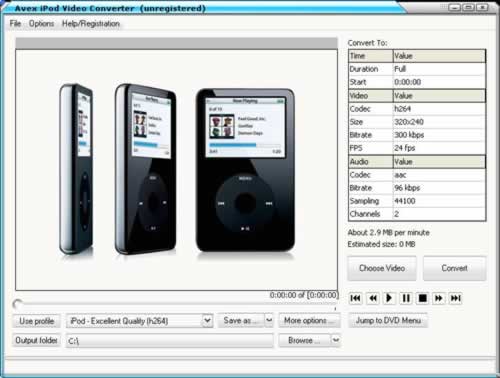
Launch software by double clicks shortcut on desktop. The main interface will pop up. If you have not got Avex iPod Video Converter yet, you can download it here!
Step2. Open Video file
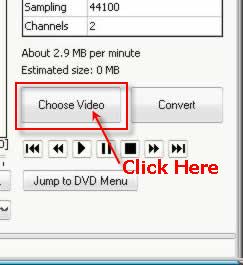
To load Video file, you need to click the button "Choose Video" or Click "File", Open Video file " Then Avex iPod Video Converter will be automatically load Video file to the list.
Step3. Specify Settings
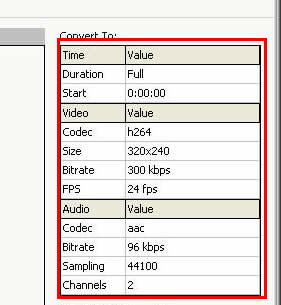
To personalize output file, Avex iPod Video Converter provides you many advanced setting options such as video codec, audio codec, video resolution, audio channels etc. You are allowed to change these settings freely.
Step4. Start Converting
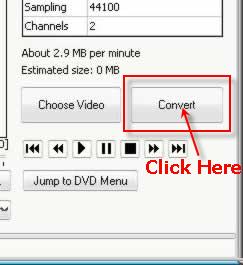
After you open Video file, Avex iPod Video Converter will automatically fast forward non-recording part, and then go to main movie part. Just click "convert" button, then Avex iPod Video Converter will begin to convert Video file to iPod mp4 format.
After finish converting, you will get a mp4 file.
Video to iPod Converter
Follow steps list below, you can easily get MP4 movie.
Step1. Launch Avex iPod Video Converter
Launch software by double clicks shortcut on desktop. The main interface will pop up. If you have not got Avex iPod Video Converter yet, you can download it here!
Step2. Open Video file
To load Video file, you need to click the button "Choose Video" or Click "File", Open Video file " Then Avex iPod Video Converter will be automatically load Video file to the list.
Step3. Specify Settings
To personalize output file, Avex iPod Video Converter provides you many advanced setting options such as video codec, audio codec, video resolution, audio channels etc. You are allowed to change these settings freely.
Step4. Start Converting
After you open Video file, Avex iPod Video Converter will automatically fast forward non-recording part, and then go to main movie part. Just click "convert" button, then Avex iPod Video Converter will begin to convert Video file to iPod mp4 format.
After finish converting, you will get a mp4 file.
Video to iPod Converter


