SOLUTION
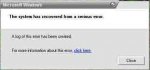
You can often fix serious errors while its running. If you have your are admistrator, you will be able to use use SFC command. This administrative tool allow Windows to try and repair itself. If will scan all system files and replace any that are damaged or missing. If repairs are needed, you will need to supply the Windows CD so that the functional files can replace the ones that are causing your computer to constantly restart itself. Registry Cleaner often are more affective because they will help you to make a backup of your registry and often fix other damaged errors without the need to replace files. Here how to use the SFC command
1. Click Start
2. Right Click the Command Prompt or type cmd
3. Type sfc/scannow
4. The tool will scan for damaged files. When prompted provide the Windows original disk for repair.

 Power Lifting Lever Belt
 Colombo Kaduwela - Two Storey House for Sale
 🚀 GOOGLE AI PRO 18 MONTHS ACTIVATION 🚀