


Link
[FS] File name: nero600.zip File size: 20.86 MB
http://hotfile.com/dl/56931104/816b5b4/nero600.zip.html
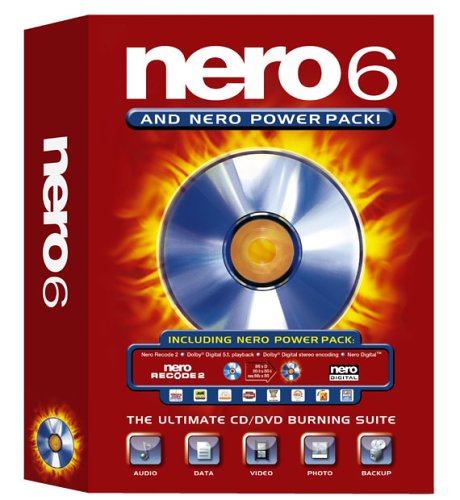
Nero 6 is the tool of entertainment all in one (all-in-one) efficiently serve for entertaining or to legal digital media for the family. The package allows users to create, edit, share and manage videos, music and photos. The package includes 18 small application packages are linked by "launching pad Startmart.

- CD: CD-ROM, CD-ROM XA, Audio CD, Mixed-Mode CD, Video CD, Super Video CD, miniDVD, CD Extra, Bootable CD, HFS, ISO/HFS Hybrid, UDF, UDF/ISO Bridge, InCD discs
- ISO Level 1 + 2
Accepted formats:
Backup options:
- Joliet with 2-byte characters
StartSmart user interface provides the link to the task in the morning and nice, so very easy user access to the selected task. Users can choose the ability to burn CDs, copy DVD ... very quickly, each of these options were available fly. If you feel too many confusing choices, simply click on the Favourites StartSmart, then almost all applications most frequently used will appear.
- ISO, ASCII and DOS character sets
- ISO Mode 1 and XA Mode 2
- User-selectable ISO/Joliet-requirement relaxation
- Rename the ISO Dynamic
- Single-track "on-the-fly" recording (up to 12X)
- Small-file caching from disk and network
- Multimounter
- Complex read-error handling
- Filtering files can choose
- Multisession with track linking
- Modify the structure and name files
- Full OFAS support (optimal file-access speed)
- Create Bootable CD (from a floppy disk or hard drive is classified)
Audio options:
- Get title / artist database from free Internet CD (http://freedb.freedb.org)
- Create database partitions are encouraged to contact
- Read and write Read with M3U playlists
- Add CD Text to CD backups
- Track-at-Once / Disc-at-Once / Session-at-Once recording
- Audio Directory to innovation "Oscilloscope" display
- Extract multiple audio tracks
- Expand the file name to store the audio (for example, "The Beatles-Help.wav" instead of "Track01.wav")
- Fast digital audio Quote
- Digital and analog playback
- Speed audio excerpt can be
- ISRC (song ID code) support
- "On-the-fly" format conversion
- Change the pause length
- Audio index (CD track index) support
- Audio files, animated presentations
- Click / hiss filters
- Wide stereo / normalize / crossfade* / karaoke filters
- Adjusting jitter / CRC arbitrary
- Compatibility of programs that use databases and CD
CD Copy :
- Track-at-Once / Disc-at-Once / Session-at-Once recording
- Disk Image creation / burning
- Error-and-drop directly from other CD drives.
- Test and apply most audio filters in time you play the file
- "On-the-fly" (drive-to-drive) copying
- Complex read-error handling
- Add / copy multiple DC
- Track-at-Once / Disc-at-Once / Session-at-Once recording
Disc Image options:
- Repair of discretion, automatically check
- The HFS important picture.
- Write images from carvings (*. ISO)
Burn options:
- Track-at-Once, Disc-at-Once, and Session-at-Once recording
- CD recorder buffer display*
- Distributed audio noise filter
- Update the burn tool with a slow CPU load, more robust burn process.
- Disc-at-Once CDs no longer need to be finalised*
- User-setable record-buffer size
- Copy of multiple disc / image
- Test execution automatically
- Option to increase speed automatic, burn simulation, and burning
- Overburning*
- 80-90 minute CD-R support
- Remove automatic hair on declared
- BURN-Proof*
- Extra-long joliet filename support
- Luo´t qua Built-in file
Multi-user interface functionality:
- Dragging and dropping files from Windows Explorer, File Manager, and between Nero windows 2
- Arrange visits by modern patterns and familiar
- CD content, information and summary windows
- Toolbar, status bar, multiple translation window, the lid
- Context-sensitive topics particularistic help
[FS] File name: nero600.zip File size: 20.86 MB
http://hotfile.com/dl/56931104/816b5b4/nero600.zip.html
Nero 6 is the tool of entertainment all in one (all-in-one) efficiently serve for entertaining or to legal digital media for the family. The package allows users to create, edit, share and manage videos, music and photos. The package includes 18 small application packages are linked by "launching pad Startmart.

- CD: CD-ROM, CD-ROM XA, Audio CD, Mixed-Mode CD, Video CD, Super Video CD, miniDVD, CD Extra, Bootable CD, HFS, ISO/HFS Hybrid, UDF, UDF/ISO Bridge, InCD discs
- ISO Level 1 + 2
Accepted formats:
Backup options:
- Joliet with 2-byte characters
StartSmart user interface provides the link to the task in the morning and nice, so very easy user access to the selected task. Users can choose the ability to burn CDs, copy DVD ... very quickly, each of these options were available fly. If you feel too many confusing choices, simply click on the Favourites StartSmart, then almost all applications most frequently used will appear.
- ISO, ASCII and DOS character sets
- ISO Mode 1 and XA Mode 2
- User-selectable ISO/Joliet-requirement relaxation
- Rename the ISO Dynamic
- Single-track "on-the-fly" recording (up to 12X)
- Small-file caching from disk and network
- Multimounter
- Complex read-error handling
- Filtering files can choose
- Multisession with track linking
- Modify the structure and name files
- Full OFAS support (optimal file-access speed)
- Create Bootable CD (from a floppy disk or hard drive is classified)
Audio options:
- Get title / artist database from free Internet CD (http://freedb.freedb.org)
- Create database partitions are encouraged to contact
- Read and write Read with M3U playlists
- Add CD Text to CD backups
- Track-at-Once / Disc-at-Once / Session-at-Once recording
- Audio Directory to innovation "Oscilloscope" display
- Extract multiple audio tracks
- Expand the file name to store the audio (for example, "The Beatles-Help.wav" instead of "Track01.wav")
- Fast digital audio Quote
- Digital and analog playback
- Speed audio excerpt can be
- ISRC (song ID code) support
- "On-the-fly" format conversion
- Change the pause length
- Audio index (CD track index) support
- Audio files, animated presentations
- Click / hiss filters
- Wide stereo / normalize / crossfade* / karaoke filters
- Adjusting jitter / CRC arbitrary
- Compatibility of programs that use databases and CD
CD Copy :
- Track-at-Once / Disc-at-Once / Session-at-Once recording
- Disk Image creation / burning
- Error-and-drop directly from other CD drives.
- Test and apply most audio filters in time you play the file
- "On-the-fly" (drive-to-drive) copying
- Complex read-error handling
- Add / copy multiple DC
- Track-at-Once / Disc-at-Once / Session-at-Once recording
Disc Image options:
- Repair of discretion, automatically check
- The HFS important picture.
- Write images from carvings (*. ISO)
Burn options:
- Track-at-Once, Disc-at-Once, and Session-at-Once recording
- CD recorder buffer display*
- Distributed audio noise filter
- Update the burn tool with a slow CPU load, more robust burn process.
- Disc-at-Once CDs no longer need to be finalised*
- User-setable record-buffer size
- Copy of multiple disc / image
- Test execution automatically
- Option to increase speed automatic, burn simulation, and burning
- Overburning*
- 80-90 minute CD-R support
- Remove automatic hair on declared
- BURN-Proof*
- Extra-long joliet filename support
- Luo´t qua Built-in file
Multi-user interface functionality:
- Dragging and dropping files from Windows Explorer, File Manager, and between Nero windows 2
- Arrange visits by modern patterns and familiar
- CD content, information and summary windows
- Toolbar, status bar, multiple translation window, the lid
- Context-sensitive topics particularistic help


