Network Adapter Help

hul2000

Member
Oct 17, 2006
5,050
2
0
39
Gallifrey
My Network Adapter is "VIA Rhine II Fast Ethernet Adapter" (On-Board) which I have connected my Router.
It works fine on XP. But on Vista I get the "Limited Connectivity" error.
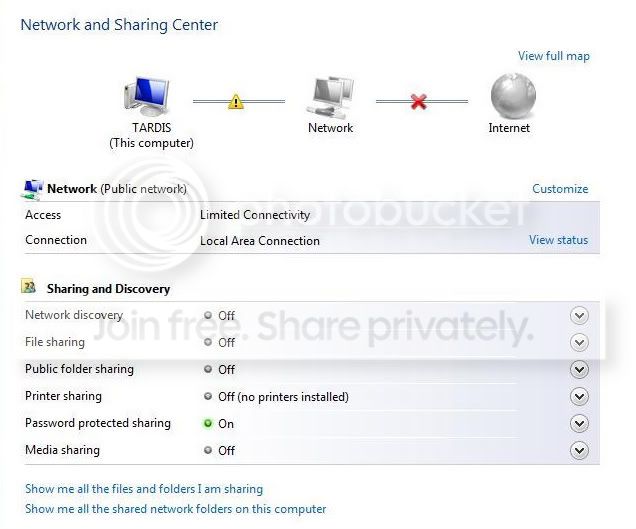
net1.jpg


When I disabled the adapter in Network Connections and Re-Enable it, it starts to work fine.
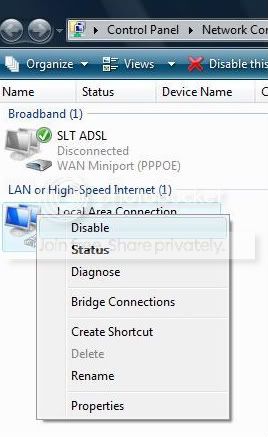
net2.jpg


But I have to do it everytime the computer is turned on.

What's the error?

Everything works fine on XP. I tried updating the driver of the network adapter, but it didn't work.

Need some help.
 

Jack_Sparrow

Well-known member
  • Jun 16, 2008
    42,522
    1
    16,927
    113
    Black Pearl
    hul2000 said:
    could you explain more. I didn't get it.

    Machan Normaly ADSL router ekata connect kalama , connect wenne LAN(local area Network) , bt umbe SLT connect wenna thiyenne WAN(Wide Area Network) walata .

    Umbe Router eka mokadda?
     

    hul2000

    Member
    Oct 17, 2006
    5,050
    2
    0
    39
    Gallifrey
    Jack_Sparrow said:
    Machan Normaly ADSL router ekata connect kalama , connect wenne LAN(local area Network) , bt umbe SLT connect wenna thiyenne WAN(Wide Area Network) walata .

    Umbe Router eka mokadda?

    My router is TP-Link.
    I have to make the PPPoE dialer from windows dial-up connections (as it says in the router manual). That's why it's on WAN.

    But it shouldn't effect because it works fine on XP.
     

    Jack_Sparrow

    Well-known member
  • Jun 16, 2008
    42,522
    1
    16,927
    113
    Black Pearl
    hul2000 said:
    My router is TP-Link.
    I have to make the PPPoE dialer from windows dial-up connections (as it says in the router manual). That's why it's on WAN.

    But it shouldn't effect because it works fine on XP.

    Eheanm eka umbe router eke ekak (then no prbl in WAN connection)


    Machan umba IP eka deela thiyenne manually da?
     

    Anusha

    Member
    Jun 13, 2006
    25,864
    5
    0
    Hey,
    There are many problems with routers and Vista. For some reason, a lot of routers don't work properly with Vista's DHCP client. I suggest you check the manufacturer's website for possible "known issue" and more importantly a way to fix it.

    Note: My D-Link 322T doesn't work properly with Vista too. :(