Latest ads
-
 Peppa Pig Family Plush Toy Set – 5 Characters
- anil1961
- Updated:
-
Express VPN PC - 1 Year Rs. 600.00
- Sanathbh
- Updated:
-
Capcut Pro 7 Days Team Plan - Rs. 3️⃣0️⃣0️⃣
- Sanathbh
- Updated:
-
 Singapore V2ray VPN for Tunneling
- hu KANNA
- Updated:
-
Web hosting for your business
- avishka777
- Updated:
You are using an out of date browser. It may not display this or other websites correctly.
You should upgrade or use an alternative browser.
You should upgrade or use an alternative browser.

what is the problem with your phone??
water damaged? screen cracked? not powering on?
post it here
water damaged? screen cracked? not powering on?
post it here
nope broda....whn u switch it on cant log in to the OS....dtz de prob..i think sm software prob ...nt sure
osuraj said:nope broda....whn u switch it on cant log in to the OS....dtz de prob..i think sm software prob ...nt sure
lost password?? , system getting stuck at the startup screen? not going further than O2 splash screen?
if so you might need to reinstall windows mobile
tell me exactly wot is your problem (with more details) i will help
Xda 2s.....cswitc on karama O2 kiyala display enawa echcharai...notin hapns afta dat
Last edited:


well..its turned into a holmank...anuja said:y y, wat happened to ur one?

some times my cam work n some times it doesnt...all the sudden all my files go mizzing...& it keeps ringing people without me doing any thing...

Anuja needs to replace his touch screen digitizer (not the whole screen) to fix touch screen problem ( if its damaged while you were replacing the body) (i had the same problem & thats what i did)
sorry to hear its still not fixed (if i come holiday, i will bring you the thingy, otherwise you need to buy them on ebay from hong-kong)
XDA IIs getting stuck at the O2 startup splash screen can be fixed by reinstalling the EXTENDED ROM (but you need to wait till i give you the Image ROM and instructions to do it) otherwise problem can get worst.
i am very busy at work today Friday. so wait till tomorrow, i will upload the flash files
sorry mates
sorry to hear its still not fixed (if i come holiday, i will bring you the thingy, otherwise you need to buy them on ebay from hong-kong)
XDA IIs getting stuck at the O2 startup splash screen can be fixed by reinstalling the EXTENDED ROM (but you need to wait till i give you the Image ROM and instructions to do it) otherwise problem can get worst.
i am very busy at work today Friday. so wait till tomorrow, i will upload the flash files
sorry mates


IF YOU USE THIS, YOU MAY TOAST YOUR PHONE. THERE'S NO COMEBACK. THERE'S NO GETTING ROUND THIS. READ THE INSTRUCTIONS FIRST OTHERWISE YOU'LL PROBABLY BREAK YOUR PHONE PERMANENTLY. THIS WILL VOID YOUR WARRANTY (if you have any).
DO THIS AT YOUR OWN RISK
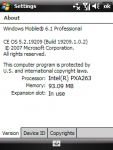
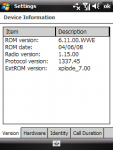
1. Download BlueAngel (xda IIs) windows mobile 6.1
http://www.mobilefixed.com/shop/dow...TC_Acer_HP/HTC/Flash_Files/Blue_Angel_XDAIIs/
2. Put your XDA on cradle (usb cable) and sync via microsoft active sync (Green icon should show on desktop task bar)
http://www.mobilefixed.com/shop/dow...mart Phones_HTC_Acer_HP/HTC/PC_Suite_Manuals/
3. when your PDA properly connected with your PC, Run MaUpgradeUt_noID.exe from the extracted rom package (from your winxp pc)
4. if you get any errors like "Device ID error", run the MaUpgradeUt_noID.exe again
without disconnecting the usb (2nd time should work)
If the seems to hang forever the "Getting the information...", put your device into Bootloader mode by pressing and hold the "Power" & "Record" buttons, and then press the Reset Button. and run the MaUpgradeUt_noID.exe again
5. wait till progress bar goes to 100% (don't touch the device while reinstalling)
Thanks goes to Helmi who made this possible. also to MAMAICH,Bepe,Itsme, luv2chill aka Dan at PPCGeeks.com