


Unique Features of Opera Browser
Opera Turbo, a new compression technology that solves the pain of slow connections.
What is Opera Turbo?
Opera Turbo is a server-side optimization and compression technology that speeds up data transfer and reduces the amount of data that needs to be downloaded in order to view the page by up to 80%. Among other means, the compression is achieved by image down-sampling therefore some level of distortion in graphics may occur.
Speed Dial: The most innovative of all, this feature creates thumbnails of your favorite sites. Clicking on that thumbnail takes you directly to that site.
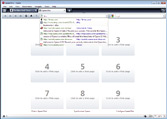
Feed preview: From Opera 9.63, you can view the feed content before subscribing to that feed.
IRC client: Enjoy IRC right from your browser itself. You don’t need any dedicated client to enjoy IRC.
Opera Mail: Opera has a built in Mail client too. Again, no need to install any dedicated mail client.
Notes: Find something interesting on web and want to jot it down immediately? Notes are at your service.
Web Page preview: A great feature to resemble Windows Vista’s Live Thumbnail preview. Hover your mouse cursor over a browser tab and a small thumbnail of the webpage is displayed.
Torrent client: From Opera 5, it is shipped with a built in torrent downloading client. This shipment is the result of agreement between Opera Software and BitTorrent way back in 2001.
Trash can: This simple feature can save you a precious time on web as it can open closed tabs. If you’ve mistakenly closed an important tab, just head on to Trash can and restore your tab back.
Scroll marker: Starting from Opera 9.63, this feature marks at the end of the webpage window, so you can continue reading from that mark while scrolling.
Mouse gestures: As the name suggests, this feature performs mundane tasks by movement of your mouse.
Download Link
http://my.opera.com/community/opera/get/
Last edited:


