Step 1: Open the DOS terminal
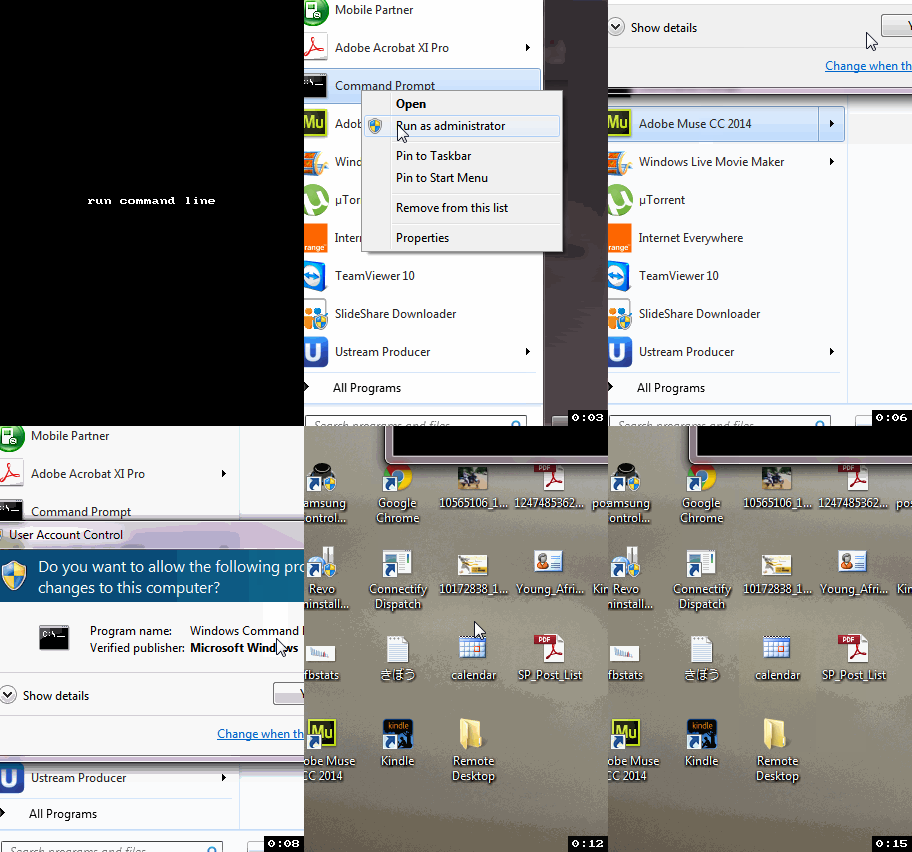
Click Start, type CMD, right-click the Cmd.exe link and select “Run as Administrator”.
Step 2: Check availability
If you want to create WiFi Hotspot firstly you have to check whether the hosted network mode is supported by your machine or not…
Enter this command to check availability..
netsh wlan show drivers
If you find Hosted network supported : Yes then only you can create WiFi Hotspot
Step 3:Creating WiFi Hotspot
Now type the following command to create WiFi hotspot:
netsh wlan set hostednetwork mode=allow ssid=Name key=8CharacterKey
Replace “Name” with the name you’d like to use for your custom network, and “8CharacterKey” with a password that’s a little harder to guess.
Start Wi-Fi hotspot by this cmd:
netsh wlan start hostednetwork
Step 4: No Network Access ? or No Internet Access?
nto a wireless Wi-Fi hotspot
usb dongle
DAVID OKWII
19/03/2015
Tweet
Share
Share
Pin
Mail
Share
After reading my previous post on “The Mi-Fi is the new USB Internet dongle”, Jeff an enthusiastic reader of this blog had a tip for me or rather USB modem users out there. While Mi-Fis as I explained have wireless internet sharing by default, USB dongles don’t. Yet, you might still want to share your USB modem internet with your buddy or a family member at home.
If so Jeff has you covered. With the help of your laptop’s Wi-Fi card, you can turn your USB dongle into a Mi-Fi of sorts. But this isn’t for the fainthearted. This right here is for nerds.
Step 1: Open the DOS terminal
Click Start, type CMD, right-click the Cmd.exe link and select “Run as Administrator”.
DEMO3
Step 2: Check availability
If you want to create WiFi Hotspot firstly you have to check whether the hosted network mode is supported by your machine or not…
Enter this command to check availability..
netsh wlan show drivers
If you find Hosted network supported : Yes then only you can create WiFi Hotspot
Step 3:Creating WiFi Hotspot
copy paste and run
Now type the following command to create WiFi hotspot:
netsh wlan set hostednetwork mode=allow ssid=Name key=8CharacterKey
Replace “Name” with the name you’d like to use for your custom network, and “8CharacterKey” with a password that’s a little harder to guess.
Start Wi-Fi hotspot by this cmd:
netsh wlan start hostednetwork
Step 4: No Network Access ? or No Internet Access?
turn on sharing1
Now click Control Panel — Network and Internet — Network and Sharing Center
Click on Internet Connection you want to share (Broadband Connection)
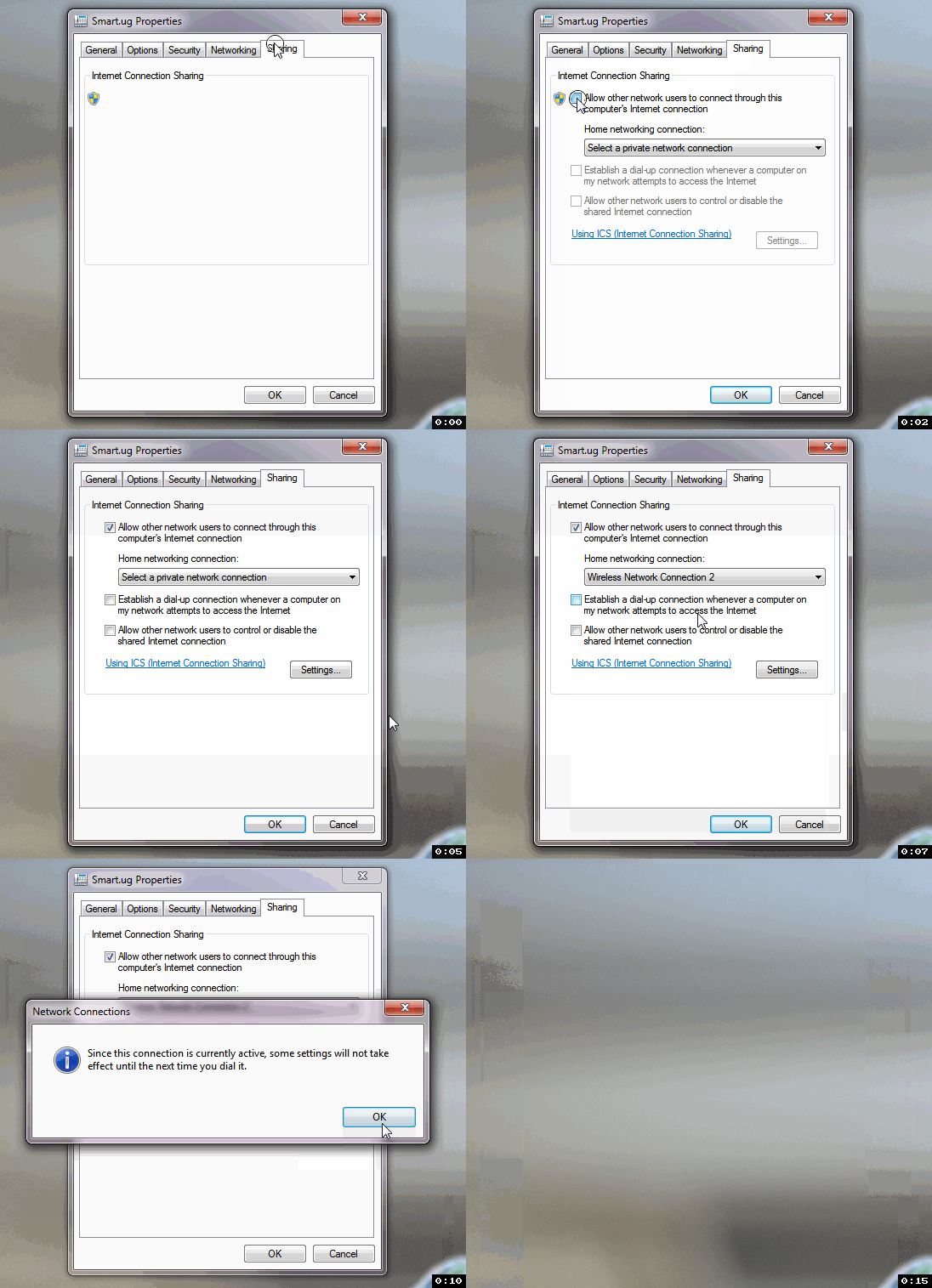
Properties — Sharing Tab-
Check Allow other network users to connect through this computer’s internet connection..
And in drop down list select your virtual adapter’s (WiFi Hotspot’s) connection..
You are done with your WiFi Hotspot.


 Singapore V2ray VPN for Tunneling
 📸 SIGMA 85mm F1.4 DG HSM | Art — Nikon Mount