ANDROID වැඩකාරයෝ

Status
Not open for further replies.

Ela Madda

Well-known member
  • Aug 29, 2011
    1,373
    203
    63
    ඇයි ගේමද ;)
    Titanium Backup Pro apk 4.9.1 + Lucky Patcher apk v1.2.3 Download for Android

    a.jpg


    ☆Needs ROOT, Android 1.5-4.0+ (ARM,x86,MIPS)
    ☆Over 4.5 million users, 28+ languages!
    ☆PRO Key is available on Market!
    ☆Voted #1 TOP ROOT APP on Twitter.
    ☆Problem? See matrixrewriter.com/wiki
    ☆Scroll down for more info & VIDEOS ;-)
    ☆ ☆ ☆

    Titanium Backup is the most powerful backup tool on Android, and then some.

    You can backup, restore, freeze (with Pro) your apps + data + Market links. This includes all protected apps & system apps, plus external data on your SD card. You can do 0-click batch & scheduled backups. Backups will operate without closing any apps (with Pro). You can move any app (or app data) to/from the SD card. You can browse any app's data and even query the Market to see detailed information about the app.

    Also see the paid PRO key which adds EVEN MORE awesome features such as:
    [✔] 0-click batch restores
    [✔] Keep multiple backups per app
    [✔] Multi-user app data
    [✔] Apps freezer
    [✔] Dropbox sync (manual or scheduled)
    [✔] Box sync (manual or scheduled)
    [✔] Convert user apps <=> system apps
    [✔] Integrate system app updates into ROM
    [✔] Encryption
    [✔] Market Doctor (relink apps to Market)
    [✔] "Destroy all Market links" feature
    [✔] Hypershell speed
    [✔] Backup apps without closing them!
    [✔] Restore individual apps+data from CWM backups!
    [✔] Restore individual apps+data from TWRP backups!
    [✔] Market "auto updating" manager
    [✔] Dalvik cache cleaner
    [✔] Integrate Dalvik cache system elements into ROM
    [✔] Unlimited schedules
    [✔] Protect backup against deletion
    [✔] Send backup by e-mail
    [✔] Freeze/defrost/launch apps in a single click
    [✔] CSV export any app DB (e-mail or Google Docs)
    [✔] Convert app data to/from fast WAL format
    [✔] WAY MORE!

    PRO FEATURES ADDED:
    [✔] Multiple backups per app
    [✔] 0-click batch restore
    [✔] Multi-user support for some apps! (eg: games)
    [✔] Batch verification
    [✔] Backup apps without closing them!
    [✔] Restore individual apps+data from CWM backups!
    [✔] Hypershell speed
    [✔] Migrate system data across different ROMs
    [✔] Market Doctor
    [✔] Apps freezer (incl. batch support)
    [✔] Market "auto updating" manager
    [✔] Convert user apps <=> system apps
    [✔] Encryption
    [✔] Unlimited schedules
    [✔] Sync to/from Dropbox
    [✔] Protect backup against deletion
    [✔] Send backup by e-mail
    [✔] CSV export any app DB (e-mail or Google Docs)
    [✔] Brand the app with your name
    [✔] Bloatware Melter (experimental)
    [✔] Convert app data to/from faster WAL DB format
    [✔] And more!

    MORE MEMORY:
    [✔] Dalvik cache cleaner
    [✔] Integrate system app updates into ROM
    [✔] Move apps into ROM
    [✔] Integrate Dalvik cache system elements into ROM

    What's in this version for Titanium Backup:
    • [PRO] New "Backup + verify + un-install" feature!
    • Supports Voodoo OTA RootKeeper "temp un-root". TB can operate while root access is hidden!
    • Improved sys app convert/un-install: checks for non-deodexed sys apps now.
    • Fixed serious bug in "Undo Dalvik cache integration" on non-deodexed ROMs.
    • Fixed Dropbox/Box sync fail if APK backups missing.
    • Fixed widget refresh (for external apps) when (un)mounting SD card.
    • Fixed possible FC when viewing an app's DB contents.
    • Minor improvements.

    Instructions:
    1. Install the latest version of Titanium Backup (Don't run)
    2. Install LuckyPatcher (Run, custom patch!)
    3. Enjoy


    Ela Madda

    Well-known member
  • Aug 29, 2011
    1,373
    203
    63
    ඇයි ගේමද ;)
    Android Voice Xtreme apk v2.00 Download for Android


    Android Voice Xtreme v2.00 Apk App
    Requirements: Android O/S : 2.2+
    Overview: The only voice interface you'll need AVX is the most full featured virtual assistant for Android !


    a.jpg

    Who should use AVX? If you are looking for an application that provides hands-free operation of your phone to open apps, read and reply to text messages and email, schedule calendar events and many more functions that you can perform using just your voice then AVX is right for you.

    If you are just looking for an electronic friend to chat with then please go with one of the Siri clones. On the other hand if you want a real virtual assistant that has useful functions that will make your life easier then please give AVX a try.

    AVX has all the functions you'd expect your assistant to perform plus some that you probably never new were possible. Here is a list of some of the functions that you wont find in most of the competition:

    Features:
    Reading and replying to incoming text and email including Microsoft Exchange
    Integration with Evernote
    Home Automation with INSTEON. Turn on the lights and appliances, open the garage door and a whole lot more, all with voice commands or scheduled or based on your location.
    Location based reminders. Remind you to do something based on your location.
    Location based actions. Perform any function that AVX can do based on your current location. Have AVX automatically text your wife when you leave the office.
    Time based actions. Perform any function that AVX can do on a set day and time
    In car mode including wake up phrase
    Custom voice shortcuts to your phone applications. Give your apps any name you want and open them using that name.
    Voice bookmarks to your favorite web sites. Give your bookmarks any name you want and open them using that name.
    Activate just by shaking your phone
    Works with all Bluetooth Headsets
    For the full online manual please go to: http://www.bulletproof.com/avx

    What's in this version : (Updated : Apr 15, 2012)
    Video Channel: http://www.youtube.com/user/Ausiguy1/videos
    NEW PROFILES FOR ADJUSTING YOUR SETTINGS BASED ON YOUR OWN CRITERIA
    'CALL' CONTACT AFTER SMS READ
    CALENDAR INTEGRATION WITH MICROSOFT EXCHANGE
    LISTS, MEMOS AND JOURNAL ENTRIES SAVED TO YOUR EVERNOTE ACCOUNT
    READ, REPLY AND SEND EMAILS VIA YOUR MICROSOFT EXCHANGE ACCOUNT
    READING AND REPLYING TO EMAILS
    ENHANCED BACKGROUND WAKE MODE
    LOCATION BASED WITH TIME CRITERIAS, KEYBOARD ENTRY
    LOCATION BASED ACTIONS, REMINDERS​


    Ela Madda

    Well-known member
  • Aug 29, 2011
    1,373
    203
    63
    ඇයි ගේමද ;)
    Ultra Keyboard apk v6.2.4 Download for Android

    Ultra Keyboard v6.2.4 Apk App
    Requirements: for all Android versions
    Overview: Ultra Keyboard is an advanced keyboard with many features geared towards reinventing the Android keyboard experience.​

    a.jpg

    Word Suggestions:
    Like many keyboards, Ultra suggests words while you type. The suggestions box on Ultra is designed to be fast and easy to use, with many unique features. Press the drop-down arrow to quickly view all suggestions.

    Compact Keys:
    Are you frustrated trying to type in portrait mode, because the keys are too thin? Ultra combines keys so they're easier to press. Type like you normally would, and Ultra will guess what word you meant to type. If it's wrong, you can always choose the right word from the available suggestions.

    Secondary Characters:
    Hold down certain keys to enter secondary characters.

    Arrow Keys:
    For devices that don't have a track pad or navigation button, Ultra provides arrow keys that let you quickly move the cursor through text.

    Multi-Touch:
    You can press multiple keys at once without missing keys (*for devices that support multi-touch). Slide your finger from the shift key to quickly enter a capital letter. Slide your finger from the view key to enter a number or symbol.

    Word Tracing:
    Have you heard about that popular keyboard that lets you trace out words instead of typing each letter? Ultra can do that too.

    Multiple Languages:
    Ultra comes with built-in support for the English language. There are other language dictionaries available that you can download right from the keyboard.

    Custom Dictionary:
    Add words to your own custom dictionary.

    Word Replacements:
    Type "brb" and Ultra will enter "be right back". There are pre-defined replacements, and you can add your own.

    Black List:
    Hold down a suggested word and you can easily stop it from showing up again.

    Custom Themes:
    Ultra supports many keyboard themes available from the market (both free and paid). You can also use Ultra's built-in theme editor to create your own themes, or edit existing themes (including custom fonts!).

    Speech-to-Text:
    Speak to Ultra Keyboard, and it will use Google's web-based service to transform your spoken words into text. You can also dictate punctuation.

    Translation:
    Quickly translate your text to over 50 different languages.

    Camera Mode:
    Activate your camera to see where you're going while you text your friends.

    Tool Bar:
    Ultra's tool bar provides a ton of features in a tight space. Flick the tool bar left or right to scroll through the available buttons. Quickly change many settings, navigate through text, cut and paste, change dictionaries, change themes, insert emoticons, and more. Show or hide the tool bar by pressing your device's menu button.

    Customizable Settings:
    Almost everything in Ultra is customizable. Don't like the compact keys? Disable them. Don't use a few of the tool bar buttons? Remove them.

    What's in this version:
    6.2.4:
    New Features:
    · New languages.
    · Compact key tap timeout setting.
    · Tool bar scroll arrows.
    · Ability to theme floating suggestion bar.
    Fixes:
    · Incorrectly triggered nearby keys.
    · Hidden/popup key issues.
    · Capitalization issues.
    · Duplicate suggestions.
    · Certain characters didn't match words.
    · Unknown typed word was not being shown.
    Other Changes:
    · Improved suggestion bar appearance.
    · Improved stock themes.
    · Better third-party theme support.
    · Improved stability and performance.​


    Ela Madda

    Well-known member
  • Aug 29, 2011
    1,373
    203
    63
    ඇයි ගේමද ;)
    3D Camera

    OaOFgv1k4sTEjMDSMd-HPU7E7YKlXy5Z-VegdCPkbl5kGShbyodn0zTHdskiKSdSO-Y=w705


    Description
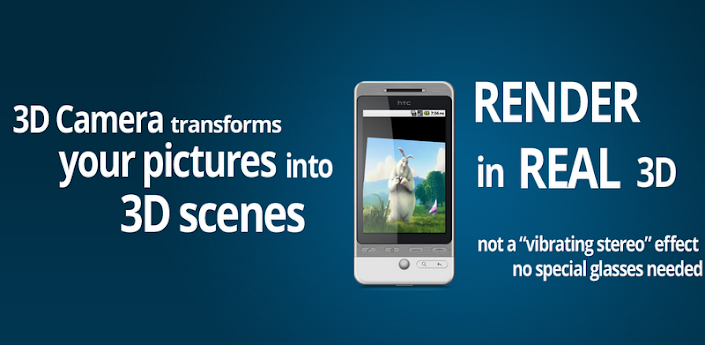
    Create 3D pictures yourself.
    - 3D Camera is cutting-edge, and very different from any other app available on the Market. It has NO equivalent on the iPhone.
    - 3D Camera does not require 3D or red-blue glasses, or a 3D-capable phone. Any phone with Android >= 2.1 can run it.
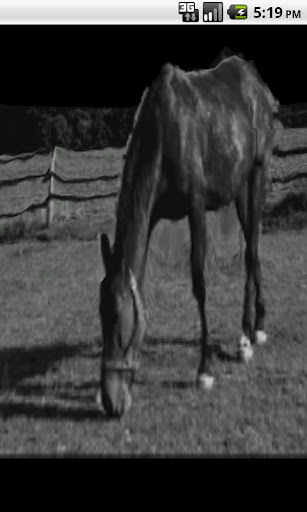
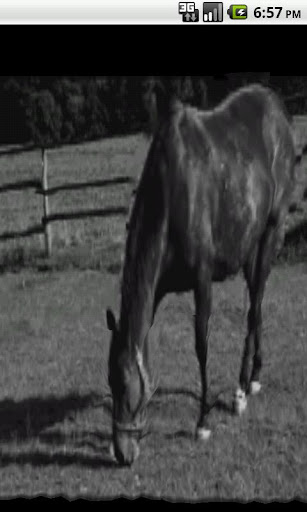
    - 3D Camera uses experimental, research-grade algorithms to generate an OpenGL rendering of a 3D scene computed from your own pictures.
    - You can navigate freely in the scene: move in all directions and zoom in/out. The accelerometer is also supported.
    - Your 3D scenes can be shared online. They be seen in 3D on a normal computer screen! 3D Camera allows to post directly on Facebook / Twitter / Google+

    Here is a sample scene created with 3D Camera: http://goo.gl/6GBfL

    QUICK MANUAL:

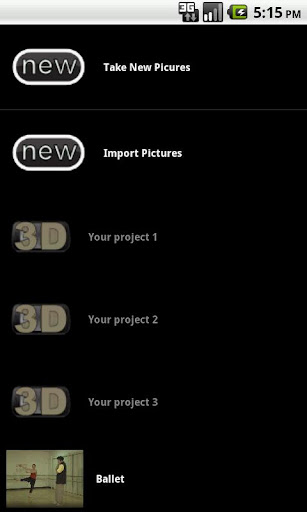
    - There are two ways to create a 3D scene, you can select them in the main menu of the app: manual (1 picture) or server-assisted (2 pictures).
    * The server-assisted method uploads your pictures to a server to determine the depth of the scene automatically.
    * The manual method let you specify the depth of each object.
    Which one should you choose?
    * From our experience, the manual method gives the best results. But if you are a fan of cutting-edge technology, give the server-assisted method a try!

    HOW TO GET BETTER RESULTS USING THE SERVER-ASSISTED METHOD:

    * Keep in mind that the server-assisted method is experimental. It may fail to find the correct depth of some areas in your image.
    * Anyway, you will be given the opportunity to manually correct the depth later. It's the "Correct depth" option when long-pressing an item in the main menu.
    * Before taking pictures, read the 3D Camera guide first: inside the main menu, press your phone menu button, then "Tutorial". In short, the server-assisted method works best with two very close pictures of an inanimate object, which is far away from a still background.
    * If you photograph a person, make sure she/he really doesn't move.
    * When translated to the right, the camera should see exactly the same view of the object as in the left picture. A translation means that you should not make a circular motion around you or around the object.
    * The distance between the camera and the foreground matters. It should be at least 1 meter (3 feet).
    * Uniform areas (e.g., white walls) may yield an incorrect server-assisted depth.

    FAQ

    Q: The 3D effect is very wrong in the scene I have created.
    A: Please use the "Correct depth" menu (long press on the scene in the main menu), it does wonders.

    Q: It says the application is always offline, or it told me to update. Why can't my old version work online?
    A: 3D Camera needs a server to generate 3D scenes. We're continuously changing the server to improve 3D Camera. Older versions won't be compatible. Also, if you live in China, it's likely that our Google server is blocked.

    Q: When I create my project, it fails with the "repair me" logo, or it keeps saying "server is busy".
    A: The 3D Camera server may be under maintenance. We typically fix it quickly. Meanwhile, you can still use the manual depth method (by taking just 1 picture), or edit the depth yourself then click on

    Q: The server is slow, generating my 3D scene takes a long time.
    A: 2 minutes? That's normal. The server really does up to 2 minutes of intense computations for each scene. More than 5 minutes? Something is wrong.​

    Q: Why does 3D Camera upload to a server anyway?
    A: Creating the scene would take too long on a phone. We're merely speeding things up by 10x by providing you this free server. Note that you don't need to use this feature: the manual method works entirely offline.

    Q: The app made me a fine scene! I have no question whatsoever!
    A: We would love to hear positive feedback from time to time :) Write us at [email protected] or twitter: http://twitter.com/3DCameraAndroid


    czsoq4Sw-N7uvQG9joBbLejtZUamAT4NPSDfZw4iVs4BUv-bbZGZrpfijvFU7gxrik5b
    CF8x4cMKFHlI0d74p8MXHq_dNJLI8Jrd-ojPYumNmLtFTOrCXY80J5YNedt6XeXoegQ
    DDJ2zwkVxMgZU_WpRhGzpnhax3J-DS9mv4ttck5TawThds0yIGi_11dm1hf8jDe1yg
    ukb4Gc3EcjUxsReBjS6-GS2FJI3ZeCQzt9CQeU7-LpB1nrfGYlbF4PQxdXH7t7HXStQ
    0ARIt8wdHpwOO8lDsPTXHGanTXwD1ubJmUNqs9X7w_RUnlFJfJ0ufm84lr65NstTqy1r
    c85kGPT918L8NcTsROu81CQpumME3AO55YKtDVOCFILJc0KF1DgHmg_cCYRhywcX1w
    n6SB5v1kaLr2p6nvuZM8p8XJ4KrroDc0hE6qSqV3YX7JG02XFJsva6_sy7_T_5jPcho


    Ela Madda

    Well-known member
  • Aug 29, 2011
    1,373
    203
    63
    ඇයි ගේමද ;)
    XPERIA S Home Launcher for non-XPERIA phones | v2.2.A.0.14 Rev.4 Final | WVGA | FWVGA | qHD | HD
    Requirements: Android 2.1+
    Overview: Based on XPERIA™ Home 2.2.A.0.14 from Sony XPERIA S

    shot_1t.png
    shot_2t.png
    shot_3t.png
    shot_4t.png


    Optimized for non-XPERIA devices.
    Don't install on XPERIA devices, especially if you have stock ROM!!!
    All APKs are signed with a non-Sony Ericsson key!


    Optimized for:
    QVGA (240×320)
    HVGA (320×480)
    WVGA (480×800)
    FWVGA (480×854)
    qHD (540×960)
    HD (720×1280)

    Download link Included All Stuff:
    Home Luncher
    ClockWidgets
    OnOffTools
    PhotoWidget
    WeatherWidget
    WidgetPicker
    Uninstall_XPERIA_S_Home

    Requirements:
    Gingerbread.
    An ICS

    Instructions:
    1. Remove / uninstall all apps that use the shared user com.sonyericsson.home (older/different versions of: XPERIA Home and various XPERIA widgets).
    2. If you have not already installed revision 3 or earlier of this package proceed to step 7, else proceed to step 3.
    3. Download the XPERIA S update.zip uninstaller package in order to remove your old installation.
    4. Reboot into ClockWorkMod recovery and make a backup (optional).
    5. Flash the uninstaller package.
    6. Reboot.
    7. Download the Home.apk suitable for your screen resolution and install as normal APK.
    8. Download the widget APK(s) and install as normal APK(s).

    Revision history:
    rev.4
    - Installation as standalone APKs is now possible (modified Home.apk, OnOffTools.apk, WeatherWidget.apk, WidgetPicker.apk to enable this).
    - Added an uninstaller for removing older revisions of the update.zip package
    - Framework and permission files are not needed anymore

    Notes:
    Both variants work for qHD and HD devices (does not matter which file you choose).
    The screenshots are from a WVGA (800×480) device.​


    Thilinacba

    Well-known member
  • Sep 7, 2006
    13,526
    2,752
    113
    e magula wada karane na ban :frown::(

    ane manda ban,mama mediafire link ekak dunne eken apahu download karapan :P :rolleyes:


    XPERIA S Home Launcher for non-XPERIA phones | v2.2.A.0.14 Rev.4 Final | WVGA | FWVGA | qHD | HD
    Requirements: Android 2.1+
    Overview: Based on XPERIA™ Home 2.2.A.0.14 from Sony XPERIA S

    shot_1t.png
    shot_2t.png
    shot_3t.png
    shot_4t.png


    Optimized for non-XPERIA devices.
    Don't install on XPERIA devices, especially if you have stock ROM!!!
    All APKs are signed with a non-Sony Ericsson key!


    Optimized for:
    QVGA (240×320)
    HVGA (320×480)
    WVGA (480×800)
    FWVGA (480×854)
    qHD (540×960)
    HD (720×1280)

    Download link Included All Stuff:
    Home Luncher
    ClockWidgets
    OnOffTools
    PhotoWidget
    WeatherWidget
    WidgetPicker
    Uninstall_XPERIA_S_Home

    Requirements:
    Gingerbread.
    An ICS

    Instructions:
    1. Remove / uninstall all apps that use the shared user com.sonyericsson.home (older/different versions of: XPERIA Home and various XPERIA widgets).
    2. If you have not already installed revision 3 or earlier of this package proceed to step 7, else proceed to step 3.
    3. Download the XPERIA S update.zip uninstaller package in order to remove your old installation.
    4. Reboot into ClockWorkMod recovery and make a backup (optional).
    5. Flash the uninstaller package.
    6. Reboot.
    7. Download the Home.apk suitable for your screen resolution and install as normal APK.
    8. Download the widget APK(s) and install as normal APK(s).

    Revision history:
    rev.4
    - Installation as standalone APKs is now possible (modified Home.apk, OnOffTools.apk, WeatherWidget.apk, WidgetPicker.apk to enable this).
    - Added an uninstaller for removing older revisions of the update.zip package
    - Framework and permission files are not needed anymore

    Notes:
    Both variants work for qHD and HD devices (does not matter which file you choose).
    The screenshots are from a WVGA (800×480) device.​


    oya launcher eke ochcharatama athi wade mokadda ban ? :P

    anyway machan root explorer alutma version eka dannako :D
     

    Thilinacba

    Well-known member
  • Sep 7, 2006
    13,526
    2,752
    113
    චිරි චිරි වැස්ස;12543860 said:
    ඔන්න මචංල මමත් ලංකාවට අාව ;)

    Ah ela ela :D
    dan itin wahinnna patan ganida danne na ;p :rofl::rolleyes:
     
    Ah ela ela :D
    dan itin wahinnna patan ganida danne na ;p :rofl::rolleyes:

    අෙඩි සිරාවටම ෙවන්නප්පුවට ෙගාෙරා ෙගාෙරා් තියනව බං, , තව ටිකකින් චිරි චිරි වැස්සක් ෙනෙමි,, මහා ධාරාණිපාත වැස්සක් වහී වෙග් බං, ,,,,
     

    Thilinacba

    Well-known member
  • Sep 7, 2006
    13,526
    2,752
    113
    චිරි චිරි වැස්ස;12544204 said:
    අෙඩි සිරාවටම ෙවන්නප්පුවට ෙගාෙරා ෙගාෙරා් තියනව බං, , තව ටිකකින් චිරි චිරි වැස්සක් ෙනෙමි,, මහා ධාරාණිපාත වැස්සක් වහී වෙග් බං, ,,,,

    haha mehe nam payanawa hondata :P :rofl:

    finally learned how to download if gameloft link is

    http://dl.gameloft.com/partners/androidmarket/d.cdn.php

    xD xD :D :D

    ATkzH.jpg


    will post how if it works good :D
     

    Metalingus

    Well-known member
  • Dec 2, 2011
    3,227
    627
    113
    චිරි චිරි වැස්ස;12543860 said:
    ඔන්න මචංල මමත් ලංකාවට අාව ;)
    එල එල ඔන්න වල්කම් කියල පිලිගත්ත හරිය.
     
    Status
    Not open for further replies.