
Latest ads
-
 Plan your Crypto & Forex entries before you take the trade
- romeshnonis
- Updated:
-
 RHCSA, RHCE, AWS, Docker, Kubernetes Training
- Sanjeewani95
- Updated:
-
 🛡️ Kaspersky Antivirus – 1 Year / 1 Device | Rs. 2,300 | Only 9 Left
- KSPathirana
- Updated:
-
Professional CCTV Installation Service
- Techguy231
- Updated:
-
I'll research & write an article - Rs. 2000 onwards
- Blogerwiki
- Updated:
Best Applications Collection with key
- Thread starter demen21
- Start date
You are using an out of date browser. It may not display this or other websites correctly.
You should upgrade or use an alternative browser.
You should upgrade or use an alternative browser.

Auslogics_BoostSpeed_5.0.3.210 + key

Auslogics BoostSpeed is a software utility for Microsoft Windows which aims at speeding up the user's computer. It may, among other, speed up the internet connection, the Windows startup and shutdown operations or optimize the memory.
Reviewing the application, PC World notes that "as with any optimizer, you'll need to check carefully that the program actually boosts your speed, rather than decreases it. All in all, though, you'll find this a very good tool for overall system speedup." CNET's Download.com gave the software a five out of five star rating, saying that "BoostSpeed is an effective all-encompassing utility suite, combining some of Auslogics' popular freeware titles such as Disk Defrag and Registry Defrag with services that they don't offer elsewhere.


Auslogics BoostSpeed is a software utility for Microsoft Windows which aims at speeding up the user's computer. It may, among other, speed up the internet connection, the Windows startup and shutdown operations or optimize the memory.
Reviewing the application, PC World notes that "as with any optimizer, you'll need to check carefully that the program actually boosts your speed, rather than decreases it. All in all, though, you'll find this a very good tool for overall system speedup." CNET's Download.com gave the software a five out of five star rating, saying that "BoostSpeed is an effective all-encompassing utility suite, combining some of Auslogics' popular freeware titles such as Disk Defrag and Registry Defrag with services that they don't offer elsewhere.

Code:
http://hotfile.com/dl/48834086/b60ee17/Auslogics_BoostSpeed_5.0.3.210.rar.html

7Tweak1.8.2Pro + key
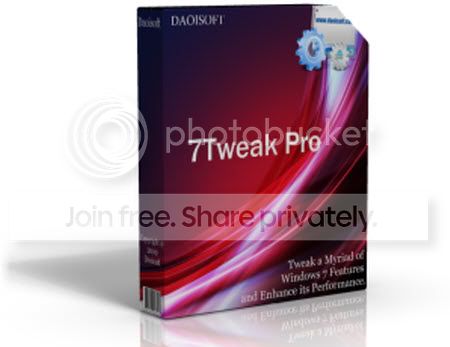
The best optimization and system cleanup solution designed especially for Windows 7
Brand new and already in top of users preferences, 7Tweak comes with a bunch of features and tools designed especially to tweak, optimize and customize your Windows 7.
Being able to quickly analyse your computer's hardware, operationg system and programs and supporting native x64 mode it is an excellent solution for effective and fast Windows optimization.
7Tweak is the only tuning software for Windows 7 with the right suite of tools:
- Intelligent Disk Cleaner and Safe Defragmentation tool.
- Smart hard hrives monitoring capability.
- Regitry Backup/Restore, Intelligent RegCleaner and Registry Safe Defragmenter.
- Security Tweaks: Firewall, IE, Windows Update and many other.
- Optimization tools: Autorun Manager, StartUp Manager, Cache and Visual Effects tweaks
- Outlook Mail Tweaks
- Start Menu Tweaks
- Media Player Tweaks
- Control Panel Tweaks
- Internet Explorer and many other tweaks

The best optimization and system cleanup solution designed especially for Windows 7
Brand new and already in top of users preferences, 7Tweak comes with a bunch of features and tools designed especially to tweak, optimize and customize your Windows 7.
Being able to quickly analyse your computer's hardware, operationg system and programs and supporting native x64 mode it is an excellent solution for effective and fast Windows optimization.
7Tweak is the only tuning software for Windows 7 with the right suite of tools:
- Intelligent Disk Cleaner and Safe Defragmentation tool.
- Smart hard hrives monitoring capability.
- Regitry Backup/Restore, Intelligent RegCleaner and Registry Safe Defragmenter.
- Security Tweaks: Firewall, IE, Windows Update and many other.
- Optimization tools: Autorun Manager, StartUp Manager, Cache and Visual Effects tweaks
- Outlook Mail Tweaks
- Start Menu Tweaks
- Media Player Tweaks
- Control Panel Tweaks
- Internet Explorer and many other tweaks

Code:
http://hotfile.com/dl/50243597/6057fbb/7Tweak1.8.2Pro.rar.htmlDream_Aquarium_v1.24_Final


Dream Aquarium Screensaver 1.24 Final- 9,67 MB.Dream Aquarium is ultra realistic, the best virtual aquarium in the world. An amazeing aquarium with 3D realism never seen before in fish, water, plants and all other details. No! They are not real fish! They are 100% computer generated fish. You will be witness of realism in images and their flexibility, pecking objects, interaction with environment, feeding, swimming among the plants, hover around in studying and enjoying life, also beautiful shifting light rays, ground ripples, gently waving plants that fish can swim into, soft shadows cast by fish, configurable bubble streams.
Here are some key features of "Dream Aquarium":
- Fish have articulated fins, moving eyes, gills and mouth.
- Widescreen formatting, multi-monitor support.
- Ability the camera "the screen" automatically moves inside the tank and closely monitor one or more fish!
- Replacing the tank.
- Add bakground picture of your choice
- Feeding your virtual fish manually, also automatically.
- Add and remove an unlimited number of fish when you want.
Dream Aquarium Screensaver 1.24 Final- 9,67 MB.
Here are some key features of "Dream Aquarium":
- Fish have articulated fins, moving eyes, gills and mouth.
- Widescreen formatting, multi-monitor support.
- Ability the camera "the screen" automatically moves inside the tank and closely monitor one or more fish!
- Replacing the tank.
- Add bakground picture of your choice
- Feeding your virtual fish manually, also automatically.
- Add and remove an unlimited number of fish when you want.
Code:
http://hotfile.com/dl/57206180/ed069c7/Dream_Aquarium_v1.24_Final.rar.htmlAdvanced.SystemCare.3.6.1.0.Pro + key
This easy-to-use and informative application cleans, configures, and optimizes your PC. Advanced WindowsCare Pro's interface dispenses with the bells and whistles to display commands and data without embellishment.
The install Wizard zips through the set up, querying the user on the PC's primary use and Internet connection type. Answer those two simple questions, choose from a short list of options, and you're ready to virus check and scan for spyware, registry errors, and start-up problems, or clean your PC of history and surfing traces. The app's strength is the detailed information the scan provides, which lists each item with a description of its value based on trustworthiness. Unknown items can be identified online or ignored. The Tools menu checks five primary areas of your PC for rogue processes, services, and incorrectly installed options.
Since registry entries are involved, we wish the fixes recommended were more detailed. The program includes a quick restore point option for system safety, but repairs can't be made in the trial edition, drastically circumscribing the app's effectiveness unless you buy it sight unseen. The app's uncomplicated and straightforward usage is appreciated, but the since the main selling point has been cut off at the knees, we're hesitant to give this a more glowing recommendation.
Advanced SystemCare Pro (formerly Advanced WinodwsCare Professional) provides an always-on, automated, all-in-one PC Healthcare Service with anti-spyware, privacy protection, performance tune-ups, and system cleaning capabilities. This powerful and award-winning precision tool fixes stubborn errors, cleans out clutter, optimizes Internet and download speeds, ensures personal security, and maintains maximum computer performance automatically.
What's new in this version:
Version 3.6.1 may include unspecified updates, enhancements, or bug fixes.
Advanced.SystemCare.3.6.1.0.Pro + key (7.62 MB)


This easy-to-use and informative application cleans, configures, and optimizes your PC. Advanced WindowsCare Pro's interface dispenses with the bells and whistles to display commands and data without embellishment.
The install Wizard zips through the set up, querying the user on the PC's primary use and Internet connection type. Answer those two simple questions, choose from a short list of options, and you're ready to virus check and scan for spyware, registry errors, and start-up problems, or clean your PC of history and surfing traces. The app's strength is the detailed information the scan provides, which lists each item with a description of its value based on trustworthiness. Unknown items can be identified online or ignored. The Tools menu checks five primary areas of your PC for rogue processes, services, and incorrectly installed options.
Since registry entries are involved, we wish the fixes recommended were more detailed. The program includes a quick restore point option for system safety, but repairs can't be made in the trial edition, drastically circumscribing the app's effectiveness unless you buy it sight unseen. The app's uncomplicated and straightforward usage is appreciated, but the since the main selling point has been cut off at the knees, we're hesitant to give this a more glowing recommendation.
Advanced SystemCare Pro (formerly Advanced WinodwsCare Professional) provides an always-on, automated, all-in-one PC Healthcare Service with anti-spyware, privacy protection, performance tune-ups, and system cleaning capabilities. This powerful and award-winning precision tool fixes stubborn errors, cleans out clutter, optimizes Internet and download speeds, ensures personal security, and maintains maximum computer performance automatically.
What's new in this version:
Version 3.6.1 may include unspecified updates, enhancements, or bug fixes.
Code:
http://hotfile.com/dl/52265854/5f40f3a/Advanced.SystemCare.3.6.1.0.Pro.rar.htmlSuper.Utilities.Pro.v9.9.9.Incl.Keymaker7Patch

Super Utilities Pro v9.9.9 |5.43 Mb
Info:
Full service for your windows PC
* Super Utilities offers 29 tools for cleaning,fixing, speeding up, maintaining, and protecting your PC.
* System Cleaner: Make your PC faster, more stable, and more efficient by cleaning and optimizing your hard drive, memory, software, and Windows Registry.
* Security Doctor: Protect your PC from thousands of potential spyware, adware, trojans, keyloggers and tracking threats.
* Privacy Protector: Keep your sensitive information safe from prying eyes.
* System Maintenance: Easily perform complicated system maintenance tasks, and keep your computer running quickly and smoothly.
* Special Tools: More easy-to-use tools that make your computing safer and more efficient.
* More windows utilities will be added.
Features:
• Disk Cleaner. Get rid of junk files on your PC
• Registry Cleaner. Clean and optimize your system registry
• Uninstall Plus. Completely uninstall any software
• Memory Turbo. Recover, defragment, & optimize system memory
• Shortcuts Repairer. Find and fix broken shortcuts
• Spyware Removal. Remove spyware, adware, trojans, and keyloggers
• StartUp Organizer. Start-up Windows faster
• Super Task Manager. Take control of all running processes
• Service Manager. Take control of all windows services
• BHO Cleaner. Remove unwanted browser helper objects
• IE Password Manager. Manage passwords and AutoComplete strings of IE
• Hide Folder. Hide your files and folders
• Tracks Washer. Cover the tracks you leave behind
• IE Privacy Manager. Manage typed URLS and history items of IE
• Super ExeLock. Password protect your programs
• Super Shredder. Securely delete sensitive information
• SuperMenu Guard. Protect favorite sites and start menu
• Windows Manager. Tailor windows to meet your individual needs
• IE Protector. Protect the settings of Internet Explorer
• Driver Backup. Grab all of your drivers, and store them for you in a safe place
• File Type Manager. A sophisticated file type management tool
• Windows Tools. Several essential utilities of windows
• System Information. Gather information about your hardware and software
• Auto Shutdown. A complete shutdown, restart, and logoff manager
• Folder Analyzer. Find out where all your hard drive space went
• Super Undelete. Recover deleted files
• Super Shell. A unique handy collection of tools
• Super Mounter. Mount ISO file as virtual CD-ROM.


Super Utilities Pro v9.9.9 |5.43 Mb
Info:
Full service for your windows PC
* Super Utilities offers 29 tools for cleaning,fixing, speeding up, maintaining, and protecting your PC.
* System Cleaner: Make your PC faster, more stable, and more efficient by cleaning and optimizing your hard drive, memory, software, and Windows Registry.
* Security Doctor: Protect your PC from thousands of potential spyware, adware, trojans, keyloggers and tracking threats.
* Privacy Protector: Keep your sensitive information safe from prying eyes.
* System Maintenance: Easily perform complicated system maintenance tasks, and keep your computer running quickly and smoothly.
* Special Tools: More easy-to-use tools that make your computing safer and more efficient.
* More windows utilities will be added.
Features:
• Disk Cleaner. Get rid of junk files on your PC
• Registry Cleaner. Clean and optimize your system registry
• Uninstall Plus. Completely uninstall any software
• Memory Turbo. Recover, defragment, & optimize system memory
• Shortcuts Repairer. Find and fix broken shortcuts
• Spyware Removal. Remove spyware, adware, trojans, and keyloggers
• StartUp Organizer. Start-up Windows faster
• Super Task Manager. Take control of all running processes
• Service Manager. Take control of all windows services
• BHO Cleaner. Remove unwanted browser helper objects
• IE Password Manager. Manage passwords and AutoComplete strings of IE
• Hide Folder. Hide your files and folders
• Tracks Washer. Cover the tracks you leave behind
• IE Privacy Manager. Manage typed URLS and history items of IE
• Super ExeLock. Password protect your programs
• Super Shredder. Securely delete sensitive information
• SuperMenu Guard. Protect favorite sites and start menu
• Windows Manager. Tailor windows to meet your individual needs
• IE Protector. Protect the settings of Internet Explorer
• Driver Backup. Grab all of your drivers, and store them for you in a safe place
• File Type Manager. A sophisticated file type management tool
• Windows Tools. Several essential utilities of windows
• System Information. Gather information about your hardware and software
• Auto Shutdown. A complete shutdown, restart, and logoff manager
• Folder Analyzer. Find out where all your hard drive space went
• Super Undelete. Recover deleted files
• Super Shell. A unique handy collection of tools
• Super Mounter. Mount ISO file as virtual CD-ROM.

Code:
http://hotfile.com/dl/55130477/5a42508/Super.Utilities.Pro.v9.9.9.Incl.Keymaker7Patch.rar.htmlPowerDVD_Ultra_v8.0.1730.50__HD_DVD_Playback_Addon + key

PowerDVD is a software to play audio and video files on your computer. It gives the control video / audio with a lot of customization, which offers high quality viewing and listening post.
PowerDVD 8 supports Blu-ray and HD DVD formats and audio, and video. A new feature lets users expand the understanding of film information by building a database of movie information, reviews about the movie, reviews of your favorite movies. New Web program helps users can meet, make friends and share information about movies.
Program No. 1 DVD play on PC delivers a large portion of new features:
* Indulge users with perfect video quality.
* Explore Blu-ray movie quality.
* Automatically create movie again: create a new storyline to watch and share.
* Build a collection of your own movies, writing, criticism and evaluation.
Share your love of movies with new friends in MoovieLive.com.
* High-definition - Support formats like AVCHD and Blu-ray.
* Advanced technology - Enjoy every frame in every scene with TrueTheatre technology.
* Home theater audio - Enjoy movies on the PC as you are in theaters, supports Dolby, DTS, and a few other home theater technologies.
* Smart DVD Utilities - Save battery power on your notebook, move language subtitles, and automatically play back a certain period, the driver of the award winning DVD PowerDVD.
* DVD Movies
* DVD Movies - Rearrange the order of scenes, adding subtitles, adding animation, sound and recording.
* See the movie again because other people do - download it from the MoovieLive and see how they make the movie.
Share your movies online - Upload MoovieLive it up and share it.
Collect Movie Information: PowerDVD helps you build a library of movies, combining personal notes and disc information. Can synchronize your collection with MoovieLive account.
* Your movie collection - Create a collection, keep the information you have.
* Reviews & ratings - Write reviews on movies you've seen. Rapid assessment (maximum of five stars) and compared with the appreciation of others.
* Quick movie Statistics - Quickly check how many people see this movie. PowerDVD lets you see the audience, some homemade movies are created, reviews, and DVD owners.
Connect via MoovieLive
PowerDVD gets you connected with other users on MooviLive.com. You can find reviews all over the world about the movies you watch, access information about the movies other people are watching.
* Upload & download remixes - Download remixes to see different. Upload your own movies to share with other PowerDVD users.
* Make friends - Find the people you are interested in the films together.
* Publish your thoughts - After writing a review of a movie, why do not you share with others? MoovieLive lets you upload your review, and more on the global assessment of your own assessment.
* See what others have to say - Read reviews from other people and find data on your favorite movies.
OS: XP, Vista, 2000
Size: 118 Mb.

PowerDVD is a software to play audio and video files on your computer. It gives the control video / audio with a lot of customization, which offers high quality viewing and listening post.
PowerDVD 8 supports Blu-ray and HD DVD formats and audio, and video. A new feature lets users expand the understanding of film information by building a database of movie information, reviews about the movie, reviews of your favorite movies. New Web program helps users can meet, make friends and share information about movies.
Program No. 1 DVD play on PC delivers a large portion of new features:
* Indulge users with perfect video quality.
* Explore Blu-ray movie quality.
* Automatically create movie again: create a new storyline to watch and share.
* Build a collection of your own movies, writing, criticism and evaluation.
Share your love of movies with new friends in MoovieLive.com.
* High-definition - Support formats like AVCHD and Blu-ray.
* Advanced technology - Enjoy every frame in every scene with TrueTheatre technology.
* Home theater audio - Enjoy movies on the PC as you are in theaters, supports Dolby, DTS, and a few other home theater technologies.
* Smart DVD Utilities - Save battery power on your notebook, move language subtitles, and automatically play back a certain period, the driver of the award winning DVD PowerDVD.
* DVD Movies
* DVD Movies - Rearrange the order of scenes, adding subtitles, adding animation, sound and recording.
* See the movie again because other people do - download it from the MoovieLive and see how they make the movie.
Share your movies online - Upload MoovieLive it up and share it.
Collect Movie Information: PowerDVD helps you build a library of movies, combining personal notes and disc information. Can synchronize your collection with MoovieLive account.
* Your movie collection - Create a collection, keep the information you have.
* Reviews & ratings - Write reviews on movies you've seen. Rapid assessment (maximum of five stars) and compared with the appreciation of others.
* Quick movie Statistics - Quickly check how many people see this movie. PowerDVD lets you see the audience, some homemade movies are created, reviews, and DVD owners.
Connect via MoovieLive
PowerDVD gets you connected with other users on MooviLive.com. You can find reviews all over the world about the movies you watch, access information about the movies other people are watching.
* Upload & download remixes - Download remixes to see different. Upload your own movies to share with other PowerDVD users.
* Make friends - Find the people you are interested in the films together.
* Publish your thoughts - After writing a review of a movie, why do not you share with others? MoovieLive lets you upload your review, and more on the global assessment of your own assessment.
* See what others have to say - Read reviews from other people and find data on your favorite movies.
OS: XP, Vista, 2000
Size: 118 Mb.
Code:
http://hotfile.com/dl/58456203/39cbb36/PowerDVD_Ultra_v8.0.1730.50__HD_DVD_Playback_Addon.rar.htmlTuneUp Utilities 2010 v.9.0.4400.17 Silent Install (ENG/RUS) | 19.51 MB

TuneUp Utilities 2010 v.9.0.4400.17 Silent Install (ENG/RUS) | 19.51 MB
TuneUp Utilities - quite a large set of various tools for tuning and optimizing the system. With TuneUp Utilities, you can clear disks of "rubbish", delete incorrect records from the registry and defragment it, optimize memory, to manage the startup permanently delete files from the disc with a special utility "TuneUp Shredder" (further recovery becomes impossible, even with special programs), to recover deleted files, change the appearance of Windows, and more, I repeat, much more.
Setup and Analysis (Customize and Analyze):
Includes Startup Manager (TuneUp StartUp Manager), tweaker Interface Windows (TuneUp WinStyler), "System Information" (TuneUp System Information) and "General System Preferences" (TuneUp SystemControl). A distinctive feature of the manager startup is that its settings can be set individually for each user
list of programs. The "System Information" contains detailed information about installed hardware, as well as the amount of memory, the version of Windows, etc.
Cleaning and Repair (Clean and Repair):
In this section you can find two utilities - to clean your computer of temporary files (DiskCleaner), and the utility to identify problems in the registry (RegistryCleaner). These tools are fine-tuning the system is very easy to use and represent two of the wizard with step by step instructions.
Optimizing and tuning (Optimize and Improve):
This group includes the system registry defragmenter (RegistryDefrag), a utility for working with RAM (MemOptimizer) and a large number of system settings (System Optimizer), to maximize the efficiency of Windows. Choose the best system configuration to help special module System Advisor, who will analyze your computer and provide information on what should
make changes to the user to increase system performance.
Administration and Management (Administer and Control):
Here you can find the full Registry Editor Registry Editor, with which you can search and edit records, the manager of processes (Process Manager) and the utility can use to remove the installed applications (Uninstall Manager).
Restore and delete files (File recovery and Destruction):
The latter category includes configuration tools for working with files - a utility for recovery (Undelete) and a tool for removing sensitive data without the possibility of data recovery (Shredder). Additional features of the program can provide automatic updates and the ability to recover from a previously created backup system (RescueCenter).
Year: 2010
OS: Windows All
Language: ENG / RUS
Medicine: Yes

TuneUp Utilities 2010 v.9.0.4400.17 Silent Install (ENG/RUS) | 19.51 MB
TuneUp Utilities - quite a large set of various tools for tuning and optimizing the system. With TuneUp Utilities, you can clear disks of "rubbish", delete incorrect records from the registry and defragment it, optimize memory, to manage the startup permanently delete files from the disc with a special utility "TuneUp Shredder" (further recovery becomes impossible, even with special programs), to recover deleted files, change the appearance of Windows, and more, I repeat, much more.
Setup and Analysis (Customize and Analyze):
Includes Startup Manager (TuneUp StartUp Manager), tweaker Interface Windows (TuneUp WinStyler), "System Information" (TuneUp System Information) and "General System Preferences" (TuneUp SystemControl). A distinctive feature of the manager startup is that its settings can be set individually for each user
list of programs. The "System Information" contains detailed information about installed hardware, as well as the amount of memory, the version of Windows, etc.
Cleaning and Repair (Clean and Repair):
In this section you can find two utilities - to clean your computer of temporary files (DiskCleaner), and the utility to identify problems in the registry (RegistryCleaner). These tools are fine-tuning the system is very easy to use and represent two of the wizard with step by step instructions.
Optimizing and tuning (Optimize and Improve):
This group includes the system registry defragmenter (RegistryDefrag), a utility for working with RAM (MemOptimizer) and a large number of system settings (System Optimizer), to maximize the efficiency of Windows. Choose the best system configuration to help special module System Advisor, who will analyze your computer and provide information on what should
make changes to the user to increase system performance.
Administration and Management (Administer and Control):
Here you can find the full Registry Editor Registry Editor, with which you can search and edit records, the manager of processes (Process Manager) and the utility can use to remove the installed applications (Uninstall Manager).
Restore and delete files (File recovery and Destruction):
The latter category includes configuration tools for working with files - a utility for recovery (Undelete) and a tool for removing sensitive data without the possibility of data recovery (Shredder). Additional features of the program can provide automatic updates and the ability to recover from a previously created backup system (RescueCenter).
Year: 2010
OS: Windows All
Language: ENG / RUS
Medicine: Yes
Code:
http://hotfile.com/dl/60875531/2d0e92c/TuneUp.Utilities.2010.9.0.4400.17.rar.htmlAshampoo_burning_studio_10_10.0.1 + key

Ashampoo Burning Studio is an optical disc authoring program for Microsoft Windows, developed by Ashampoo. It is one of the most-used alternatives to Nero Burning ROM on Windows, but not as popular as the latter.
Its main advantages are that it is simple, lightweight, and very easy to use. However, that is also one of its weaknesses: it does not contain many extras that power users might find useful.
It is capable of creating compilations of CDs, Optical Disc Images, DVDs and Blu-ray Discs.
It also allows the creation of DVD movies from video files.
Ashampoo Burning Studio - a full-featured program for recording CDs. Ashampoo Burning Studio allows you to create projects
and burn CD / DVD (including MP3-CD, VCD, S-VCD, and Blu-ray). Program Ashampoo Burning Studio supports long filenames (127 characters for DVD and Blu-ray, and 64 characters for the CD), automatic configuration settings, saving and loading of the project, the creation of images, easy management of files using Drag & Drop and much more. Like other products Ashampoo, this application focuses on ordinary users and supports more than 1700 different recording devices, including CD, DVD and Blu-ray recorders.


Ashampoo Burning Studio is an optical disc authoring program for Microsoft Windows, developed by Ashampoo. It is one of the most-used alternatives to Nero Burning ROM on Windows, but not as popular as the latter.
Its main advantages are that it is simple, lightweight, and very easy to use. However, that is also one of its weaknesses: it does not contain many extras that power users might find useful.
It is capable of creating compilations of CDs, Optical Disc Images, DVDs and Blu-ray Discs.
It also allows the creation of DVD movies from video files.
Ashampoo Burning Studio - a full-featured program for recording CDs. Ashampoo Burning Studio allows you to create projects
and burn CD / DVD (including MP3-CD, VCD, S-VCD, and Blu-ray). Program Ashampoo Burning Studio supports long filenames (127 characters for DVD and Blu-ray, and 64 characters for the CD), automatic configuration settings, saving and loading of the project, the creation of images, easy management of files using Drag & Drop and much more. Like other products Ashampoo, this application focuses on ordinary users and supports more than 1700 different recording devices, including CD, DVD and Blu-ray recorders.

Code:
http://hotfile.com/dl/48829692/52221dd/ashampoo_burning_studio_10_10.0.1_sm.rar.htmlSimilar threads

- Replies
- 2
- Views
- 210


- Replies
- 0
- Views
- 411

