

Latest ads
-
 ඔයාගෙ Assignment හෝ Thesis එක හරියට හදාගමු
- ErMurazor
- Updated:
-
BlackWall V2ray servers
- hu KANNA
- Updated:
-
 Peppa Pig Family Plush Toy Set – 5 Characters
- anil1961
- Updated:
-
Express VPN PC - 1 Year Rs. 600.00
- Sanathbh
- Updated:
-
Capcut Pro 7 Days Team Plan - Rs. 3️⃣0️⃣0️⃣
- Sanathbh
- Updated:
You are using an out of date browser. It may not display this or other websites correctly.
You should upgrade or use an alternative browser.
You should upgrade or use an alternative browser.
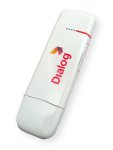


mf100
ZTE MF100 modem ekata hariyana bahetha dccrap
ZTE MF100 modem ekata hariyana bahetha dccrap
* Extract the content of the .zip file
* Once you extracted all the required files, run "dccrap.exe"
* Disconnect to the internet and plug your USB Modem with a different provider SIM. (for Huawei users, you dont need to swap any SIM). And insert your modem to the USB port.
* Choose what "manufacturer" that your modem is. (Huawei Datacards or ZTE Datacards... choose that matches on your Modem.)
* Click the magnifying glass, and it will search for plugged USB modems.
* Once the modem is detected, go to login page, type whatever you want. It's just a lame login system.
* Click Unlocking menu, then choose "unlock".
* Wait till the unlocker program says that, unlock is successfully done.
Last edited:
me machan ubata taniyama karaganna puluwan wei man hitanne wait man dawasak damma thread ekaka ekkenki kiyala tibbba wait

thaniyama kara ganna puluwan....
http://www.free-gsm-unlock.com/2010/04/huawei-unlocker.html
mama eeyeth ekak unlock kala...
http://www.free-gsm-unlock.com/2010/04/huawei-unlocker.html
mama eeyeth ekak unlock kala...
menna thawa method ekak...Step by step...
http://unlocke220.blogspot.com/2010/04/unlock-huawei-modems.html
http://unlocke220.blogspot.com/2010/04/unlock-huawei-modems.html
ZTE MF 100


