Here's a very simple way to download Youtube videos.
NO Software.... NO web sites like www.keepvid.com... NO special requirements like Java installed
BUT Only for Firefox users though...
Download Firefox...
OK... Back to our main topic.
What I'm going to introduce to you is a simple add-on to the Firefox browser which can download Youtube videos.
It's called Flash Video Downloader
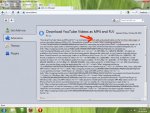
Here's a screen shot of my Add-on window..
It's a very small component & believe me it has great performance.. Multiple downloads are possible.. And down speed is great.. I think it accelerates the download..
Here's how to get it.
That's All guys...
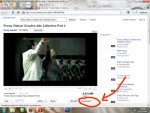
Check the top left side of your browser. You will see an arrow pointing down. It's gray in colour when not activaqted. Now.. go to www.youtube.com. See that arrow.. it should be blue now (activated). Just visit the video and click the down arrow and you will be prompted to a save video window...
There are some useful tool also which comes with this Add-on like IP checking, Internet speed checking, etc. I'll leave them to you to explore...
Hope this will be usefuk to you guys...
ENJOY...... & Plz b kind enough to leave a comment...
NO Software.... NO web sites like www.keepvid.com... NO special requirements like Java installed
BUT Only for Firefox users though...
Download Firefox...
Download Firefox portable (NO need to install) : version 3.6.11 (12.3MB)
Download Firefox regular : version 3.6.11 (8MB)
OK... Back to our main topic.
What I'm going to introduce to you is a simple add-on to the Firefox browser which can download Youtube videos.
It's called Flash Video Downloader
Here's a screen shot of my Add-on window..
Those who are already using it... Sorry for wasting ur time..

It's a very small component & believe me it has great performance.. Multiple downloads are possible.. And down speed is great.. I think it accelerates the download..
Here's how to get it.
1. Go to Tools -> Add-ons in Firefox.
2. Go to Get Add-ons tab.
3. There's a search box at the top left corner. Type Flash Video Downloader in the search box, and click search (or just press enter..).
4. Search results will show the add-on, most probably at the top of the results list. Just click install.
5. Add-on will be installed with in a minute. Then Firefox will request a browser restart. Click Restart Firefox...
That's All guys...
Check the top left side of your browser. You will see an arrow pointing down. It's gray in colour when not activaqted. Now.. go to www.youtube.com. See that arrow.. it should be blue now (activated). Just visit the video and click the down arrow and you will be prompted to a save video window...
There are some useful tool also which comes with this Add-on like IP checking, Internet speed checking, etc. I'll leave them to you to explore...
Hope this will be usefuk to you guys...
ENJOY...... & Plz b kind enough to leave a comment...