


Latest ads
-
 Gemini AI PRO 18 months Offer
- Hawaka
- Updated:
-
koko account
- DasunEranga
- Updated:
-
koko account
- DasunEranga
- Updated:
You are using an out of date browser. It may not display this or other websites correctly.
You should upgrade or use an alternative browser.
You should upgrade or use an alternative browser.

Adobe Creative Suite 3 Design Premium
Included Cracks for ALL Applications
Adobe Creative Suite is a collection of graphic design and video editing applications made by Adobe Systems.
Included Applications:
- Photoshop CS3 Extended
- Illustrator CS3
- InDesign CS3
- Acrobat 8 Professional
- Flash CS3 Professional
- Dreamweaver CS3
- Bridge CS3
- Version Cue CS3
- Device Central CS3
- Acrobat Connect
- Stock Photos
Quote:
http://www.rapidsafe.net/rc-E2NmJDNh...GOG.part01.rar
http://www.rapidsafe.net/rc-ETOiNDNh...GOG.part02.rar
http://www.rapidsafe.net/rc-MjZ3ADNh...GOG.part03.rar
http://www.rapidsafe.net/rc-UzYzEDNh...GOG.part04.rar
http://www.rapidsafe.net/rc-cDOwYDNh...GOG.part05.rar
http://www.rapidsafe.net/rc-MGO1AzMh...GOG.part06.rar
http://www.rapidsafe.net/rc-gTY3EzMh...GOG.part07.rar
http://www.rapidsafe.net/rc-UDO5YzMh...GOG.part08.rar
http://www.rapidsafe.net/rc-QjNidzMh...GOG.part09.rar
http://www.rapidsafe.net/rc-Y2MxM2Mh...GOG.part10.rar
http://www.rapidsafe.net/rc-EWZhFGNh...GOG.part11.rar
http://www.rapidsafe.net/rc-UTOjJGNh...GOG.part12.rar
http://www.rapidsafe.net/rc-EzNkhDNh...GOG.part13.rar
http://www.rapidsafe.net/rc-MWNwUGNh...GOG.part14.rar
http://www.rapidsafe.net/rc-Q2YxYGNh...GOG.part15.rar
http://www.rapidsafe.net/rc-YDM1MGNh...GOG.part16.rar
http://www.rapidsafe.net/rc-YjN2QGNh...GOG.part17.rar
http://www.rapidsafe.net/rc-QTZ2IzMh...GOG.part18.rar
http://www.rapidsafe.net/rc-UWZyMzMh...GOG.part19.rar
Password:
Code:
www.sgog.info

Supplier.........: Microsoft DVD.READ.NFO-WinBeta
Type.............: OS
Format.......... : DVD - ISO (will not work as bin/cue )
Number of Discs..: 1
Protection.......: keys; Windows Product Activation
Requirements.....: CPU: For 32Bit 1 GHz+ / RAM: 512MB+ / HDD: 10GB+
64Bit 1.5GHz+ / RAM: 512MB+ / HDD: 15GB+
Release Notes
Windows Vista, the next generation OS from Microsoft. This DVD includes both the 32Bit and 64Bit versions of Vista on 1 DVD. It is bootable into either the 32Bit or 64Bit setup and will allow you to install any of the versions of Vista listed below:
Windows Vista Home Basic (x86) or (x64)
Windows Vista Home Basic N (x86) or (x64)
Windows Vista Home Premium (x86) or (x64)
Windows Vista Business (x86) or (x64)
Windows Vista Business N (x86) or (x64)
Windows Vista Ultimate (x86) or (x64)
Windows Vista Starter (x86)
You can also install Vista from another Windows via the autorun. However please note that you cannot install/start the x64 Vista setup from a 32bit/x86 Windows install, you must start it from an x64 install of Windows.
OEM/Retail versions are all available on the DVD.
Since Windows XP, Microsoft has instituted Windows Product Activation (WPA). This prevents any extended full usage of the Product beyond the allotted time, determined at install. We are NOT providing workarounds or 'fixes' for WPA. You are still required to activate your software within this time. While we are aware of possible workarounds in the wild that may work with Windows Vista, we suggest keeping yourself out of trouble. Most release groups will tell you, "if you like it buy it," we say the same.
Note: When selecting the version of Vista to install during Setup, you must select the type that corresponds to the architecture you selected prior to the start of Setup. (ie. if you choose the x64 Setup, you must select an x64 version from the list of Vistas to install.)
The build number for those interested is: 6000.16386.061101-2205
This must remain an ISO or it will not extract or boot.
**ALTHO SCREENSHOT SHOWS THIS IS BETA, IT IS NOT**
http://rapidshare.com/files/28577427/warezdonkey_32-64.part01.rar.html
http://rapidshare.com/files/28580151/warezdonkey_32-64.part02.rar.html
http://rapidshare.com/files/28583118/warezdonkey_32-64.part03.rar.html
http://rapidshare.com/files/28586055/warezdonkey_32-64.part04.rar.html
http://rapidshare.com/files/28590381/warezdonkey_32-64.part05.rar.html
http://rapidshare.com/files/28593617/warezdonkey_32-64.part06.rar.html
http://rapidshare.com/files/28596587/warezdonkey_32-64.part07.rar.html
http://rapidshare.com/files/28599676/warezdonkey_32-64.part08.rar.html
http://rapidshare.com/files/28602678/warezdonkey_32-64.part09.rar.html
http://rapidshare.com/files/28605711/warezdonkey_32-64.part10.rar.html
http://rapidshare.com/files/28608726/warezdonkey_32-64.part11.rar.html
http://rapidshare.com/files/28611551/warezdonkey_32-64.part12.rar.html
http://rapidshare.com/files/28615050/warezdonkey_32-64.part13.rar.html
http://rapidshare.com/files/28619890/warezdonkey_32-64.part14.rar.html
http://rapidshare.com/files/28624186/warezdonkey_32-64.part15.rar.html
http://rapidshare.com/files/28626858/warezdonkey_32-64.part16.rar.html
http://rapidshare.com/files/28479600/warezdonkey_32-64.part17.rar.html
http://rapidshare.com/files/28480951/warezdonkey_32-64.part18.rar.html
http://rapidshare.com/files/28482281/warezdonkey_32-64.part19.rar.html
http://rapidshare.com/files/28483599/warezdonkey_32-64.part20.rar.html
http://rapidshare.com/files/28485223/warezdonkey_32-64.part21.rar.html
http://rapidshare.com/files/28486867/warezdonkey_32-64.part22.rar.html
http://rapidshare.com/files/28488438/warezdonkey_32-64.part23.rar.html
http://rapidshare.com/files/28489799/warezdonkey_32-64.part24.rar.html
http://rapidshare.com/files/28491406/warezdonkey_32-64.part25.rar.html
http://rapidshare.com/files/28493128/warezdonkey_32-64.part26.rar.html
http://rapidshare.com/files/28495758/warezdonkey_32-64.part27.rar.html
http://rapidshare.com/files/28499904/warezdonkey_32-64.part28.rar.html
http://rapidshare.com/files/28503772/warezdonkey_32-64.part29.rar.html
http://rapidshare.com/files/28508235/warezdonkey_32-64.part30.rar.html
http://rapidshare.com/files/28512805/warezdonkey_32-64.part31.rar.html
http://rapidshare.com/files/28517431/warezdonkey_32-64.part32.rar.html
http://rapidshare.com/files/28522324/warezdonkey_32-64.part33.rar.html
http://rapidshare.com/files/28526992/warezdonkey_32-64.part34.rar.html
http://rapidshare.com/files/28532164/warezdonkey_32-64.part35.rar.html
http://rapidshare.com/files/28537571/warezdonkey_32-64.part36.rar.html
http://rapidshare.com/files/28542638/warezdonkey_32-64.part37.rar.html
http://rapidshare.com/files/28547646/warezdonkey_32-64.part38.rar.html
http://rapidshare.com/files/28553086/warezdonkey_32-64.part39.rar.html
http://rapidshare.com/files/28558958/warezdonkey_32-64.part40.rar.html
http://rapidshare.com/files/28564252/warezdonkey_32-64.part41.rar.html
http://rapidshare.com/files/28569290/warezdonkey_32-64.part42.rar.html
http://rapidshare.com/files/28572177/warezdonkey_32-64.part43.rar.html
http://rapidshare.com/files/28574486/warezdonkey_32-64.part44.rar.html
Password:
warezdonkey.com
iPod Access for Windows v4.0.4
Product Description:
iPod Access for Windows is the leading iPod music and video transfer application for the PC. With iPod Access you have instant access to all the songs on your iPod. Your songs can be be displayed and sorted in almost any fashion so you can find the songs you need right when you need them. With the new instant search feature in v4 you can find songs just as quickly as you would in iTunes. And once you have found the songs, movies and playlists that you want, iPod Access will copy them right back into iTunes or to an external drive for backup. If you need music from your iPod back on your computer then you need iPod Access.
iPod Access is available for $19.99 but is only a $5.95 upgrade for previous users.
* Support for Windows Vista, XP, 2000
* Block iTunes/iPod Update
* Force iPod Manual Update Mode
* Add songs, videos and podcasts directly to the iTunes Library
* Export song listing
* Automatic file renaming
* Support for non-Roman characters (including Japanese)
* Easy to use interface
* Instant listing of all iPod songs
* Playlist Cloning into iTunes (Multiple/Single)
* On-The-Go Playlist support
* Support for iTunes Ratings, Play Count, Last Played date
* Play music and video files directly from the iPod
* Transfer ID3 tags for WAV, Video and iFM files.
* AAC file support (including iTunes Music store songs)
* Audible.com support
* Song Navigation by Artist/Album or Composer/Album
* Copy songs organized by Artist/Album or Composer/Album
* Single button sequential backups
* Attempts to recover songs from iPods with a damaged database.
* Support for Multiple iPods
What's new in this version:
* Updated iTunes integration messages.
* Support for iPod Access Photo v1.0.
Product Requirements:
* Windows 2000/XP/Vista
* Quicktime v7 or higher
* iPod Software v1.2 or higher
* iTunes v7 or higher
This product is designed to run on the following operating systems:
* Windows XP
* Windows 2000
* Windows Vista
Download:
Code:
http://rapidshare.com/files/29079197/ip404.rar
Rar passes = www.nattawat.org or [email protected]
Product Description:
iPod Access for Windows is the leading iPod music and video transfer application for the PC. With iPod Access you have instant access to all the songs on your iPod. Your songs can be be displayed and sorted in almost any fashion so you can find the songs you need right when you need them. With the new instant search feature in v4 you can find songs just as quickly as you would in iTunes. And once you have found the songs, movies and playlists that you want, iPod Access will copy them right back into iTunes or to an external drive for backup. If you need music from your iPod back on your computer then you need iPod Access.
iPod Access is available for $19.99 but is only a $5.95 upgrade for previous users.
* Support for Windows Vista, XP, 2000
* Block iTunes/iPod Update
* Force iPod Manual Update Mode
* Add songs, videos and podcasts directly to the iTunes Library
* Export song listing
* Automatic file renaming
* Support for non-Roman characters (including Japanese)
* Easy to use interface
* Instant listing of all iPod songs
* Playlist Cloning into iTunes (Multiple/Single)
* On-The-Go Playlist support
* Support for iTunes Ratings, Play Count, Last Played date
* Play music and video files directly from the iPod
* Transfer ID3 tags for WAV, Video and iFM files.
* AAC file support (including iTunes Music store songs)
* Audible.com support
* Song Navigation by Artist/Album or Composer/Album
* Copy songs organized by Artist/Album or Composer/Album
* Single button sequential backups
* Attempts to recover songs from iPods with a damaged database.
* Support for Multiple iPods
What's new in this version:
* Updated iTunes integration messages.
* Support for iPod Access Photo v1.0.
Product Requirements:
* Windows 2000/XP/Vista
* Quicktime v7 or higher
* iPod Software v1.2 or higher
* iTunes v7 or higher
This product is designed to run on the following operating systems:
* Windows XP
* Windows 2000
* Windows Vista
Download:
Code:
http://rapidshare.com/files/29079197/ip404.rar
Rar passes = www.nattawat.org or [email protected]


htsm said:machan umba softs daaddi eeke namath udin daapan..samahara eewa thiyanawa eeke nama peenna ne...
ela ela..
magen full sup eka denawa...
thnx machan........
Nero 7.8.5.0 Premium

Nero 7 Premium enables the user to experience digital media in completely new innovative ways. With the addition of a Nero Home – media manager, you can now have the complete PC and TV experience. Whether you want to access your media files from the comfort of your living room, or complete digital media projects on your PC, Nero 7 Premium is all you need.
Now, with more features than ever before, this powerful software can transform your digital photos into professional animated slideshows, backup all of your valuable data, manage or search your media files, edit video or photos, create DVDs (including menus), and stream your files over a media server, and compress files to take on the go. Beginners and experts alike will be amazed by what one solution can do. Really, it’s that good.
Your own personal Hollywood movie studio
If you’ve ever wanted to turn your old home videos into Hollywood quality movies, you now can with Nero 7 Premium — among many other digital media projects: create your own professional DVDs, compose beats, edit videos with transitions and menus, compress to various profiles (Mobile, Portable, Standard, Cinema and HDTV), burn a CD/DVD, design CD labels, and much more. These are just some of the ways that Nero 7 Premium can help you explore your creative side.
Save and Restore with BackItUp 2
Backup your entire system up on spanning over several CDs/DVDs, schedule an automatic backup with Job Scheduler, drag and drop the files you want to save, create an FTP backup, or password protect your data. Whichever you choose, Nero 7 makes sure that your important files stay right where you need them.
Make your memories last a lifetime—and then some!
The days of storing your photos in huge, heavy photo albums are over. With Nero 7 Premium, you can store, manage and edit all of your digital photos with ease. In addition to that, you can turn your photos and videos into slideshows, add transitions and music, burn them to DVD, and then give them to friends and family to watch on their DVD players.
Now supports Blu-ray technology.
Nero 7 Premium now gives you the ability to burn your data to BD-RE and BD-R (Blu-ray) media, which enables you to store enormous amounts of data (25-50 GB) onto a single disc.
Here are some key features of "Nero 7 Premium":
Audio
Burn
· Copy your favorite CDs – to use at home or when travelling
· Select your favorite songs and create best-of CDs – make individual selections, time and time again
· Burn MP3 CDs – for hours of music enjoyment
Create
· Design your own music CD covers – with numerous word processing and picture editing functions
· Create and mix your own sound files – with crossfades and volume settings
· Create playlists for your parties – with combinations of video files and sound files
· Arrange your own DJ mixes – with professional effects and multi-track option
Edit
· Rip music CDs – in all different formats
· Split sound files, design crossfades and control pauses – easily and conveniently
· Copy your LPs and tapes to CD – in just a few steps
Share
· Share your favorite hits – in completely new areas
Video
Burn
· Copy DVDs – so fast as never before
· Record Home Videos on CD or DVD – so user-friendly as never before
· Burn videos from PC onto CD or DVD – so easy as never before
· Save a complete DVD on a CD and keep the 5.1 Surround Sound – so space-saving as never before
Create
· Produce animated menus, titles and closing credits - with a large variety of templates
· Make even better home-made videos with background music and navigation effects – with the possibility of changing them at any time
Edit
· Record home-made videos on your digital camcorder – and watch them on your PC
· Edit DVD films completely individually, insert new contents and change subtitles – and experience previews in real time
Share
· Let your family share your videos – via your UPnP network
Photo
Burn
· Find the photos you want and burn them onto CD/DVD - it's very fast and very simple
· Archive all your photos - the layout is clear and your files are absolutely secure
Create
· Design slideshows with your favorite pictures - fully animated and with backing music.
Edit
· Get more from your pictures - rotate in any direction, flip and edit using effects
Share
· Put your photos on television - using UPnP with continuous update function
Data
Burn
· Burn your data onto CD and DVD - quickly and conveniently
· Create backups - easily and automatically
· Archive your data - reliably and securely
Create
· Design individual CD and DVD labels - professionally and creatively
TV
Create
· Create slideshows with photos, videos and music – unlimited combinations
· Produce playlists with your favorite hits to fill an entire evening – take a break from the inconvenience of CD changing
Share
· Relive your memories with friends and relations in front of the TV –
combine media and link hardware
Enjoy
· Watch the television channel on your PC – to suit your preferences
· Do not miss a second of your favorite programme with time-shifting – to suit your timetable
· Enjoy your favorite songs – to suit your requirements
· Experience your pictures and videos with great links and special effects –
to suit your own ideas
Download:
http://lix.in/2887c5
http://lix.in/85e7d8
Pass:warezdonkey.com

Nero 7 Premium enables the user to experience digital media in completely new innovative ways. With the addition of a Nero Home – media manager, you can now have the complete PC and TV experience. Whether you want to access your media files from the comfort of your living room, or complete digital media projects on your PC, Nero 7 Premium is all you need.
Now, with more features than ever before, this powerful software can transform your digital photos into professional animated slideshows, backup all of your valuable data, manage or search your media files, edit video or photos, create DVDs (including menus), and stream your files over a media server, and compress files to take on the go. Beginners and experts alike will be amazed by what one solution can do. Really, it’s that good.
Your own personal Hollywood movie studio
If you’ve ever wanted to turn your old home videos into Hollywood quality movies, you now can with Nero 7 Premium — among many other digital media projects: create your own professional DVDs, compose beats, edit videos with transitions and menus, compress to various profiles (Mobile, Portable, Standard, Cinema and HDTV), burn a CD/DVD, design CD labels, and much more. These are just some of the ways that Nero 7 Premium can help you explore your creative side.
Save and Restore with BackItUp 2
Backup your entire system up on spanning over several CDs/DVDs, schedule an automatic backup with Job Scheduler, drag and drop the files you want to save, create an FTP backup, or password protect your data. Whichever you choose, Nero 7 makes sure that your important files stay right where you need them.
Make your memories last a lifetime—and then some!
The days of storing your photos in huge, heavy photo albums are over. With Nero 7 Premium, you can store, manage and edit all of your digital photos with ease. In addition to that, you can turn your photos and videos into slideshows, add transitions and music, burn them to DVD, and then give them to friends and family to watch on their DVD players.
Now supports Blu-ray technology.
Nero 7 Premium now gives you the ability to burn your data to BD-RE and BD-R (Blu-ray) media, which enables you to store enormous amounts of data (25-50 GB) onto a single disc.
Here are some key features of "Nero 7 Premium":
Audio
Burn
· Copy your favorite CDs – to use at home or when travelling
· Select your favorite songs and create best-of CDs – make individual selections, time and time again
· Burn MP3 CDs – for hours of music enjoyment
Create
· Design your own music CD covers – with numerous word processing and picture editing functions
· Create and mix your own sound files – with crossfades and volume settings
· Create playlists for your parties – with combinations of video files and sound files
· Arrange your own DJ mixes – with professional effects and multi-track option
Edit
· Rip music CDs – in all different formats
· Split sound files, design crossfades and control pauses – easily and conveniently
· Copy your LPs and tapes to CD – in just a few steps
Share
· Share your favorite hits – in completely new areas
Video
Burn
· Copy DVDs – so fast as never before
· Record Home Videos on CD or DVD – so user-friendly as never before
· Burn videos from PC onto CD or DVD – so easy as never before
· Save a complete DVD on a CD and keep the 5.1 Surround Sound – so space-saving as never before
Create
· Produce animated menus, titles and closing credits - with a large variety of templates
· Make even better home-made videos with background music and navigation effects – with the possibility of changing them at any time
Edit
· Record home-made videos on your digital camcorder – and watch them on your PC
· Edit DVD films completely individually, insert new contents and change subtitles – and experience previews in real time
Share
· Let your family share your videos – via your UPnP network
Photo
Burn
· Find the photos you want and burn them onto CD/DVD - it's very fast and very simple
· Archive all your photos - the layout is clear and your files are absolutely secure
Create
· Design slideshows with your favorite pictures - fully animated and with backing music.
Edit
· Get more from your pictures - rotate in any direction, flip and edit using effects
Share
· Put your photos on television - using UPnP with continuous update function
Data
Burn
· Burn your data onto CD and DVD - quickly and conveniently
· Create backups - easily and automatically
· Archive your data - reliably and securely
Create
· Design individual CD and DVD labels - professionally and creatively
TV
Create
· Create slideshows with photos, videos and music – unlimited combinations
· Produce playlists with your favorite hits to fill an entire evening – take a break from the inconvenience of CD changing
Share
· Relive your memories with friends and relations in front of the TV –
combine media and link hardware
Enjoy
· Watch the television channel on your PC – to suit your preferences
· Do not miss a second of your favorite programme with time-shifting – to suit your timetable
· Enjoy your favorite songs – to suit your requirements
· Experience your pictures and videos with great links and special effects –
to suit your own ideas
Download:
http://lix.in/2887c5
http://lix.in/85e7d8
Pass:warezdonkey.com
Norton 360 AIO Security 2007
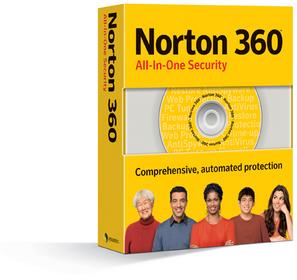

Norton 360 provides all-in-one protection that keeps you, your family, your PC, and your information secure. This comprehensive solution combines Symantec's proven, industry-leading security and PC tune-up technologies with new automated backup and antiphishing features, providing a full circle of protection.
Norton 360 is a comprehensive consumer security solution that offers a full circle of protection and eliminates the need to purchase and manage multiple products.
Defends your PC against a broad range of threats
Safeguards against online identity theft
Protects important files from loss
Keeps your PC tuned up for peak performance
Provides a hassle-free user experience
Protects against the latest online threats
Top Features
Removes viruses from email and instant messages
Blocks Internet worms at point of entry
Stops spyware from tracking you online
Authenticates popular shopping and banking Web sites
Protects you from phishing sites designed to steal your confidential information
Discovers new files and backs up that data automatically
Automatically back up important files to a secure online service
Local backup to CD, DVD or external drive
Automatically removes unwanted Internet clutter and temporary files that can slow down your PC's performance
Homepage: http://www.symantec.com/norton360/
http://rapidshare.com/files/28938468/warezdonkey_360.part1.rar.html
http://rapidshare.com/files/28940237/warezdonkey_360.part2.rar.html
http://rapidshare.com/files/28941377/warezdonkey_360.part3.rar.html
Password:
warezdonkey.com

Norton 360 provides all-in-one protection that keeps you, your family, your PC, and your information secure. This comprehensive solution combines Symantec's proven, industry-leading security and PC tune-up technologies with new automated backup and antiphishing features, providing a full circle of protection.
Norton 360 is a comprehensive consumer security solution that offers a full circle of protection and eliminates the need to purchase and manage multiple products.
Defends your PC against a broad range of threats
Safeguards against online identity theft
Protects important files from loss
Keeps your PC tuned up for peak performance
Provides a hassle-free user experience
Protects against the latest online threats
Top Features
Removes viruses from email and instant messages
Blocks Internet worms at point of entry
Stops spyware from tracking you online
Authenticates popular shopping and banking Web sites
Protects you from phishing sites designed to steal your confidential information
Discovers new files and backs up that data automatically
Automatically back up important files to a secure online service
Local backup to CD, DVD or external drive
Automatically removes unwanted Internet clutter and temporary files that can slow down your PC's performance
Homepage: http://www.symantec.com/norton360/
http://rapidshare.com/files/28938468/warezdonkey_360.part1.rar.html
http://rapidshare.com/files/28940237/warezdonkey_360.part2.rar.html
http://rapidshare.com/files/28941377/warezdonkey_360.part3.rar.html
Password:
warezdonkey.com

Adobe CS3 Collection
Adobe CS3 Collection
Adobe Photoshop CS3 Extended includes keygenerator.


Info:
Adobe Photoshop CS3 Extended includes keygenerator.


Info:
New features for the Photoshop CS3 include the following:
- Non-destructive Smart Filters
Smart Filters are Photoshop filters that are applied non-destructively, and that remain live and re-editable. To apply a Smart Filter, select one or more layers and choose Filter->Convert for Smart Filters. The selected layer(s) will be converted to a Smart Object, to which you can apply filters non-destructively. Smart Filters appear as parameters under the layer to which they have been applied. Edit the Smart Filter mask to adjust the filter’s effects on different areas of the image. Note that any filter is treated as a Smart Filter when you apply it to a Smart Object.
- Quick Selection Tool
The new Quick Selection Tool creates selections by painting the general area of interest. Photoshop CS3 analyzes the image to complete the selection automatically. To remove pixels from a selection, hold the Opt (Mac)/Alt (Win) key and paint. You'll find the Quick Selection tool in the same slot as the Lasso tool in the Tools palette.
- Refine Edge
The new Refine Edge feature offers a simple, flexible way to modify the edge of any selection. Available via the Options bar or via the Select menu, the Refine Edge dialog lets you smooth, feather, contract or expand the current selection by using simple slider controls. Experiment with the Radius slider to select irregular or fuzzy edges.
- Automatic layer alignment and blending
Using automatic layer alignment and blending, easily combine the best parts of multiple images of the same scene into one "best" image. Simply place multiple, related images on separate layers in one document, and let Photoshop CS3 analyze the contents, moving and rotating the layers so they overlap as precisely as possible. Then use the masking tools to reveal the areas you need from different layers to finalize the elements of the composite image. Automatic layer blending seamlessly blends the color and shading into the final image. The "Auto-Align Layers" and "Auto-Blend Layers" commands are both found in the Edit menu. Note that you must have multiple layers selected simultaneously in the Layers palette before you can apply these commands.
- Vanishing Point with multiple, adjustable angle perspective planes
One of the most powerful new features of Photoshop CS2 is now even more flexible. Vanishing Point adjusts brush strokes, healing and cloning as you paint over its perspective planes. In Photoshop CS3, you are no longer restricted to adding planes at 90-degree angles. You can now quickly and easily create multiple planes in any image, connected at any angle. In addition, artwork (for example, a product label pasted from the clipboard) can be wrapped around multiple planes simultaneously. To adjust angles of planes, use the Alt/Option key when dragging on a side point of a plane, or enter a specific angle in the Angle field in the dialog.
- Black and White conversion
Advanced black-and-white conversion is now simpler and faster. With the new Black and White adjustment, one button analyzes the image and offers conversion settings. Fine-tune your image with simple sliders that control the conversion of each color. Click and drag any portion of any image to adjust the corresponding tonal range (for example, click and drag on a red car to lighten or darken all red tones). The improved Channel Mixer adjustment includes new black-and-white presets, the ability to save your own settings as presets for reuse later, and the new Total indicator that keeps you informed on the total percentage contribution from all three color channels.
- Enhanced Adobe Camera Raw
Camera Raw 4.0 now features Fill Light, Recovery, and Vibrance controls; a parametric tone curve; sophisticated black & white and split toning controls; and more.
Download:
http://www.megaupload.com/?d=LSC1GI9W
http://www.megaupload.com/?d=0FCHTHT3
http://www.megaupload.com/?d=BSTBSRCI
http://www.megaupload.com/?d=IFNUPY9J
http://www.megaupload.com/?d=7KD2VODZ
http://www.megaupload.com/?d=A6VD7BSS
Adobe Flash cs3

Download:
http://www.megaupload.com/?d=GI79BIB8
http://www.megaupload.com/?d=4TIRXCUT
http://www.megaupload.com/?d=P7CFBYOH
http://www.megaupload.com/?d=8CWGO9T3
http://www.megaupload.com/?d=YJXAKHLF
http://www.megaupload.com/?d=CKFNMXFH
Adobe Dreamweaver CS3 FINAL + KeyGenerator

Info:
Industry-leading tool
Take advantage of all the flexibility and power of a world-class web design tool. Manipulate pixel-perfect designs in Design view, craft complex code in Code view, or do a little of each. Work the way you work best.
Integrated workflows
Integrated workflows
Design, develop, and maintain content within Adobe® Dreamweaver® CS3 while taking advantage of intelligent integration with other Adobe tools, including Adobe Flash® CS3 Professional, Adobe Fireworks® CS3, Adobe Photoshop® CS3, Adobe Contribute® CS3, and new Adobe Device Central CS3 for creating mobile device content.
Browser compatibility check
Complete CSS support
Discover the advantage of visual CSS tools that make it easy to view, edit, and move styles within and between files, as well as see how your changes will affect the design. Accelerate your workflow with new CSS layouts, and test your design with the new Browser Compatibility Check.
Integrated coding environment
Integrated coding environment
Organize and accelerate your coding with code collapse, color coding, line numbering, and a coding toolbar with comment/uncomment and code snippets. Apply code hints for HTML and server languages.
Support for leading technologies
Take advantage of support for leading web development technologies, including HTML, XHTML, CSS, XML, JavaScript, Ajax, PHP, Adobe ColdFusion®, ASP, ASP.NET, and JSP.
Effortless XML
Effortless XML
Quickly integrate XML content using either XSL or the Spry framework for Ajax. Point to an XML file or XML feed URL, and Dreamweaver CS3 will display its contents, enabling you to drag and drop appropriate fields onto your page.
FLV support
Easily add FLV files to your web pages in just five clicks, with no knowledge of Flash required. Customize the video environment to match your website.
Learning resources
Learn as you go with comprehensive in-product tutorials, reference content, and instructional templates that make it easy to expand your skill set and adopt the latest technologies.
Extended Dreamweaver community
Enjoy all the benefits of the extensive Dreamweaver community, including the online Adobe Design Center and Adobe Developer Center, training and seminars, developer certification programs, user forums, and more than 1,000 downloadable extensions available in the Dreamweaver Exchange.
Cross-platform support
Pick your platform: Dreamweaver CS3 is available for Intel® or PowerPC® based Macintosh computers, as well as for Windows® XP and Windows Vista™ systems. Design in your preferred platform and then deliver across platforms with more reliable, consistent, and high-performance results.
Home:
http://www.adobe.com/products/dreamweaver/
Download:
http://www.megaupload.com/?d=AA65M7ES
http://www.megaupload.com/?d=1VKGI3PC
http://www.megaupload.com/?d=UGTVN740
http://www.megaupload.com/?d=N2EHHEJP
Adobe Fireworks CS3 v.9

Info:
Rapidly prototype and design for the web.
Accelerate web design and development with Adobe® Fireworks® CS3 software, the ideal tool for creating and optimizing images for the web and rapidly prototyping websites.
Reasons to upgrade:
-New Mac and Windows® OS support
-Adobe Photoshop® and Illustrator® integration
-Hierarchical layer organization
-Intelligent scaling
-Multipage support
-RIA layout prototyping
-Customizable assets
-Photoshop blend modes
-Adobe Bridge integration
-Adobe Flash® and Dreamweaver integration
Homepage:
http://www.adobe.com/uk/products/fireworks/
Download:
http://www.megaupload.com/?d=K8WNWUY0
http://www.megaupload.com/?d=8N3PC45F
http://www.megaupload.com/?d=XKNJMCAC
Adobe Creative Suite 3 Design Premium+ Crack

Info:
Adobe Creative Suite 3 Design Premium
Adobe Creative Suite is a collection of graphic design and video editing applications made by Adobe Systems.
Included Applications:
- Photoshop CS3 Extended
- Illustrator CS3
- InDesign CS3
- Acrobat 8 Professional
- Flash CS3 Professional
- Dreamweaver CS3
- Bridge CS3
- Version Cue CS3
- Device Central CS3
- Acrobat Connect
- Stock Photos
Download - 1.74GB
Download:
http://www.megaupload.com/?d=33LLGD8H
http://www.megaupload.com/?d=THLH0HYB
http://www.megaupload.com/?d=KSUYGWRK
http://www.megaupload.com/?d=XH54TD1S
http://www.megaupload.com/?d=OVCLLQKQ
http://www.megaupload.com/?d=V2A6VRHE
http://www.megaupload.com/?d=VOKIQ6BQ
http://www.megaupload.com/?d=ID7S6SIP
http://www.megaupload.com/?d=WGGK9RTD
http://www.megaupload.com/?d=QEWXDH6G
http://www.megaupload.com/?d=ZO7YMKKM
http://www.megaupload.com/?d=CM633BUC
http://www.megaupload.com/?d=074QVY9N
http://www.megaupload.com/?d=FZ53FJCI
http://www.megaupload.com/?d=HPRGUHAE
http://www.megaupload.com/?d=VOKGK2V1
http://www.megaupload.com/?d=0UYPEHGR
http://www.megaupload.com/?d=V33QQZQG
http://www.megaupload.com/?d=UGKYD34Y
http://www.megaupload.com/?d=B22GVHBC


hehe no probmalshan said:umba dannawane macho mama RS karayekne....
u r doin a gr8 job
y...?malshan said:ELAKIRI APPz THREAD CLOSED DUE TO SOME PROBLEMS SORRY
ayyooo

malshan said:umba dannawane macho mama RS karayekne....
hapoooooooo chartar..........


why appz closed????
come on u gav sum nice apps. hwy did u close it???
did sum 1 arrest u or warn u ab software piracy or sum thing??
come on u gav sum nice apps. hwy did u close it???
did sum 1 arrest u or warn u ab software piracy or sum thing??

Maybe warez warning...ahamednishadh said:why appz closed????
come on u gav sum nice apps. hwy did u close it???
did sum 1 arrest u or warn u ab software piracy or sum thing??


