


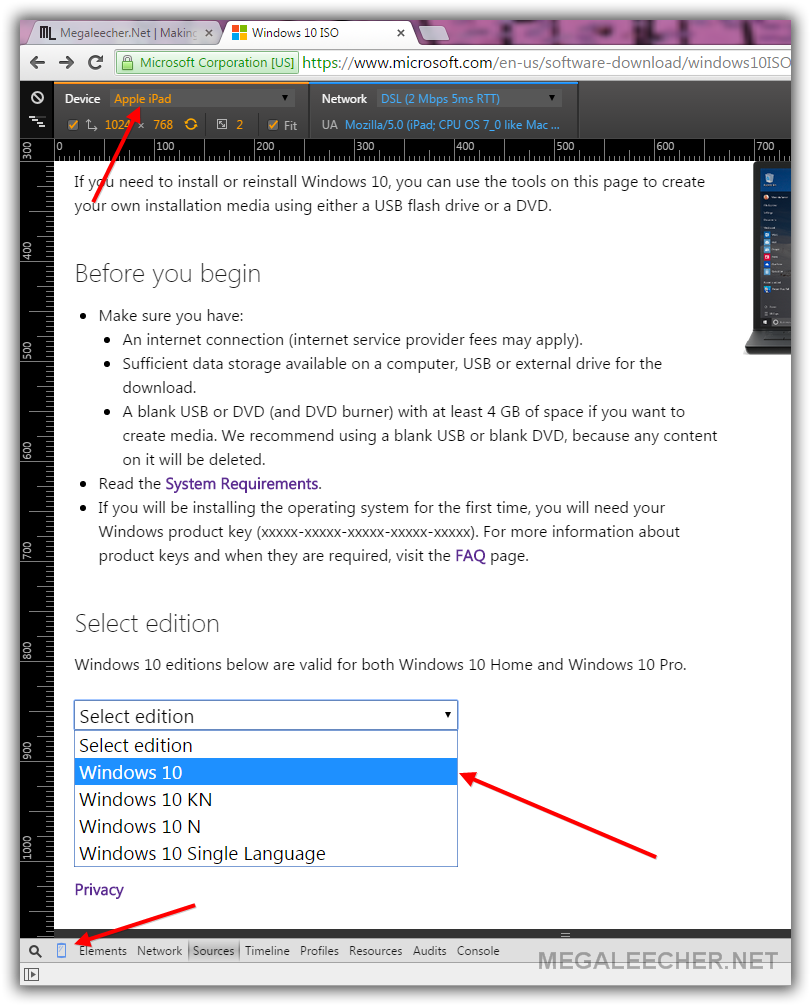
Open http://microsoft.com/en-us/software-download/windows10ISO in Google Chrome web-browser.
Open Chrome Developer Tool (press F12).
Click the Phone icon near the magnifying glass icon as pointed in the image above.
Chose iPad or any device you like from the drop down menu.
Paste the URL above and Press Enter.
You will be provided with an drop-down with various download options, Chose the Version you want and start Downloading. The links are valid for 24 hours.
You can also open the link on any non Micrsoft OS like Mac or Linux to get the direct ISO links.


