


This question involves two things, one is how to download Google videos and another one is how to convert Google videos to AVI. Leawo YouTube Downloader and Leawo Free FLV Converter are two free programs for you to download videos not only from YouTube, but also from other video-sharing websites, and convert them to AVI.
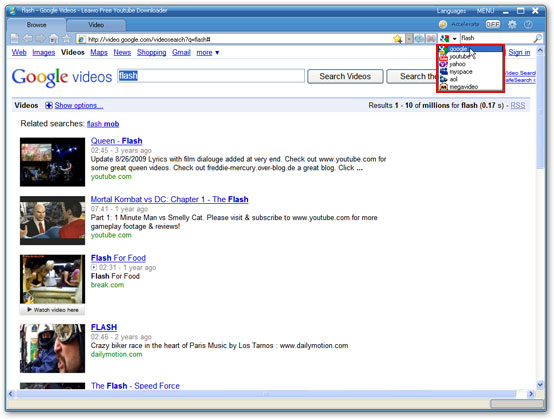
Step 1: Open Leawo YouTube Downloader, type the website address in the address bar
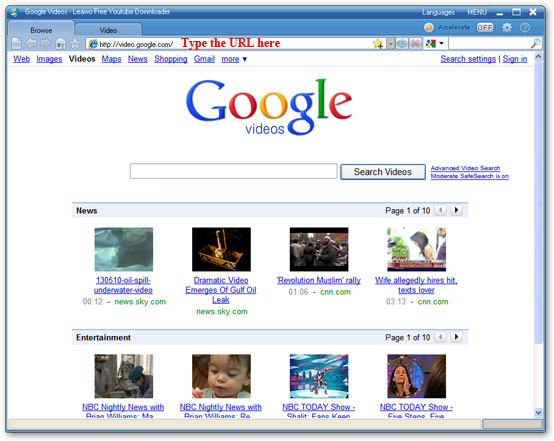
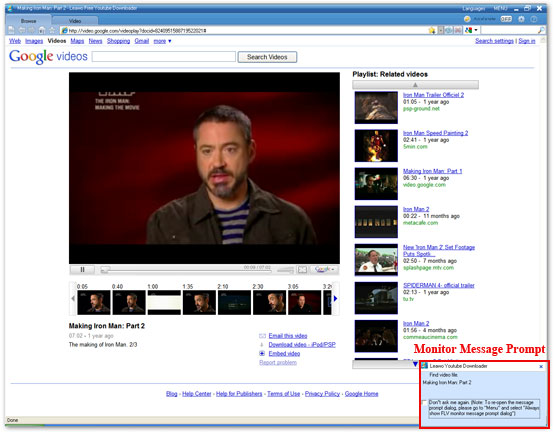
Step 2: Choose a video for playing, and click “Download” button on the pop-up window which shows at the right bottom corner of the screen.
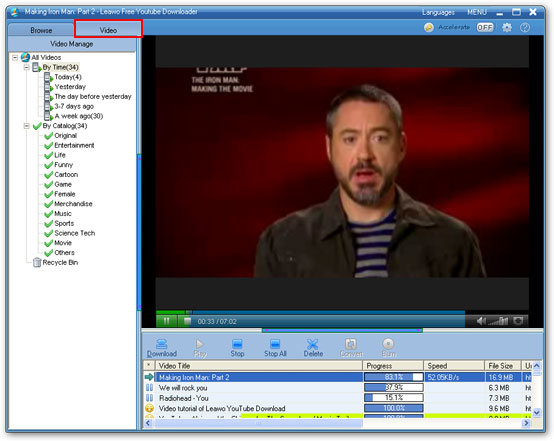
Step 3: Click “Download” tab, and then click “Downloading” to check the downloading information.
Step 4: After finish downloading, you find the downloaded video in the “Downloaded” folder. Double click the downloaded video, you could play it with the built-in player,
Step 1: Open Leawo YouTube Downloader, type the website address in the address bar
Step 2: Choose a video for playing, and click “Download” button on the pop-up window which shows at the right bottom corner of the screen.
Step 3: Click “Download” tab, and then click “Downloading” to check the downloading information.
Step 4: After finish downloading, you find the downloaded video in the “Downloaded” folder. Double click the downloaded video, you could play it with the built-in player,
 iscount(20%-50%off)on HD(MTS/M2TS,MOD/TOD,TS,Blu-ray...)Converter.


