


[FONT=宋][/FONT]Here is a tutorial which tells us how to download YouTube videos quickly and free of charge with Leawo YouTube Download.
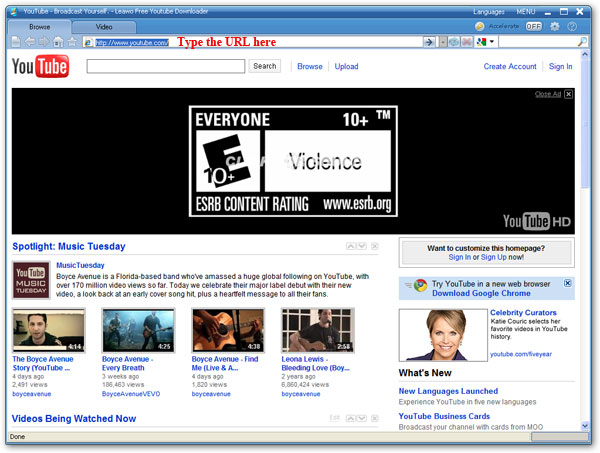
Step 1[FONT="]: Open Leawo YouTube Download and input YouTube URL into it.[/FONT]
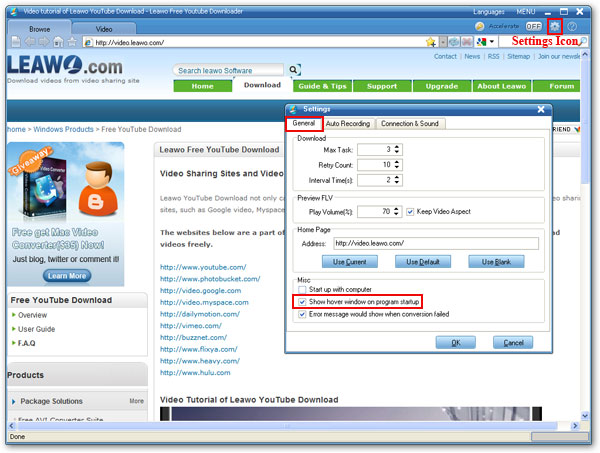
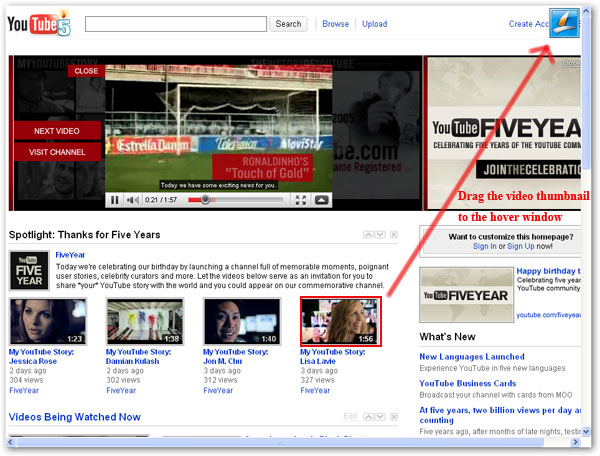
Step 2: Click the video you want to download for playing, and then click the “Download” button on the pop-up window to start downloading.
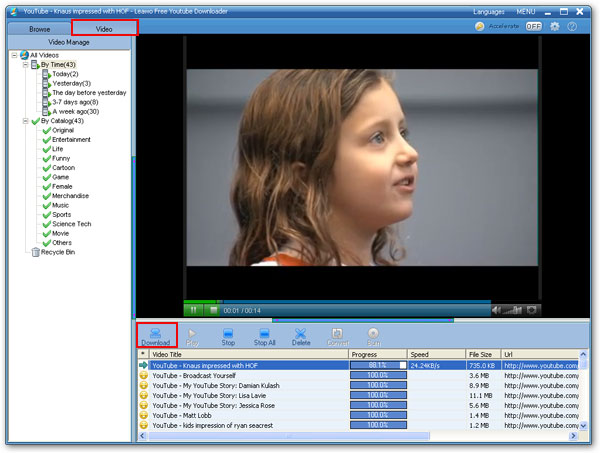
Step 3: The status of downloading can be checked on the following interface.
Step 4: If want to view the downloaded YouTube videos, you could double click the downloaded video on the following interface and play it with a built-in flash video player which has full-screen capability.
Step 1[FONT="]: Open Leawo YouTube Download and input YouTube URL into it.[/FONT]
Step 2: Click the video you want to download for playing, and then click the “Download” button on the pop-up window to start downloading.
Step 3: The status of downloading can be checked on the following interface.
Step 4: If want to view the downloaded YouTube videos, you could double click the downloaded video on the following interface and play it with a built-in flash video player which has full-screen capability.


 )
)


