

Latest ads
-
 ඕනම රටකට සෙට් වෙන CV එකක්
- ErMurazor
- Updated:
-
 Hambantota 7 Acres Beachfront Land For Sell DownSouth , PerPerch Price 420 000
- 1024 Digital
- Updated:
-
 Baseus PI LITE INDOOR CAMERA
- ErMurazor
- Updated:
-
Colombo Hard Disk For Sale
- mazza
- Updated:
-
 land for sale
- justasking
- Updated:
If You Need Any Serial Number ? Ask Me !! - It will @ here as quick as possible !!!!
- Thread starter TLS
- Start date
You are using an out of date browser. It may not display this or other websites correctly.
You should upgrade or use an alternative browser.
You should upgrade or use an alternative browser.


Serial Eka Neme Crack eka Hoya Gaththa >>> Eka Upload Karanne Kohatada ???????shiran987 said:Machan mata serial ekak one wela thiyenawa..
Soft ware eke name eka thama
DU MEter 4.0 Build R3009
Puluwan weida Hoyaganda???

Every time I dowload Diner Town Detective Agency it asks for a key code and I don't know what it is. Could you please help me?


sali07 said:kaspersky 2009 serial key ekak denna puluwanda macho?
Matath!!!!!!!!!!!

Aii bun mage serial eka use kare nedda??Wolverine GTR said:Matath!!!!!!!!!!!
Kaspersky 2009 Key Patch+Key - 100% working
Kaspersky 2009 Key Patch+Key-100% working
Pic:

description:
use any blacklisted key and use the provided patch
no more blacklists
100% working plz post thanks if u like it.
Instruction:
1. Before applying the patch go to:
Kaspersky>Settings>System Security
...and disable Proactive Defense option
2. Delete Any current key you have installed in Kaspersky.
3. Exit Kaspersky by right clicking in the taskbar.
4. Copy patch in to kapsersky lab folder C:\Program Files\Kaspersky Lab. This
5. Press Clean Button.
6. Then click to Patch Kaspersky Internet Security or Kaspersky Antivirus
(depends on what is the version you installed in your computer KIS or KAV)
7. Then exit the patch and Open Kaspersky,enable self-defense option and apply a new key.Thats all.
8. It's doesn't Matter that key is blacklist or white list.........Enjoy !!
Download Link] http://rapidshare.com/files/139764017/KIS_8.0.rar
Kaspersky 2009 Key Patch+Key-100% working
Pic:

description:
use any blacklisted key and use the provided patch
no more blacklists
100% working plz post thanks if u like it.
Instruction:
1. Before applying the patch go to:
Kaspersky>Settings>System Security
...and disable Proactive Defense option
2. Delete Any current key you have installed in Kaspersky.
3. Exit Kaspersky by right clicking in the taskbar.
4. Copy patch in to kapsersky lab folder C:\Program Files\Kaspersky Lab. This
5. Press Clean Button.
6. Then click to Patch Kaspersky Internet Security or Kaspersky Antivirus
(depends on what is the version you installed in your computer KIS or KAV)
7. Then exit the patch and Open Kaspersky,enable self-defense option and apply a new key.Thats all.
8. It's doesn't Matter that key is blacklist or white list.........Enjoy !!
Download Link] http://rapidshare.com/files/139764017/KIS_8.0.rar
Kaspersky 1Yr License for Free !!! (Limited Offer)
The details about the Barclays security offer on the free of charge Kaspersky Internet Security suite is listed at the following web page:
http://www.personal.barclays.co.uk/BRC1/jsp/brccontrol?task=homefreegroup&value=10662&target=_blank&site=pfs
(Note: This link is just for information, use the link below for registration)
Go to the following URL, which is similar to what you would have seen after logging in to the Barclays Online Banking site:
http://www.personal.barclays.co.uk/BRC1/jsp/brccontrol?site=pfs&task=homefreegroup&value=10123&target=_self
Then click on the “To get free protection, go to the Kaspersky Barclays offer page” link in blue, which will lead to https://activation.kaspersky.com/en/barclays_protection/. You must access the Kaspersky registration page via Barclays site, as Kaspersky now check for referrer since the offer been leaked to Internet, and will redirect all unqualified traffic back to Barclays information page.

At Kaspersky “Exclusive Offer for Barclays Online Banking Customers” page, select your title, and fill up the first name, last name, e-mail address, and Online Banking membership number. If you’re kind of worry to enter a valid membership number, or don’t have the membership number, simply enter any number starting with 2010, and follow by 8 digits of random number, such as 201012345678. There should not be any validation by Kaspersky, else you probably want to complain to Barclays Bank for privacy violation.
After registering, a confirmation email will be sent to your mailbox. Click on the confirmation link to verify the email confirmation ID to get the activation code for Kaspersky Internet Security 7.0 or 2009 which valid for 3 PCs for 1 year, which will be sent to the registered email address in another email titled “Your Kaspersky Activation Code and download instructions”. The download and install instructions page if pretty useless. Users can download setup installer for all versions (2009 and 7.0) of Kaspersky Internet Security from here.
After installation, Kaspersky Internet Security will ask whether want to activate online, activate as trial version, activate with license key file or activate later. Simply select Activate Online and enter the activation code receive in the email to activate the KIS as full commercial version with 1 year validity with free support and signature update. The activation code can be used to activate 3 PC or computers.
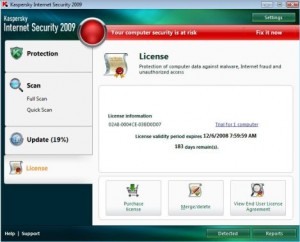
The free offer of KIS comes in the form of activation code, which can be converted to license key file for those who want to activate offline or prefer not to have direct contact with Kaspersky server.
Note: Due to mass copycat who copy posting the deal, it seems that Barclays and Kaspersky is starting to verifying customer details. Those who been flagged as non-Barclays customers will get an error message “Your key has been blacklisted. The update feature has been disabled and your computer has been disabled.” on KIS2009.
The details about the Barclays security offer on the free of charge Kaspersky Internet Security suite is listed at the following web page:
http://www.personal.barclays.co.uk/BRC1/jsp/brccontrol?task=homefreegroup&value=10662&target=_blank&site=pfs
(Note: This link is just for information, use the link below for registration)
Go to the following URL, which is similar to what you would have seen after logging in to the Barclays Online Banking site:
http://www.personal.barclays.co.uk/BRC1/jsp/brccontrol?site=pfs&task=homefreegroup&value=10123&target=_self
Then click on the “To get free protection, go to the Kaspersky Barclays offer page” link in blue, which will lead to https://activation.kaspersky.com/en/barclays_protection/. You must access the Kaspersky registration page via Barclays site, as Kaspersky now check for referrer since the offer been leaked to Internet, and will redirect all unqualified traffic back to Barclays information page.

At Kaspersky “Exclusive Offer for Barclays Online Banking Customers” page, select your title, and fill up the first name, last name, e-mail address, and Online Banking membership number. If you’re kind of worry to enter a valid membership number, or don’t have the membership number, simply enter any number starting with 2010, and follow by 8 digits of random number, such as 201012345678. There should not be any validation by Kaspersky, else you probably want to complain to Barclays Bank for privacy violation.
After registering, a confirmation email will be sent to your mailbox. Click on the confirmation link to verify the email confirmation ID to get the activation code for Kaspersky Internet Security 7.0 or 2009 which valid for 3 PCs for 1 year, which will be sent to the registered email address in another email titled “Your Kaspersky Activation Code and download instructions”. The download and install instructions page if pretty useless. Users can download setup installer for all versions (2009 and 7.0) of Kaspersky Internet Security from here.
After installation, Kaspersky Internet Security will ask whether want to activate online, activate as trial version, activate with license key file or activate later. Simply select Activate Online and enter the activation code receive in the email to activate the KIS as full commercial version with 1 year validity with free support and signature update. The activation code can be used to activate 3 PC or computers.
The free offer of KIS comes in the form of activation code, which can be converted to license key file for those who want to activate offline or prefer not to have direct contact with Kaspersky server.
Note: Due to mass copycat who copy posting the deal, it seems that Barclays and Kaspersky is starting to verifying customer details. Those who been flagged as non-Barclays customers will get an error message “Your key has been blacklisted. The update feature has been disabled and your computer has been disabled.” on KIS2009.
Cookiemonster42 said:Every time I dowload Diner Town Detective Agency it asks for a key code and I don't know what it is. Could you please help me?
Wait Just Two More Days. Surely It will @ Here Pal.


machan ser!al k3ys me widiyata public eke daanna epa ElaKiri Forum eka blacklist wena wadak  GT bro dakkoth thawa awlak yai..
puluwannam me thread ekata sup ekak deepan
 ¯¯\_/¯¯_EK_CRACKS_&_SERIAL_REQUEST _HERE¯¯\_/¯¯
oke daala athi serial keys.. anna ea widiyata post karana thana daanna
(Ser!al Numbers tika Edit kaloth hondai)
GT bro dakkoth thawa awlak yai..puluwannam me thread ekata sup ekak deepan
¯¯\_/¯¯_EK_CRACKS_&_SERIAL_REQUEST _HERE¯¯\_/¯¯ oke daala athi serial keys.. anna ea widiyata post karana thana daanna
(Ser!al Numbers tika Edit kaloth hondai)


TLS said:Serial Eka Neme Crack eka Hoya Gaththa >>> Eka Upload Karanne Kohatada ???????
Thanks macham..
Free Download karaganda puluwan thanakata upload karandawada?
mage trial eka thawa dawas 2-3kin iwara wendai yanne....

Kaspersky 2009 Extend Trial Period
Menna machan ubalata hoda file ekak smaharawita ubalata hamba wela athi.Kasperskey 2009(KIS8 or KAV8) keys ona wenne naa thawa.Try this software . Guide ekak thiyenawa try karala reply post karapan hode

Kaspersky_2009_Solution_no_need_keys.zip
http://rapidshare.com/files/225609122/Kaspersky_2009_Solution_no_need_keys.zip
Menna machan ubalata hoda file ekak smaharawita ubalata hamba wela athi.Kasperskey 2009(KIS8 or KAV8) keys ona wenne naa thawa.Try this software . Guide ekak thiyenawa try karala reply post karapan hode

Kaspersky_2009_Solution_no_need_keys.zip
http://rapidshare.com/files/225609122/Kaspersky_2009_Solution_no_need_keys.zip
Here's DuMeter Carck
Here's DuMeter Carck
Download
Don't Forget to Say Thanks .........
shiran987 said:Thanks macham..
Free Download karaganda puluwan thanakata upload karandawada?
mage trial eka thawa dawas 2-3kin iwara wendai yanne....
Here's DuMeter Carck
Download
Don't Forget to Say Thanks .........

Thanks for Your Information
BLACKLIST_MEMBER said:machan ser!al k3ys me widiyata public eke daanna epa ElaKiri Forum eka blacklist wena wadak
puluwannam me thread ekata sup ekak deepan
oke daala athi serial keys.. anna ea widiyata post karana thana daanna
(Ser!al Numbers tika Edit kaloth hondai)
Thanks for Your Information ...!!
Similar threads

- Replies
- 2
- Views
- 329


- Replies
- 12
- Views
- 735


- Replies
- 10
- Views
- 656

