


..::Inside of the laptop hard disk::..
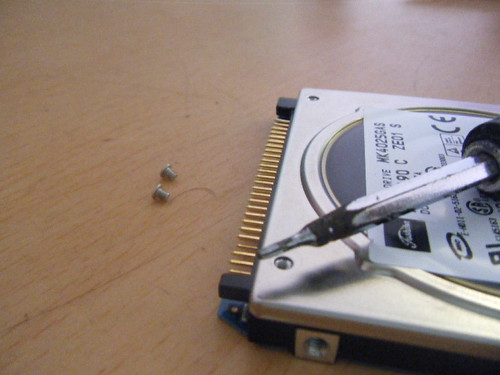
A disk enclosure is essentially a specialized chassis designed to hold and power disk drives while providing a mechanism to allow them to communicate to one or more separate computers. Drive enclosures provide power to the drives therein and convert the data sent across their native data bus into a format usable by an external connection on the computer to which it is connected. In some cases, the conversion is as trivial as carrying a signal between different connector types. In others, it is so complicated as to require a separate embedded system to retransmit data over connector and signal of a different standard.

Factory-assembled external hard disk drives, external DVD-ROM drives, and others are all built around disk enclosures. Bulkier models built around 2.5" and 3.5" hard drives and full-height 5.25" DVD-ROM drives use enclosures that are often nearly identical to OEM enclosures.

Consumer enclosures
In the consumer market, commonly used configurations of drive enclosures utilize magnetic hard drives or optical disc drives inside USB, FireWire, or Serial ATA enclosures. External 3.5" floppy drives are also fairly common, following a trend to not integrate floppy drives into compact and laptop computers. Pre-built external drives are available through all major manufacturers of hard drives, as well as several third-parties.
These may also be referred to as a caddy – a sheath, typically plastic or metallic, within which a hard disk drive can be placed and connected with the same type of adapters as a conventional motherboard and power supply would use. The exterior of the caddy typically has two female sockets, used for data transfer and power.
Variants of caddy:

http://www.youtube.com/watch?v=nDfFnEdyTJA
http://www.youtube.com/watch?v=fr6LmpuTN8E
http://www.youtube.com/watch?v=Kyrofl4m2pE
A disk enclosure is essentially a specialized chassis designed to hold and power disk drives while providing a mechanism to allow them to communicate to one or more separate computers. Drive enclosures provide power to the drives therein and convert the data sent across their native data bus into a format usable by an external connection on the computer to which it is connected. In some cases, the conversion is as trivial as carrying a signal between different connector types. In others, it is so complicated as to require a separate embedded system to retransmit data over connector and signal of a different standard.

Factory-assembled external hard disk drives, external DVD-ROM drives, and others are all built around disk enclosures. Bulkier models built around 2.5" and 3.5" hard drives and full-height 5.25" DVD-ROM drives use enclosures that are often nearly identical to OEM enclosures.

Consumer enclosures
In the consumer market, commonly used configurations of drive enclosures utilize magnetic hard drives or optical disc drives inside USB, FireWire, or Serial ATA enclosures. External 3.5" floppy drives are also fairly common, following a trend to not integrate floppy drives into compact and laptop computers. Pre-built external drives are available through all major manufacturers of hard drives, as well as several third-parties.
These may also be referred to as a caddy – a sheath, typically plastic or metallic, within which a hard disk drive can be placed and connected with the same type of adapters as a conventional motherboard and power supply would use. The exterior of the caddy typically has two female sockets, used for data transfer and power.
Variants of caddy:
- some larger caddies can support several devices at once and can feature either separate outputs to connect each device to a different computer, or a single output to connect both over the same data cable
- certain caddes don't require a power supply, instead depending for power on the computer to which they are connected
- some caddies have integrated fans with which to keep the drives within at a cool temperature
- caddies for all major standards exist, supporting for example ATA, SCSI and S-ATA drives and USB, SCSI and FireWire outputs
- relatively high transfer speed; typically faster than other common portable media such as CDs, DVDs and USB flash drives, slower than drives connected using solely ATA, SCSI and S-ATA connectors
- storage; typically larger than CDs, DVDs and USB flash drives
- price-to-storage ratio; typically better than CDs, DVDs and USB flash drives
- power; most variants require a supply, unlike CDs, DVDs and USB flash drives...
- size; typically larger than CDs, DVDs and USB flash drives

http://www.youtube.com/watch?v=nDfFnEdyTJA
http://www.youtube.com/watch?v=fr6LmpuTN8E
http://www.youtube.com/watch?v=Kyrofl4m2pE
Last edited:


