Intel Announces Thunderbolt 3 - Thunderbolt Meets USB (At Last)
A lot has been happening in the world of external communication buses over the past year. In the last 12 months the USB consortium has announced both 10Gbps “Superspeed+” USB 3.1 and the new USB Type-C connector, USB’s new compact, reversible connector that is designed to drive the standard for the next decade or more. Meanwhile with the introduction of USB Alternate Mode functionality – the ability for USB Type-C to carry other protocols along with (or instead of) USB Superspeed data – has made USB more flexible than ever, with the VESA announcing that DisplayPort will be supporting alternate mode to deliver DisplayPort video over USB Type-C ports and cabling.
As a result, the introduction of USB Type-C has led to a definite and relatively rapid transition over to the new standard. With the USB consortium having designed a very capable and desirable physical layer for Type-C, and then alternate modes allowing anyone to use that physical layer, there have been a number of other technologies that have started aligning themselves with USB in order to take advantage of what is becoming an even more common platform for external buses.

USB Type-C Connector On Apple's MacBook This brings us to today, with the announcement of Thunderbolt 3 from Intel. With the advancements occurring elsewhere in the world of external communication buses, Intel has not been sitting idly by and letting other standards surpass Thunderbolt. Rather they have been hard at work on the next generation of Thunderbolt, one that in the end seeks to combine the recent developments of the USB Type-C physical layer with all of the feature and performance advantages of Thunderbolt, culminating in Thunderbolt 3 and its incredibly fast 40Gbps bus.
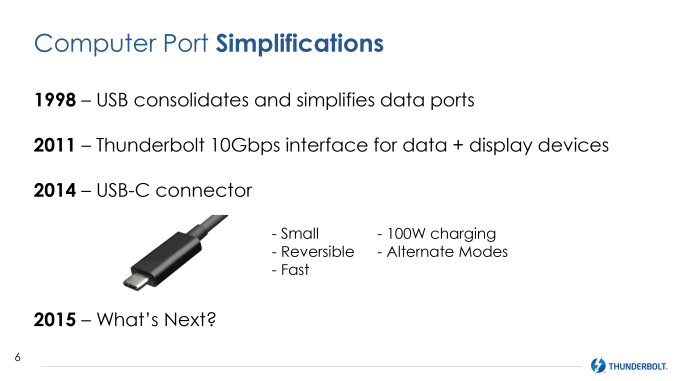 As a bit of background, the last time Intel updated the Thunderbolt specification was in 2013 for Thunderbolt 2, AKA Falcon Ridge. By aggregating together two of Thunderbolt 1’s 10Gbps channels, Intel was able to increase the available bandwidth over a single channel from 10Gbps to 20Gbps, at the cost of reducing the total number of channels from two full duplex channels to one full duplex channel. Of particular note here is that with Thunderbolt 2 the Thunderbolt signaling layer didn’t change – Thunderbolt 2 still operated at 10Gbps for each of its four underlying lanes – so in reality the Thunderbolt signaling layer has remained unchanged since it was introduced 2011.
Now at 4 years old, it’s time for the Thunderbolt signaling layer to change in order to support more bandwidth per cable than what Thunderbolt 1 and 2 could drive. To accomplish this upgrade in signaling layers, Intel has needed to change the physical layer as well. Thunderbolt 1 and 2 used the Apple-developed mini-DisplayPort interface for their cables, but with the VESA signaling that it may eventually replace the DisplayPort physical layer with USB Type-C, the DisplayPort physical layer’s days are likely numbered. Consequently mini-DisplayPort’s days are numbered as well, as consumer devices and the development of new standards both shift over to Type-C.
This has put Thunderbolt in an interesting situation that has Thunderbolt moving forwards and backwards at the same time. As originally planned, Intel wanted to have Thunderbolt running through USB ports, only for the USB consortium to strike down that idea, resulting in the shift over to mini-DisplayPort. Now however with the waning of DisplayPort and the introduction of USB Type-C and its alternate modes, Thunderbolt is back to where Intel wanted to start all along, as a standard built on top of the common USB port.
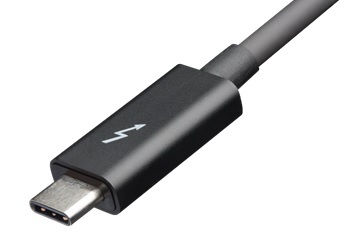 The end result of this process of upgrading of virtually every aspect of Thunderbolt is the latest generation of the technology, Thunderbolt 3, which seeks to combine the strengths and capabilities of the Thunderbolt platform with the strengths and capabilities of USB Type-C. This means bringing together Thunderbolt’s very high data speeds and the flexibility of its underlying PCI-Express protocol with the simple, robust design of the Type-C connector, all enabled via the USB alternate mode specification. Throw in Type-C’s associated power delivery standards, and you have what Intel believes to be the most powerful and capable external communications bus on the market.
Thunderbolt Versions Win10 Thunderbolt 1 Thunderbolt 2 Thunderbolt 3 Max Channel Bandwidth 10Gbps (Full Duplex) 20Gbps (Full Duplex) 40Gbps (Full Duplex) Channels 2 1 1 Max Cable Bandwidth 40Gbps 40Gbps 80Gbps DisplayPort 1.1 1.2 1.2 x 2 USB At Devices Optional, Attached Controller Optional, Attached Controller Yes, Built Into Alpine Ridge Controller Power 10W 10W 15W +
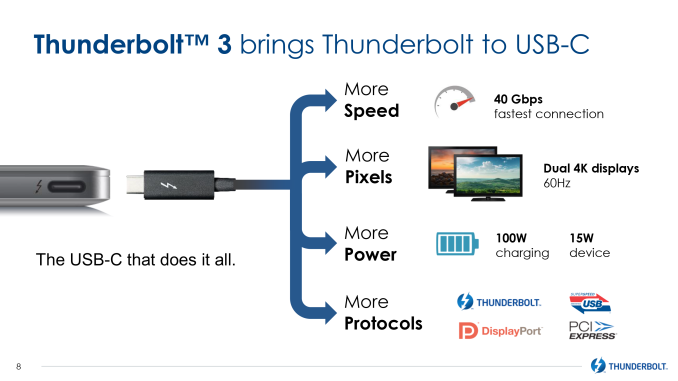
Up To 100W USB PD (Optional) Passive Cable Option No No Yes (20Gbps) Interface Port Mini DisplayPort Mini DisplayPort USB Type-C Along with the change to using the USB Type-C port, the big news here is that Thunderbolt 3 is doubling the amount of bandwidth available to Thunderbolt devices. With Thunderbolt 2 topping out at a single full duplex 20Gbps channel, Thunderbolt 3 is increasing that to 40Gbps. Compared to DisplayPort 1.3 and USB 3.1, this is 1.5 to 4 times the available bandwidth, with DisplayPort 1.3 topping out at 25.9Gbps (after overhead), and USB 3.1 topping out at 10Gbps per channel (with Type-C carrying 2 such channels).
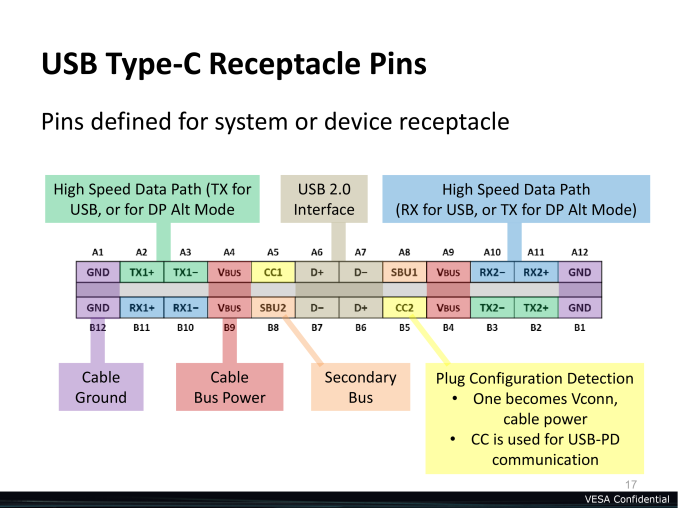
From a signaling standpoint, Thunderbolt 3 is being implemented as a USB alternate mode, taking over the 4 lanes of high-speed data that Type-C offers. This is the same number of lanes as Thunderbolt 1 and 2 used, so the bandwidth increase comes as a result of doubling the amount of data carried per lane from 10Gbps (half duplex) to 20Gbps. Which when aggregated at either end is what gives us 20Gbps full duplex.
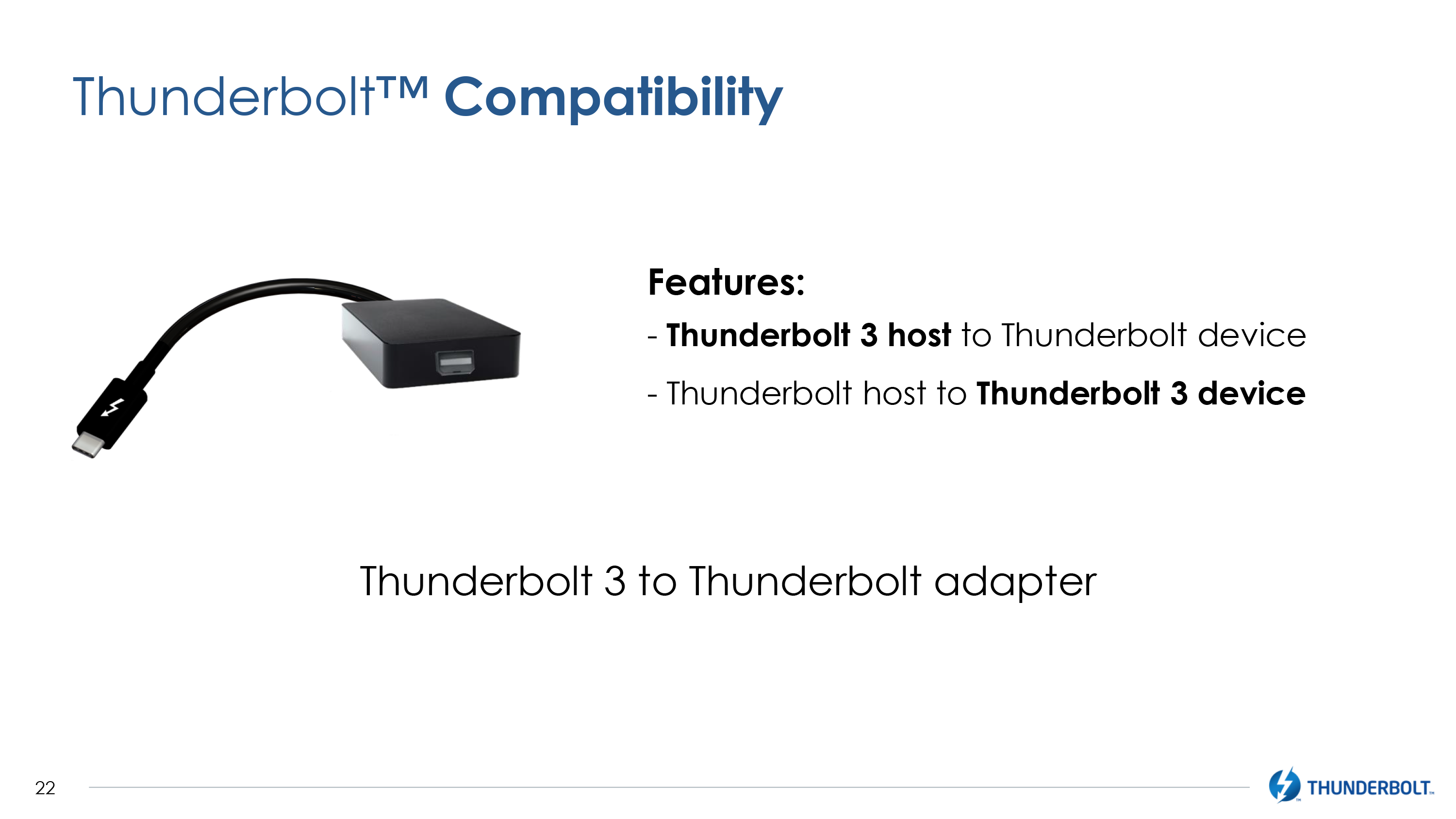
 To handle the new Type-C interface and the increased data rates, Intel is rolling out a new type of active cable for the new Thunderbolt standard. Like previous generation cables, the new cable includes significant active electronics at both ends of the cable, allowing Intel to achieve greater bandwidth than what passive cabling would allow, at the cost of increased cable prices. The new cable retains the distinctive Thunderbolt logo and is a bit larger than a passive at both ends to accommodate the electronics, but other than the change to the Type-C port is similar in concept to Thunderbolt 1 and 2’s active cables.
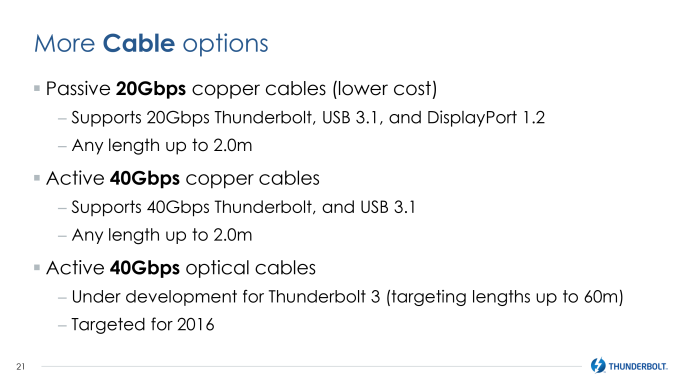 Meanwhile because it’s built on Type-C, Thunderbolt 3.0 will also introduce support for passive cabling using the now-standard Type-C cable. When using a Type-C cable, Thunderbolt drops down to 20Gbps full duplex – the amount of bandwidth available in a normal Type-C cable today – sacrificing some bandwidth for cost. With Type-C cables expected to eventually cost only a few dollars compared to thirty dollars or more for traditional Thunderbolt cables, this makes Thunderbolt far more palatable as far as cable costs go, not to mention allowing cables to be more robust and more easily replaced.
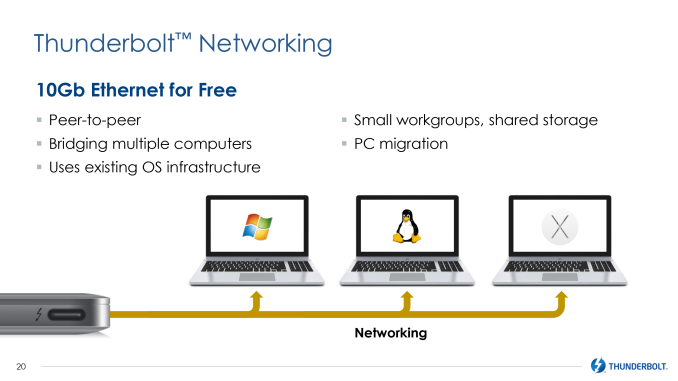
Driving these new cables in turn will be Intel’s new Alpine Ridge controller for Thunderbolt 3. The latest generation of the Ridge family, this controller steps up in capabilities to match Thunderbolt 3’s 40Gbps speeds. Alpine Ridge also integrates its own USB 3.1 (Superspeed+) host controller, which in turn serves dual purposes. When serving as a host controller for a USB Type-C port, this allows Alpine Ridge to directly drive USB 3.1 device if they’re plugged into an Alpine Ridge-backed Type-C port (similar to how DisplayPort works today with Thunderbolt ports). And when serving as a device controller (e.g. in a Thunderbolt monitor), this allows devices to utilize and/or offer USB 3.1 ports on their end.
 The addition of USB host controller functionality further increases the number of protocols that Thunderbolt 3 carries in one way or another. Along with PCI-Express and DisplayPort, the use of Alpine Ridge ensures that USB 3.1 is also available, as it’s now a built-in function of the controller. The only notable difference here is that while DisplayPort video and PCI-Express data encapsulated in the Thunderbolt data stream, USB 3.1 is being implemented on top of the PCI-Express connection that Thunderbolt already carries rather than being encapsulated in the Thunderbolt data stream as well.
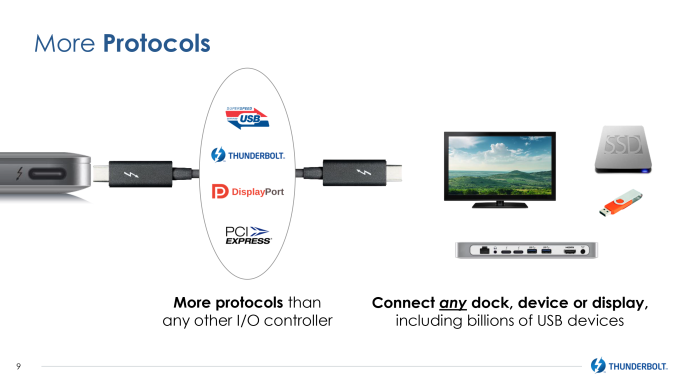
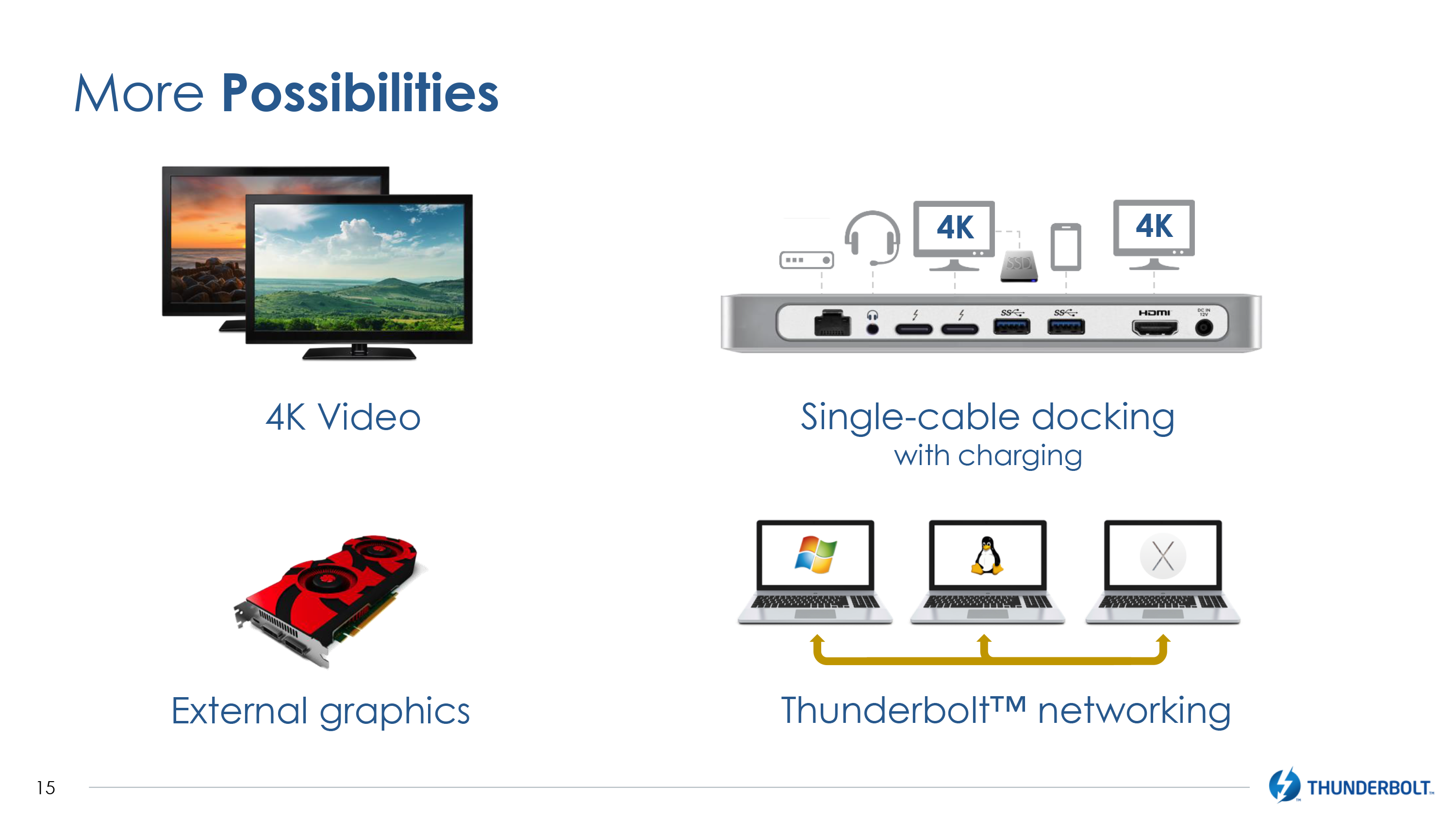
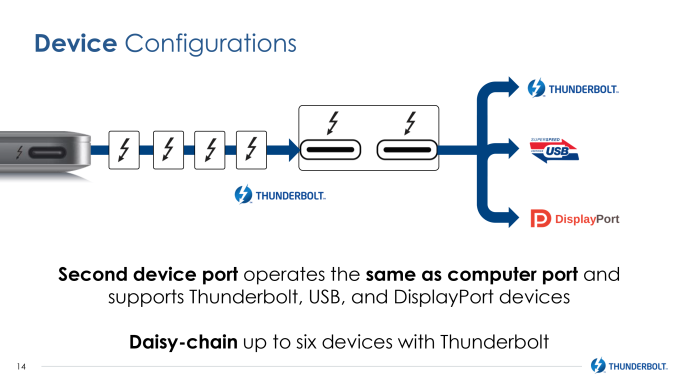 Speaking of encapsulation, Thunderbolt 3 also includes an update to the DisplayPort side of matters, though likely not what everyone has been expecting. With the increase in bandwidth, Thunderbolt 3 is able to carry twice as much video data as before. However Intel is not implementing the latest version of DisplayPort – DisplayPort 1.3 – in to the Thunderbolt 3 standard. Instead they are doubling up on DisplayPort 1.2, expanding the number of equivalent DisplayPort lanes carried from 4 to 8, essentially allowing one Thunderbolt 3 cable to carry 2 full DisplayPort 1.2 connections. The end result is that Thunderbolt 3 will not be able to drive the kind of next-generation displays DisplayPort 1.3 is geared towards – things like 8K displays and 5K single-tile displays – but it will be able to drive anything 1 or 2 DisplayPort 1.2 connections can drive today, including multiple 4K@60Hz monitors or 5K multi-tile displays.
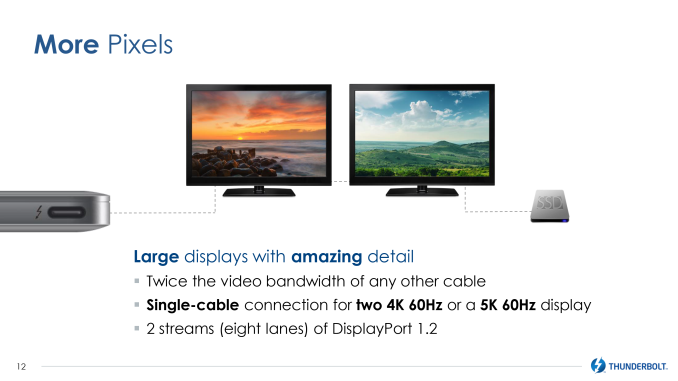 Meanwhile gamers will be happy to hear that Intel is finally moving forward on external graphics via Thunderbolt, and after more than a few false starts, external GPUs now have the company’s blessing and support. While Thunderbolt has in theory always been able of supporting external graphics (it’s just a PCIe bus), the biggest hold-up has always been handling what to do about GPU hot-plugging and the so-called “surprise removal” scenario. Intel tells us that they have since solved that problem, and are now able to move forward with external graphics. The company is initially partnering with AMD on this endeavor – though nothing excludes NVIDIA in the long-run – with concepts being floated for both a full power external Thunderbolt card chassis, and a smaller “graphics dock” which contains a smaller, cooler (but still more powerful than an iGPU) mobile discrete GPU.
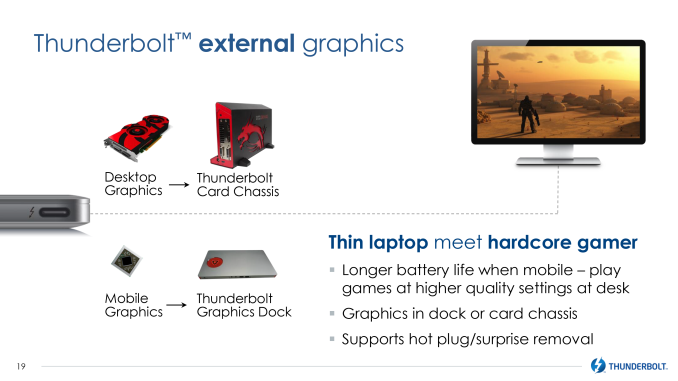 Another concept Intel has been floating around that will finally be getting some traction with Thunderbolt 3 is Thunderbolt networking. By emulating a 10GigE Ethernet connection, 2 computers can be networked via Thunderbolt cable, and with 10GigE still virtually unseen outside of servers and high-end workstations, this is a somewhat more practical solution for faster-than GigE networking. Thunderbolt networking has been around since 2013 in OS X, and in 2014 Intel demonstrated the technology working on PCs, however since it was a feature added to Thunderbolt 2 after its launch, the number of PCs with the necessary drivers for Thunderbolt networking has been quite low. With Thunderbolt 3 this is now a standard feature at launch, so system support for it should be greater.
A lot has been happening in the world of external communication buses over the past year. In the last 12 months the USB consortium has announced both 10Gbps “Superspeed+” USB 3.1 and the new USB Type-C connector, USB’s new compact, reversible connector that is designed to drive the standard for the next decade or more. Meanwhile with the introduction of USB Alternate Mode functionality – the ability for USB Type-C to carry other protocols along with (or instead of) USB Superspeed data – has made USB more flexible than ever, with the VESA announcing that DisplayPort will be supporting alternate mode to deliver DisplayPort video over USB Type-C ports and cabling.
As a result, the introduction of USB Type-C has led to a definite and relatively rapid transition over to the new standard. With the USB consortium having designed a very capable and desirable physical layer for Type-C, and then alternate modes allowing anyone to use that physical layer, there have been a number of other technologies that have started aligning themselves with USB in order to take advantage of what is becoming an even more common platform for external buses.
USB Type-C Connector On Apple's MacBook
Now at 4 years old, it’s time for the Thunderbolt signaling layer to change in order to support more bandwidth per cable than what Thunderbolt 1 and 2 could drive. To accomplish this upgrade in signaling layers, Intel has needed to change the physical layer as well. Thunderbolt 1 and 2 used the Apple-developed mini-DisplayPort interface for their cables, but with the VESA signaling that it may eventually replace the DisplayPort physical layer with USB Type-C, the DisplayPort physical layer’s days are likely numbered. Consequently mini-DisplayPort’s days are numbered as well, as consumer devices and the development of new standards both shift over to Type-C.
This has put Thunderbolt in an interesting situation that has Thunderbolt moving forwards and backwards at the same time. As originally planned, Intel wanted to have Thunderbolt running through USB ports, only for the USB consortium to strike down that idea, resulting in the shift over to mini-DisplayPort. Now however with the waning of DisplayPort and the introduction of USB Type-C and its alternate modes, Thunderbolt is back to where Intel wanted to start all along, as a standard built on top of the common USB port.
Thunderbolt Versions Win10 Thunderbolt 1 Thunderbolt 2 Thunderbolt 3 Max Channel Bandwidth 10Gbps (Full Duplex) 20Gbps (Full Duplex) 40Gbps (Full Duplex) Channels 2 1 1 Max Cable Bandwidth 40Gbps 40Gbps 80Gbps DisplayPort 1.1 1.2 1.2 x 2 USB At Devices Optional, Attached Controller Optional, Attached Controller Yes, Built Into Alpine Ridge Controller Power 10W 10W 15W +
Up To 100W USB PD (Optional) Passive Cable Option No No Yes (20Gbps) Interface Port Mini DisplayPort Mini DisplayPort USB Type-C Along with the change to using the USB Type-C port, the big news here is that Thunderbolt 3 is doubling the amount of bandwidth available to Thunderbolt devices. With Thunderbolt 2 topping out at a single full duplex 20Gbps channel, Thunderbolt 3 is increasing that to 40Gbps. Compared to DisplayPort 1.3 and USB 3.1, this is 1.5 to 4 times the available bandwidth, with DisplayPort 1.3 topping out at 25.9Gbps (after overhead), and USB 3.1 topping out at 10Gbps per channel (with Type-C carrying 2 such channels).
From a signaling standpoint, Thunderbolt 3 is being implemented as a USB alternate mode, taking over the 4 lanes of high-speed data that Type-C offers. This is the same number of lanes as Thunderbolt 1 and 2 used, so the bandwidth increase comes as a result of doubling the amount of data carried per lane from 10Gbps (half duplex) to 20Gbps. Which when aggregated at either end is what gives us 20Gbps full duplex.
Driving these new cables in turn will be Intel’s new Alpine Ridge controller for Thunderbolt 3. The latest generation of the Ridge family, this controller steps up in capabilities to match Thunderbolt 3’s 40Gbps speeds. Alpine Ridge also integrates its own USB 3.1 (Superspeed+) host controller, which in turn serves dual purposes. When serving as a host controller for a USB Type-C port, this allows Alpine Ridge to directly drive USB 3.1 device if they’re plugged into an Alpine Ridge-backed Type-C port (similar to how DisplayPort works today with Thunderbolt ports). And when serving as a device controller (e.g. in a Thunderbolt monitor), this allows devices to utilize and/or offer USB 3.1 ports on their end.
Last edited: