Most Useful Firefox Addons

aragon

Well-known member
  • Oct 16, 2008
    9,349
    978
    113
    38

    Most Useful Firefox Addons


    firefox-add-ons.jpg


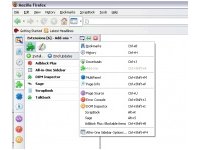
    Some Addons integrate search and bookmarking, others provide ways to view and take notes, some make minor, but wonderful adjustments… All-in-One Sidebar If you like Opera’s sidebar but prefer to stick with Firefox, this add-on gives you the best of both worlds. Once installed, it gives you a panel at the left or right of the browser window which you can use to switch between each browser’s features. It lets you quickly switch between sidebar panels, view dialog windows such as downloads, extensions, and more in the sidebar, or view source or websites in the sidebar.

    AllinOneSidebar.png


    StumbleUpon - allows you to discover and share great Web content matched to your personal preferences. Whether it’s a website, video, picture, game, blog, or wiki, StumbleUpon helps you find interesting pages recommended by like-minded people with a single click of the Stumble button. After installing the plug-in, click the Stumble button and you’re instantly delivered to a related site that others have given the thumbs-up. The more sites you rate, the better your Stumbles will match your tastes.


    StumbleUpon.png


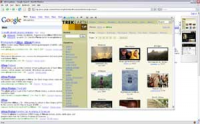
    Cooliris Previews- Cooliris Previews gives you the power to browse and share Web links and rich media instantly. Just mouse over any link, and the Cooliris preview window immediately appears to show you the content. No more clicking back and forth or losing your search context. To send a link, just click.

    CoolirisPreviews.png


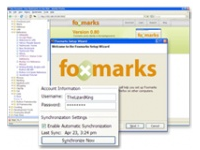
    Foxmarks A simple plug-in that keeps your bookmarks synchronized throughout multiple computers. these days, who has just one computer, anyway? Foxmarks works quietly in the background; the only thing you notice is that the bookmarks you keep are now consistent from your desktop machine to your laptop to your work machine and so on. Also copies your bookmarks to its home page, so you can also access them from a guest computer (such as your local espresso joint or library!).
    Foxmarks.png


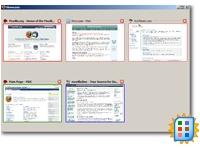
    Firefox Showcase -provides a new way to manage your Firefox tabs and windows by showing them as thumbnails in a single window, tab or sidebar. Includes a find bar that will filter the thumbnails, and the capability to select the thumbnails in the same way you would select files in your system.

    FirefoxShowcase.png


    FoxyTunes is a Firefox add-on which gives you the ability to integrate some of the most powerful media players around such as iTunes and Windows Media Player directly into your browser window. You are given the ability to control your media player of choice from Firefox’s status bar or toolbar section.
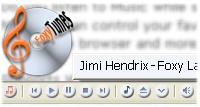

    FoxyTunes.png


    Answers - Ever run across a word or acronym that you weren’t familiar with? Instead of rushing to a new tab to look it up in an online dictionary, Answers gives you the definition right on the page in a pop-up. It uses Answers.com, Wikipedia, Dictionary.com, and many others. Very handy for following an article or discussion that bandies about terms you’ve never heard of.
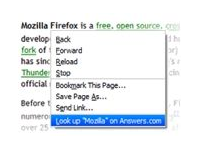
    answers.png


    GMail Manager -allows you to manage multiple Gmail accounts and receive new mail notifications. Displays your account details including unread messages, saved drafts, spam messages, labels with new mail, space used, and new mail snippets.
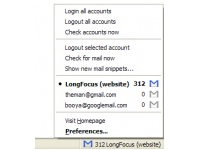
    GMailManager.png


    Yahoo Mail Notifier -This extension notifies you when new messages arrive in your Yahoo mail account. It’ll display a little pop-up to catch your attention if you want it to. Clicking the icon takes you to Yahoo mail. Notification options include: customizable sound, notification alert, status bar and toolbar icon. Also allows the user to map different mouse buttons to open Yahoo Mail in different tabs, windows, etc.
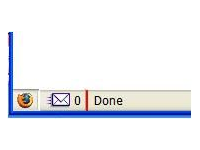
    YahooMailNotifier.png


    GreaseMonkey- is other great addon designed for making forefox better. Greasemonkey extension (called ‘user scripts‘) can add more functionality or change the behavior of a web page. These scripts let you control any aspect of a web page’s design or interaction. For instance, you can add video download functionality to video sharing site like youtube, OR disable all ads on myspace OR change the appearance of gmail and lots lots more.
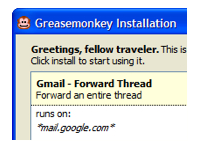
    Greasemonkey.png


    Firebug - Firebug is an essential tool for developers working on Web pages. It allows you to examine and tweak the HTML, CSS and JavaScript contained in a page, all on the fly. Firebug opens either as a panel at the bottom of the page you’re inspecting, or in a separate window.
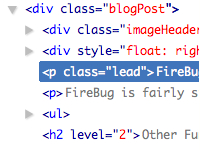
    Firebug.png


    Session Manager is a handy utility to help you manage your Firefox tabs. If you’re a Web surfer who habitually visits the same sites every morning, all you need do is open the sites in separate tabs and/or windows, and then use Session Manager to save the session under a name of your choosing. After that, every morning start up Firefox and go to Tools > Session Manager, pick your session and voila, all the windows and tabs open up just as you saved them.
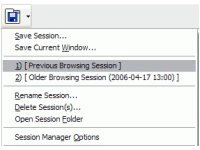
    SessionManager.png


    Download Statusbar - Manage your Internet downloads from a tidy toolbar, without the download window getting in the way of your Web browsing. Despite its compact size, Download Statusbar packs in more useful features than the standard download window. The fully customizable interface auto-hides when not in use, allowing full control without interruption.
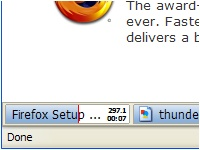
    DownloadStatusbar.png


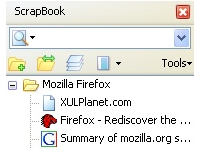
    Scrapbook -Collects web scraps of entire pages, snippets, images, media, embeds, etc. Also has a powerful notes feature that allows hand-entered data including javascript and HTML - so is a mini-development IDE. This is great for testing widgets and javascript code. There is also an “Edit before capture” mode that shows a toolbar for for interactive DOM object removal, entering of sticky annotation, remove selection and highlighting. The full power of this add-on is not well known by Firefox users.
    Scrapbook.png


    Tab Mix Plus is a Firefox add-on which greatly enhances the application’s tabbed browsing features. Included are dozens of options involving tab duplication, merging, focus, and much more. In addition to improving the browser’s tab capabilities, this extension also features its own robust session manager.

    TabMixPlus.png


    Reveal is a Firefox extension that allows you to view your current tabs as thumbnails directly on your screen - as shown with my favorite websites above. So I thought that this might prove pretty useless to me considering that I’m already using tabbed browsing. Why would I need to have mini pictures of these and what purpose would they serve? What’s really great about this extension is the ease of use. Once installed, you just press F2 to bring up the interface. Not only is it that simple, but its pretty too. Your screenshot comes zooming in from the side of your screen and places itself in the middle of your screen with the current tab highlighted.


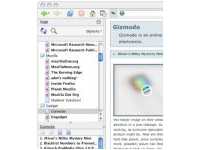
    Sage - turns Firefox into an RSS feed aggregator that makes getting the latest news easy. Using the left sidebar, Sage displays your available feeds, lists your feed history, and then shows stories with summaries and images in the main window.
    Sage.png


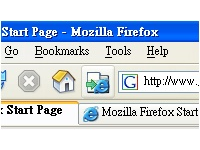
    IE Tab- Extremely useful for those sites that require Internet Explorer and for testing purposes, this add-on loads any Web page as IE would display it, in the Firefox browser. A simple button in the Firefox status bar quickly and easily switches sites to IE and back. You also can specify some sites to always open with IE Tab.
    IEtab.png


    Give a + rep if you like this thread

     
    Last edited:

    aragon

    Well-known member
  • Oct 16, 2008
    9,349
    978
    113
    38
    RSS and Social News:

    1. Wizz RSS News Reader is a complex RSS News Reader with a lot of good features.
    2. Brief is the same as Wizz RSS News Reader but with less features and therefore it isn’t as complicated as Wizz.
    3. A nice tool for all Twitterusers, Twittbin. This tool will add a Twittersidebar to your FireFox to keep you up-to-date and let you post new messages right from your browser.
    4. Smart Digg Button allows you to digg every site very easily and informs you whether the site you are currently visiting has already been digged or not.


    Ads and security:

    noscript.png


    1. NoScript is a good choice for blocking Javascript from certain pages.
    2. Adblock Plus is an adblocker and should be used because it’s quite effective.
    3. Unhide Passwords is a tool for everyone who is bad at remembering passwords. It’s Good for a Home-PC but shouldn’t be used at an public accessible PC!

    Web development:

    1. View Source Chart is a useful tool for web developer because it shows the html-code separated into the different code blocks by using different colours.
    2. Web Developer comes with an own toolbar that gives you many useful tools for analyzing webpages.


    Download tools:

    1. Download Statusbar is a download manager which gives you a good overview of your downloads.
    2. DownloadHelper allows you to download images and videos from many sites e. g. YouTube.com.
    3. VideoDownloader it’s the same as DownloadHelper but specialized on grabbing videos from all popular videoportals.
    4. PDF Downloader allows you to directly open a PDF in the browser as PDF or HTML. Especially the ‘Open as HTML’-function makes this plugin very valuable to me.
    5. ShowIp shows the IP of the site you are visiting in the status bar and offers you some other functions to gain further information, such as: host, Whois and Ip2Country.


    Google Enhancements:

    1. GooglePreview shows preview pics next to your search-results.
    2. Google Reader Notifier is a great tool to monitor your Google Reader. It displays the number of unread feeds in the bottom toolbar.
    3. gTalk Sidebar adds Gtalk to your FireFox sidebar.


    Preview and Speed Add-ons:

    1. ColorfulTabs gives each tab another color and makes surfing more colorful.
    2. Cooliris Previews opens a preview window when you move you cursor over a hyperlink. It even enables you to surf inside these preview windows.
    3. Tab Preview shows a preview of tab contents when you move your mouse over a background tab.
    4. MinimizeToTray let’s you (as the name says) minimize your FireFox to tray.
    5. FasterFox optimizes your network settings and enables prefetching of links/images. It speeds up surfing noticeable.
     

    aragon

    Well-known member
  • Oct 16, 2008
    9,349
    978
    113
    38
    Click on image to download Add-ons


    ReadIt Later


    Read It Later allows you to save pages of interest to read later. It eliminates cluttering of bookmarks with sites that are merely of a one-time interest.


    Session Manager


    Session Manager saves and restores the state of all windows – either when you want it or automatically at startup and after crashes. Additionally it offers you to reopen (accidentally) closed windows and tabs.


    Tab Mix Plus


    Tab Mix Plus enhances Firefox’s tab browsing capabilities. It includes such features as duplicating tabs, controlling tab focus, tab clicking options, undo closed tabs and windows, plus much more. It also includes a full-featured session manager.


    Delicious Bookmarks


    Delicious Bookmarks is the official Firefox add-on for Delicious, the world’s leading social bookmarking service (formerly del.icio.us). It integrates your bookmarks and tags with Firefox and keeps them in sync for easy, convenient access.


    Speed Dial


    With Speed Dial, you can easily access your most used websites. To show the Speed Dial tab, use the Speed Dial button (which can be added to the toolbar), or enter “chrome://speeddial/content” in your location bar.


    Personas


    Personas are free, easy-to-install “skins” for Firefox that make changing the look of the browser as easy as changing your shirt. With Personas, you can individualize your browser with hundreds of artist-created designs or create your own design to share with a worldwide audience of millions.


    Flash Got


    Download all the links, movies and audio clips of a page at the maximum speed with a single click, using the most popular, lightweight and reliable external download managers.


    NoScript


    Winner of the “2006 PC World World Class Award”, this tool provides extra protection to your Firefox. It allows JavaScript, Java and other executable content to run only from trusted domains of your choice, e.g. your home-banking web site, guarding your “trust boundaries” against cross-site scripting attacks (XSS) and Clickjacking attempts, thanks to its unique ClearClick technology.


    Down Them All


    DownThemAll is all you can desire from a download manager: it features an advanced accelerator that increases speed up to 400% and it allows you to pause and resume downloads at any time.

    Tumblr Post


    This extension lets you post photos, videos, mp3s, quotes or links to your Tumblr account by dragging the content to the Tumblr icon that this extension adds to your statusbar.


    Fire FTP


    FireFTP is a free, secure, cross-platform FTP client for Mozilla Firefox which provides easy and intuitive access to FTP servers.


    Twitter Fox


    TwitterFox is a Firefox extension that notifies you of your friends’ status on Twitter. This extension adds a tiny icon on the status bar which notifies you when your friends update their tweets. Also it has a small text input field to update your tweets.


    Clipmarks


    Instead of linking to entire web pages, Clipmarks lets you clip exactly what you want others to see. Our browser add-on lets you save and share what you’re reading on the web with greater precision than is possible with links. There are lots of things you can do with your clips:
    Your clip collection is accessible from any computer with an internet connection, including your iPhone, Blackberry, or other mobile device.


    ColorZilla


    Advanced Eyedropper, ColorPicker, Page Zoomer and other colorful goodies. With ColorZilla you can get a color reading from any point in your browser, quickly adjust this color and paste it into another program….


    HTML Validator


    HTML Validator is a Mozilla extension that adds HTML validation inside Firefox and Mozilla. The number of errors of a HTML page is seen on the form of an icon in the status bar when browsing.


    Web Developer


    The Web Developer extension adds a menu and a toolbar with various web developer tools.


    Seo Quake


    Seoquake is a Mozilla Firefox SEO extension aimed primarily at helping web masters who deal with search engine optimization(SEO) and internet promotion of web sites. Seoquake allows to obtain and investigate many important SEO parameters of the internet…


    Screengrab


    Screengrab! saves webpages as images…
    It will capture what you can see in the window, the entire page, just a selection, a particular frame… basically it saves webpages as images – either to a file, or to the clipboard.


    Abduction


    Capture an entire web page or part of a web page and save it as an image.
    For the sake of making this extension findable: This extension takes screenshots of websites.


    Last edited:

    aragon

    Well-known member
  • Oct 16, 2008
    9,349
    978
    113
    38

    FireBug


    Firebug integrates with Firefox to put a wealth of development tools at your fingertips while you browse. You can edit, debug, and monitor CSS, HTML, and JavaScript live in any web page. It is main plugin for every web developer.


    PixelPerfect


    Pixel Perfect is a Firefox/Firebug extension that allows web developers and designers to easily overlay a web composition over top of the developed HTML.


    Abduction!


    This extension capture an entire web page or part of a web page and save it as an image.


    ColorZilla


    colorzilla.com Advanced Eyedropper, Color Picker, Palette Viewer and other colorful goodies for your Firefox


    MeasureIt


    This extension allows you to draw a ruler across any webpage to check the width, height, or alignment of page elements in pixels.


    FirePHP


    FirePHP enables you to log to your Firebug Console using a simple PHP method call.All data is sent via response headers and will not interfere with the content on your page.


    FirePython


    Python logging console for Firebug - analog of the FirePHP extension for the Python language


    YSlow


    YSlow analyzes web pages and tells you why they're slow based on the rules for high performance web sites. YSlow is a integrated with the popular Firebug web development tool.


    SenSEO


    SenSEO is an extension checking the most important on-page-SEO-criteria and calculating a grade of how good your site fulfills these criteria.


    FireScope


    FireScope is a Firefox add-on that integrates with Firebug, to extend it with reference material for HTML and CSS.


    Total Validator


    Total Validator is a free one-stop all-in-one validator comprising a HTML validator, an accessibility validator, a spelling validator, a broken links validator, and the ability to take screenshots with different browsers to see what your web pages really look like.


    Web Developer


    Adds a menu and a toolbar with various web developer tools. It has lot of features for working with HTML anf CSS.


    Live HTTP Headers


    View HTTP headers of a page and while browsing. Especially useful for debugging AJAX applications.


    FireCookie


    Firecookie is an extension for Firebug that makes possible to view and manage cookies in your browser.


    Greasemonkey


    Greasemonkey is a Firefox extension that allows you to customize the way webpages look and function. Hundreds of scripts are already available for free.


    FireShot


    FireShot is a extension for Firefox and Internet Explorer that captures, edits, annotates, organizes, exports and prints screenshots of your web pages.​
     

    llrajitha

    Well-known member
  • Jan 11, 2008
    6,971
    1,086
    113
    i find that "Smarter Fox" is also very useful.

    eg:- you wont need to click page numbers in EK threads. you can just use your mouse wheel to scroll the page and the next page will be automatically loaded.
     

    maxxiz6

    Well-known member
  • Apr 29, 2008
    5,536
    474
    83
    ║█║™ - තමා

    Most Useful Firefox Addons


    firefox-add-ons.jpg


    Some Addons integrate search and bookmarking, others provide ways to view and take notes, some make minor, but wonderful adjustments… All-in-One Sidebar If you like Opera’s sidebar but prefer to stick with Firefox, this add-on gives you the best of both worlds. Once installed, it gives you a panel at the left or right of the browser window which you can use to switch between each browser’s features. It lets you quickly switch between sidebar panels, view dialog windows such as downloads, extensions, and more in the sidebar, or view source or websites in the sidebar.


    AllinOneSidebar.png


    StumbleUpon - allows you to discover and share great Web content matched to your personal preferences. Whether it’s a website, video, picture, game, blog, or wiki, StumbleUpon helps you find interesting pages recommended by like-minded people with a single click of the Stumble button. After installing the plug-in, click the Stumble button and you’re instantly delivered to a related site that others have given the thumbs-up. The more sites you rate, the better your Stumbles will match your tastes.


    StumbleUpon.png


    Cooliris Previews- Cooliris Previews gives you the power to browse and share Web links and rich media instantly. Just mouse over any link, and the Cooliris preview window immediately appears to show you the content. No more clicking back and forth or losing your search context. To send a link, just click.


    CoolirisPreviews.png


    Foxmarks A simple plug-in that keeps your bookmarks synchronized throughout multiple computers. these days, who has just one computer, anyway? Foxmarks works quietly in the background; the only thing you notice is that the bookmarks you keep are now consistent from your desktop machine to your laptop to your work machine and so on. Also copies your bookmarks to its home page, so you can also access them from a guest computer (such as your local espresso joint or library!).

    Foxmarks.png


    Firefox Showcase -provides a new way to manage your Firefox tabs and windows by showing them as thumbnails in a single window, tab or sidebar. Includes a find bar that will filter the thumbnails, and the capability to select the thumbnails in the same way you would select files in your system.


    FirefoxShowcase.png


    FoxyTunes is a Firefox add-on which gives you the ability to integrate some of the most powerful media players around such as iTunes and Windows Media Player directly into your browser window. You are given the ability to control your media player of choice from Firefox’s status bar or toolbar section.


    FoxyTunes.png


    Answers - Ever run across a word or acronym that you weren’t familiar with? Instead of rushing to a new tab to look it up in an online dictionary, Answers gives you the definition right on the page in a pop-up. It uses Answers.com, Wikipedia, Dictionary.com, and many others. Very handy for following an article or discussion that bandies about terms you’ve never heard of.
    answers.png


    GMail Manager -allows you to manage multiple Gmail accounts and receive new mail notifications. Displays your account details including unread messages, saved drafts, spam messages, labels with new mail, space used, and new mail snippets.

    GMailManager.png


    Yahoo Mail Notifier -This extension notifies you when new messages arrive in your Yahoo mail account. It’ll display a little pop-up to catch your attention if you want it to. Clicking the icon takes you to Yahoo mail. Notification options include: customizable sound, notification alert, status bar and toolbar icon. Also allows the user to map different mouse buttons to open Yahoo Mail in different tabs, windows, etc.
    YahooMailNotifier.png


    GreaseMonkey- is other great addon designed for making forefox better. Greasemonkey extension (called ‘user scripts‘) can add more functionality or change the behavior of a web page. These scripts let you control any aspect of a web page’s design or interaction. For instance, you can add video download functionality to video sharing site like youtube, OR disable all ads on myspace OR change the appearance of gmail and lots lots more.

    Greasemonkey.png


    Firebug - Firebug is an essential tool for developers working on Web pages. It allows you to examine and tweak the HTML, CSS and JavaScript contained in a page, all on the fly. Firebug opens either as a panel at the bottom of the page you’re inspecting, or in a separate window.

    Firebug.png


    Session Manager is a handy utility to help you manage your Firefox tabs. If you’re a Web surfer who habitually visits the same sites every morning, all you need do is open the sites in separate tabs and/or windows, and then use Session Manager to save the session under a name of your choosing. After that, every morning start up Firefox and go to Tools > Session Manager, pick your session and voila, all the windows and tabs open up just as you saved them.

    SessionManager.png


    Download Statusbar - Manage your Internet downloads from a tidy toolbar, without the download window getting in the way of your Web browsing. Despite its compact size, Download Statusbar packs in more useful features than the standard download window. The fully customizable interface auto-hides when not in use, allowing full control without interruption.

    DownloadStatusbar.png


    Scrapbook -Collects web scraps of entire pages, snippets, images, media, embeds, etc. Also has a powerful notes feature that allows hand-entered data including javascript and HTML - so is a mini-development IDE. This is great for testing widgets and javascript code. There is also an “Edit before capture” mode that shows a toolbar for for interactive DOM object removal, entering of sticky annotation, remove selection and highlighting. The full power of this add-on is not well known by Firefox users.

    Scrapbook.png


    Tab Mix Plus is a Firefox add-on which greatly enhances the application’s tabbed browsing features. Included are dozens of options involving tab duplication, merging, focus, and much more. In addition to improving the browser’s tab capabilities, this extension also features its own robust session manager.

    TabMixPlus.png


    Reveal is a Firefox extension that allows you to view your current tabs as thumbnails directly on your screen - as shown with my favorite websites above. So I thought that this might prove pretty useless to me considering that I’m already using tabbed browsing. Why would I need to have mini pictures of these and what purpose would they serve? What’s really great about this extension is the ease of use. Once installed, you just press F2 to bring up the interface. Not only is it that simple, but its pretty too. Your screenshot comes zooming in from the side of your screen and places itself in the middle of your screen with the current tab highlighted.


    Sage - turns Firefox into an RSS feed aggregator that makes getting the latest news easy. Using the left sidebar, Sage displays your available feeds, lists your feed history, and then shows stories with summaries and images in the main window.

    Sage.png


    IE Tab- Extremely useful for those sites that require Internet Explorer and for testing purposes, this add-on loads any Web page as IE would display it, in the Firefox browser. A simple button in the Firefox status bar quickly and easily switches sites to IE and back. You also can specify some sites to always open with IE Tab.

    IEtab.png


    Give a + rep if you like this thread

    thxx