Must C modified PC part 2

zCexVe

Active member
  • Sep 12, 2006
    8,550
    22
    38
    Where I'm now
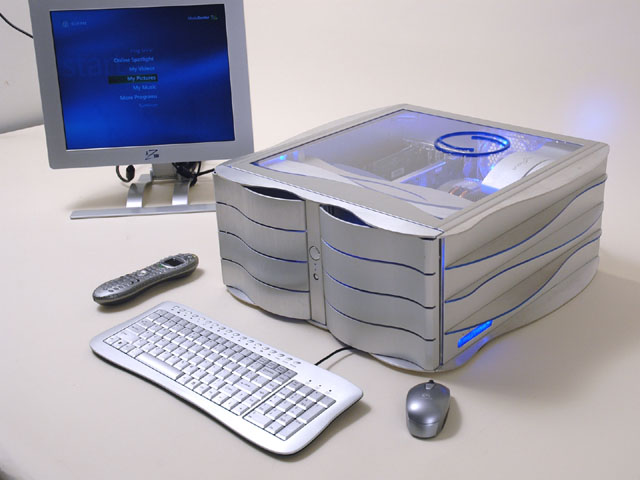
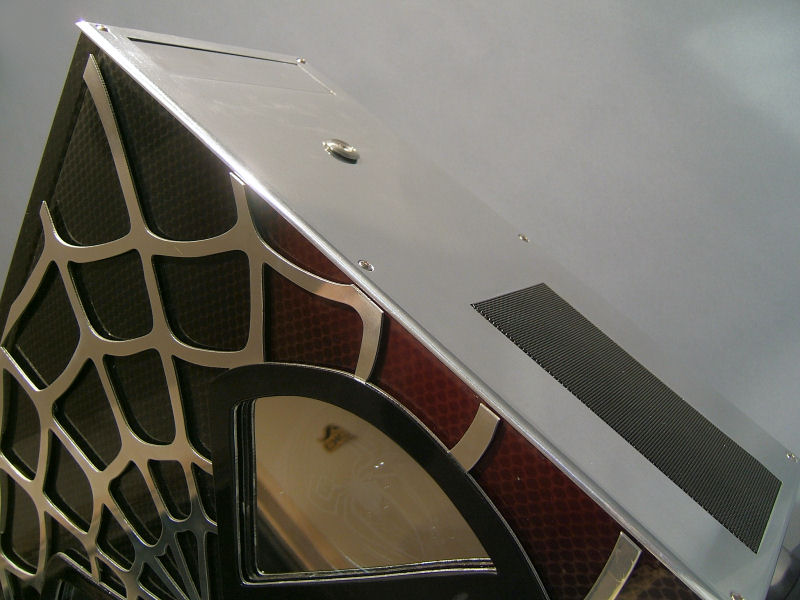
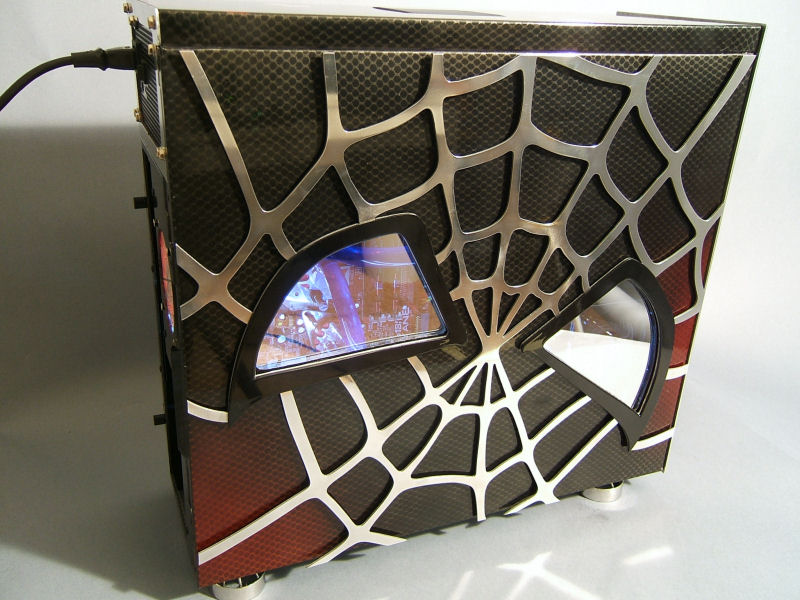
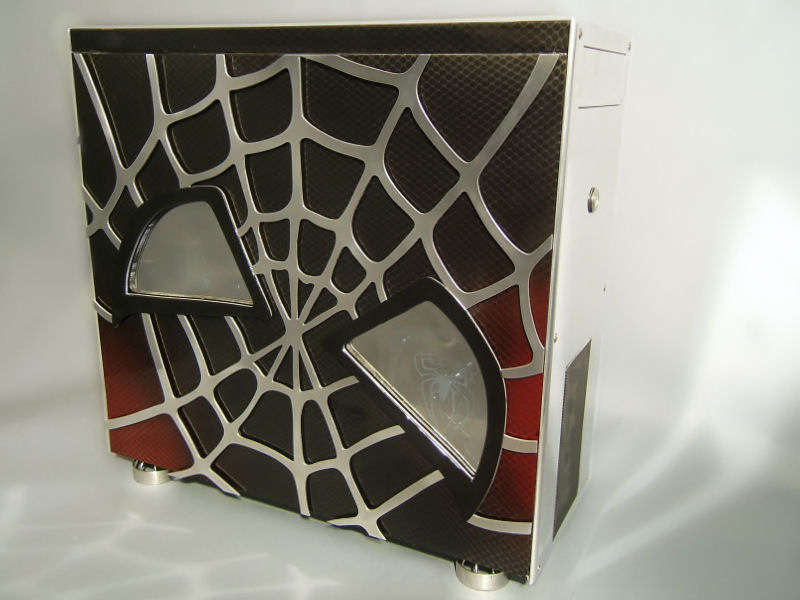
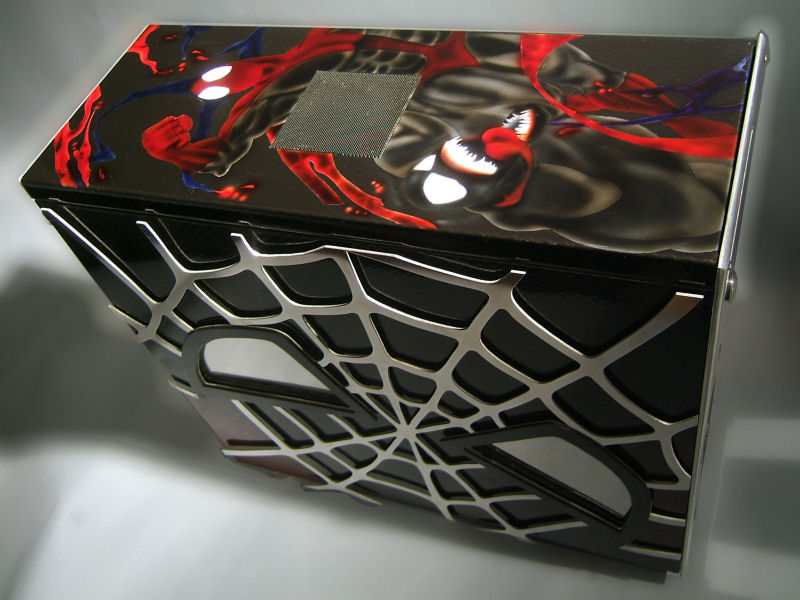
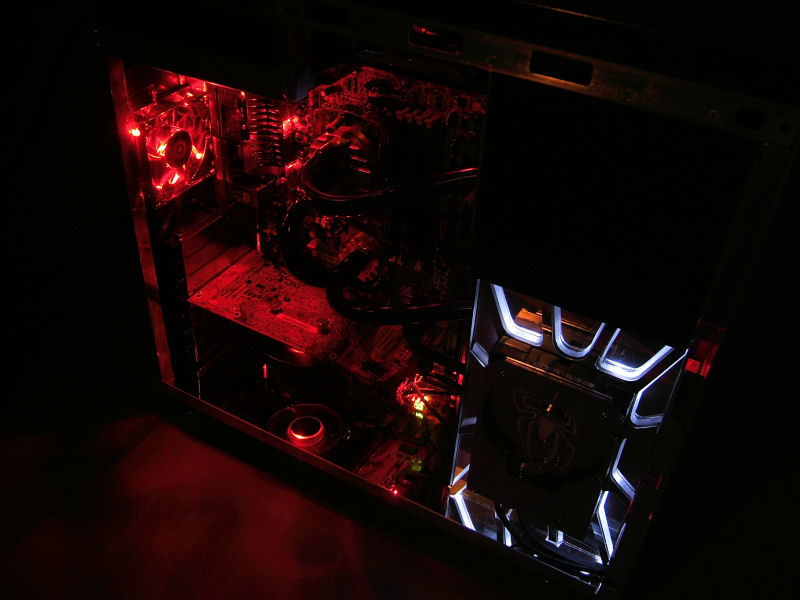
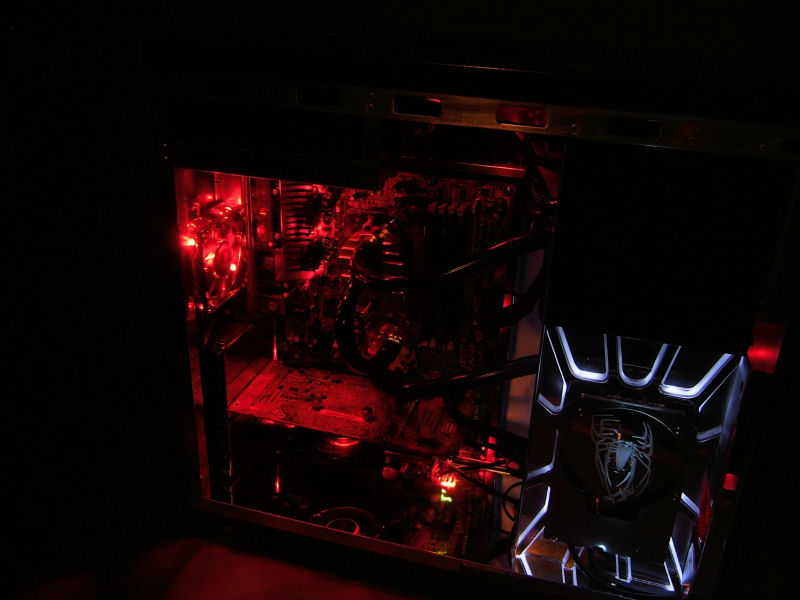
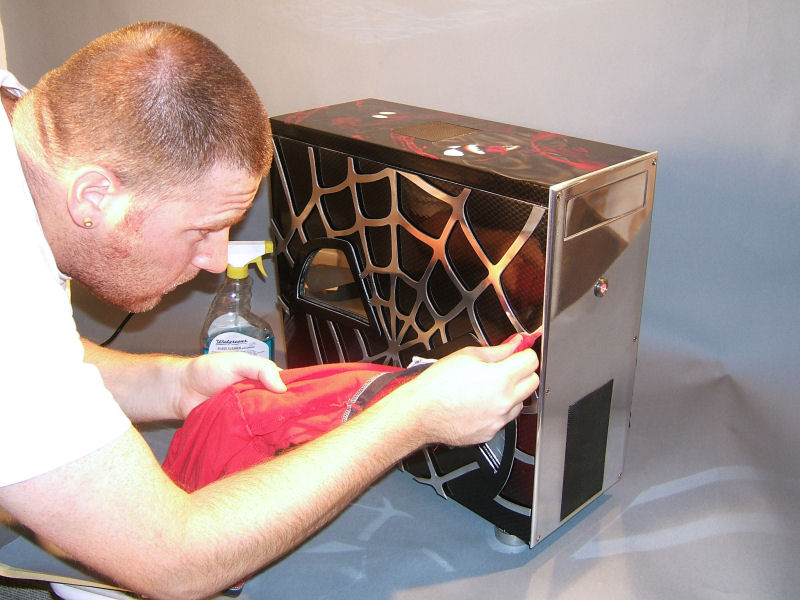
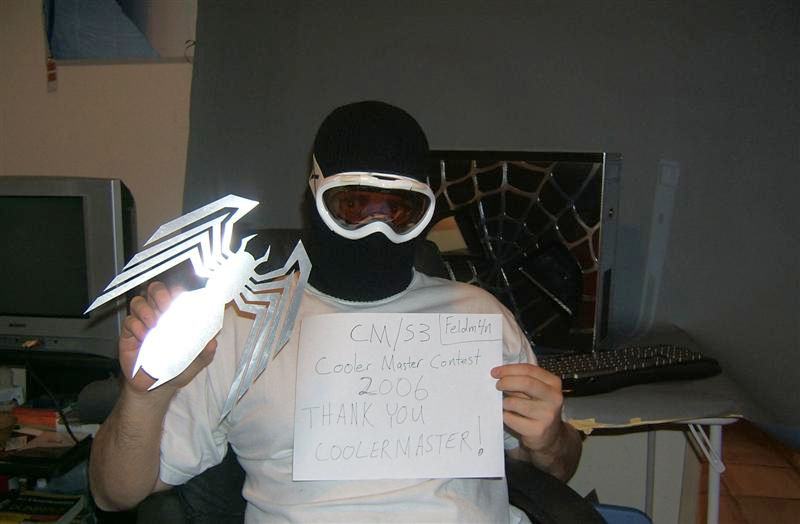
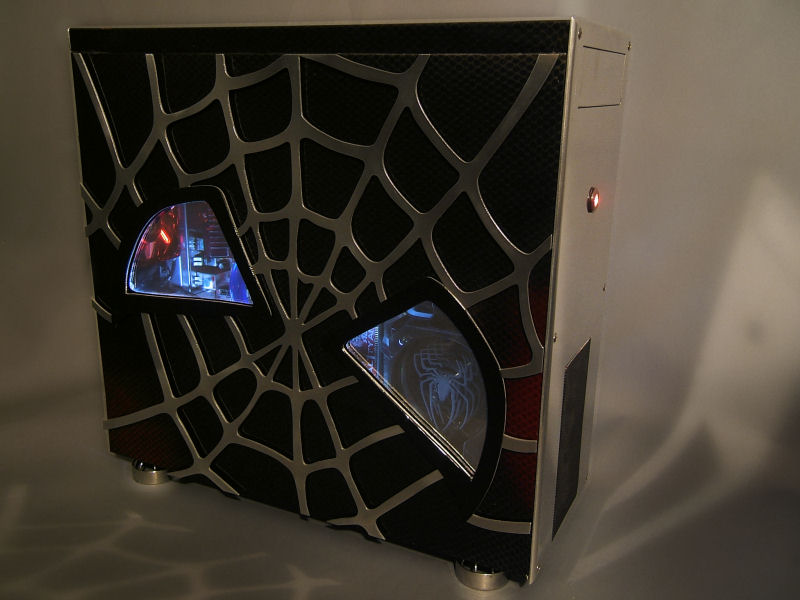
    This is the case that won Coolermaster contest 2006.Creator is Brian carter who is very famous for his boeing 747 pc mod and monitor in PC mod.
    this isa copy paste from his site.This is named as mystique as it features a mystique 631 case.A very valuable casing.
    MYSTIQUE²


    STORY:
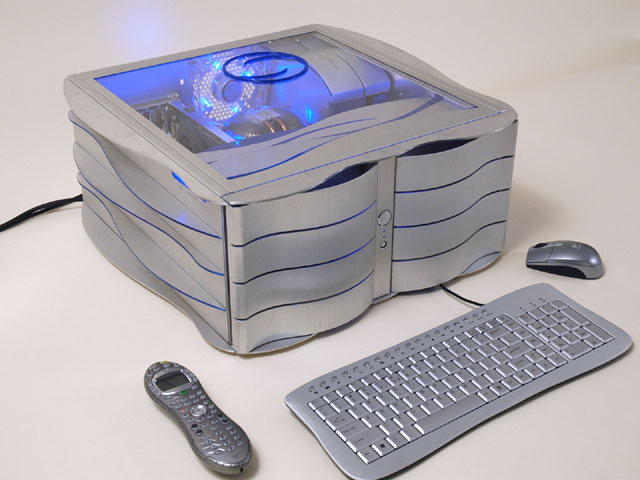
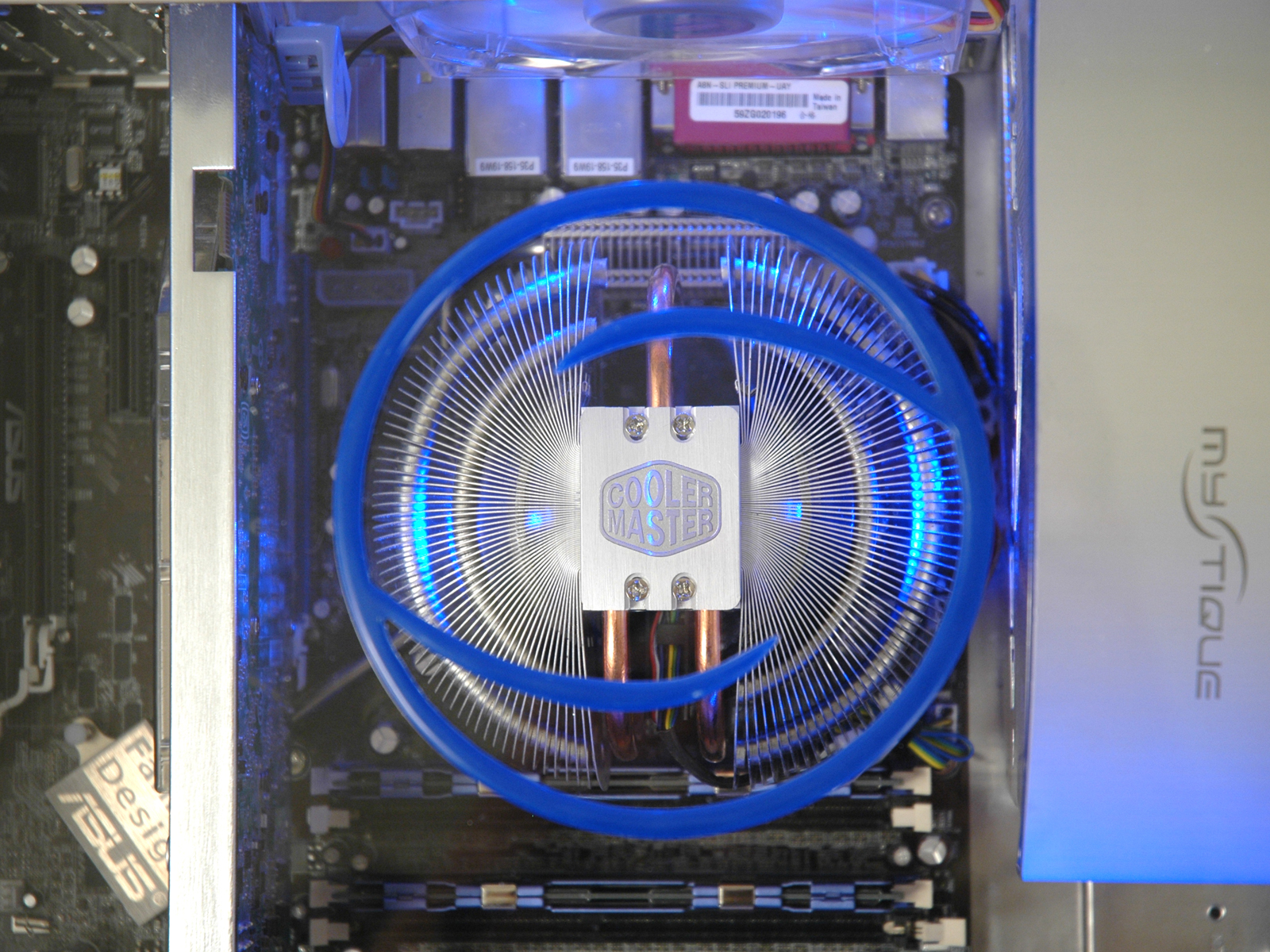
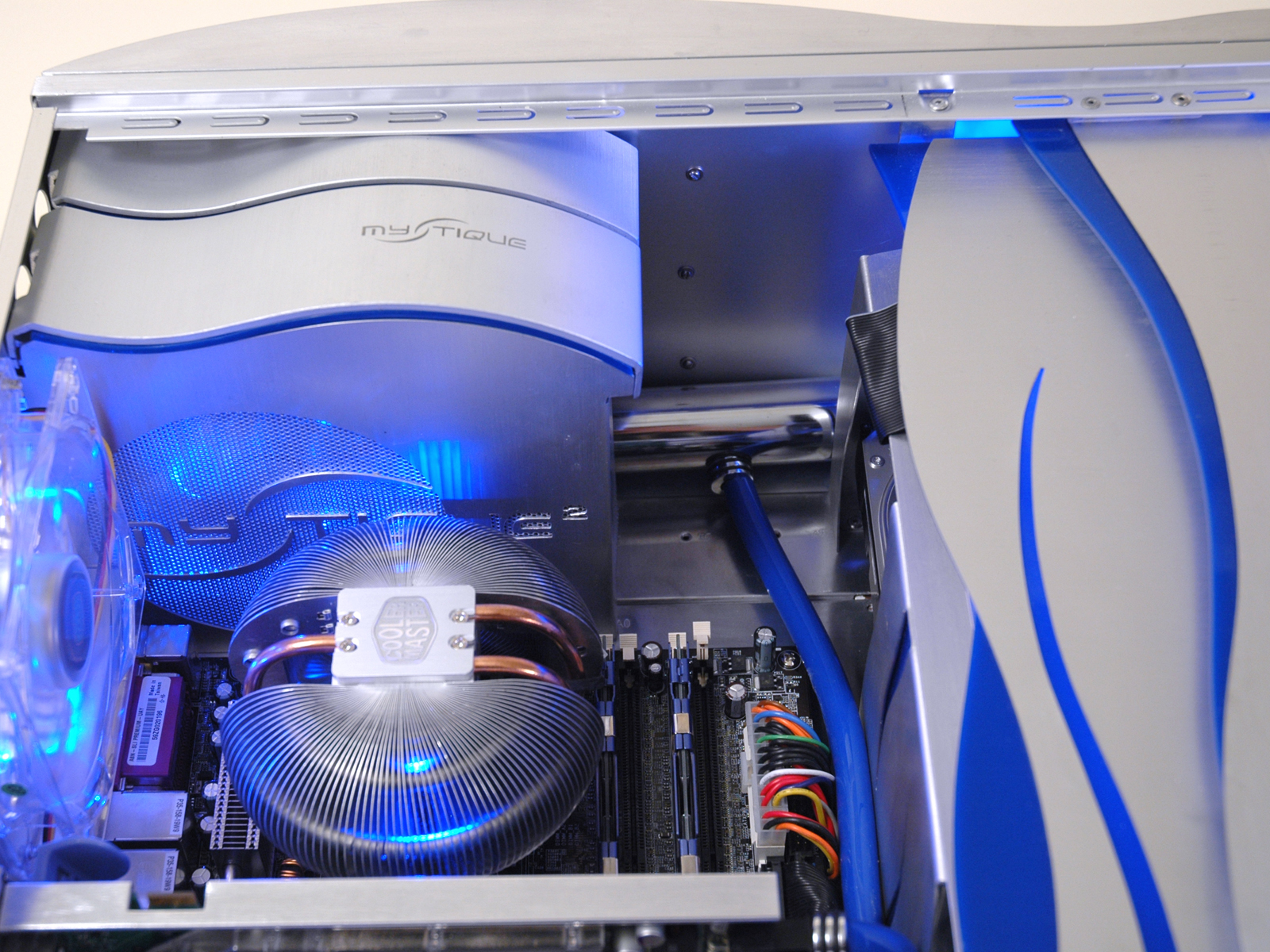
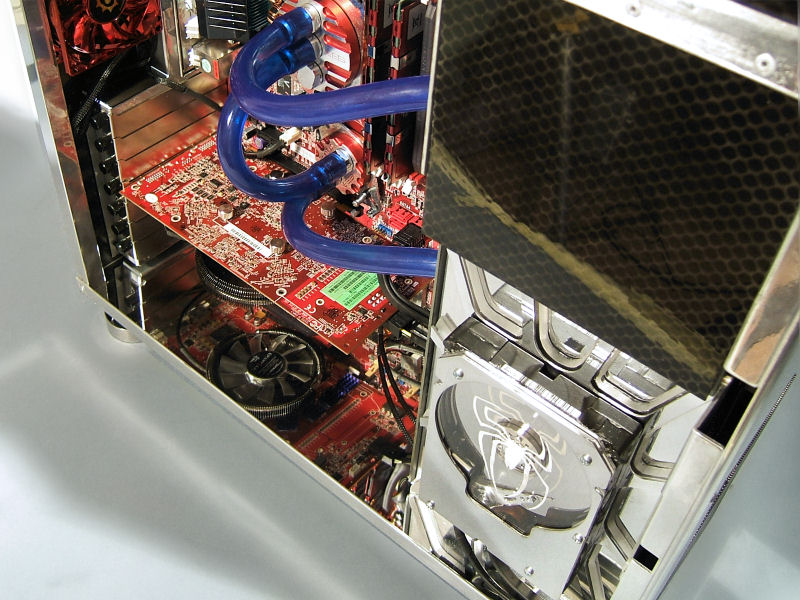
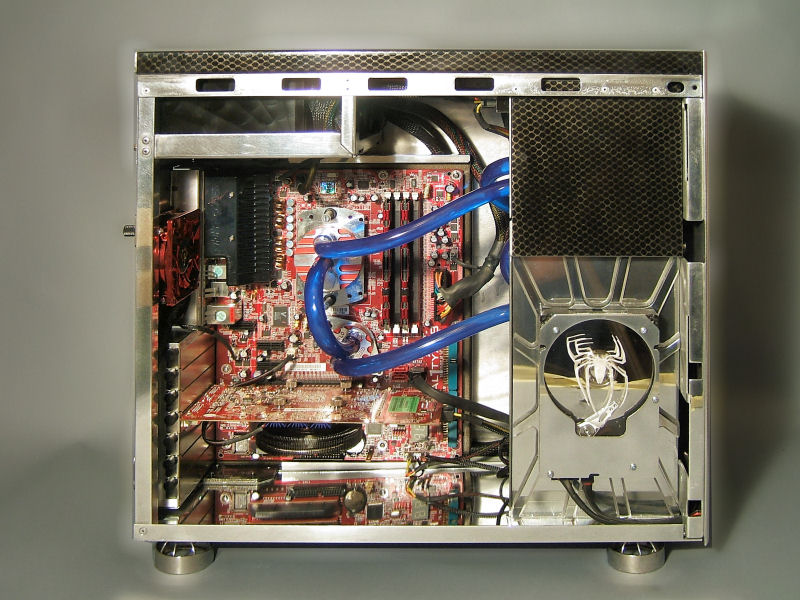
    I came up with the idea to create one HTPC desktop-style case using two Mystique 631 aluminum tower chassis. The main idea was to keep evident the Mystique heritage and styling throughout the case, inside and out. The wavy theme was carried out in tandem with logo elements to create a consistent and elegant look, while keeping its ultimate use in mind. This being a home theater PC, it will be located in my living room, and must function as a HDTV tuner/personal video recorder. Care was taken when selecting components that were best suited for such a task (i.e. Mars cpu cooler running in silent mode).

    System Specs:
    Asus A8N SLI Premium Motherboard
    AMD FX-55 cpu with CM Mars cooler
    Centon PC-3200 RAM (1Gb)
    Geforce XFX 7800GT Video Card
    Sound Blaster Audigy Sound Card
    Western Digital SATA 200Gb Hard Drive
    Cooler Master 600W eXtreme Power PSU
    Pioneer Slim-line Slot Loading DVD drive (x2)
    WinPVR Tv-tuner PCI card
    Cats Eye HDTV tuner PCI card
    Zippy Aluminum Keyboard
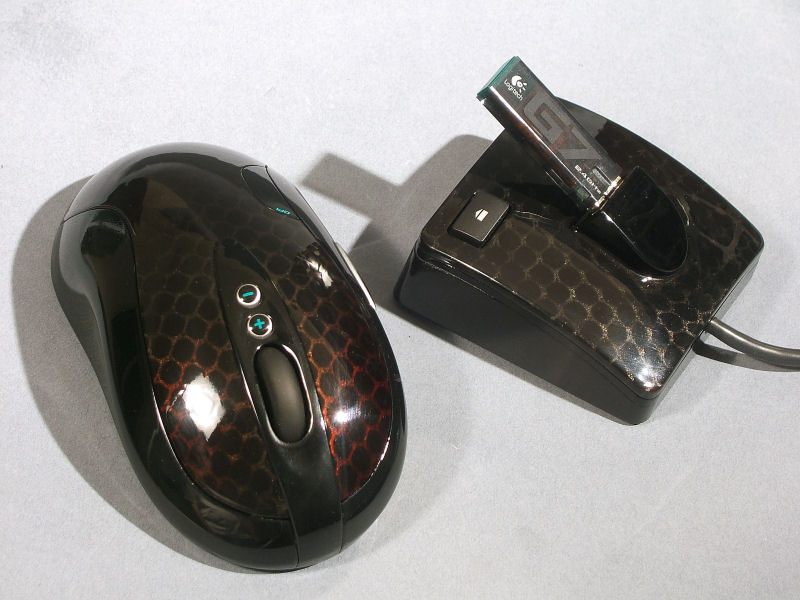
    Logitech Cordless Mouse
    iDuo 10-in-1 Card Reader/iPod Dock


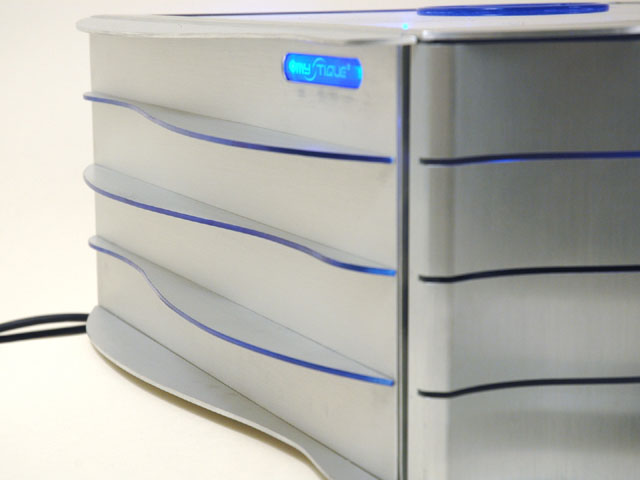
    I wanted to design the case in such a way as to make people immediately think "Mystique" when they first see it.


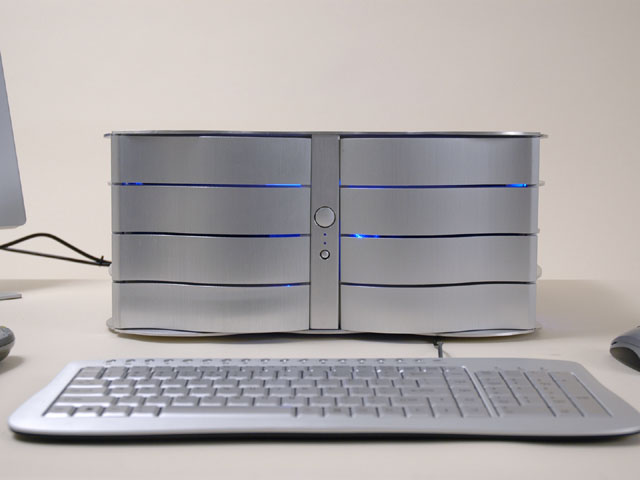
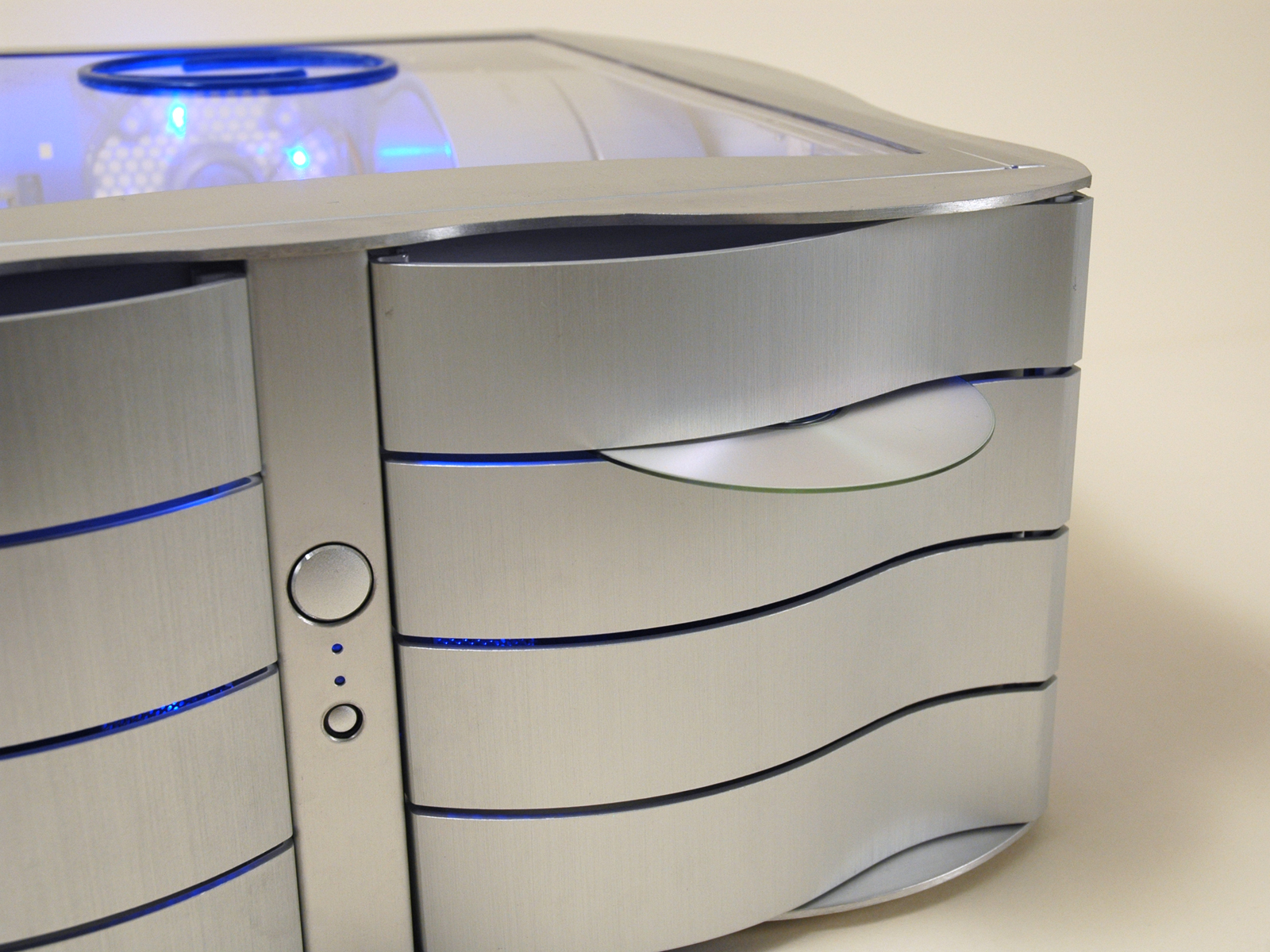
    The Mystique's signature front wavy doors were retained, and aluminum fins were added on both sides and aligned with the doors' slots, continuing the wavy theme around the case.


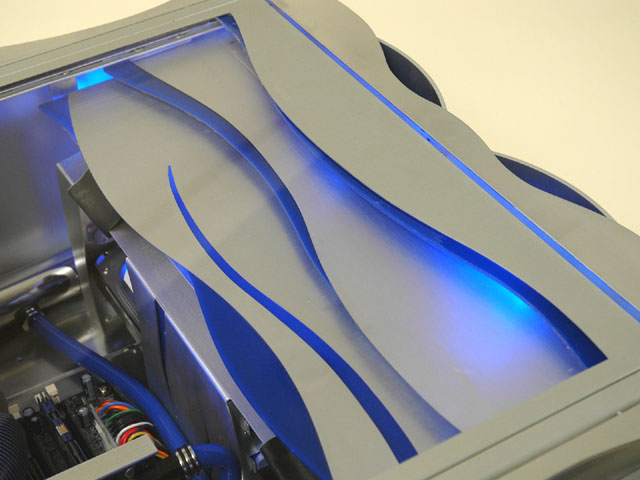
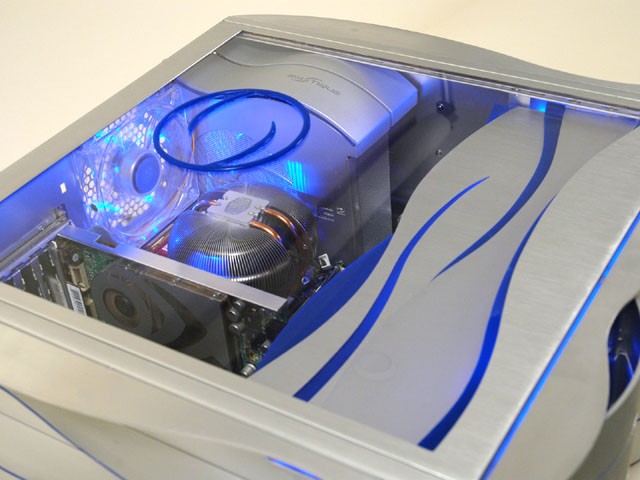
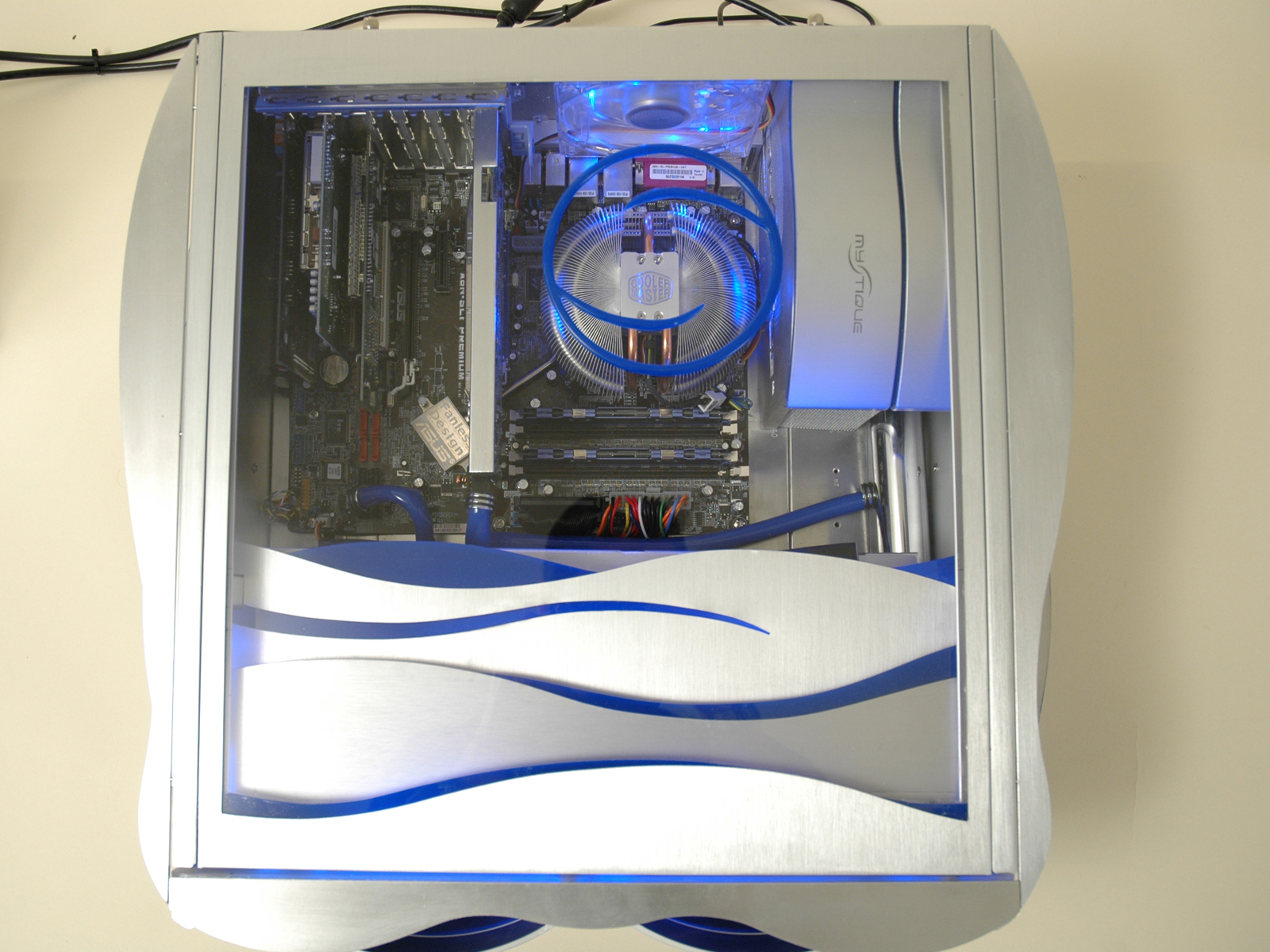
    The top window has a wavy design element at the front over the DVD drives,


    and a blue plexi ring centered over the Mars cpu cooler.


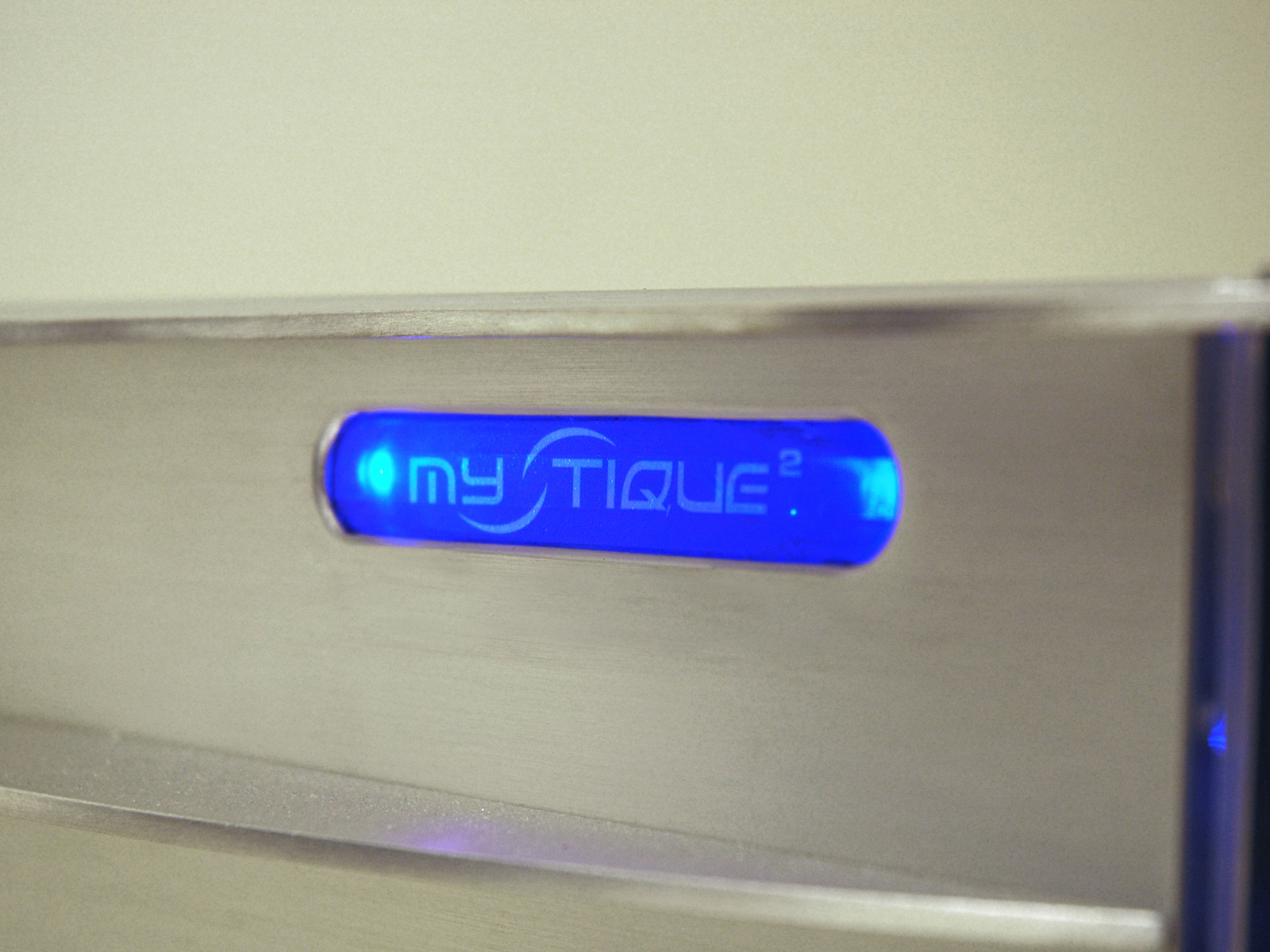
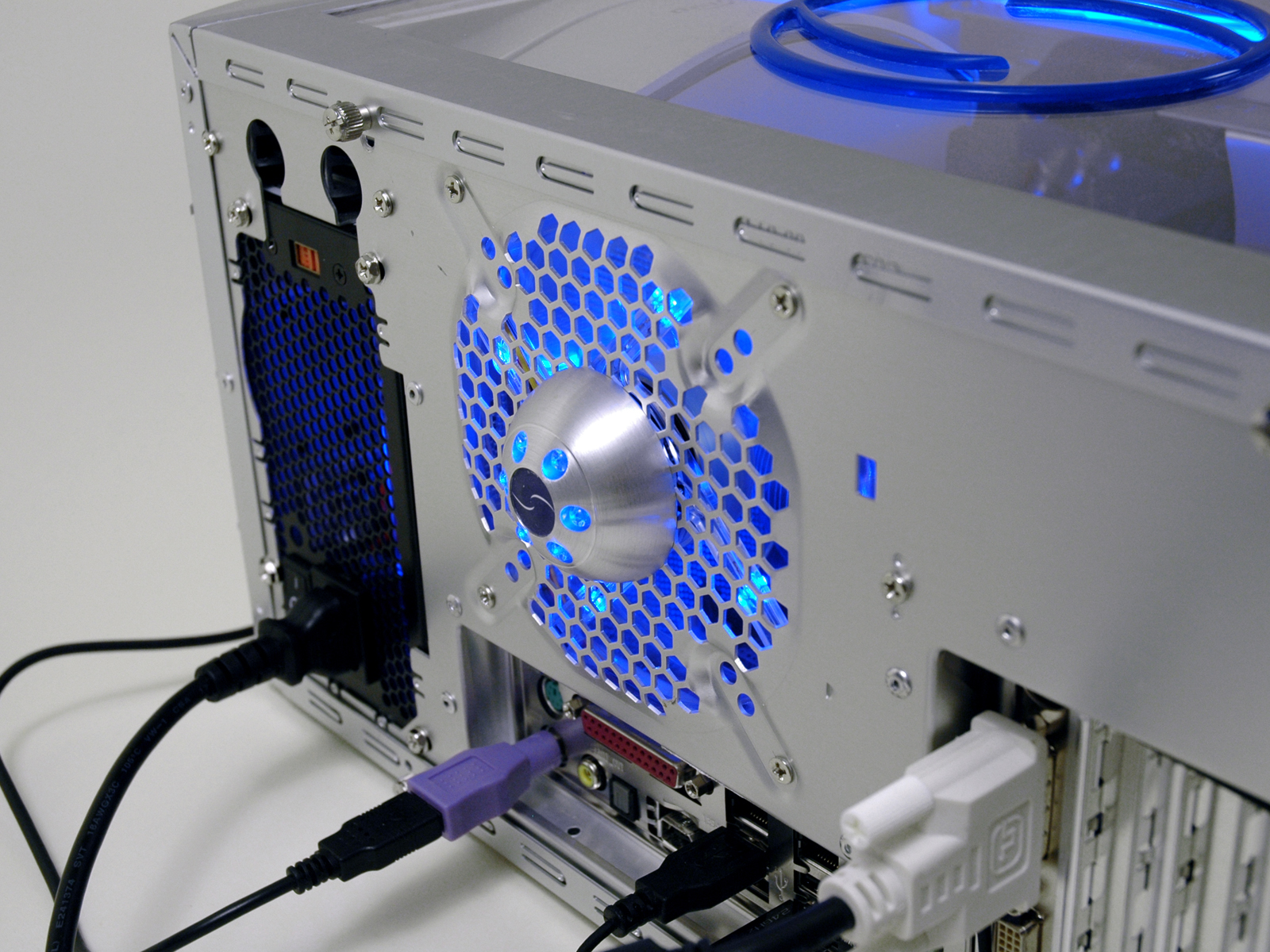
    Since the new sides used to be the old tops of the cases, they still have the IO port holes, except now they are blue-lit logo badges.


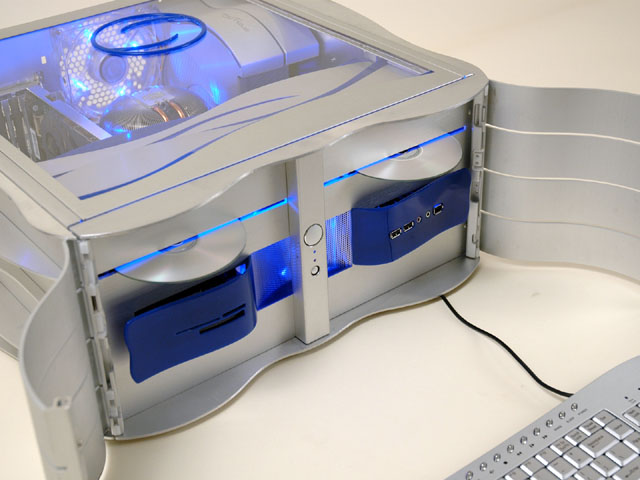
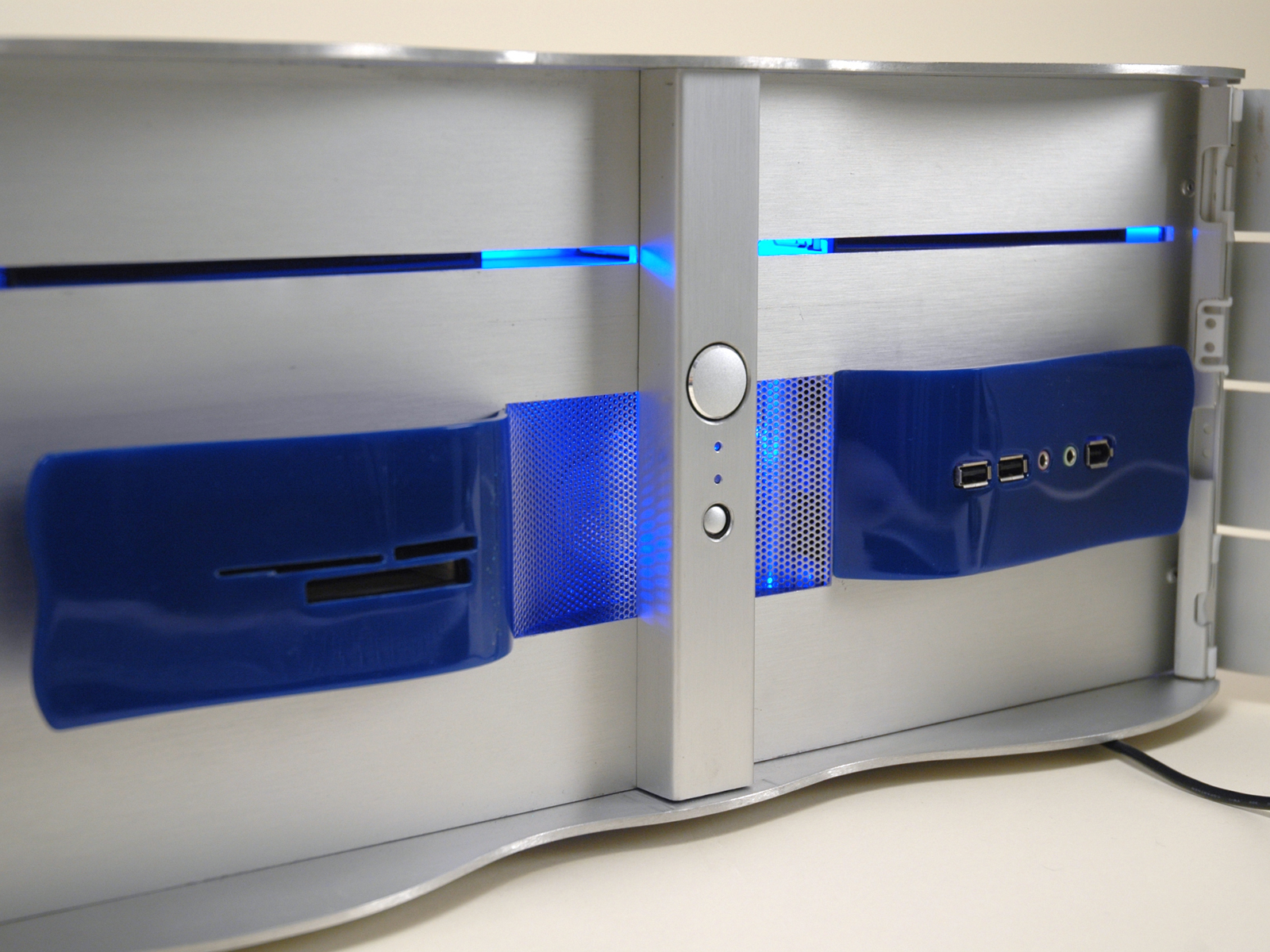
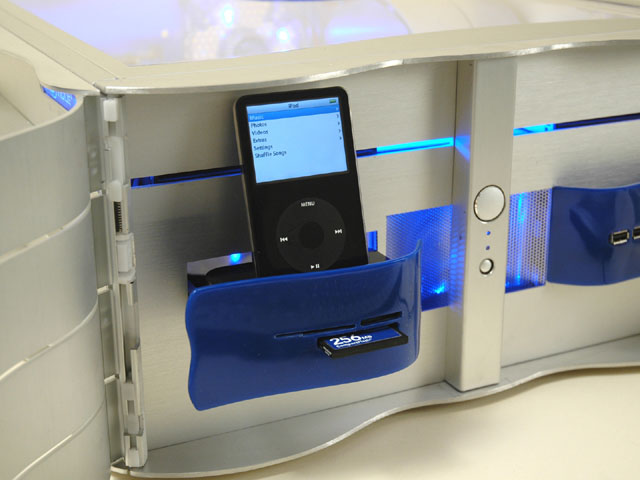
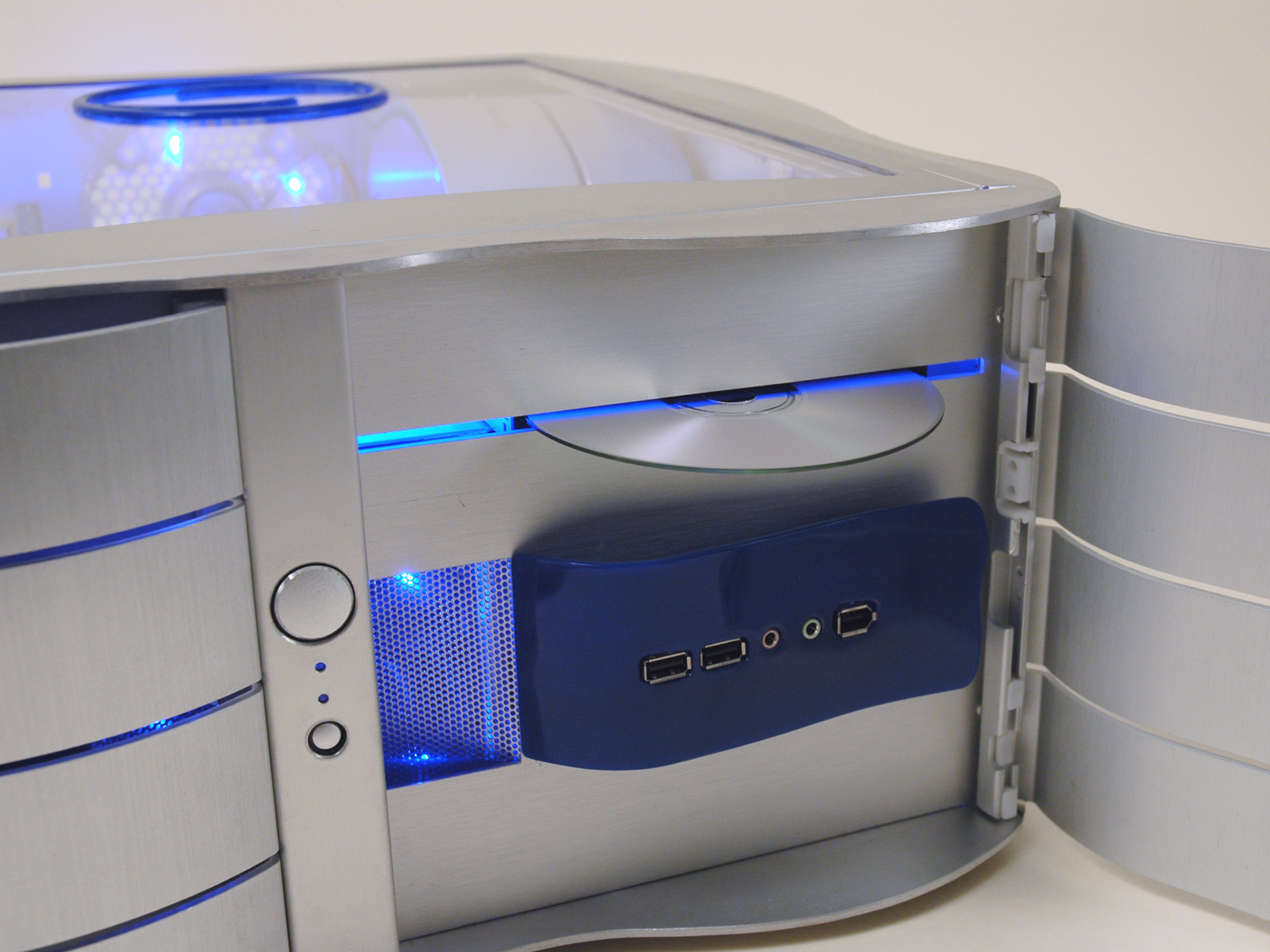
    The new IO panel resides inside the front doors in a decorative blue wave. Opposite the IO panel is a 10-in-1 card reader that pulls out to reveal an iPod docking station.


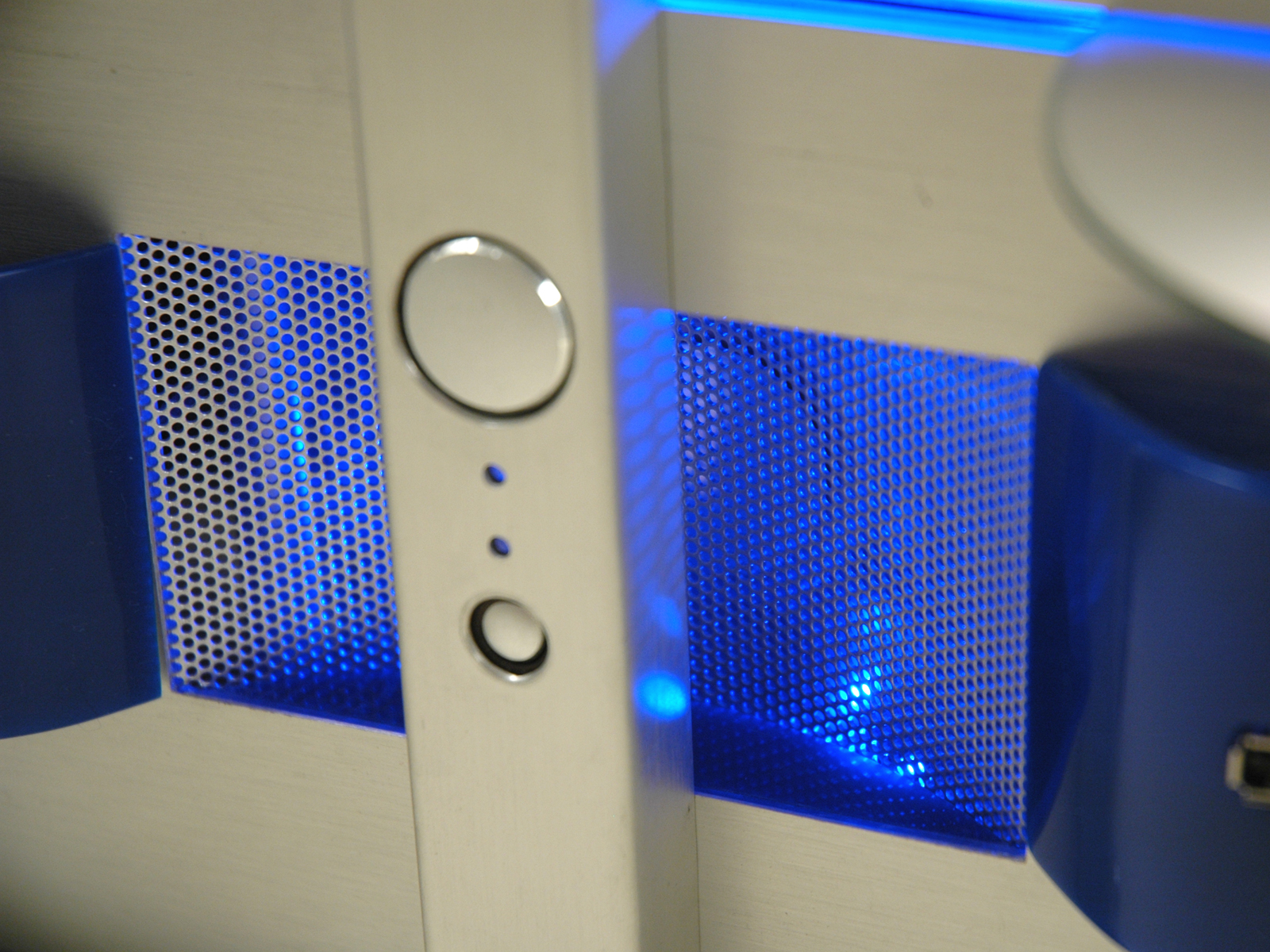
    Centered in between the two blue waves is the air intake for the front fan, complete with concaved mesh behind the power/reset button post.


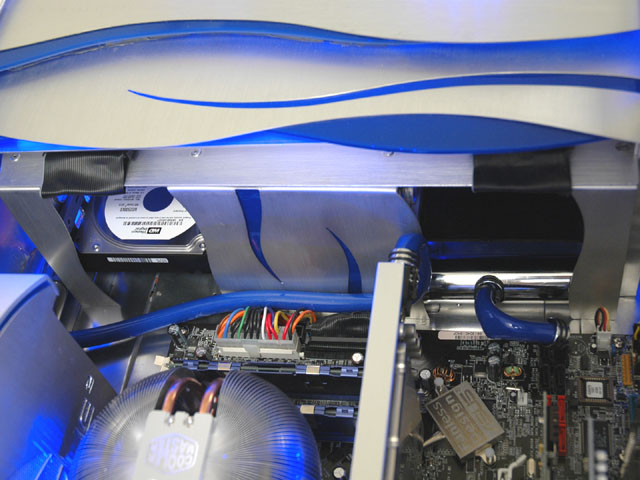
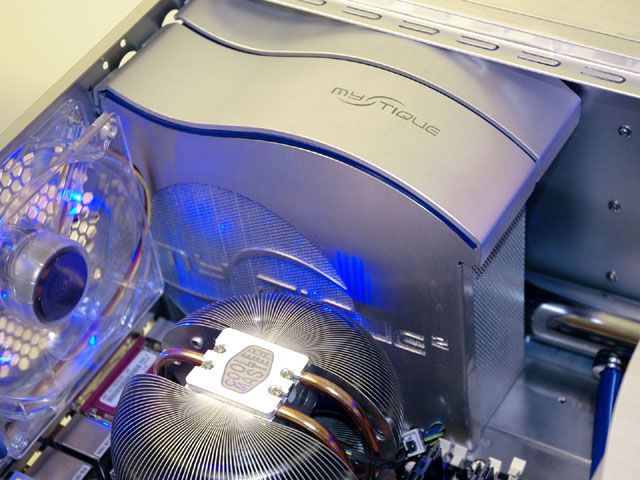
    Inside the case, I built an entirely new drive cage, having gutted its original contents. I incorporated the original tool-less cages back into the new design, adding an intake fan in between them. The DVD drives are mounted on top, and a stylish rear cover was devised to direct cool air through both sides before entering the main part of the case.


    The drives are perfectly aligned so that one could insert a disc without having to open the doors.


    The power supply was concealed utilizing more original front bezel parts and brushed aluminum side paneling.


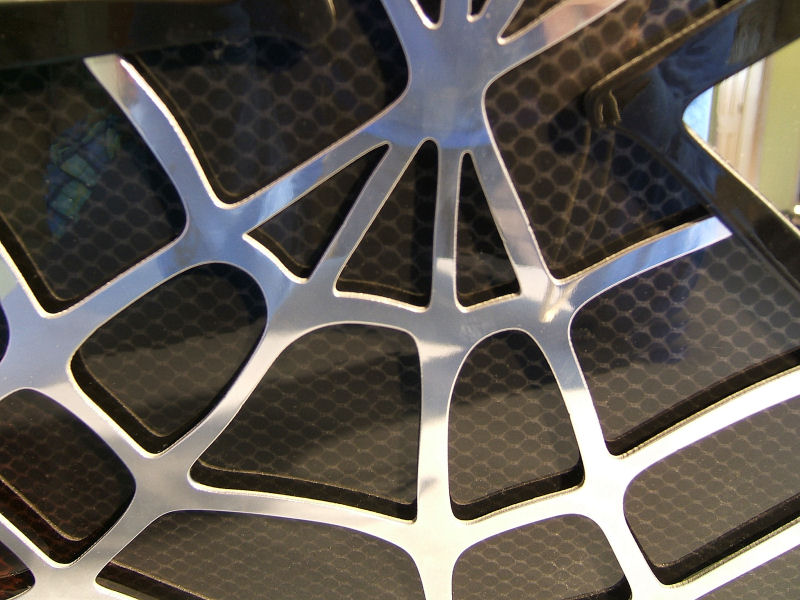
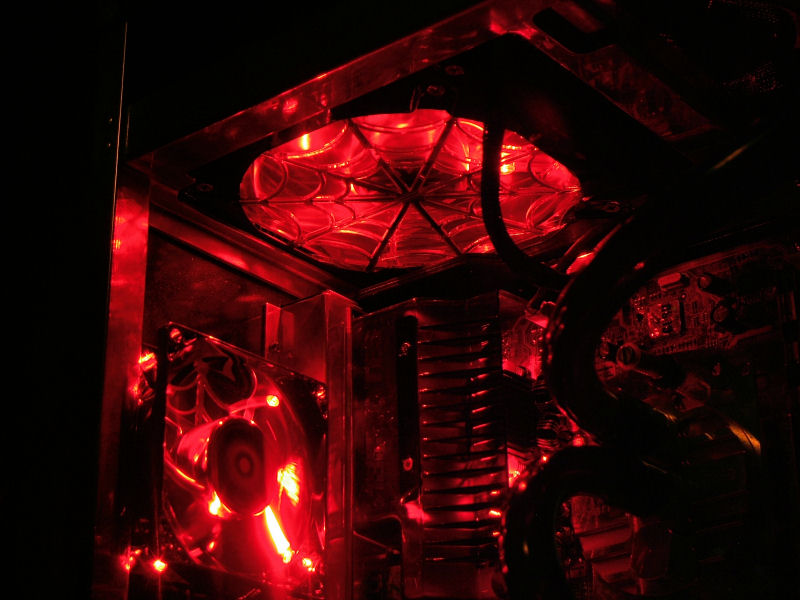
    I incorporated the logo into the fan grill, complete with individually cut lettering (cut by hand from the existing aluminum panel) and mesh behind the whole thing. Blue plexi separates the side piece from the top wavy piece.


    Wire management was achieved by running the power cables first through a piece of 2 ¼” chrome pipe. They then branch off to their destinations underneath the motherboard tray, emerging only where they plug in. The video card power cable and SATA cable take exception to the rule, and are sleeved in blue silicon hosing with chrome end caps.


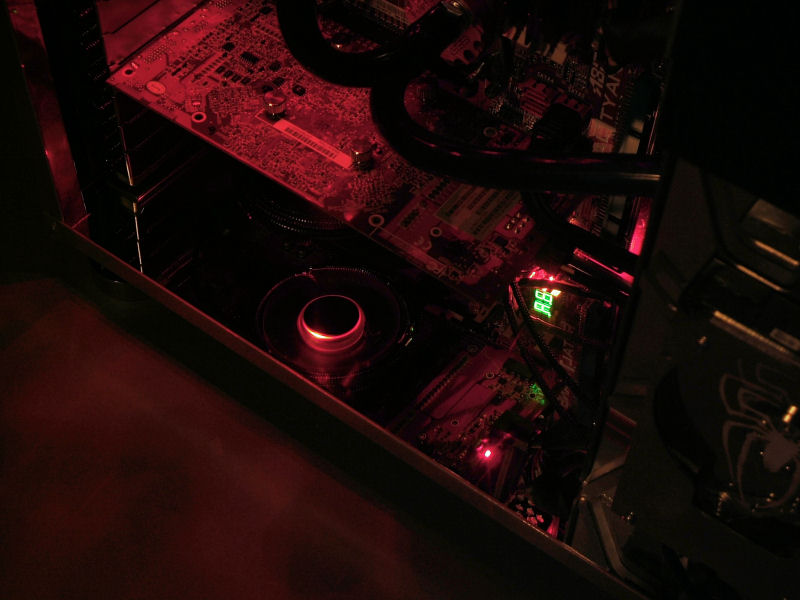
    For added lighting in the back, I incorporated a brushed aluminum led dome into the center of the exhaust fan's grill. It is battery operated, and serves to light the cable hookups even when the PC is turned off.


    Every effort was taken to recycle items from the original cases. The only non-indigenous parts are the blue plexi pieces, a few support pieces and the exterior fins (made from aluminum stock purchased from the hardware store).
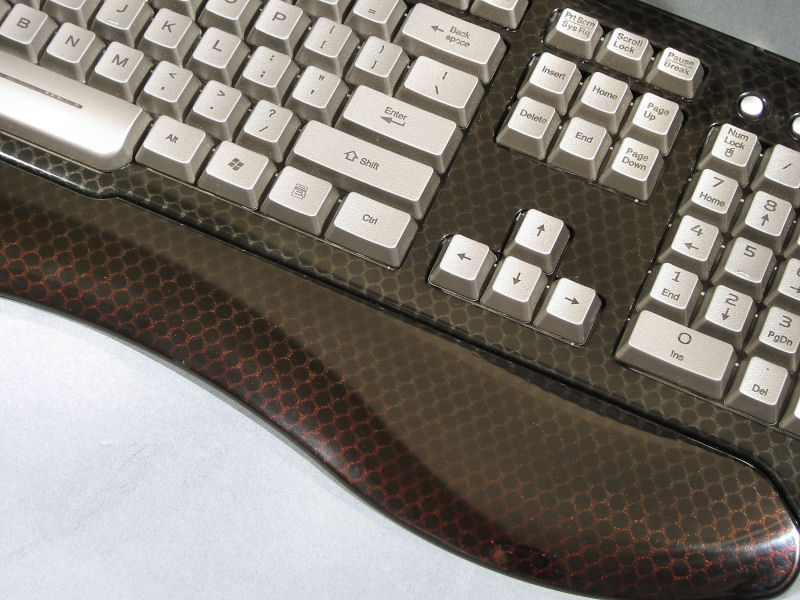
    The keyboard and mouse were chosen to match the case perfectly. It being an HTPC, it will connect to my Samsung 50" DLP television. A WinPVR150 tv tuner card, Cats Eye HDTV tuner card, a TERK indoor HD antenna and Windows XP Media Edition with a Logitech Harmony remote round out the system.
    Not shown are the original stylish case feet that were relocated to what used to be the right side panel (now the bottom of the case).

    © Brian Carter 2007
     

    zCexVe

    Active member
  • Sep 12, 2006
    8,550
    22
    38
    Where I'm now
    Anusha said:
    This is what I call decent. :yes: That other one was an utter mess :oo:
    Say u love it.Doesnt matter.Guys hated hearing modifying word even love this.
    this is the avatar of Boddaker aka Brian Carter.
    163598830745ec8247b59bcdj1.gif

    Wait a little.I'll post his work log.Its at grunts.very hard to get a thing frm dawg house.
     

    zCexVe

    Active member
  • Sep 12, 2006
    8,550
    22
    38
    Where I'm now
    Here is the work log.This was in a forum and I copy pasted the important things.removed all thankings to idea givers and frnds and sum last things.Images will not be seen in as they r removed frm the original location.
    It might be boring.But u can get an idea how to work on.I figured it out but no parts here.I just kept my imagination in the papers.lolzz sumday we can make real mods too.


    As you can see, I have already gutted one case, and working on the next.


    These doors will be utilized somehow. I want to elaborate on the features that make the Mystique case stand out. The wave design element will play a huge role in my concept.


    The token shot of the scrap box (but don't write off these parts just yet. They may still make an appearance in the finished mod!)


    Tomorrow I hope to make a parts run. I need some aluminum of varying thicknesses, Dremel cutting wheels, glue, and of course more plexi.
    Got some things on order, as well as materials purchased from Lowes:

    2' x 3' .093 clear plexi sheet
    16' aluminum 1 1/2" flat bar
    4' aluminum 3/4" angle bar

    Items ordered from Directron:

    2 slimline DVD drives
    1 SATA WD 250Gb Hd
    3.5" 20-in-1 Card Reader
    Window XP Media Center Edition 2005

    That last one should give you a huge clue as to the intended use of this rig.
    I got more work done on it yesterday, so I'll try to post pics tonight.
    Here we go, some real progress!

    Worked on the doors yesterday and tonight. Took the original doors from both cases and hacked off one section.


    Then I needed to reposition the hinge pieces so they could be reinstalled. I took some blue tape and cut away the notch.
    Then positioned the remaining tape over where I was to cut the new notch, and removed the material.
    Did the same for the other door, and reinstalled the hinges.


    Will be doing a lot more with the aluminum panels, so I taped them all for protection. Notice in the first pic I cut away the entire
    front of the case (making room for modding goodness!). And a teaser shot of the doors on the case, in their future positions.


    Also wedged in between them is the power/reset/led cluster I saved from the plastic bezel. What could it possibly be doing there?
    Is it just there for spacing the doors? Is it a glimpse into the hazy future of what is to become of it? And what happened to the
    rest of the plastic bezel? Answers to these posing questions and more, so stay tuned!
    Got more of the hinge system done. Since I totally discarded the plastic bezel, I needed to build a top and bottom
    piece to support the doors. I took some of the 1 1/2" aluminum flat bar, cut them to length, then scribed the wavy shape
    of the doors onto them. I connected the two lines in the center to continue the wavy theme.


    Here they are mocked up with the doors. As you can see, I retained the reversible door feature the original
    Mystique case has. (brownie points for the contest? lol) The alum pieces are still rough. Once I finish cutting
    all the pieces (yes there's more), I will smooth them out and polish them up at the same time.


    I will be making the center piece momentarily. It will house the power/led/reset cluster I saved
    (the only remaining piece of the plastic bezel).
    Made the center piece last night that will have the power/leds/reset button cluster. I took some of the
    aluminum panel, paying attention to the direction of the grain. It's gotta match the grain on the doors.


    Then I drew the lines showing where I was to make the bends.


    Taking care not to scratch or damage the panel in any way, I sandwiched it in between two pieces of wood.
    I also threw in a scrap piece of flat bar to provide a nice straight corner to bend around.


    Using a hammer and another piece of scrap wood, I bent the edge down. The wood helps in distributing the
    hammer's blow evenly across the whole piece.


    The bent piece. I did the same for the other side, but I had to use a smaller piece of flat bar and wood
    since the first edge was bent.


    Marking the inside of the channel, I copied the hole configuration from the original plastic bezel, and drilled the holes.
    For the bigger power button, I drilled a series of hole around the perimeter, then used my dremel to round it out.


    Placing the buttons behind the finished piece, I am pleased with the outcome.
    I had to remove the tape temporarily to see how it looks.


    ...After creating the center piece, Boddaker looked at his work, and saw that it was good.
    And on the seventh pic, Boddaker rested!
    More hinge work done. Made three C-shapes with holes in each end to match the doors' hinge pins. Then transferred the holes
    to the top and bottom wavy bars. Drilled those making sure I didn't go all the way through. I taped the drill bit as my guage.


    Those C-shapes will be my connectors for the whole front bezel. I will epoxy each end to the top and bottom wavy bars,
    and pop rivet through the center to the case to hold everything together. The pop rivets will not be seen under the doors
    and behind the center channel.
     

    zCexVe

    Active member
  • Sep 12, 2006
    8,550
    22
    38
    Where I'm now
    Ok, back to the garage!
    Ok, I might be giving a bit too much away here, but I don't care! I think this is gonna look friggen cool when it's done,
    and I don't feel like waiting til the unveiling to show you guys this part. I wanted to continue the wavy theme around
    the case, so I cut 10 of these shapes from the 1 1/2" flat bar and alternated them to recreate the same look and feel
    as the front with the reversible doors.


    Now that I got 'em all cut, I just have to figure out a way to attach them to the case. I did a test with the cold weld
    and some scrap, and I was able to pull it apart quite easily even after a day of curing. And the flat bar being less
    than 1/8" thick, it would not be feasible to drill and tap holes to fasten them with screws. Any ideas here?

    I got a lot of sanding with the belt sander now, because I want these fins to have that brushed aluminum look to
    match the rest of the case. Should come out pretty close. Will post pics (naturally) to show the outcome.
    Ok, that was my second alternative, but I didn't know they sold taps that small. I was considering taking all the fins to a jewelry store or watch repair place to see if they had the machinery necessary to drill and tap them for me, and hopefully supply me with screws to fit.

    I will check online for sources. Orchard Supply only went as small as 1/8".

    If I can't get one small enough, I have another possibility: Using my drill press and a 3/32" bit, I was able to drill into the edge of a piece of scrap last night, and not have it come out either side. I could attach the fins using the cold weld and some small brads that have a head on them. I'll just have to drill a matching hole in the panel, stick the brad through, add a little bit of cold weld and slide it into the fin. Should hold, and have that clean look with no visible hardware.
    Ok, I scored on the 2-56 size screws, washers, tap, and drill. Went downtown to an old hardware store (its been there for over 130 years) that seems to specialize in obscure and hard-to-find tools. They had everything I needed, so if it works out, I can fasten all the fins to the case this weekend (after sanding and finishing).

    Oh, and I finally worked out a feasable design for the front of the case (behind the doors), and got everything on order (I hope) to complete this mod. Got a few more items to fab up, and then I will be finished with the parts-making. So once all my goodies come in, I should be able to start assembly by the first week of Oct, and have the rest of the month to build it.
    I am fortunate that this case doesn't require any paint, as it will be all aluminum. So I don't have to worry about an extra week or two doing bodywork and paint before I can do final assembly.

    Things are looking promising..........
    Had a semi-productive weekend. Worked on drilling and tapping all the fins on Saturday. Got 7 holes tapped, and as soon as my order for three more 2-56 taps comes in, I can finish them up. (I don't want to talk about it!)

    Setting that aside, I turned my attention to the interior of the case. Mocked up the drive orientation and position, and took measurements so I can start on building the infrastructure. But when I was doing that, I had a brainstorm and had to go get the psu. I spent the rest of the weekend fabbing up a psu cover! You know, when a good idea hits, one must act upon it before it fades away. And I'm glad I did, because it is looking really shweet! I still need to finish up a few cuts, then I can show you what I came up with. What's really cool is the fact that I am building all this using just the pieces from the two cases I started with (aside from the 1 1/2" flat bar of course).
    Well, after I cleaned out the local hardware store of 2-56 taps (only had two), I found a place on ebay. RC Planes-and-trains. There is a hobby store here, but they have crappy taps that gave me fits and almost buggered up one of the holes. So I took them back and ordered the better ones off Ebay.
    The first ones I got were K&S Engineering brand, and had a bigger square end that would fit into my T-handle (I have a tap & die set). They cut really well, digging right into the hole. The other ones I got from the hobby store were "Hob-bit" brand, were smaller and had no square end, looked just like a drill bit. Harder to hold on to. Plus it didn't cut as well. I had to apply a lot more downward pressure to get it to bite into the hole. Pure junk in comparison to the K&S brand. I will take a pic tonight to show the difference.
    ere are the two different taps, the one on the bottom being the crappy one (even though it hasn't broken yet!)


    Going to post a bunch of pics in a moment of the psu cover. Couldn't post last night because I was in the garage
    waaaaay late and by the time I got in the house, my mother-in-law was asleep in the room where my computer is.
    Re-using pieces from the lower front panel, I cut them to fit over the psu. Then I cut the side piece from one of the side panels,
    using one of the wavy pieces to mark the line across the top so it would match. I also removed some material from both ends
    of the wavy piece so the side panel would fit flush.


    Next I went to the computer and designed out a suitable fan grill, since I cam covering up the bottom of the psu
    where the fan is. I integrated the Mystique logo into the design, centering the swooshy S part in the opening.
    Printed it out onto label paper and stuck it onto the panel. Using an exacto knife, I scored the design onto the
    panel through the template.


    I cut out the center with my trusty jig saw, then proceeded to cut out all the letters. I used the jig saw first to block them out,
    then used the dremel to trim them individually. I devised a clever holding system, employing my channel locks and a clamp.
    For the Q I had to drill out the center making a series of holes.


    I did the same for the U, E, and the little 2, drilling a series of holes where my dremel cutoff wheel wouldn't fit.
    Then I used the conical carbide bit to remove the remaining material between the holes. After cutting
    everything down, I assembled all the pieces onto one of the mesh covers that came with the case.


    Here I am switching out the black and boring with the blue and beautiful. (there goes my warranty!)


    I still need to do a lot of filing on those letters to get them perfect, and that will be on tonight's agenda.
    Did a lot of planning/mocking up yesterday after getting back from SD. Got the HD configuration and the infrastructure mapped out, so I know now what I need to do. I will be recycling the original hard drive cage as part of the structure, and augmenting that with additional cross-bracing for stability.
    Arg! Can't seem to get anything done on the case this week. I've been in our next-door rental house painting for the last two evenings, with more to do tonight. Got a renter moving in this weekend, so it's gotta be done.

    But I should be able to catch up this weekend, so look for a pretty significant update on sunday.... WITH PICS!!!! Yep, you read right. Visual aids. Ocular observations. Viewable representations. Perceptible pixel propagations. Substantial sights for sore eyes. Proof positive... well, you get the idea.
    Finally after a whole week of non-activity, I venture back into the garage only to find someone has taken up residence in my case!


    I am ashamed, and am not worthy of being called a modder after letting my case become home to creepy critters!
    However, it's nothing a quick suck from the ol' shop vac can't cure! A few minutes later I was back to work.
    And I worked... and I built... and I forged... and I hammered... and I sawed... until finally, at 2am last night,
    after a whole weekend of tedious fabrication, measuring, drilling, and cutting, I came up with this:


    And I actually got it mounted to the case! Behold the almighty fan bracket, in all it's glory!!


    This week I plan to tackle the daunting task of finding my ass with both hands.

    LOL I had to do it. When I installed the fan into the case, it just looked so funny sitting there all by itself,
    I couldn't resist posting that first. I actually did get a bunch of stuff done over the weekend.
    All on Sunday really. And I did stay up til 2am last night. Trying to make up for lost time.
    Anyway, here's the drive cage buildup:

    I took both drive cages and had to cut them down, effectively taking out one drive spot. To the left is the
    first one cut down, and the rest next to it showing the difference.


    I cut them down, leaving extra for a tab to bend over for mounting.


    Here I am mocking the cages up to get the correct spacing before I secure them to the floor with pop rivets.
    You can see the infamous fan and bracketry in the middle. I really did mount it into the case, as pictured
    earlier, because that is perfectly centered, and the drive cages will build off that on both sides.


    Also, I needed to beef up the underside of the mobo tray, since, if you haven't guessed it already,
    it is now the bottom of the case and will be supporting the whole drive cage assembly. I added this
    aluminum U channel I had lying around the garage. Not really sure where it came from. But since it
    will be out of sight, I don't mind that it is bronze colored.
     

    zCexVe

    Active member
  • Sep 12, 2006
    8,550
    22
    38
    Where I'm now
    I also extended the mobo tray with a section of the other mobo tray, to complete the floor from side to side.
    I guess you could call it the sub-floor, since the back panel is underneath it. This gives me a nice passage
    way for hiding wires.

    I know it doesn't look like much, but this took a lot of time planning and figuring before I could make a single cut.
    Mainly because I am only using what I have from these two cases, and if I screw something up, I'm screwed!
    Most of what I accomplished over the weekened couldn't be photographed because there was nothing substantial
    to take pictures of. Then when I actually did get to cutting, all I had was four drive cage walls, a couple L
    brackets and a U channel. But this time is well spent, and the case will go together a lot faster now with
    the main structure almost complete. This week I will finish up the drive assembly and finally get to make
    the cuts on the front panel. I might even show you where I am planning on putting the IO panel.

    Got the top of the drive cage assembly on last night, and actually made to bed at a decent hour!
    (well, I consider 12:30am decent compared to the last few nights!)
    I cut a piece of brushed aluminum 5 1/2" x 14 1/2" to cover the tops of both cages.


    Then I worked from left to right securing each wall with pop rivets. I only had two spare drives to use
    for spacing, so I did one cage, then moved the drives over to the other cage and secured them.
    I also had to use clamps to make sure it didn't move during the drilling, because this piece is what
    squares the whole thing up, and if it creeped out of square, the drives won't go in their slots
    correctly and you get vibrations and other nasty stuff that's not good for anyone.


    You'll also notice I took the fan brackets and cleaned them up a bit. I cut away some material from
    both brackets for better airflow and sanded them down with 400grit.

    This should be a productive week, if I can keep up this pace. I may even get back on schedule
    Finished the back of the drive cage assembly last night. I made a cover for the back of the fan area so
    the air will be directed into both drive cages. Of course I had to spice it up a bit, continuing the wavy theme.
    When I finished and put it in place, I realized I needed to make accompanying side covers to
    complete the whole assembly.


    Starting to come together now, bit by bit. Up next is mounting the DVD drives, and the ceremonial cutting of the front panel.

    On to update #4 for this week. I needed to add one final bit of bracing to the drive cage assembly to prevent
    any side-to-side movement. So I took yet another piece formerly used in the case as a lateral support,
    as seen here, and cut it down to fit into the side panel.


    Then I cut a small tab in the side of it and bent it up to tie into the drive cage assembly at the corner rivet hole.
    Now it is totally rigid, and I didn't have to cut into the side panel at all. (I'm keeping the exterior as clean
    as possible, with no visible fastening hardware)


    That done, I started on the front panel. Since the drives will need to be installed from the front,
    I need to have the front panel removable. So, again, taking from the original case, I grabbed the
    six barbed pegs off the old plastic front bezel, which can be seen here, and glued them into a fresh piece of clear plexi at the
    required positions. I don't have a pic of it, but once it set up, I cut off the excess protruding out the front.
    The front metal panel will be attached to this piece of plexi, so it has to be flush.


    And that's where I left it last night. Tonight, I will continue building out the front panel, and finally mount
    the DVD drives. Almost got to that last night, but a last minute structural change delayed it.

    'Til tomorrow!

    Made the DVD bracket last night. I used some corner bar that will tie into the side brace I
    made yesterday, span the case and tie into the other side panel lip.
    I made this piece to connect the corner bar to the side panel lip.


    This is what happens when you try to work too fast! In my haste, I bent the bracket before
    pop riveting it to the corner bar. Now my rivet gun wont fit in there! And since this will be seen,
    putting the pop rivet in from the other way is not acceptable.


    But there's more than one way to skin a cat! Rather than making a new one (bending the top
    piece back would only weaken it, or it would even break off), I took the mandrel out of the rivet...


    Inserted just the rivet into the hole...


    and used the vice to squish it down.


    There!


    Now I can mount the drives to it. After some (ok, a lot!) measuring and trial fittings, I got them where
    I needed them so the disc opening matches up with the slot.


    I had to do some more work on the six pegs as well. Some of the prongs started loosening up after removing
    the front panel a few times. So I had to re-epoxy them, adding more stuff inside to anchor them better.
    I did get the plexi cut before I did that. Will have more pics this weekend. Hopefully get the entire front
    panel done. You can see in the last pic, I have lined out some things. On the left will be the card reader,
    and on the right will be the IO ports that used to reside on the top of the original Mystique case.
    I've got something special planned for these, but I won't show it to you until the last minute. Gotta
    keep the mystery going!

    It will be a fun-filled weekend, as I also need to get some work done on 737.

    Got the front panel finished over the weekend. I cut out the plexi and the metal in three places...


    The center hole will be the air intake for the fan. I utilized the other mesh grill I had left over, and cut it down to fit.
    Then I bent it so it would have a nice concave curve to it, and made the ends to fit around the plexi. The spring
    tension is what holds it in place, so I don't need to fasten it with anything.
     

    zCexVe

    Active member
  • Sep 12, 2006
    8,550
    22
    38
    Where I'm now
    Here's how it looks with the metal panel in front. (tape removed!)


    The next thing was to fill in the upper and lower gaps with blue plexi. I cut out two pieces and glued them into place,
    but not before cutting some wiring access holes for the center button assembly.


    There it is in all it's glory! I can't wait to get it on the case to see what it looks like on there, with the doors and everything.


    Other accomplishments over the weekend:
    Drilled and tapped all holes for mounting the fins (and I didn't break any more taps! Very Happy )
    Found some nice sleeving for the wires (to be disclosed at a later date Razz )
    Bodywork done on 737 and delivered to Scott for paint prep. Very Happy

    This week I intend on mounting the fins, so I will be doing a lot of finish work over the next few days.
    I may not get to post daily like last week, so bear with me! But it will be worth the wait. Trust me!
    Ok, so I spent the entire night last night drilling holes in the side panels and dry-fitting the fins. Good thing too, because I had to come up with something different for the top and bottom fins in order to fasten them to the panels. You see, the panels are rounded on the edges. So much so, that when the fin is sitting flush with the top, the screw mounting hole is right on the cusp of the corner radius, making it impossible to use a pan-head screw. So I had replace the screws with little metal dowels (previously known as pop rivet mandrels lol). I tapped them into the holes in the fins, and will JB weld them inside the panel after all the finish work is complete.
    Ok, ok! I guess I could post a few of them. Smile Here's a shot of the before...


    As I mentioned before, I had to do something different for the top and bottom fins. As you can see,
    there is no room for the pan head screws because of the proximity of the holes to the edge. I had to
    stick these dowels in and JB weld them in place.


    I had to physically "brush" the aluminum fins in order for them to look like the rest of the case.
    Here is a before and after shot.


    Here are the after shots.


    You probably noticed the oblong hole in the above shots. This is where the IO ports used to be.
    I've got something planned for this, as you might have already guessed.


    I have been working on the 737 case this week, getting the decals back on it, and the new windows in.
    Look for another update on this over the weekend.

    The fins are amazingly strong. I could grab one on each side and pick up the case, and they barely bend or deform the panel. Not that I would carry the case like that for any length of time though. But they should withstand any incidental bumping that may/will occur.

    Well I spent most of the weekend lamenting over the 737 frame, so I didn't get as much done on this as I had originally planned. I did, however, get some work done on the IO panel, which will cover one of the square holes on the front panel. I hope to get pics up tonight, or tomorrow, but don't hold your breath. I have to get the 737 up and running this week so I can take it down to GeforceLAN next week.

    This will be a hectic 7 days..........

    Ok, it's crunch time people! I got just a few days left to finish this thing up and get it submitted. I haven't even had time to post any updates, although I did manage to snap a few shots in between my frantic fabrications.

    Anyway, here's a quick non-pic update. I lost 3 prescious days last week going to GeforceLAN (not that it wasn't an awesome trip and well worth it), so I had to kick it up a notch over the weekend to make some decent progress. I was in the garage til 3am on Saturday getting the wiring layed out and cutting the motherboard tray for cable access. I measured and marked the locations of the SATA & IDE ports, USB, firewire, and ATX power. Then cut holes in the motherboard tray at those points. I will be running all cables from the psu in behind the mobo tray, only popping out where they will be plugging in. The only cable not doing this is the pci-e video card power cable. It gets special treatment, and will be dressed up with blue sleeving and chrome end caps.
    I should be able to finish up the wiring tonight and get the rest of the components in. Then tomorrow I can fire it up and get pics taken.
    Nothing like coming down to the wire! I would not have had a prayer if they hadn't extended the deadline two weeks. Yes, I would have submitted on time, but the case wouldn't be half as good as it is right now.

    Once I get this thing submitted, I will finally have some time to go through all my pics and get them posted. I got quite a bit too! And it wasn't so much of a secrecy thing as it was a lack-of-time thing. I highly doubt anyone would have been as insane as I was to attempt to do what I did in two months! lol

    Not entirely sure. I imagine they will post the entrants tomorrow or thereafter somewhere on their forum, and then open it up for voting. Thing is, you need to be registered there, and have over 20 posts in order to vote. They did this in an attempt to discourage friends and family from logging on only to bolster a contestant's votes.

    I think voting will last until the end of November, and they will announce the winner in December.

    I just submitted my entry, with little over an hour to spare! weeeeeeee
    I am now about 4 beers into a 6-pack,
    and feelin' mighty fine!

    EDIT: Moved all the finished pics after all my catch-up worklog pics, just to put them in chronological order