PC Protection (Protect Your Self And The Machine) -15in1-
Audio theme:
Hold Your Head Up
In this All In One application for your consideration :
Active File Recovery Enterprise v7.1 w\SERIAL
Advanced WindowsCare v2.51 Pro w\Keymaker-ZWT
Clean Space Ultimate v12.1.0.0 w\Patch-TE
Disk Drive Security v2.0 w\Patch-iNFECTED
Driver Genius Pro Edition 2007 v7.0.2358 w\Keymaker-CORE
Driver Magician v3.22 w\Keymaker-CORE
Evidence Eliminator v6.0 w\Keymaker-TMG & Patch-ReaL
ISS BlackICE PC Protection v3.6.cqn w\Keymaker-CORE
Magic Tweak v4.00 w\Keymaker-CORE & Patch-MAZE
Partition Recovery v2.0 w\Keymaker-CORE
RogueRemover PRO v1.05 w\Patch-Lz0
Sandra Pro Home XII 2008 v1.12.30 w\Keymaker-ZWT
Stellar Phoenix FAT & NTFS v2.1 w\Patch-SND
Trojan Guarder Gold v7.22 w\Patch-PirateK
Yamicsoft WinXP Manager v5.16 w\Keymaker-ARN
=========================================================
Active File Recovery Enterprise v7.1
Language:English
OS:Win2000/XP/2003
Active file Recovery is a simple easy to use, yet powerful tool for recovering files and folders that have been lost or deleted from your Windows system. It allows you to recover data after formatting or loss of partitions. Active file Recovery will also undelete files that have been lost by damage, virus or directory destruction.
Active File Recovery can be installed on and run from a floppy disk, so that the risk of overwriting your data is minimized.
Active File Recovery Professional is an enhanced version of Active File Recovery software that includes Active@ Partition Recovery for Windows that can detect and restore accidentally deleted partitions (volumes, drives) on Hard Disk Drives, external USB drives, and memory cards (SunDisk, MemoryStick, CompactFlash, etc...)
Active File Recovery will help you to restore data residing on hard drives or floppy drives formatted in any of the following file systems:
FAT12
FAT16
FAT32
NTFS
NTFS5
NTFS + EFS
Active File Recovery supports for:
All types of hard drives: IDE, ATA, SCSI and floppy disks
Removable devices (CompactFlash, SmartMedia, Secure Digital / MultiMediaCard, Sony Memory Sticks etc. ...)
Large sized drives (more than 8 GB)
Long file names and local language (non-English) file names
Recovery of compressed, encrypted (EFS) and fragmented files on NTFS
Detection and recovery from deleted or damaged file partitions
Exact file name or partial file name search
Disk Image creation and restoring (restores from a backup file that represents a drive)
Advanced WindowsCare v2.51 Pro
Advanced WindowsCare Professional
Top System Utility for Your Superior PC Health
Advanced WindowsCare Professional provides an Always-On and Automated,All-In-One PC Care Service with anti-spyware, privacy protection, performance tune-ups, and system clean. With "Install It and Forget It" feature, it works automatically and quietly in the background on your computer, constantly keeps your computer safe, error-free and running at top speed. Advanced WindowsCare Professional is the award-winning flagship product recommended most often by IT experts and editors around the world.
Key Benefits
Ultimately easy to use
Install it and forget it working continuously, automatically and quietly in the background on your PC, allowing you to have fun and be more productive.
Defends your PC
Scans and removes spyware and adware with the latest definition. Prevents spyware, hijackers and bad websites from being installed.Erases the history of all activities in your computer.
Cleans your Windows
Boosts system performance by deep scanning and cleaning out all missing, unwanted, obsolete and corrupt registry entries and junk files.
Keeps peak performance
Fully optimizes Windows for ultimate system performance and top Internet speed, based on how you use your PC and what kind of network you have.Turns your PC into a business PC, a productive workstation, an entertainment center, a game machine, or a scientific computing PC.
Fixes system errors
Continuously repairs system configurations, eliminates system bottlenecksand prevents crashes, keeping your PC stable and roaring at peak efficiency.
FREE award-winning customer support for all users
Free 24x7 Technical Support and community support.
How does it work
Install it and forget it: Install Advanced WindowsCare Professional, tell the program how you use your PC and which network connection you have, and you are done!
Clean Space Ultimate v12.1.0.0
Language:English
OS:Win2000/XP/2003
Are you protected?
As soon as you turn on your computer... windows and many programs start collecting all the websites, files, pictures, movie clips,emails and online chats that you view without your approval and permission. Everything you did on your computer would leave trace on your computer, and this is available to anyone who searches for it!
Protect your privacy!
Clean Space 12 prevents unauthorized access to your computer history from anyone - friends, family, and collaborators. In other words, nobody will be able to view web sites you've visited, images or videos you've viewed, programs you've launched,letters you've written, and much more which you would like to keep a lid on.
How Clean Space 12 works?
At your command or at a scheduled time, Clean Space 12 starts deleting activity history in over two hundred sensitive areas such as Browser history, Windows Explorer history, temporary internet files, cookie files, index.dat files, swap file, and many others. Once it accomplishes its work, Clean Space 12 leaves no chance to learn your computer session details.
Disk Drive Security v2.0
Hide and lock your local, network, Floppy and USB drives as well as disable the AutoRun feature for specific drive types with this password-protected security utility. Fabulously designed, Disk Drive Security offers you both a great functionality and simplicity in a very elegant manner. The main window of the program groups the main settings by drives, and shows you all possible drive letters. If you do not want the removable media to appear and be accessible in My Computer after it is inserted, just hide and lock all the drive letters you donot normally use. Disk Drive Security can also be used to protect your local drives. For example, by hiding your system drive you can prevent your users from vandalizing your system files and saving garbage to it. The AutoRun feature can be disabled for specific drives or drive types. If you disable the AutoRun feature for drive types, you can, for example, disable the AutoRun feature for all USB drives, for all CD/DVD drives, for all RAM disks or for all removable HDD drives. A password protection can be applied to the program to prevent your users form changing the security settings you enforce.
-------------------------------------------------------------------------------
Install Notes
-------------------------------------------------------------------------------
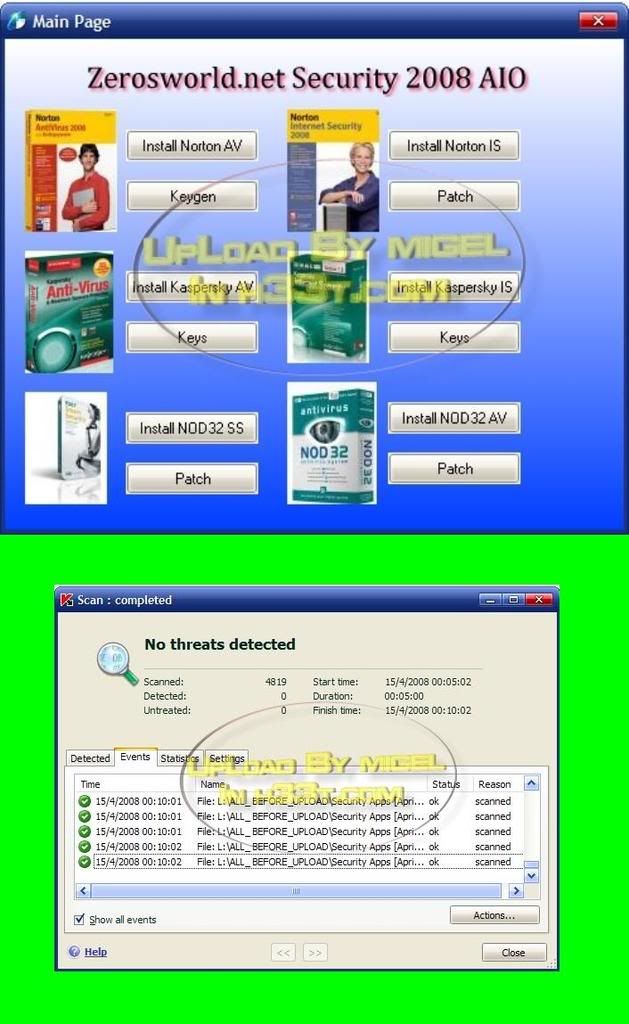
To install any applications, read the information provided first. Use the icons
to launch the installer. To register the product, use the 'key' icon.
================================================================================
All credits to hekrock
http://rapidshare.com/files/5244652...Self_And_The_Machine__-15in1-_by_c0ldplay.rar
Password :
www.dreatica.cl