


This ebook is very useful for both beginners and professional graphic designers.....
Easy to use and explain every step very carefully.I personally recommend this ebook for every designer in EK..........
Plz comment after u using this ebook................................
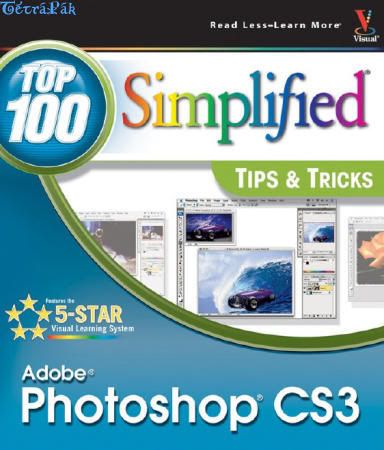
Adobe Photoshop CS3 Top 100 Simplified Tips And Tricks


Language: English
Author: Lynette Kent
Released by: Wiley
File type: PDF, 48MB
RAR size: 32MB
Photoshop: Top 100 Simplified Tips & Tricks provides adventurous Photoshop users with a visual reference on how to use the bells and whistles found in the latest version of Photoshop.
Broken out in 10 chapters, with 10 tasks per chapter, Photoshop: Top 100 Simplified Tips & Tricks covers 100 cool and useful tips and tricks that can be performed in the newest release of Photoshop.
Full-color screen shots and numbered, step-by-step instructions show you how to take their Photoshop skills to new heights.
Take the latest edition today and make your pictures pop.
You already know Photoshop CS3 basics.
Now you'd like to go beyond with shortcuts, tricks, and tips that let you work smarter and faster.
And because you learn more easily when someone shows you how, this is the book for you.
Inside, you'll find clear, illustrated instructions for 100 tasks that reveal cool secrets, teach timesaving tricks, and explain great tips guaranteed to make you more productive with Photoshop CS3.
1. Minimal text and maximum illustrations
2. Task-oriented, step-by-step approach
3. Navigational aids connect instructions to illustrations
4. Self-contained, two-page lessons
5. Uniform layout makes it easy to read less, learn more
Customizing Photoshop for Your Projects
#1 Select the Color Settings for Your Projects
#2 Set the Preferences for the Way You Work
#3 Customize Your Personal Workspace
#4 Personalize Your View of the Bridge
#5 Add Your Own Keyboard Shortcut for a Favorite Filter
#6 Create a Custom Action to Increase Your Efficiency
#7 Design a Customized Brush with Your Settings
#8 Make a Special Gradient to Suit Your Design
#9 Calibrate and Profile Your Monitor for Better Editing
#10 Turn on the Full Power of Photoshop with a Pen Tablet
Working with Layers, Selections, and Masks
#11 Duplicate and Change the Background Layer to Fix Problems Such As Overexposure
#12 Using an Adjustment Layer to Adjust a Photo Nondestructively
#13 Blend Two Photos Together with a Layer Mask
#14 Using Custom Shape Layers to Add Designs to Photos
#15 Accentuate a Sky Easily with a Gradient Fill Layer
#16 Using the Quick Selection Tool and Refine Edge Palette for Selections
#17 Using a Quick Mask to Make a Detailed Selection
#18 Extract the Main Subject from the Background
#19 Open or Add Layers As Smart Objects for Nondestructive Changes
#20 Apply Filters As Smart Filters for Dynamic Adjustmentsvi
Straightening, Cropping, and Resizing
#21 Crop Your Images and Use a Rule-of-Thirds Grid to Improve Composition
#22 Create a Level Horizon
#23 Try a Reverse Crop to Expand the Canvas
#24 Crop and Straighten in Camera Raw
#25 Straighten Crooked Scans Quickly
#26 Crop Multiple Images from One Original to Create a Triptych
#27 Change Your Perspective with the Crop Tool
#28 Straighten Buildings with the Lens Correction Filter
#29 Create a Panorama from Multiple Photos
#30 Maximize Your Image Size with Minimal Visible Loss
Retouching Portraits
#31 Remove Blemishes and Improve the Skin
#32 Remove Red Eye to Quickly Improve Any Photo
#33 Change Eye Color Digitally
#34 Reduce Wrinkles with a Soft Touch
#35 Whiten Teeth to Improve a Smile
#36 Brighten the Eyes by Lightening the Whites
#37 Add Depth to Eyes to Emphasize Them
#38 Add a Catch Light to Make the Eyes Come Alive
#39 Sharpen Just the Eyes to Add Focus
#40 Add a Soft-Focus Effect to Make a Portrait Glow
Changing and Enhancing Colors and Tone
#41 Improve an Underexposed Photo in Two Steps
#42 Improve an Overexposed Photo in Three Steps
#43 Remove a Colorcast to Improve the Overall Color
#44 Colorize an Old Black-and-White Photograph
#45 Make a Quick Change to Grayscale
#46 Give a New Photo an Old Colorized Look
#47 Using Camera Raw to Recover Highlights
#48 Improve a Sky with HSL Values in Camera Raw
#49 Go from Color to Grayscale with the New Black & White Adjustment
#50 Create a Split Tone for a Special Effect in Camera Raw
Making Magic with Digital Special Effects
#51 Apply a Smart Digital Photo Filter for Dynamic Adjustments
#52 Add a Quick Dark Vignette Effect to Direct the Focus on the Subject
#53 Add Action with a Simulated Motion Blur
#54 Using the New Blend Mode to Stylize an Image
#55 Align and Blend Separate Photos for the Best Group Shot
#56 Merge Multiple Raw Photos to 32-Bit HDR
#57 Apply a Split-Neutral Density Filter Using Smart Objects
#58 Adjust Depth of Field with a Lens Blur Filter
#59 Create a Silhouette for a Custom Design
#60 Become a Digital Architect with the Vanishing Point Filter
Designing with Text Effects
#61 Add a Double-Neon Glow to Text for a Unique Design
#62 Create a Custom Watermark to Protect Your Images
#63 Fill Any Shape with Text to Create Unique Effects
#64 Warp Type to Emphasize the Words
#65 Add Perspective to Type and Keep It Sharp
#66 Make Your Text Follow Any Path
#67 Create Eye-Catching Photo-Filled Titles
#68 Blend Text into a Photograph Creatively
#69 Create an Amazing Colored Shadow
#70 Weave Text and Graphics for Intriguing Designs
Creating Digital Artwork from Photographs
#71 Give Any Photo a Sketched Look
#72 Add Your Own Signature to Any Artwork
#73 Create a Digital Pen-and-Ink Drawing
#74 Give a Photograph a Woodcut Look
#75 Turn a Photo into a Colored-Pencil Illustration
#76 Posterize a Photo for a Warhol-Style Image
#77 Create a Pen-and-Colored-Wash Drawing from a Photograph
#78 Compose a Photo Collage
#79 Turn a Photo into a Hand-Painted Oil Painting
#80 Paint a Digital Watercolor
Giving Your Images a Professional Presentation
#81 Add Traditional Photo Corners
#82 Make a Frame from a Photograph
#83 Make a Contact Sheet of Your Photos
#84 Create a PDF Slideshow Presentation
#85 Create a Web Photo Gallery with Your Copyright
#86 Give a Photo an Artistic Edge
#87 Create a Custom Slide Template
#88 Create Your Own Custom Edge
#89 Make One Photo Look Like Many Combined Snapshots
#90 Make a Photo Look Like a Gallery Print
Plugging into Photoshop CS3
#91 Embellish a Photo Effortlessly with Graphic Authority Frames and Photo Ornaments
#92 Make a Digital Engraving with Andromeda’s Screens Filter
#93 Enlarge Images with Maximum Quality with Alien Skin BlowUp
#94 Change Your Photo into Art with Alien Skin Snap Art
#95 Colorize a Black-and-White Photo with AKVIS Coloriage
#96 Easily Select the Subject and Remove the Background with Vertus Fluid Mask
#97 Control Digital Noise with Nik Dfine 2
#98 Sharpen Photos with Finesse Using Nik Sharpener Pro 2
#99 Apply Traditional Photo Filters Such As the Sunshine Filter Using Nik Color Efex
#100 Travel Beyond the Bridge with Extensis Portfolio 8
Download:
Password:
Download(mirror):
Easy to use and explain every step very carefully.I personally recommend this ebook for every designer in EK..........
Plz comment after u using this ebook................................
Adobe Photoshop CS3 Top 100 Simplified Tips And Tricks


Language: English
Author: Lynette Kent
Released by: Wiley
File type: PDF, 48MB
RAR size: 32MB
Photoshop: Top 100 Simplified Tips & Tricks provides adventurous Photoshop users with a visual reference on how to use the bells and whistles found in the latest version of Photoshop.
Broken out in 10 chapters, with 10 tasks per chapter, Photoshop: Top 100 Simplified Tips & Tricks covers 100 cool and useful tips and tricks that can be performed in the newest release of Photoshop.
Full-color screen shots and numbered, step-by-step instructions show you how to take their Photoshop skills to new heights.
Take the latest edition today and make your pictures pop.
You already know Photoshop CS3 basics.
Now you'd like to go beyond with shortcuts, tricks, and tips that let you work smarter and faster.
And because you learn more easily when someone shows you how, this is the book for you.
Inside, you'll find clear, illustrated instructions for 100 tasks that reveal cool secrets, teach timesaving tricks, and explain great tips guaranteed to make you more productive with Photoshop CS3.
1. Minimal text and maximum illustrations
2. Task-oriented, step-by-step approach
3. Navigational aids connect instructions to illustrations
4. Self-contained, two-page lessons
5. Uniform layout makes it easy to read less, learn more
Customizing Photoshop for Your Projects
#1 Select the Color Settings for Your Projects
#2 Set the Preferences for the Way You Work
#3 Customize Your Personal Workspace
#4 Personalize Your View of the Bridge
#5 Add Your Own Keyboard Shortcut for a Favorite Filter
#6 Create a Custom Action to Increase Your Efficiency
#7 Design a Customized Brush with Your Settings
#8 Make a Special Gradient to Suit Your Design
#9 Calibrate and Profile Your Monitor for Better Editing
#10 Turn on the Full Power of Photoshop with a Pen Tablet
Working with Layers, Selections, and Masks
#11 Duplicate and Change the Background Layer to Fix Problems Such As Overexposure
#12 Using an Adjustment Layer to Adjust a Photo Nondestructively
#13 Blend Two Photos Together with a Layer Mask
#14 Using Custom Shape Layers to Add Designs to Photos
#15 Accentuate a Sky Easily with a Gradient Fill Layer
#16 Using the Quick Selection Tool and Refine Edge Palette for Selections
#17 Using a Quick Mask to Make a Detailed Selection
#18 Extract the Main Subject from the Background
#19 Open or Add Layers As Smart Objects for Nondestructive Changes
#20 Apply Filters As Smart Filters for Dynamic Adjustmentsvi
Straightening, Cropping, and Resizing
#21 Crop Your Images and Use a Rule-of-Thirds Grid to Improve Composition
#22 Create a Level Horizon
#23 Try a Reverse Crop to Expand the Canvas
#24 Crop and Straighten in Camera Raw
#25 Straighten Crooked Scans Quickly
#26 Crop Multiple Images from One Original to Create a Triptych
#27 Change Your Perspective with the Crop Tool
#28 Straighten Buildings with the Lens Correction Filter
#29 Create a Panorama from Multiple Photos
#30 Maximize Your Image Size with Minimal Visible Loss
Retouching Portraits
#31 Remove Blemishes and Improve the Skin
#32 Remove Red Eye to Quickly Improve Any Photo
#33 Change Eye Color Digitally
#34 Reduce Wrinkles with a Soft Touch
#35 Whiten Teeth to Improve a Smile
#36 Brighten the Eyes by Lightening the Whites
#37 Add Depth to Eyes to Emphasize Them
#38 Add a Catch Light to Make the Eyes Come Alive
#39 Sharpen Just the Eyes to Add Focus
#40 Add a Soft-Focus Effect to Make a Portrait Glow
Changing and Enhancing Colors and Tone
#41 Improve an Underexposed Photo in Two Steps
#42 Improve an Overexposed Photo in Three Steps
#43 Remove a Colorcast to Improve the Overall Color
#44 Colorize an Old Black-and-White Photograph
#45 Make a Quick Change to Grayscale
#46 Give a New Photo an Old Colorized Look
#47 Using Camera Raw to Recover Highlights
#48 Improve a Sky with HSL Values in Camera Raw
#49 Go from Color to Grayscale with the New Black & White Adjustment
#50 Create a Split Tone for a Special Effect in Camera Raw
Making Magic with Digital Special Effects
#51 Apply a Smart Digital Photo Filter for Dynamic Adjustments
#52 Add a Quick Dark Vignette Effect to Direct the Focus on the Subject
#53 Add Action with a Simulated Motion Blur
#54 Using the New Blend Mode to Stylize an Image
#55 Align and Blend Separate Photos for the Best Group Shot
#56 Merge Multiple Raw Photos to 32-Bit HDR
#57 Apply a Split-Neutral Density Filter Using Smart Objects
#58 Adjust Depth of Field with a Lens Blur Filter
#59 Create a Silhouette for a Custom Design
#60 Become a Digital Architect with the Vanishing Point Filter
Designing with Text Effects
#61 Add a Double-Neon Glow to Text for a Unique Design
#62 Create a Custom Watermark to Protect Your Images
#63 Fill Any Shape with Text to Create Unique Effects
#64 Warp Type to Emphasize the Words
#65 Add Perspective to Type and Keep It Sharp
#66 Make Your Text Follow Any Path
#67 Create Eye-Catching Photo-Filled Titles
#68 Blend Text into a Photograph Creatively
#69 Create an Amazing Colored Shadow
#70 Weave Text and Graphics for Intriguing Designs
Creating Digital Artwork from Photographs
#71 Give Any Photo a Sketched Look
#72 Add Your Own Signature to Any Artwork
#73 Create a Digital Pen-and-Ink Drawing
#74 Give a Photograph a Woodcut Look
#75 Turn a Photo into a Colored-Pencil Illustration
#76 Posterize a Photo for a Warhol-Style Image
#77 Create a Pen-and-Colored-Wash Drawing from a Photograph
#78 Compose a Photo Collage
#79 Turn a Photo into a Hand-Painted Oil Painting
#80 Paint a Digital Watercolor
Giving Your Images a Professional Presentation
#81 Add Traditional Photo Corners
#82 Make a Frame from a Photograph
#83 Make a Contact Sheet of Your Photos
#84 Create a PDF Slideshow Presentation
#85 Create a Web Photo Gallery with Your Copyright
#86 Give a Photo an Artistic Edge
#87 Create a Custom Slide Template
#88 Create Your Own Custom Edge
#89 Make One Photo Look Like Many Combined Snapshots
#90 Make a Photo Look Like a Gallery Print
Plugging into Photoshop CS3
#91 Embellish a Photo Effortlessly with Graphic Authority Frames and Photo Ornaments
#92 Make a Digital Engraving with Andromeda’s Screens Filter
#93 Enlarge Images with Maximum Quality with Alien Skin BlowUp
#94 Change Your Photo into Art with Alien Skin Snap Art
#95 Colorize a Black-and-White Photo with AKVIS Coloriage
#96 Easily Select the Subject and Remove the Background with Vertus Fluid Mask
#97 Control Digital Noise with Nik Dfine 2
#98 Sharpen Photos with Finesse Using Nik Sharpener Pro 2
#99 Apply Traditional Photo Filters Such As the Sunshine Filter Using Nik Color Efex
#100 Travel Beyond the Bridge with Extensis Portfolio 8
Download:
Password:
Code:
www.warezscene.orgDownload(mirror):


