


මේක මන් ඇද දාගත්තා
මේ කි බෝඩ් එක අනිත් ඒවා එක්ක සාපේක්ෂව සැහෙන්න ලේසි සහ ඉක්මනට ටය්ප් කරන පුළුවන්
මේක දාගන්න විදිය තමය මේ කියන්න යන්නේ
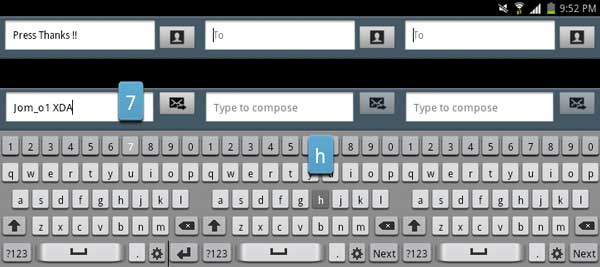
මේ කි බෝඩ් එක අනිත් ඒවා එක්ක සාපේක්ෂව සැහෙන්න ලේසි සහ ඉක්මනට ටය්ප් කරන පුළුවන්
මේක දාගන්න විදිය තමය මේ කියන්න යන්නේ
Code:
Download and install Samsung Galaxy S5 keyboard application on all  Android devices. The keyboard has been ported directly from the Galaxy  S5 system firmware. It works on stock Touchwiz ROMs as well as on stock  AOSP firmwares. This app has been tested and work on a lot of devices.
 It has been confirmed it is working on Galaxy S2, S3, S4, Note 2,  Note 3, Nexus 7 and more. Even if you don’t see your device listed  there, don’t worry. It will probably work in your device too because the  app has been designed to work on many variants and doesn’t have any  special requirements.
ඉස්සෙල්ලම
මෙන්න මේ විදියට කරපල්ලා
- 1. root explorer(paid version) - http://www.apkhere.com/app/com.speedsoftware.rootexplorer
මේක බාගෙන ඉන්ස්ටෝල් කරගන්න ෆෝන් එකට ඊට පස්සේ මෙන්න මේ ප්ලේස් වලට ගිහින් මේ ෆය්ල් නෙම්ස් තියෙන ෆය්ල් කොපි කරලා බැකප් එකක් ගහන්න ස්ටෝරේජ් එකේ
Code:
libdhwr.so, libxt9core.so in System > Lib.

ඊට පස්සේ මේක

[COLOR=#222225][I]touchwiz.xml[/I] file in  System > Etc [/COLOR]

[COLOR=#222225]APK file in System > App.[/COLOR]
ඊට පස්සේ කෙලින්ම මෙහෙමම කරලා දන්න
To install it, you need to download the zip file which contains the app (link).Then, download the zip file and extract it. Move these two files libdhwr.so, libxt9core.so to System > Lib.
The move touchwiz.xml file to System > Etc and the APK file to System > App. Once you have done these things, reboot your phone and now Galaxy S5 keyboard will be available.


