

Latest ads
-
 හොඳ, දැන්වීම්-රහිත (ad-free) ආයුර්වේද ඇප් එකක් සොයා ගැනීමට නොහැකි වූ නිසා, මමම එකක් නිර්මාණය කළා
- kitchen_discussions
- Updated:
-
ZTE MF283U 4G Unlocked Router (Used)
- ayanthamaxi
- Updated:
-
 ලංකාවේ හොඳම උපකාරක පන්ති සහ ගුරුවරුන් එකම තැනකින් - TopTuition.lk
- dulithapathum
- Updated:
-
 Colombo RidhMathraa ’26 🎶✨
- Tmadhusanka
- Updated:
You are using an out of date browser. It may not display this or other websites correctly.
You should upgrade or use an alternative browser.
You should upgrade or use an alternative browser.


Photoshop CS4 Beta (BETA Onna mama kiwwwaa)
Code:
http://rapidshare.com/files/93079377/PScs4-BETA.part1.rar
http://rapidshare.com/files/93084810/PScs4-BETA.part2.rar
http://rapidshare.com/files/93090300/PScs4-BETA.part3.rar
http://rapidshare.com/files/93096362/PScs4-BETA.part4.rar
http://rapidshare.com/files/93100533/PScs4-BETA.part5.rar
here are some mirrors
rs
Code:
http://rapidshare.com/files/100946228/Adobe_Photoshop_CS4_Beta.part01.rar
http://rapidshare.com/files/100946390/Adobe_Photoshop_CS4_Beta.part02.rar
http://rapidshare.com/files/100946548/Adobe_Photoshop_CS4_Beta.part03.rar
http://rapidshare.com/files/100946783/Adobe_Photoshop_CS4_Beta.part04.rar
http://rapidshare.com/files/100946946/Adobe_Photoshop_CS4_Beta.part05.rar
http://rapidshare.com/files/100947198/Adobe_Photoshop_CS4_Beta.part06.rar
http://rapidshare.com/files/100947425/Adobe_Photoshop_CS4_Beta.part07.rar
http://rapidshare.com/files/100947669/Adobe_Photoshop_CS4_Beta.part08.rar
http://rapidshare.com/files/100947901/Adobe_Photoshop_CS4_Beta.part09.rar
crack all by itself:
Code:
http://rapidshare.com/files/108434617/Adobe_Photoshop_CS4_Crack.rar
rs
Code:
http://rapidshare.com/files/100946228/Adobe_Photoshop_CS4_Beta.part01.rar
http://rapidshare.com/files/100946390/Adobe_Photoshop_CS4_Beta.part02.rar
http://rapidshare.com/files/100946548/Adobe_Photoshop_CS4_Beta.part03.rar
http://rapidshare.com/files/100946783/Adobe_Photoshop_CS4_Beta.part04.rar
http://rapidshare.com/files/100946946/Adobe_Photoshop_CS4_Beta.part05.rar
http://rapidshare.com/files/100947198/Adobe_Photoshop_CS4_Beta.part06.rar
http://rapidshare.com/files/100947425/Adobe_Photoshop_CS4_Beta.part07.rar
http://rapidshare.com/files/100947669/Adobe_Photoshop_CS4_Beta.part08.rar
http://rapidshare.com/files/100947901/Adobe_Photoshop_CS4_Beta.part09.rar
crack all by itself:
Code:
http://rapidshare.com/files/108434617/Adobe_Photoshop_CS4_Crack.rar
Button Makers AIO

Button Makers AIO | 29.5 MB
Here are some great programs to spruce up those dull ordinary web buttons..
Let your creative talents shine with these easy button makers.. Enjoy!
3D Button Maker Gold
3D Button Creator, as the name says, is a tool for calculating 3D buttons to improve the graphical impression of your homepage or your own program, using the 3D button bitmaps as customized graphical buttons.
The usage is very easy. Just open the program and adjust all the parameters of your button using graphical real-time control. When you think that it looks perfect, just export the button as a bitmap, jpeg or gif-file (for web use). If you want to insert the button (either animated or not) to your homepage just use the HTML TAG function to create and export the ready HTML source code.
Easy Button Menu Pro
With Easy Button & Menu Maker you can easily create sophisticated buttons and professional dynamic menus for your website while investing just a few minutes of your time. More than 100 elegant design templates are included, reflecting various design styles such as so called Glass and Vista style. Unlike most other menu tools, Easy Button & Menu Maker provides direct WYSIWYG visual menu editor, so it is much easier and pleasant to work with. Menus created with Easy Button & Menu Maker are quick, compact and compatible with all modern web browsers.
Button Farm
The Button Farm enables you to create 3D and 2D buttons."
The Button Farm is unique easy-to-use tool, combining power and advanced features with a remarkably intuitive interface. It enables you to create nice-looking 3D and plain buttons, tabs for your web site quickly and effectively. Among its features there are support of additional button themes, various graphic formats (GIF, JPG, PNG) and a batch mode, program could be accessed from command line. Includes order for FREE button set. you can
GifArt button maker
Allows you to pick a premade button from the built in button gallery and add text to it.
Create glass or plastic looking Web buttons. The Button Maker enables you to create 3D and 2D buttons, plus tabs for your Web site.
Web Button Maker Deluxe
Within five minutes, you will be making stunning, memorable buttons for you web site! That's how easy it is to use Button Shop. Why suffer from lost sales or site visitors, when you can invest in a program that will pay for itself within days!
This powerful tool includes everything you need to perfect your home page. It comes jam-packed with more than 200 professionally designed button templates and textures, that you can play with, tweak and modify to suit your own needs.
Button Shop will even create web menus for your web site, and create the HTML code you need to have mouse-over and mouse-pressed states for your buttons. No javascript and complex HTML-knowledge required.
Likndo Web Button Maker
Web button maker
Code:
http://rapidshare.com/files/144053080/Butt0n.M4k3t.410.rar

Button Makers AIO | 29.5 MB
Here are some great programs to spruce up those dull ordinary web buttons..
Let your creative talents shine with these easy button makers.. Enjoy!
3D Button Maker Gold
3D Button Creator, as the name says, is a tool for calculating 3D buttons to improve the graphical impression of your homepage or your own program, using the 3D button bitmaps as customized graphical buttons.
The usage is very easy. Just open the program and adjust all the parameters of your button using graphical real-time control. When you think that it looks perfect, just export the button as a bitmap, jpeg or gif-file (for web use). If you want to insert the button (either animated or not) to your homepage just use the HTML TAG function to create and export the ready HTML source code.
Easy Button Menu Pro
With Easy Button & Menu Maker you can easily create sophisticated buttons and professional dynamic menus for your website while investing just a few minutes of your time. More than 100 elegant design templates are included, reflecting various design styles such as so called Glass and Vista style. Unlike most other menu tools, Easy Button & Menu Maker provides direct WYSIWYG visual menu editor, so it is much easier and pleasant to work with. Menus created with Easy Button & Menu Maker are quick, compact and compatible with all modern web browsers.
Button Farm
The Button Farm enables you to create 3D and 2D buttons."
The Button Farm is unique easy-to-use tool, combining power and advanced features with a remarkably intuitive interface. It enables you to create nice-looking 3D and plain buttons, tabs for your web site quickly and effectively. Among its features there are support of additional button themes, various graphic formats (GIF, JPG, PNG) and a batch mode, program could be accessed from command line. Includes order for FREE button set. you can
GifArt button maker
Allows you to pick a premade button from the built in button gallery and add text to it.
Create glass or plastic looking Web buttons. The Button Maker enables you to create 3D and 2D buttons, plus tabs for your Web site.
Web Button Maker Deluxe
Within five minutes, you will be making stunning, memorable buttons for you web site! That's how easy it is to use Button Shop. Why suffer from lost sales or site visitors, when you can invest in a program that will pay for itself within days!
This powerful tool includes everything you need to perfect your home page. It comes jam-packed with more than 200 professionally designed button templates and textures, that you can play with, tweak and modify to suit your own needs.
Button Shop will even create web menus for your web site, and create the HTML code you need to have mouse-over and mouse-pressed states for your buttons. No javascript and complex HTML-knowledge required.
Likndo Web Button Maker
Web button maker
Code:
http://rapidshare.com/files/144053080/Butt0n.M4k3t.410.rar
Windows Xp Pro SP3 - Black Edition [2008]
Windows Xp Pro SP3 - Black Edition [2008]
Full Install | Passes WGA | | SP3 Included | | 32-Bit |Fastest and Clean XP............!!

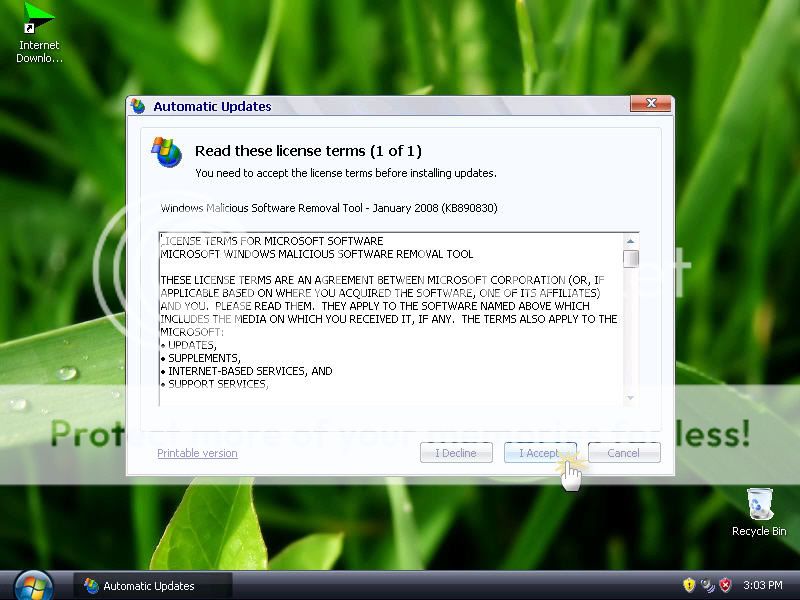
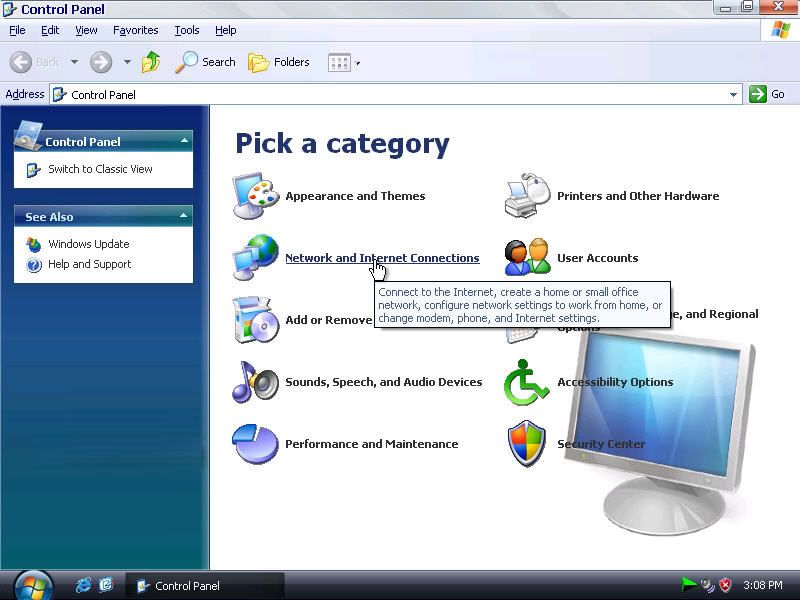 Description:
This version of Windows XP is designed for your convenience.
It requires less memory from your system and it doesn’t need a serial number as this is the unattended version.
It includes the following programs:
* Acrobat 8.0
* WindowBlind 5.04 Enhanced plus many new themes
* TuneUp Utilities 2007 English
* Microsoft Java VM Build 3809
* Sun Java 2 Version5.0.6 W/SP2
* IE 7 Final Activated
* Firefox 2
* Thunderbird 1.5.0.9
* Klite Codec Pack 2.80
* Window Media Player 11
* ZoneAlarm 6.5.737.2006 Pro
* Blindwrite 6.0.1.19 By eXperience
* Nero 7.59 Lite
* PowerIso
* Ultra Iso 8.6.0.1936
* Fraunhofer IIs MP3 Code
* Quicktime Alternative
* Acrobat Reader
* WinRAR
* Windows Vista RTM sidebar plus extra gadgets
History of updates and fixes:
- Added Segoe Print and Segoe ****** Fonts (Fixes Notes Gadget)
- Added more cool Gadgets (Black Jack, Tetris, Bricks, Pong, Command Launcher, Internet Search)
- Fixed Version Number in Add-Remove Programs (from 5477 to 5744)
- Minor RegDLL Changes
- Now uses ProfileItems for QuickLaunch Shortcut
- Improved Installation process (No more RunOnceEx Box)
- Fixed VAIO Shell Extension not registering
- Added Vista Calculator and Drive Info Gadgets
- Changed skin to Glass
- Quick Launch shortcut moved to UserProfile
- Systray Icon issue FIXED! (Had to go from RTM 6.0.6000 down to RC2 6.0.5744, I will go back to RTM when the new VAIO Build is
released)
- Added Calibri fonts (Fixes CPU Meeter)
- Changed the Sidebar Skin to a much nicer one as you can see in the screenshot (Fade Skin)
- Changed Shortcut placement from All Programs to All Programs -> Accesories
Download Links
Code:
http://rapidshare.com/files/145819673/Windows.Xp.Pro.SP3.Black.Edition.2008.Media-Zone.net.part1.rar
http://rapidshare.com/files/145819608/Windows.Xp.Pro.SP3.Black.Edition.2008.Media-Zone.net.part2.rar
http://rapidshare.com/files/145819625/Windows.Xp.Pro.SP3.Black.Edition.2008.Media-Zone.net.part3.rar
http://rapidshare.com/files/145819681/Windows.Xp.Pro.SP3.Black.Edition.2008.Media-Zone.net.part4.rar
http://rapidshare.com/files/145819631/Windows.Xp.Pro.SP3.Black.Edition.2008.Media-Zone.net.part5.rar
http://rapidshare.com/files/145819634/Windows.Xp.Pro.SP3.Black.Edition.2008.Media-Zone.net.part6.rar
http://rapidshare.com/files/145819656/Windows.Xp.Pro.SP3.Black.Edition.2008.Media-Zone.net.part7.rar
Password:- Code:
media-zone.net
Windows Xp Pro SP3 - Black Edition [2008]
Full Install | Passes WGA | | SP3 Included | | 32-Bit |Fastest and Clean XP............!!

This version of Windows XP is designed for your convenience.
It requires less memory from your system and it doesn’t need a serial number as this is the unattended version.
It includes the following programs:
* Acrobat 8.0
* WindowBlind 5.04 Enhanced plus many new themes
* TuneUp Utilities 2007 English
* Microsoft Java VM Build 3809
* Sun Java 2 Version5.0.6 W/SP2
* IE 7 Final Activated
* Firefox 2
* Thunderbird 1.5.0.9
* Klite Codec Pack 2.80
* Window Media Player 11
* ZoneAlarm 6.5.737.2006 Pro
* Blindwrite 6.0.1.19 By eXperience
* Nero 7.59 Lite
* PowerIso
* Ultra Iso 8.6.0.1936
* Fraunhofer IIs MP3 Code
* Quicktime Alternative
* Acrobat Reader
* WinRAR
* Windows Vista RTM sidebar plus extra gadgets
History of updates and fixes:
- Added Segoe Print and Segoe ****** Fonts (Fixes Notes Gadget)
- Added more cool Gadgets (Black Jack, Tetris, Bricks, Pong, Command Launcher, Internet Search)
- Fixed Version Number in Add-Remove Programs (from 5477 to 5744)
- Minor RegDLL Changes
- Now uses ProfileItems for QuickLaunch Shortcut
- Improved Installation process (No more RunOnceEx Box)
- Fixed VAIO Shell Extension not registering
- Added Vista Calculator and Drive Info Gadgets
- Changed skin to Glass
- Quick Launch shortcut moved to UserProfile
- Systray Icon issue FIXED! (Had to go from RTM 6.0.6000 down to RC2 6.0.5744, I will go back to RTM when the new VAIO Build is
released)
- Added Calibri fonts (Fixes CPU Meeter)
- Changed the Sidebar Skin to a much nicer one as you can see in the screenshot (Fade Skin)
- Changed Shortcut placement from All Programs to All Programs -> Accesories
Download Links
Code:
http://rapidshare.com/files/145819673/Windows.Xp.Pro.SP3.Black.Edition.2008.Media-Zone.net.part1.rar
http://rapidshare.com/files/145819608/Windows.Xp.Pro.SP3.Black.Edition.2008.Media-Zone.net.part2.rar
http://rapidshare.com/files/145819625/Windows.Xp.Pro.SP3.Black.Edition.2008.Media-Zone.net.part3.rar
http://rapidshare.com/files/145819681/Windows.Xp.Pro.SP3.Black.Edition.2008.Media-Zone.net.part4.rar
http://rapidshare.com/files/145819631/Windows.Xp.Pro.SP3.Black.Edition.2008.Media-Zone.net.part5.rar
http://rapidshare.com/files/145819634/Windows.Xp.Pro.SP3.Black.Edition.2008.Media-Zone.net.part6.rar
http://rapidshare.com/files/145819656/Windows.Xp.Pro.SP3.Black.Edition.2008.Media-Zone.net.part7.rar
Password:- Code:
media-zone.net
Windows XP SP3 Xp-Viena Edition 2009 ::..


Combine, from Xp-Vista Final Edition with 25 themes [ themes] and Xp-Win7 Edition [Visual Effects] . the newest Version is complete version with 25 themes and best Visual Effects.
this CD is XP SP3 Pro final with Viena Style.
+ Support Laptop, Support SATA
+ Softs: Windows Media Player 11, Internet Explorer 7, System Tools.
+ Download success, right click on any part then choose Extract files.. or Extract here (do not choose Extract to ) => one standard ISO file's created (size Burn to CD, Install a fresh Windows from CD.
+ No need CD-Key (added). No need active (activated). Can Update (Key genuine).
Code:
http://rapidshare.com/files/143084843/Win_Vienna_Ellusionist_www.rapidfind.org.rar
Code:
www.rapidfind.org


Combine, from Xp-Vista Final Edition with 25 themes [ themes] and Xp-Win7 Edition [Visual Effects] . the newest Version is complete version with 25 themes and best Visual Effects.
this CD is XP SP3 Pro final with Viena Style.
+ Support Laptop, Support SATA
+ Softs: Windows Media Player 11, Internet Explorer 7, System Tools.
+ Download success, right click on any part then choose Extract files.. or Extract here (do not choose Extract to ) => one standard ISO file's created (size Burn to CD, Install a fresh Windows from CD.
+ No need CD-Key (added). No need active (activated). Can Update (Key genuine).
Code:
http://rapidshare.com/files/143084843/Win_Vienna_Ellusionist_www.rapidfind.org.rar
Code:
www.rapidfind.org
--== Emergency Boot CD-ROM 6.0.1 (Eng) ==--

Emergency Boot CDROM is a bootable CDROM for IBM PC or Compatible Computer. The CDROM contain utilities usefull for fixing computer problem or to install new Operating System after system crash.
What's New
- Upgraded Acronis TrueImage Enterprise Server 8.0 to v9.1.
- Added FBWF driver from Windows Vista Build 5112 to Windows PE such that it doesn't need ramdisk driver anymore.
- Added VCom Partition Commander v9.0.
- Added Symantec Norton Partition Magic v8.05.
- Upgraded McAfee CleanBoot Version 1.0 to v1.0 SP1.
- Upgraded Acronis Disk Director Suite 9.0 to v10.0.
- Replacing VoptXP v7.2 with Raxco PerfectDisk v7.0.
- Replacing TightVNC with UltraVNC-100-RC18.
- Added Paragon Hard Disk Manager v6.0 Professional.
- Added Windows XP/2000/NT Key Enterprise Edition v7.0.1180
( Reset Lost Administrator Password on NT Based Windows ).
- Added Paragon NTFS for Linux Rescue KIT.
- Added Acronis TrueImage Enterprise Server 8.0 for Windows.
- Added Acronis Disk Director Suite 9.0.
- Added Acronis Migrate Easy v7.0.
- Added R-Linux for WinPE ( EXT2FS/EXT3FS file recovery tool ).
- Added Paragon EXT2FS Anywhere to mount EXT2FS/EXT3FS/ReiserFS file system directly from within WinPE.
- Added McAfee CleanBoot Version 1.0 (Emergency Virus Scanner) for FAT/FAT32/NTFS drive.
- Added serial mouse driver for Winternals ERD Commander 2005 v5.0.
- Added DreamPack's patch for Windows 2000/XP ( \Windows\sfcfiles.cab ). Extract it to %WinDir%\System32\ replacing the original sfcfiles.dll.
- Added MicroScope PC Hardware Diagnostic Tool.
- Added missing menu for some utilities already included on the CD.
- Added special configuration file for Volkov Commander to be loaded from CDROM.
- Upgraded O&O BlueCon XXL Administrator's Suite to v5.0.714
- Upgraded ERD Commander 2003 v4.2 to ERD Commander 2005 v5.0
- Removing some typos from CDShell Menu.
- Many essentials BUG FIXES.
Directory listing of CDROM :
- Windows Preinstalled Environment (BartPE + XPPE)
- Hard Disk Management
- Acronis Disk Director Suite 10.0
- Acronis Disk Director Server 10.0
- Acronis TrueImage Enterprise Server 9.1
- Ranish Partition Manager
- Symantec Norton Partition Magic 8.05
- PC Tools & Data Recovery
- AIDA Hardware Diagnostic Tool
- System Memory Tester
- HDD Integrity Verifier
- HDD Regenerator
- RecoverSoft Data Rescue PC
- McAfee CleanBoot SP1
- Recovery Console Environment
- Winternals Administrator Pak 2006
- Winternals ERD Commander 2005 v5.0
- Winternals Recovery Manager Boot Client
- Winternals Defrag Manager Boot Client
- O&O BlueCons XXL Administrator's Suite
- Paragon NTFS Linux Rescue KIT
- DamnSmall Live-Linux CD/DVD (Mini Knoppix)
- FreeBSD Emergency Console (RIP Rescue KIT)
- Customized Micosoft DOS 7.1.0
- MSDOS tools and multimedia player
All people need this CD-ROM image to recover system, fix computer problems or to install new Operating System after system crash
(En Conclusion es un Disco de Emergencia, tipo Hiren boot CD, para reparaciones, recuperaciones o instalar nuevos sistemas, incluso hasta para recuperar claves del administrador xD)
Code:
http://rapidshare.com/files/145488652/Emergency_Ellusionist_www.rapidfind.org.rar
__________________

Emergency Boot CDROM is a bootable CDROM for IBM PC or Compatible Computer. The CDROM contain utilities usefull for fixing computer problem or to install new Operating System after system crash.
What's New
- Upgraded Acronis TrueImage Enterprise Server 8.0 to v9.1.
- Added FBWF driver from Windows Vista Build 5112 to Windows PE such that it doesn't need ramdisk driver anymore.
- Added VCom Partition Commander v9.0.
- Added Symantec Norton Partition Magic v8.05.
- Upgraded McAfee CleanBoot Version 1.0 to v1.0 SP1.
- Upgraded Acronis Disk Director Suite 9.0 to v10.0.
- Replacing VoptXP v7.2 with Raxco PerfectDisk v7.0.
- Replacing TightVNC with UltraVNC-100-RC18.
- Added Paragon Hard Disk Manager v6.0 Professional.
- Added Windows XP/2000/NT Key Enterprise Edition v7.0.1180
( Reset Lost Administrator Password on NT Based Windows ).
- Added Paragon NTFS for Linux Rescue KIT.
- Added Acronis TrueImage Enterprise Server 8.0 for Windows.
- Added Acronis Disk Director Suite 9.0.
- Added Acronis Migrate Easy v7.0.
- Added R-Linux for WinPE ( EXT2FS/EXT3FS file recovery tool ).
- Added Paragon EXT2FS Anywhere to mount EXT2FS/EXT3FS/ReiserFS file system directly from within WinPE.
- Added McAfee CleanBoot Version 1.0 (Emergency Virus Scanner) for FAT/FAT32/NTFS drive.
- Added serial mouse driver for Winternals ERD Commander 2005 v5.0.
- Added DreamPack's patch for Windows 2000/XP ( \Windows\sfcfiles.cab ). Extract it to %WinDir%\System32\ replacing the original sfcfiles.dll.
- Added MicroScope PC Hardware Diagnostic Tool.
- Added missing menu for some utilities already included on the CD.
- Added special configuration file for Volkov Commander to be loaded from CDROM.
- Upgraded O&O BlueCon XXL Administrator's Suite to v5.0.714
- Upgraded ERD Commander 2003 v4.2 to ERD Commander 2005 v5.0
- Removing some typos from CDShell Menu.
- Many essentials BUG FIXES.
Directory listing of CDROM :
- Windows Preinstalled Environment (BartPE + XPPE)
- Hard Disk Management
- Acronis Disk Director Suite 10.0
- Acronis Disk Director Server 10.0
- Acronis TrueImage Enterprise Server 9.1
- Ranish Partition Manager
- Symantec Norton Partition Magic 8.05
- PC Tools & Data Recovery
- AIDA Hardware Diagnostic Tool
- System Memory Tester
- HDD Integrity Verifier
- HDD Regenerator
- RecoverSoft Data Rescue PC
- McAfee CleanBoot SP1
- Recovery Console Environment
- Winternals Administrator Pak 2006
- Winternals ERD Commander 2005 v5.0
- Winternals Recovery Manager Boot Client
- Winternals Defrag Manager Boot Client
- O&O BlueCons XXL Administrator's Suite
- Paragon NTFS Linux Rescue KIT
- DamnSmall Live-Linux CD/DVD (Mini Knoppix)
- FreeBSD Emergency Console (RIP Rescue KIT)
- Customized Micosoft DOS 7.1.0
- MSDOS tools and multimedia player
All people need this CD-ROM image to recover system, fix computer problems or to install new Operating System after system crash
(En Conclusion es un Disco de Emergencia, tipo Hiren boot CD, para reparaciones, recuperaciones o instalar nuevos sistemas, incluso hasta para recuperar claves del administrador xD)
Code:
http://rapidshare.com/files/145488652/Emergency_Ellusionist_www.rapidfind.org.rar
__________________
Hey link1 lost ne ai a???
Billl Gates said:Windows XP Themes!! All Here!!


Windows XP Themes!! All Here!!
XP Live theme just 1.1 Mb
Code:
http://rapidshare.com/files/86809798/XP_live_Theme.rar


tharkana said:Hey link1 lost ne ai a???
new links thiyanawa thread eke BALANNKO

AI MACHOOOO MAMA DAAAALA THIYENNWE
randula01 said:Machoooooo Mata Video File Mp3 walata Convert karanna Software tikak denawada............
Billl Gates said:AI MACHOOOO MAMA DAAAALA THIYENNWE
Elakiri mama search karala gannam......................


Windows XP Performance Edition October 2008 65MB Only

With XP 65 MB. edition you can install xp in less than 2 minutes using only 256mb of ram. the entire install takes up 610mb. when in use the entire OS uses up 24.10mb of ram, and the whole thing boots up in 12 seconds. To burn first extract then use active @ ISO burner found here for free burn at 8x speed! Caution This version of xp will not prompt you for anything serial included and there is no need to activate it with Microsoft, but once it starts up it will not prompt to chose witch disk you want to use it will just pick the first one DELETE EVERYTHING and reformat.
Code: http://rapidshare.com/files/157616077/XP.PE.SP3.Oct.65MB.ReD.rar
Tricks
How to create One-Click Hibernation icon on your desktop?
Follow the given steps to create the shutdown icon:
To create a new shortcut, right click on any empty area of your desktop and go to New then Shortcut.
Now a small windows dialog box will appear with the title "Create Windows". In the "Create Shortcut" window, type the following command.
rundll32.exe PowrProf.dll, SetSuspendState
Click Next button to type the name of this shortcut and press Finish to close it. Now click on Hibernate icon to verify the process.
Desktop.ini & Thumbs.db
Desktop.ini :
It is Windows XP system file that stores information about customized folders of your system. If you have customized the display of a folder like changing its icon, its view or anything, Windows has saved those settings in a file named 'Desktop.ini'.
Thumbs.db :
As like Desktop.ini file, it is also a system file which generated automatically by Windows XP when you view the contents of a folder in “Thumbnail” or “Filmstrip” view is known as 'Thumbs'db'. It contains a copy of each of the small preview images generated for image files in that folder so that they load up quickly the next time you browse that folder.
How to get remove Desktop.ini & Thumbs.db?
Mostly people do not like working with these files. They treat these files as virus. I found some tech person also do not know much more about these files. Some of those tech person make fool laymen. So please be careful!
It is easy to remove Desktop.ini & Thumbs.db from your computer.
Go to 'Tools' menu of any folder
Go to 'Folder Options'
Reach to tab named 'View'
Go to 'Advance Settings' option
Where you can get two options (1) Do not cache thumbnails & (2) Hide protected operating system files
Just select above both options
Click on Apply and then Ok
To convert a FAT partition to NTFS, perform the following steps
* Click Start, click Programs, and then click Command Prompt. In Windows XP, click Start, click Run, type cmd and then click OK.
* At the command prompt, type CONVERT [driveletter]: /FS:NTFS. Convert.exe will attempt to convert the partition to NTFS.
NOTE:=
Although the chance of corruption or data loss during the conversion from FAT to NTFS is minimal, it is best to perform a full backup of the data on the drive that it is to be converted prior to executing the convert command.
Change the Default Opening Folder in Windows Explorer, xp tip
By default, Windows Explorer opens showing the My Documents folder. To change the default setting so that all top–level drives and folders are shown, follow these steps:
Click Start > Programs > Accessories, then right–click Windows Explorer, and click Properties.
Under Target field, which reads %SystemRoot%\explorer.exe, add to make the line read:
%SystemRoot%\explorer.exe /n, /e, /select, C:\
Click OK
Add ur own photo in My Computer properties
To do this:
1. Open Notepad.
2. Type the following:[General]Manufacturer="IT KNOWLEDGE CLUB"Model=HP d530 SFF(DC578AV)[Support Information]Line1= Your Ph NoLine2= Your Address.....
3. Save as "oeminfo.ini" in the System32 folder.(Without Quote)
4. Create a bmp file(Your Photo) and save it the System32 folder as "oemlogo.bmp"(Without Quote).
5. Now Check your My Computer Properties.
Windows errors related to svchost.exe ?
1)svchost.exe is a system process belonging to the Microsoft Windows Operating System which handles processes executed from DLLs.
2)This program is important for the stable and secure running of your computer and should not be terminated.
3) svchost.exe is a process registered as a backdoor vulnerability which may be installed for malicious purposes by an attacker allowing access to your computer from remote locations, stealing passwords, Internet banking and personal data.
4)It is a process which is registered as a trojan. This Trojan allows attackers to access your computer from remote locations, stealing passwords, Internet banking and personal data. This process is a security risk and should be removed from your system.
5)It is a process belonging to Microsoft Service Host Process. This could also be a stealth monitoring software that sits in the background and tracks all activities such as keyboard input (including websites visited, passwords etc.) This information can be sent to third parties through email or ftp uploads. If you did not intentionally install this program make sure you remove it to protect your privacy.
Determining whether svchost.exe is a virus or a legitimate Windows process depends on the directory location it executes or runs from

With XP 65 MB. edition you can install xp in less than 2 minutes using only 256mb of ram. the entire install takes up 610mb. when in use the entire OS uses up 24.10mb of ram, and the whole thing boots up in 12 seconds. To burn first extract then use active @ ISO burner found here for free burn at 8x speed! Caution This version of xp will not prompt you for anything serial included and there is no need to activate it with Microsoft, but once it starts up it will not prompt to chose witch disk you want to use it will just pick the first one DELETE EVERYTHING and reformat.
Code: http://rapidshare.com/files/157616077/XP.PE.SP3.Oct.65MB.ReD.rar
Tricks
How to create One-Click Hibernation icon on your desktop?
Follow the given steps to create the shutdown icon:
To create a new shortcut, right click on any empty area of your desktop and go to New then Shortcut.
Now a small windows dialog box will appear with the title "Create Windows". In the "Create Shortcut" window, type the following command.
rundll32.exe PowrProf.dll, SetSuspendState
Click Next button to type the name of this shortcut and press Finish to close it. Now click on Hibernate icon to verify the process.
Desktop.ini & Thumbs.db
Desktop.ini :
It is Windows XP system file that stores information about customized folders of your system. If you have customized the display of a folder like changing its icon, its view or anything, Windows has saved those settings in a file named 'Desktop.ini'.
Thumbs.db :
As like Desktop.ini file, it is also a system file which generated automatically by Windows XP when you view the contents of a folder in “Thumbnail” or “Filmstrip” view is known as 'Thumbs'db'. It contains a copy of each of the small preview images generated for image files in that folder so that they load up quickly the next time you browse that folder.
How to get remove Desktop.ini & Thumbs.db?
Mostly people do not like working with these files. They treat these files as virus. I found some tech person also do not know much more about these files. Some of those tech person make fool laymen. So please be careful!
It is easy to remove Desktop.ini & Thumbs.db from your computer.
Go to 'Tools' menu of any folder
Go to 'Folder Options'
Reach to tab named 'View'
Go to 'Advance Settings' option
Where you can get two options (1) Do not cache thumbnails & (2) Hide protected operating system files
Just select above both options
Click on Apply and then Ok
To convert a FAT partition to NTFS, perform the following steps
* Click Start, click Programs, and then click Command Prompt. In Windows XP, click Start, click Run, type cmd and then click OK.
* At the command prompt, type CONVERT [driveletter]: /FS:NTFS. Convert.exe will attempt to convert the partition to NTFS.
NOTE:=
Although the chance of corruption or data loss during the conversion from FAT to NTFS is minimal, it is best to perform a full backup of the data on the drive that it is to be converted prior to executing the convert command.
Change the Default Opening Folder in Windows Explorer, xp tip
By default, Windows Explorer opens showing the My Documents folder. To change the default setting so that all top–level drives and folders are shown, follow these steps:
Click Start > Programs > Accessories, then right–click Windows Explorer, and click Properties.
Under Target field, which reads %SystemRoot%\explorer.exe, add to make the line read:
%SystemRoot%\explorer.exe /n, /e, /select, C:\
Click OK
Add ur own photo in My Computer properties
To do this:
1. Open Notepad.
2. Type the following:[General]Manufacturer="IT KNOWLEDGE CLUB"Model=HP d530 SFF(DC578AV)[Support Information]Line1= Your Ph NoLine2= Your Address.....
3. Save as "oeminfo.ini" in the System32 folder.(Without Quote)
4. Create a bmp file(Your Photo) and save it the System32 folder as "oemlogo.bmp"(Without Quote).
5. Now Check your My Computer Properties.
Windows errors related to svchost.exe ?
1)svchost.exe is a system process belonging to the Microsoft Windows Operating System which handles processes executed from DLLs.
2)This program is important for the stable and secure running of your computer and should not be terminated.
3) svchost.exe is a process registered as a backdoor vulnerability which may be installed for malicious purposes by an attacker allowing access to your computer from remote locations, stealing passwords, Internet banking and personal data.
4)It is a process which is registered as a trojan. This Trojan allows attackers to access your computer from remote locations, stealing passwords, Internet banking and personal data. This process is a security risk and should be removed from your system.
5)It is a process belonging to Microsoft Service Host Process. This could also be a stealth monitoring software that sits in the background and tracks all activities such as keyboard input (including websites visited, passwords etc.) This information can be sent to third parties through email or ftp uploads. If you did not intentionally install this program make sure you remove it to protect your privacy.
Determining whether svchost.exe is a virus or a legitimate Windows process depends on the directory location it executes or runs from
Windows XP Pro SP3 Untouched October 2008 - Genuine
Windows XP Pro SP3 Untouched October 2008 - Genuine
Released 04/10/2008
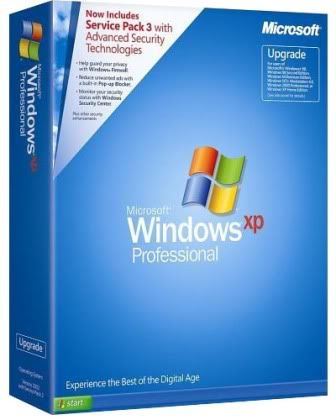

This is Windows XP Professional SP3 which includes all critical updates till October 2008.
It does not requires any cracks or tools to pass the validation.
This is an untouched version of Windows XP Professional SP3
-No Password.
-Extract .rar files to .iso using Winrar
-Proceed to burn this .iso file to a blank CD using Poweriso, Alcohol 120 at medium speed.
-Then You have a Bootable CD.
-Install fresh copy of Windows XP by formatting your hard drive C:\.
-Register with the key provided.
-Use and enjoy a lifetime genuine Windows XP SP3
- Bootable ISO file
- Unattended setup
- Pre-Activated, so you don't need any activation trick.
- CD-KEY (original Volume License Key) is integrated so you don't have to enter anything. SO YOU CAN USE AUTOMATIC UPDATES!
Windows XP Service Pack 3 (SP3) build 5512 was released to manufacturing on
April 21, 2008, and Microsoft planned to make it available to the general
public on April 29, 2008 via Windows Update and the Microsoft Download Center.
However, due to a compatibility issue with Microsoft Dynamics Retail
Management System, the release of Windows XP Service Pack 3 was delayed.
A feature set overview has been posted by Microsoft and details new features
available separately as standalone updates to Windows XP, as well as features
backported from Windows Vista, such as black hole router detection, Network
Access Protection, and Windows Imaging Component. Microsoft is reporting that
over 1,000 fixes have been packed into SP3 along with some performance improvements as well. Internet Explorer 7 is not included as part of SP3.
New features :
- Black hole router detection
- Network Access Protection
- Credentials security service provider
- Descriptive security options control panel
- Enhanced security for Administrator and Service policy entries
- Microsoft Kernel Mode Cryptographic Module
- Installing without needing a Product Key during Setup
A full list of new and integrated features is available on the Microsoft web
site.
With the release of SP3, retail and OEM versions of Windows XP with service
pack 3 slipstreamed into them can be installed and run with full functionality
for 30 days without a product key, after which time the user will be prompted
to enter a valid key and activate the installation. Volume license versions
still require entering a product key.
Microsoft noted SP3 can be installed on systems with Internet Explorer version
6 as well as version 7; and similarly Windows Media Player 9 Series or Windows
Media Player versions 10 or 11. Although service packs have, until now,
been cumulative, installing Windows XP Service Pack 3 requires that the PC must
at least be running Windows XP with Service Pack 1 installed. However, it is
possible to slipstream SP3 into the Windows XP setup files at any service pack
level including the original RTM version without any errors or issues.
Slipstreaming into Windows XP Media Center Edition 2005 is not supported.
SP3 does contain operating system component updates for Windows XP Media Center
Edition and for Windows XP Tablet PC Edition including security updates for .NET
Framework versions 1.0 and 1.1 which are included in these Windows XP SKUs.
However it does not include update rollups for the Windows Media Center app. in
Windows XP Media Center Edition 2005. It also omits Windows Media Player 10
security updates although Windows Media Player 10 is included in Windows XP
Media Center Edition 2005.
There are a total of 1,073 fixes in Service Pack 3.
The Service Pack 3 RTM is integrated by Microsoft itself.
Just 4 link...
Code:
http://rapidshare.com/files/152860978/Win_XP_SP3_Oct_2008-No_CD_Key.part1.rar
http://rapidshare.com/files/152862914/Win_XP_SP3_Oct_2008-No_CD_Key.part2.rar
http://rapidshare.com/files/152864864/Win_XP_SP3_Oct_2008-No_CD_Key.part3.rar
http://rapidshare.com/files/152868306/Win_XP_SP3_Oct_2008-No_CD_Key.part4.rar
_______________
Windows XP Pro SP3 Untouched October 2008 - Genuine
Released 04/10/2008

This is Windows XP Professional SP3 which includes all critical updates till October 2008.
It does not requires any cracks or tools to pass the validation.
This is an untouched version of Windows XP Professional SP3
-No Password.
-Extract .rar files to .iso using Winrar
-Proceed to burn this .iso file to a blank CD using Poweriso, Alcohol 120 at medium speed.
-Then You have a Bootable CD.
-Install fresh copy of Windows XP by formatting your hard drive C:\.
-Register with the key provided.
-Use and enjoy a lifetime genuine Windows XP SP3
- Bootable ISO file
- Unattended setup
- Pre-Activated, so you don't need any activation trick.
- CD-KEY (original Volume License Key) is integrated so you don't have to enter anything. SO YOU CAN USE AUTOMATIC UPDATES!
Windows XP Service Pack 3 (SP3) build 5512 was released to manufacturing on
April 21, 2008, and Microsoft planned to make it available to the general
public on April 29, 2008 via Windows Update and the Microsoft Download Center.
However, due to a compatibility issue with Microsoft Dynamics Retail
Management System, the release of Windows XP Service Pack 3 was delayed.
A feature set overview has been posted by Microsoft and details new features
available separately as standalone updates to Windows XP, as well as features
backported from Windows Vista, such as black hole router detection, Network
Access Protection, and Windows Imaging Component. Microsoft is reporting that
over 1,000 fixes have been packed into SP3 along with some performance improvements as well. Internet Explorer 7 is not included as part of SP3.
New features :
- Black hole router detection
- Network Access Protection
- Credentials security service provider
- Descriptive security options control panel
- Enhanced security for Administrator and Service policy entries
- Microsoft Kernel Mode Cryptographic Module
- Installing without needing a Product Key during Setup
A full list of new and integrated features is available on the Microsoft web
site.
With the release of SP3, retail and OEM versions of Windows XP with service
pack 3 slipstreamed into them can be installed and run with full functionality
for 30 days without a product key, after which time the user will be prompted
to enter a valid key and activate the installation. Volume license versions
still require entering a product key.
Microsoft noted SP3 can be installed on systems with Internet Explorer version
6 as well as version 7; and similarly Windows Media Player 9 Series or Windows
Media Player versions 10 or 11. Although service packs have, until now,
been cumulative, installing Windows XP Service Pack 3 requires that the PC must
at least be running Windows XP with Service Pack 1 installed. However, it is
possible to slipstream SP3 into the Windows XP setup files at any service pack
level including the original RTM version without any errors or issues.
Slipstreaming into Windows XP Media Center Edition 2005 is not supported.
SP3 does contain operating system component updates for Windows XP Media Center
Edition and for Windows XP Tablet PC Edition including security updates for .NET
Framework versions 1.0 and 1.1 which are included in these Windows XP SKUs.
However it does not include update rollups for the Windows Media Center app. in
Windows XP Media Center Edition 2005. It also omits Windows Media Player 10
security updates although Windows Media Player 10 is included in Windows XP
Media Center Edition 2005.
There are a total of 1,073 fixes in Service Pack 3.
The Service Pack 3 RTM is integrated by Microsoft itself.
Just 4 link...
Code:
http://rapidshare.com/files/152860978/Win_XP_SP3_Oct_2008-No_CD_Key.part1.rar
http://rapidshare.com/files/152862914/Win_XP_SP3_Oct_2008-No_CD_Key.part2.rar
http://rapidshare.com/files/152864864/Win_XP_SP3_Oct_2008-No_CD_Key.part3.rar
http://rapidshare.com/files/152868306/Win_XP_SP3_Oct_2008-No_CD_Key.part4.rar
_______________
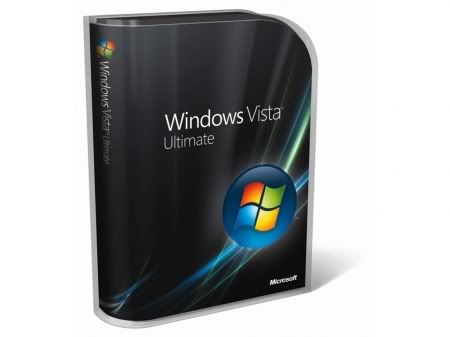
Microsoft.Windows.Vista.ULTIMATE.x86.SP1.Integrate d.July.2008.OEM.DVD-BIE

Code:
http://rapidshare.com/files/129354226/VUltJULYOEM.part01.rar
http://rapidshare.com/files/129354074/VUltJULYOEM.part02.rar
http://rapidshare.com/files/129353988/VUltJULYOEM.part03.rar
http://rapidshare.com/files/129354025/VUltJULYOEM.part04.rar
http://rapidshare.com/files/129354137/VUltJULYOEM.part05.rar
http://rapidshare.com/files/129354129/VUltJULYOEM.part06.rar
http://rapidshare.com/files/129351974/VUltJULYOEM.part07.rar
http://rapidshare.com/files/129354088/VUltJULYOEM.part08.rar
http://rapidshare.com/files/129352011/VUltJULYOEM.part09.rar
http://rapidshare.com/files/129351842/VUltJULYOEM.part10.rar
http://rapidshare.com/files/129351849/VUltJULYOEM.part11.rar
http://rapidshare.com/files/129354359/VUltJULYOEM.part12.rar
http://rapidshare.com/files/129351967/VUltJULYOEM.part13.rar
http://rapidshare.com/files/129351984/VUltJULYOEM.part14.rar
http://rapidshare.com/files/129351152/VUltJULYOEM.part15.rar

Code:
http://rapidshare.com/files/129354226/VUltJULYOEM.part01.rar
http://rapidshare.com/files/129354074/VUltJULYOEM.part02.rar
http://rapidshare.com/files/129353988/VUltJULYOEM.part03.rar
http://rapidshare.com/files/129354025/VUltJULYOEM.part04.rar
http://rapidshare.com/files/129354137/VUltJULYOEM.part05.rar
http://rapidshare.com/files/129354129/VUltJULYOEM.part06.rar
http://rapidshare.com/files/129351974/VUltJULYOEM.part07.rar
http://rapidshare.com/files/129354088/VUltJULYOEM.part08.rar
http://rapidshare.com/files/129352011/VUltJULYOEM.part09.rar
http://rapidshare.com/files/129351842/VUltJULYOEM.part10.rar
http://rapidshare.com/files/129351849/VUltJULYOEM.part11.rar
http://rapidshare.com/files/129354359/VUltJULYOEM.part12.rar
http://rapidshare.com/files/129351967/VUltJULYOEM.part13.rar
http://rapidshare.com/files/129351984/VUltJULYOEM.part14.rar
http://rapidshare.com/files/129351152/VUltJULYOEM.part15.rar
Windows XP Professional Corporate SP3 June 2008 Genuine ISO
Includes SATA Drivers

This is an UNTOUCHED Windows XP Professional Corporate Edition SP2 And Integrated SP3 Final RTM From Microsoft without any other changes.
This is GENUINE and Accepts any Updates. It Passes WGA successfully.

Code:
http://rapidshare.com/files/127554900/WXPGenJune08.SATA.joshua.part1.rar
http://rapidshare.com/files/127554917/WXPGenJune08.SATA.joshua.part2.rar
http://rapidshare.com/files/127554992/WXPGenJune08.SATA.joshua.part3.rar
http://rapidshare.com/files/127555060/WXPGenJune08.SATA.joshua.part4.rar
http://rapidshare.com/files/127555029/WXPGenJune08.SATA.joshua.part5.rar
http://rapidshare.com/files/127555025/WXPGenJune08.SATA.joshua.part6.rar
http://rapidshare.com/files/127554627/WXPGenJune08.SATA.joshua.part7.rar
Includes SATA Drivers

This is an UNTOUCHED Windows XP Professional Corporate Edition SP2 And Integrated SP3 Final RTM From Microsoft without any other changes.
This is GENUINE and Accepts any Updates. It Passes WGA successfully.

Code:
http://rapidshare.com/files/127554900/WXPGenJune08.SATA.joshua.part1.rar
http://rapidshare.com/files/127554917/WXPGenJune08.SATA.joshua.part2.rar
http://rapidshare.com/files/127554992/WXPGenJune08.SATA.joshua.part3.rar
http://rapidshare.com/files/127555060/WXPGenJune08.SATA.joshua.part4.rar
http://rapidshare.com/files/127555029/WXPGenJune08.SATA.joshua.part5.rar
http://rapidshare.com/files/127555025/WXPGenJune08.SATA.joshua.part6.rar
http://rapidshare.com/files/127554627/WXPGenJune08.SATA.joshua.part7.rar
Windows TinyVista Rev02 by experience


Windows Version ------------> 6.0.6001 (Service Pack 1)
Vista Edition --------------> Ultimate
Architecture ---------------> x86
Install Type ---------------> Unattended
Product Key ----------------> N/A
Activation -----------------> Activated Offline, Upon Installation
WINDOWS Folder Size --------> 2.44 GB
ISO File Size --------------> 699 Mb
Install Time (In VMware) ---> 15 Minutes
Quote:
Thank you for trying this cut down version of Windows Vista.
Now in TinyVista Rev02 the whole OS is rebuilt based on SP1.
This new edition features:
--------------------------
-All "Important" Post Service Pack 1 Updates To July 2008.
-Includes All DirectX DLL Files For Gaming. These are the
"d3dx9_*.dll" and "d3dx10_*.dll" files in WINDOWSsystem32.
-Passes WGA Checks.
-Activated Offline Upon Installation
-Automatic LAN Driver Installation (small selection of LAN drivers)
-Includes Windows Sounds this time in Rev02.
-Transparent Window Title Bar On Maximized Explorer Windows.
-Reg tweak to fool Windows Update into thinking you already have
the anti-crack hotfix installed.
-Reg tweak to fool Windows Update into thinking you already have
the Malicious Software Removal Tool for July 2008 installed.
-Desktop eXPerience folder with plenty of goodies!
__________________________________________________ ___________________
To use this CD, simply burn the ISO file (as an image, not as data)
with Nero or IMG Burn, then set your PC to boot from the CD, press
any key when the message appears, then after Vista has loaded the
files you will only get one screen where you can format your hard
drive.
You cannot install this special eXPerience version of Windows by
upgrading, you can only install a clean install onto a formatted
partition or hard drive, because all the upgrade files are
removed.
MAKE SURE TO BACK UP YOUR HARD DISK OR PARTITION BEFORE FORMATTING!
Once your partition or disk is formatted, simply click "Next" and
that is all you have to do - Windows will install within 15 minutes
all on its own, with additional Vista driverpack to take care of
your devices, you do not have to touch anything.
The install time of 15 minutes is timed in VMware, if you're
installing from a real CD it might take longer.
Windows is activated upon installation and you do not need any
product key.
This special edition of Windows Vista is fully updated with
Service Pack 1 and all "Important" hotfixes to July 2008.
NOTE: Hotfix KB940510 is not installed - Windows Update will not
say you need this hotfix because a registry setting is used to
make Windows Update think this hotfix is installed. Never install
this hotfix - it is the Windows Genuine Advantage popups in your
system tray. This is also known as the "anti-crack" hotfix, that
allegedly kills the BIOS emulation. In tests, I installed this
hotfix and rebooted, Windows was still working, no WGA tray crap
was happening, but I would not risk it, just don't install the
hotfox "KB940510" if you see it on Windows Update, just untick it
and do not install it, even though Microsoft claim this is an
important hotfix, it isn't important because it is just the
"Windows Genuine Advantage" thing. No one needs this.
This installation still includes:
Aero Theme
Camera support
Internet Explorer 7
Printer Support
Scanner support
Windows Media Player 11
Windows Mail (formerly Outlook Express)
Windows Sounds (Startup, Shutdown, Logoff etc)
Windows Update website
This is intended to be a functional installation with a lot of
items removed which I personally class as useless. Please make
absolutely certain that you check below to see which items are
removed before jumping the gun and installing this special
edition of Windows Vista!
__________________________________________________ ___________________
REGISTRY TWEAKS
---------------
This special edition of Windows Vista has over 100 registry tweaks
to improve performance and your general use of Windows Vista. For
example - User Account Control is completely removed, you have
useful additions to your "Computer" icon, like Services and Device
Manager among other things, you have context menu additions added
to files and folders like "Take Ownership" in one click, close the
CD/DVD tray, Windows will tell you exactly what it is doing when
it is shutting down or booting, the Start Menu is much better
with useless items like "Search" and "Help and support" removed
whilst other useful things are added like "Run" and "Administrative
Tools", you can register DLL and OCX files by simply double clicking
them, all the garbage is removed from the left side and bottom of
Windows to give you more space in your folders, all Windows are set
to Details View so you can see the file size etc. There are many
more tweaks than this - check the Registry Tweaks text file in the
eXPerience folder on the root of this CD for full details.
__________________________________________________ ___________________
REMOVED COMPONENTS (vLite was used to remove components)
--------------------------------------------------------
Many components are removed from this edition of Windows,
this allows this Windows edition to fit on a 700Mb CD.
All of the following components are removed:
ACCESSORIES
-----------
-Accessibility
-Disk Cleanup
-Mobility Center
-Speech Support
-Welcome Center
-Windows Sidebar and Gadgets
DRIVERS
-------
-Display adapters
-Diva Server
-Modems
-Printers
-QLogic Fibre Channel Adapter
-Scanners
-TV Tuners
GAMES
-----
-Game Explorer
-Inbox Games
-Premium Inbox Games
HARDWARE SUPPORT
----------------
-Fax Support
LANGUAGES
---------
-Japanese
-Korean
-Simplified Chinese
-Table Driven Text Input Processor
-Traditional Chinese
MULTIMEDIA
----------
-Media Center
-Movie and DVD Maker
-Music and Video samples
-Sample Pictures
-Screensavers
-SideShow
-Wallpapers
-Windows Calendar
NETWORK
-------
-Connect to a Network Projector
-Internet Information Services (IIS)
-Remote Desktop and Assistance
-Windows Collaboration
SERVICES
--------
-Diagnostics
-Distributed Transaction Coordinator (DTC)
-Error Reporting
-Volume Shadow Copy
-Windows Search
SYSTEM
------
-Beep
-BitLocker Drive Encryption
-Component Cache (winsxs)
-Digital Locker
-Disk Defragmenter
-Disk Quota
-Guided Help
-Help
-IMAPIv2 Burning Support
-Malicious Software Removal Tool
-Manual Install (Setup.exe)
-Microsoft Agent
-Microsoft Message Queue (MSMQ)
-Natural Language
-Parental Controls
-Performance Counters
-Reliability and Performance Monitor
-Remote Differential Compression
-Run a legacy CPL elevated
-Security Center
-Sync Center
-System Restore
-Tablet PC
-User Account Control (UAC)
-Windows Backup
-Windows Defender
-Windows Easy Transfer
-Windows SAT (Performance Index)
-Windows Ultimate Extras
__________________________________________________ ___________________
OPTIONS (using vLite)
---------------------
DEP (Data Execution Prevention) = Disabled (AlwaysOff)
User Account Control (UAC) = Disabled
AntiSpyware Realtime Protection = Disabled
Memory requirement = 256MB
AutoPlay = Disabled
Paging Executive = Enabled
Power scheme = Balanced
Power button = Default
Sleep button = Default
Hibernation = Off
TWEAKS (using vLite)
--------------------
Control Panel - Classic View = Enabled
Show hidden files and folders = Yes
Show protected operating system files = Yes
Show extensions for known file types = Yes
IE Phishing Filter = Enabled
IE Phishing Verification Ballon Tips = Default
-----------------------------------------------------------------------
The "Last Session.ini" file for use with
vLite is included in the eXPerience folder
on the root of this CD.
-----------------------------------------------------------------------
All "Important" Hotfixes are integrated (using vLite) or installed
on first login. This brings Windows up to date up to July 2008.
__________________________________________________ ___________________
eXPerience DESKTOP FOLDER
-------------------------
When Windows is finished installing you will see a folder called
"eXPerience" on your desktop. This folder contains the following:
Comodo Firewall - Download and install this! Comodo Firewall Pro is
the very best software firewall available. You might wonder why you
would need a firewall since there already is a firewall in Vista,
but Comodo firewall is far better than the standard "Windows
Firewall" thats built into Vista.
Desktop Icon Layout - These registry files let you add or remove two
options on the right-click of your Recycle Bin: "Save Desktop Icon
Layout" and "Restore Desktop Icon Layout". This is handy in case you
change resolution and it moves your icons into the top left corner of
your screen, you can just restore the icons to their original
position, as long as you saved the layout beforehand!
Driver Install Tool - This has a small LAN driverpack, this same pack
is used on installation. You can add driverpacks to this folder, see
the ReadMe.txt file. Do not be put off by the XP driverpacks - in
VMware the old XP pack works for the Network adapter. The included
tool that scans for hardware knows it is running on Vista, its
unlikely that you'd get a wrong driver installed. Just leave obvious
ones alone like graphics, its not possible for the XP drivers to run
on Vista in a lot of cases!
Hibernation - batch files to enable or disable Hibernation. Microsoft
must have forgotten to put an option in the Windows GUI to enable or
disable Hibernation! How stupid is that? You could do it in Windows XP,
but not anymore in Windows Vista. So these batch files allow you to
instantly turn Hibernation on or off. Hibernation feature is disabled
in this installation. If you need to use Hibernation you'll have to
run the relavent batch file to enable it. NOTE: With Hibernation
enabled you're wasting as much hard drive space as the size of your
RAM so if you have say 2Gb of RAM, then you're wasting 2Gb of disk
space.
Keyboard Settings - This install is set to U.S. keyboard by default.
To quickly open "Regional and Language Options" run the included file
"Quick Access.bat". There you can change your keyboard to your own
country if you need to.
nVidia Hotfix - If you have an nVidia GeForce graphics card, you
can always try this hotfix. This is only for nVidia cards, not ATI
or any other card. I tried to install this and I did not need it,
testing with an nVidia card so, maybe it is only for speciic cards.
Registry Backup - Simple batch file to create a complete registry
backup, just double click the "Backup Your Registry.bat" file
included here.
User Password - Quickly set up your login password.
__________________________________________________ ___________________
QUICK FAQ
---------
Q: How functional is this TinyVista?
A: Very! Things that will zap your performance like System
Restore and Superfetch are either removed or disabled, but
you do not need to have such a thing as "System Restore"
making backups in the background, it just slows your system
down - instead of using System Restore, use "Acronis True Image"
backup CD. This install is designed to take away all the things
that ruin your performance, for example the "Superfetch" service
causes your hard disk to be constantly spinning, that ISN'T GOOD
and is just wearing your hard drive out, for what? It seems no
reason, so this service is disabled. You can still use a printer,
digital camera, you still have the Aero Glass theme, Windows Vista
sounds (the crazy chirping noises, lol) some ethernet drivers and
modem support... this version of Windows Vista is designed for 99%
of users to use without you even noticing it is a cut down version,
that is the main aim of it.
Q: eXPerience, you removed the Chinese language?
A: Yes, I also removed a lot of other things. If you do not
like whats removed - DO NOT USE THIS INSTALLATION. No one
is forcing you to use this. Just use the full version from
Microsoft that uses almost 4 times more hard drive space
(oh then also add on the size of your RAM for the hiberfil
sys file which is also disabled in this version, although
you can easily re-enable it if you need to)
Code:
http://rapidshare.com/files/129365201/TinyVis.eXp.Rev02.part1.rar
http://rapidshare.com/files/129365081/TinyVis.eXp.Rev02.part2.rar
http://rapidshare.com/files/129365259/TinyVis.eXp.Rev02.part3.rar
http://rapidshare.com/files/129365187/TinyVis.eXp.Rev02.part4.rar
http://rapidshare.com/files/129363782/TinyVis.eXp.Rev02.part5.rar
http://rapidshare.com/files/129365157/TinyVis.eXp.Rev02.part6.rar
http://rapidshare.com/files/129365287/TinyVis.eXp.Rev02.part7.rar
http://rapidshare.com/files/129363662/TinyVis.eXp.Rev02.part8.rar


Windows Version ------------> 6.0.6001 (Service Pack 1)
Vista Edition --------------> Ultimate
Architecture ---------------> x86
Install Type ---------------> Unattended
Product Key ----------------> N/A
Activation -----------------> Activated Offline, Upon Installation
WINDOWS Folder Size --------> 2.44 GB
ISO File Size --------------> 699 Mb
Install Time (In VMware) ---> 15 Minutes
Quote:
Thank you for trying this cut down version of Windows Vista.
Now in TinyVista Rev02 the whole OS is rebuilt based on SP1.
This new edition features:
--------------------------
-All "Important" Post Service Pack 1 Updates To July 2008.
-Includes All DirectX DLL Files For Gaming. These are the
"d3dx9_*.dll" and "d3dx10_*.dll" files in WINDOWSsystem32.
-Passes WGA Checks.
-Activated Offline Upon Installation
-Automatic LAN Driver Installation (small selection of LAN drivers)
-Includes Windows Sounds this time in Rev02.
-Transparent Window Title Bar On Maximized Explorer Windows.
-Reg tweak to fool Windows Update into thinking you already have
the anti-crack hotfix installed.
-Reg tweak to fool Windows Update into thinking you already have
the Malicious Software Removal Tool for July 2008 installed.
-Desktop eXPerience folder with plenty of goodies!
__________________________________________________ ___________________
To use this CD, simply burn the ISO file (as an image, not as data)
with Nero or IMG Burn, then set your PC to boot from the CD, press
any key when the message appears, then after Vista has loaded the
files you will only get one screen where you can format your hard
drive.
You cannot install this special eXPerience version of Windows by
upgrading, you can only install a clean install onto a formatted
partition or hard drive, because all the upgrade files are
removed.
MAKE SURE TO BACK UP YOUR HARD DISK OR PARTITION BEFORE FORMATTING!
Once your partition or disk is formatted, simply click "Next" and
that is all you have to do - Windows will install within 15 minutes
all on its own, with additional Vista driverpack to take care of
your devices, you do not have to touch anything.
The install time of 15 minutes is timed in VMware, if you're
installing from a real CD it might take longer.
Windows is activated upon installation and you do not need any
product key.
This special edition of Windows Vista is fully updated with
Service Pack 1 and all "Important" hotfixes to July 2008.
NOTE: Hotfix KB940510 is not installed - Windows Update will not
say you need this hotfix because a registry setting is used to
make Windows Update think this hotfix is installed. Never install
this hotfix - it is the Windows Genuine Advantage popups in your
system tray. This is also known as the "anti-crack" hotfix, that
allegedly kills the BIOS emulation. In tests, I installed this
hotfix and rebooted, Windows was still working, no WGA tray crap
was happening, but I would not risk it, just don't install the
hotfox "KB940510" if you see it on Windows Update, just untick it
and do not install it, even though Microsoft claim this is an
important hotfix, it isn't important because it is just the
"Windows Genuine Advantage" thing. No one needs this.
This installation still includes:
Aero Theme
Camera support
Internet Explorer 7
Printer Support
Scanner support
Windows Media Player 11
Windows Mail (formerly Outlook Express)
Windows Sounds (Startup, Shutdown, Logoff etc)
Windows Update website
This is intended to be a functional installation with a lot of
items removed which I personally class as useless. Please make
absolutely certain that you check below to see which items are
removed before jumping the gun and installing this special
edition of Windows Vista!
__________________________________________________ ___________________
REGISTRY TWEAKS
---------------
This special edition of Windows Vista has over 100 registry tweaks
to improve performance and your general use of Windows Vista. For
example - User Account Control is completely removed, you have
useful additions to your "Computer" icon, like Services and Device
Manager among other things, you have context menu additions added
to files and folders like "Take Ownership" in one click, close the
CD/DVD tray, Windows will tell you exactly what it is doing when
it is shutting down or booting, the Start Menu is much better
with useless items like "Search" and "Help and support" removed
whilst other useful things are added like "Run" and "Administrative
Tools", you can register DLL and OCX files by simply double clicking
them, all the garbage is removed from the left side and bottom of
Windows to give you more space in your folders, all Windows are set
to Details View so you can see the file size etc. There are many
more tweaks than this - check the Registry Tweaks text file in the
eXPerience folder on the root of this CD for full details.
__________________________________________________ ___________________
REMOVED COMPONENTS (vLite was used to remove components)
--------------------------------------------------------
Many components are removed from this edition of Windows,
this allows this Windows edition to fit on a 700Mb CD.
All of the following components are removed:
ACCESSORIES
-----------
-Accessibility
-Disk Cleanup
-Mobility Center
-Speech Support
-Welcome Center
-Windows Sidebar and Gadgets
DRIVERS
-------
-Display adapters
-Diva Server
-Modems
-Printers
-QLogic Fibre Channel Adapter
-Scanners
-TV Tuners
GAMES
-----
-Game Explorer
-Inbox Games
-Premium Inbox Games
HARDWARE SUPPORT
----------------
-Fax Support
LANGUAGES
---------
-Japanese
-Korean
-Simplified Chinese
-Table Driven Text Input Processor
-Traditional Chinese
MULTIMEDIA
----------
-Media Center
-Movie and DVD Maker
-Music and Video samples
-Sample Pictures
-Screensavers
-SideShow
-Wallpapers
-Windows Calendar
NETWORK
-------
-Connect to a Network Projector
-Internet Information Services (IIS)
-Remote Desktop and Assistance
-Windows Collaboration
SERVICES
--------
-Diagnostics
-Distributed Transaction Coordinator (DTC)
-Error Reporting
-Volume Shadow Copy
-Windows Search
SYSTEM
------
-Beep
-BitLocker Drive Encryption
-Component Cache (winsxs)
-Digital Locker
-Disk Defragmenter
-Disk Quota
-Guided Help
-Help
-IMAPIv2 Burning Support
-Malicious Software Removal Tool
-Manual Install (Setup.exe)
-Microsoft Agent
-Microsoft Message Queue (MSMQ)
-Natural Language
-Parental Controls
-Performance Counters
-Reliability and Performance Monitor
-Remote Differential Compression
-Run a legacy CPL elevated
-Security Center
-Sync Center
-System Restore
-Tablet PC
-User Account Control (UAC)
-Windows Backup
-Windows Defender
-Windows Easy Transfer
-Windows SAT (Performance Index)
-Windows Ultimate Extras
__________________________________________________ ___________________
OPTIONS (using vLite)
---------------------
DEP (Data Execution Prevention) = Disabled (AlwaysOff)
User Account Control (UAC) = Disabled
AntiSpyware Realtime Protection = Disabled
Memory requirement = 256MB
AutoPlay = Disabled
Paging Executive = Enabled
Power scheme = Balanced
Power button = Default
Sleep button = Default
Hibernation = Off
TWEAKS (using vLite)
--------------------
Control Panel - Classic View = Enabled
Show hidden files and folders = Yes
Show protected operating system files = Yes
Show extensions for known file types = Yes
IE Phishing Filter = Enabled
IE Phishing Verification Ballon Tips = Default
-----------------------------------------------------------------------
The "Last Session.ini" file for use with
vLite is included in the eXPerience folder
on the root of this CD.
-----------------------------------------------------------------------
All "Important" Hotfixes are integrated (using vLite) or installed
on first login. This brings Windows up to date up to July 2008.
__________________________________________________ ___________________
eXPerience DESKTOP FOLDER
-------------------------
When Windows is finished installing you will see a folder called
"eXPerience" on your desktop. This folder contains the following:
Comodo Firewall - Download and install this! Comodo Firewall Pro is
the very best software firewall available. You might wonder why you
would need a firewall since there already is a firewall in Vista,
but Comodo firewall is far better than the standard "Windows
Firewall" thats built into Vista.
Desktop Icon Layout - These registry files let you add or remove two
options on the right-click of your Recycle Bin: "Save Desktop Icon
Layout" and "Restore Desktop Icon Layout". This is handy in case you
change resolution and it moves your icons into the top left corner of
your screen, you can just restore the icons to their original
position, as long as you saved the layout beforehand!
Driver Install Tool - This has a small LAN driverpack, this same pack
is used on installation. You can add driverpacks to this folder, see
the ReadMe.txt file. Do not be put off by the XP driverpacks - in
VMware the old XP pack works for the Network adapter. The included
tool that scans for hardware knows it is running on Vista, its
unlikely that you'd get a wrong driver installed. Just leave obvious
ones alone like graphics, its not possible for the XP drivers to run
on Vista in a lot of cases!
Hibernation - batch files to enable or disable Hibernation. Microsoft
must have forgotten to put an option in the Windows GUI to enable or
disable Hibernation! How stupid is that? You could do it in Windows XP,
but not anymore in Windows Vista. So these batch files allow you to
instantly turn Hibernation on or off. Hibernation feature is disabled
in this installation. If you need to use Hibernation you'll have to
run the relavent batch file to enable it. NOTE: With Hibernation
enabled you're wasting as much hard drive space as the size of your
RAM so if you have say 2Gb of RAM, then you're wasting 2Gb of disk
space.
Keyboard Settings - This install is set to U.S. keyboard by default.
To quickly open "Regional and Language Options" run the included file
"Quick Access.bat". There you can change your keyboard to your own
country if you need to.
nVidia Hotfix - If you have an nVidia GeForce graphics card, you
can always try this hotfix. This is only for nVidia cards, not ATI
or any other card. I tried to install this and I did not need it,
testing with an nVidia card so, maybe it is only for speciic cards.
Registry Backup - Simple batch file to create a complete registry
backup, just double click the "Backup Your Registry.bat" file
included here.
User Password - Quickly set up your login password.
__________________________________________________ ___________________
QUICK FAQ
---------
Q: How functional is this TinyVista?
A: Very! Things that will zap your performance like System
Restore and Superfetch are either removed or disabled, but
you do not need to have such a thing as "System Restore"
making backups in the background, it just slows your system
down - instead of using System Restore, use "Acronis True Image"
backup CD. This install is designed to take away all the things
that ruin your performance, for example the "Superfetch" service
causes your hard disk to be constantly spinning, that ISN'T GOOD
and is just wearing your hard drive out, for what? It seems no
reason, so this service is disabled. You can still use a printer,
digital camera, you still have the Aero Glass theme, Windows Vista
sounds (the crazy chirping noises, lol) some ethernet drivers and
modem support... this version of Windows Vista is designed for 99%
of users to use without you even noticing it is a cut down version,
that is the main aim of it.
Q: eXPerience, you removed the Chinese language?
A: Yes, I also removed a lot of other things. If you do not
like whats removed - DO NOT USE THIS INSTALLATION. No one
is forcing you to use this. Just use the full version from
Microsoft that uses almost 4 times more hard drive space
(oh then also add on the size of your RAM for the hiberfil
sys file which is also disabled in this version, although
you can easily re-enable it if you need to)
Code:
http://rapidshare.com/files/129365201/TinyVis.eXp.Rev02.part1.rar
http://rapidshare.com/files/129365081/TinyVis.eXp.Rev02.part2.rar
http://rapidshare.com/files/129365259/TinyVis.eXp.Rev02.part3.rar
http://rapidshare.com/files/129365187/TinyVis.eXp.Rev02.part4.rar
http://rapidshare.com/files/129363782/TinyVis.eXp.Rev02.part5.rar
http://rapidshare.com/files/129365157/TinyVis.eXp.Rev02.part6.rar
http://rapidshare.com/files/129365287/TinyVis.eXp.Rev02.part7.rar
http://rapidshare.com/files/129363662/TinyVis.eXp.Rev02.part8.rar
Similar threads

- Replies
- 1
- Views
- 505


- Replies
- 2
- Views
- 179

- Replies
- 33
- Views
- 1K


- Replies
- 35
- Views
- 1K

- Replies
- 49
- Views
- 1K