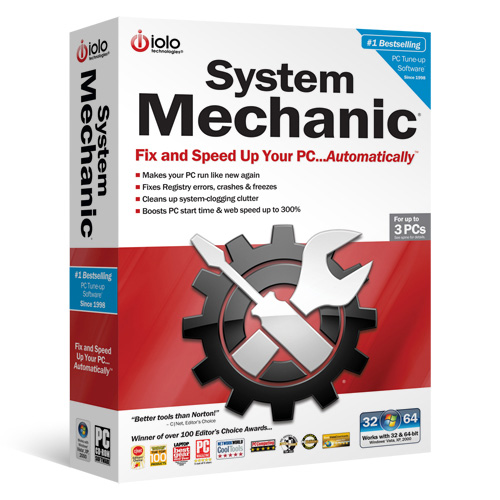
System Mechanic

waparc

Well-known member
  • Jan 12, 2008
    1,963
    1,253
    113
    මගේ කාමරේ
    ඔබේ පරිගනකය මන්දගාමී ද? Use System Mechanic 9.5

    මන්දගාමී පරිගනක speed කරන්න ! :yes:

    System Mechanic 9.5.7.13 (with crack)

    attachment.php


    • Your PC isn't too old!
      Windows gets slower from file fragments, registry errors, and sneaky new startup items.
      System Mechanic reverses this "aging" and can even make your PC run faster than when it was new, because many new PCs are not optimized for speed to begin with!

      What System Mechanic does to speed up your PC
      • Cleans, defrags, & repairs registry
      • Accelerates PC startup 19 ways
      • Defrags & recovers orphaned RAM
      • Boosts internet speed
      • Complete low-level drive defrag
      • Turns off unused background programs
      Perform dozens of performance boosting optimizations in one step.

      What makes a PC slower?
      Have you noticed that the longer you've had your computer, the slower it's gotten? Like a car, without regular maintenance PCs begin to accumulate problems that cause slowdowns, crashes, and potential system failure.
      iolo labs researchers have identified the top 5 causes of PC slowdowns and bottlenecks:


      1. Hidden startup programs
      2. Registry errors and bloat
      3. Memory leaks and fragmentation
      4. Unoptimized internet settings
      5. Hard drive fragmentation

      Eliminate the top 5 PC performance drains now!
      With System Mechanic, you can eliminate these performance drains and adapt PC settings for optimal speed. Your programs will launch quicker, work faster, and perform with greater reliability.
      Start Windows up to 8 times faster
      Various programs and services are set to load -- often unseen -- when Windows starts. Some are desired, but many are useless and needlessly delay startup. System Mechanic's enhanced Startup Optimizer™ intelligently eliminates unneeded startup programs.
      Use System Mechanic with complete ease and flexibility
      System Mechanic provides complete ease and flexibility to help you speed up your PC no matter what your experience level:


      Individual Tools
      Such as Startup Optimizer™ and EnergyBooster™ for users who want total control.
      All-in-one Tools
      Such as PC Accelerator that supercharges your PC up to 300% by running multiple performance-enhancing and speed boosting tools at once.

      Patent-pending
      ActiveCare®
      That can automatically and effortlessly fix and maintain your PC during idle time, keeping your system running like new.

    DOWNLOAD

    http://hotfile.com/dl/61946736/75ef436/System_Mechanic_9.5.7.13_Standard_Software.rar.html

    Enjoy !!!
     

    Attachments
    • sm_boxshot_large.jpg
      sm_boxshot_large.jpg
      76.3 KB · Views: 141
    Last edited:

    waparc

    Well-known member
  • Jan 12, 2008
    1,963
    1,253
    113
    මගේ කාමරේ
    IMPORTANT NOTES- SysMech 9 Activator v.1.0.exe:
    ***********************************************

    Installation notes:
    *******************
    - Disconnect internet during installation, and/or make sure to NOT let the prog
    connect to internet (block unwanted connections by using e.g. a firewall).
    01. Install System Mechanic as a time-limited trial.
    02. During installation:
    - uncheck System Mechanic's AntiVirus.
    - uncheck System Mechanic's Firewall.
    - uncheck "Send me an email when a new ActiveCare report is ready for viewing".
    - uncheck "Launch System Mechanic 9".
    03. Do NOT run the program after installation!
    04. Run the SysMech Activator v.1.0.
    05. Click the tab "Already installed", and select all three (3) options:
    "Reset license information", "Subscribe offline for", and "Expires on".

    06. Click "Select target component".
    07- The install folder of System Mechanic will open, and select "SysMech.exe".
    08. System Mechanic will start, and click on "Enter license information".
    (if not re-launch SysMech Activator and repeat above)
    09. Go back to the SysMech.9.Activator.v.1.0, and go to the tab "Fake keymaker".
    10. Select the correct program, and generate a code.
    11. Copy/paste the code to System Mechanic's Activation Key field and click OK.
    A system reboot may be required to activate the chosen subscription period.

    Important notes:
    ****************
    * Block below programs from accessing internet (with eg. a firewall)!
    Block or open your firewall and from Program Control block:
    C:\Program Files\iolo\Common\Lib\ioloServiceManager.exe
    C:\Program Files\iolo\System Mechanic\SysMech.exe
    C:\Program Files\iolo\System Mechanic\SMSystemAnalyzer.exe
    C:\Program Files\iolo\System Mechanic\SMTrayNotify.exe
    (if you never connect inernet, no need to block this)
    * After installation run System Mechanic and:
    - At "Help" -> "Configure Update Options" uncheck "Automatically check for
    updates at startup".
    - At "Options", "ActiveCare", "Edit Advanced Options", "Reporting" uncheck
    "Automatically send performance data to iolo technologies".
    * Do NOT update the program! if you update it, this activator wouldn't work anymore !

    <--------------------------------------------------------------------------------->
    <--------------------------------------------------------------------------------->

    Info from the SysMech Activator v3.1.exe window:
    ************************************************

    System Mechanic [Professional] 9.0 Activator v1.0
    ------------------------------------------------------------------------
    * block https://svc.iolo.com
    http://192.43.244.18
    or alternatively use the supplied patch.
    * Use at your own risk, and don't forget to read instructions
    carefully!!
    * Stop all components, including System Mechanic, Firewall,
    Antivirus, SMSystemAnalyzer, SMTrayNotify, Drive Scrubber
    & SearchAndRecover, failing to do so will result in improper
    work.
    * To reset your license details, check "Reset license
    information" and select target component and when you see
    the welcome screen, press "start 30-day evaluation
    period" .
    * Keys generated by keymaker are not official, they will
    work only side by side with this tool.
    * To register offline, check "Subscribe offline" and check
    "Reset license information", if you want to extend the "30
    days" check "Subscribe until" and choose the required period
    and choose your target component,when you see the
    license screen press "Enter license information" and enter
    the proper serials from keymaker into the registration box.
    (2 serials needed for stand alone license - one for system
    mechanic, and another for antivirus, and/or 1 pro serial
    needed for subscription license)
    * After completing registration, restart application.You may
    use "Patch online check" to avoid online check, it's not
    needed unless you are always connected to web.
    *If this doesn't work for you, delete it, and never contact
    me for update.
    ** Don't leech this, or you'll marked !
    BetaMaster
    VDOWN
    11.04.2009