


This article is extracted from my own blog http://lmpeiris.wordpress.com
It’s been a long time since I have written a post. Past several weeks has been busy, writing course works, as I’m a chemical engineering undergraduate too. To break off the frost, we’ll start from some MUSIC! What I have here today is a fruity – loops ( the commercial music editor for song tracks) like song/melody editor for Linux, with the full swing! Can you believe it?
This is the best use of Qt 4 (GUI library) I have yet seen, and the core is written in C++ makes it heavily powerful and versatile over the other Java opponents. Creation of melodies and beats, the synthesis and mixing of sounds are some of the best wanted features of this program.
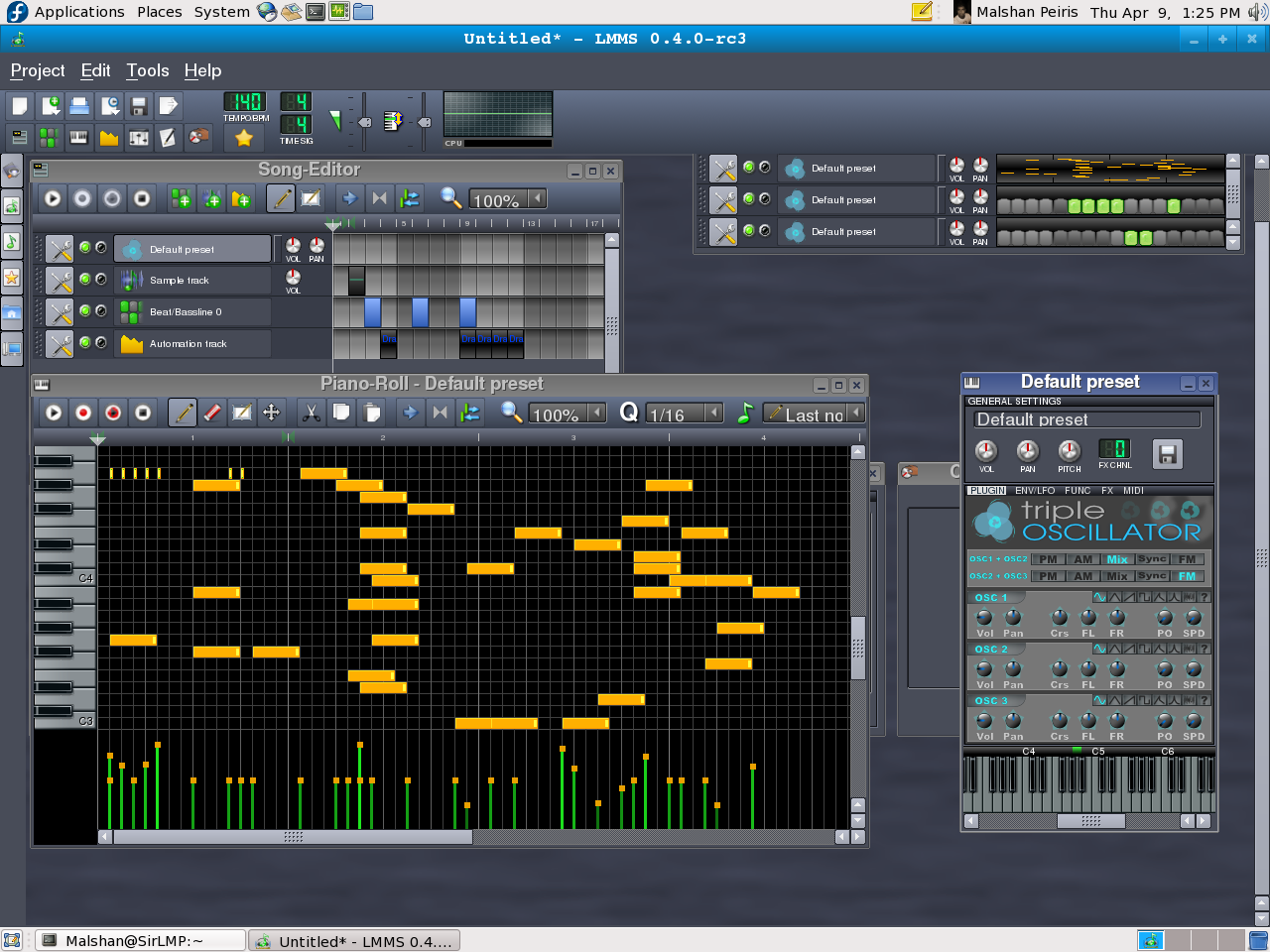 LMMS 0.4.0 - RC3 running on Qt 4.3.4 on Fedora 9
I’m not that good at music, and I don’t understand the proper use of controls —– but I can still have some fun ! The current version is 0.4.3, but what I have installed in my Fedora 9 is 0.4.0 about an year ago. It’s obvious that the new one should be better!
According to the LMMS homepage, the features of the program are (Version 0.4.3),
 Another view with more controls
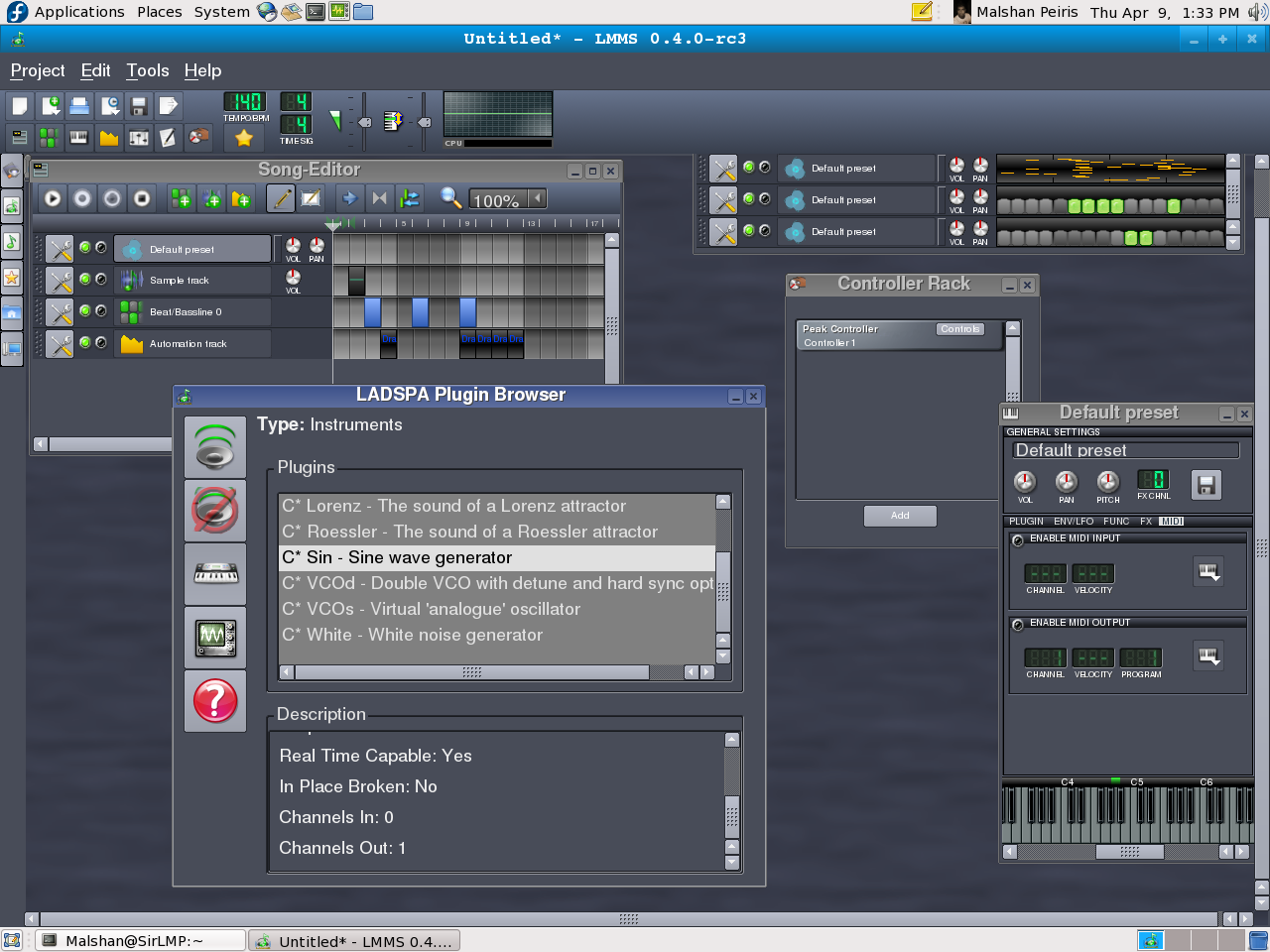 An unbeleivable LADSPA plugin browser (click to zoom)
Installing LMMS
****I recommend installing from the source as I have done (except for ubuntu and mandriva users). The source for the LMMS is to be compiled from Cmake. You can download it from this link. You can see my tutorial on compiling from source, or see the INSTALL file on the source folder. It reads: go to the source folder in the command line (use CD command) and type,
mkdir build
cd build
cmake ../ -DCMAKE_INSTALL_PREFIX=/usr
make && sudo make install
*****Without doing this , you can use the pre-compiled binaries.
For ubuntu people,
sudo apt-get lmms should do.
RPM’s are there for mandriva people. Check out www.rpmfind.net or use yum.
yum install lmms should do.
Dependencies:
JACK, vorbis, ogg, alsa, SDL, samplerate, sndfile, WINE, stk, fluidsynth . If you’re compiling from the source, you need the development packages (ex: SDL-devel) too. You don’t need to worry about these if you’re using apt-get, yum or package-manager which will do this (solving dependencies) automatically for you.
*****NOTE: Hydrogen is much similar program to fruity loops, and i’m yet to compile it. Will tell you people as soon as i’ve done it (have time to do it). You can check out their homepage till then.
P.S: I’ve created the hydrogen post now. You can visit it here.
It’s been a long time since I have written a post. Past several weeks has been busy, writing course works, as I’m a chemical engineering undergraduate too. To break off the frost, we’ll start from some MUSIC! What I have here today is a fruity – loops ( the commercial music editor for song tracks) like song/melody editor for Linux, with the full swing! Can you believe it?
This is the best use of Qt 4 (GUI library) I have yet seen, and the core is written in C++ makes it heavily powerful and versatile over the other Java opponents. Creation of melodies and beats, the synthesis and mixing of sounds are some of the best wanted features of this program.
 LMMS 0.4.0 - RC3 running on Qt 4.3.4 on Fedora 9
I’m not that good at music, and I don’t understand the proper use of controls —– but I can still have some fun ! The current version is 0.4.3, but what I have installed in my Fedora 9 is 0.4.0 about an year ago. It’s obvious that the new one should be better!
According to the LMMS homepage, the features of the program are (Version 0.4.3),
- Song-Editor for composing songs
- A Beat+Bassline-Editor for creating beats and basslines
- An easy-to-use Piano-Roll for editing patterns and melodies
- An FX mixer with 64 FX channels and arbitrary number of effects allow unlimited mixing possibilities
- Many powerful instrument and effect-plugins out of the box
- Full user-defined track-based automation and computer-controlled automation sources
- Compatible with many standards such as SoundFont2, VST(i), LADSPA, GUS Patches, and full MIDI support
- Import of MIDI and FLP (Fruityloops® Project) files
 Another view with more controls
  An unbeleivable LADSPA plugin browser (click to zoom)
Installing LMMS
****I recommend installing from the source as I have done (except for ubuntu and mandriva users). The source for the LMMS is to be compiled from Cmake. You can download it from this link. You can see my tutorial on compiling from source, or see the INSTALL file on the source folder. It reads: go to the source folder in the command line (use CD command) and type,
mkdir build
cd build
cmake ../ -DCMAKE_INSTALL_PREFIX=/usr
make && sudo make install
*****Without doing this , you can use the pre-compiled binaries.
For ubuntu people,
sudo apt-get lmms should do.
RPM’s are there for mandriva people. Check out www.rpmfind.net or use yum.
yum install lmms should do.
Dependencies:
JACK, vorbis, ogg, alsa, SDL, samplerate, sndfile, WINE, stk, fluidsynth . If you’re compiling from the source, you need the development packages (ex: SDL-devel) too. You don’t need to worry about these if you’re using apt-get, yum or package-manager which will do this (solving dependencies) automatically for you.
*****NOTE: Hydrogen is much similar program to fruity loops, and i’m yet to compile it. Will tell you people as soon as i’ve done it (have time to do it). You can check out their homepage till then.
P.S: I’ve created the hydrogen post now. You can visit it here.


 i tried it myself im just a beginner of c++ but i did compile a working GUI !!


