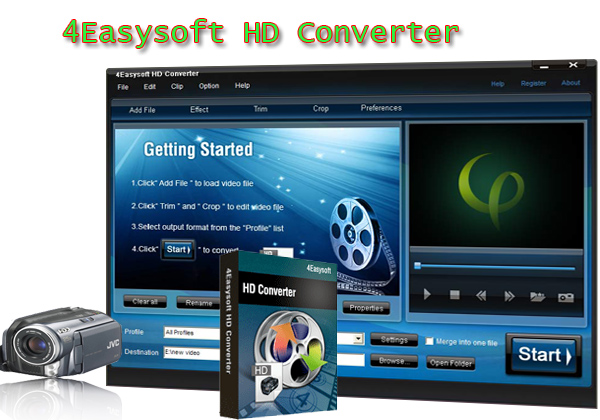
Nowadays we have various videos and DVDs to enjoy, but with so many analogue to digital converters available, it is always difficult to know which is right for a given application. Because the Data sheets often confuse the issue and many specifications impact performance in unanticipated ways, and when selecting converters, engineers may simply look at resolution, signal to noise ratio (SNR) or harmonics.
Now I'd like to share important tips for you to choose the right converter. It includes two parts:
Part 1: Tips for choosing the right video converter:
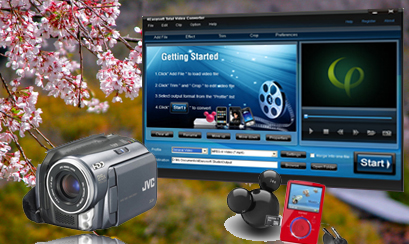
Tip 1: The format that the converter supports.
The most powerful video converter software must support as many video file formats as possible such as the common formats (avi, mpeg, wmv, mov, divx mp4,etc), and also the HD videos(HD TS, HD MTS, HD M2TS, , HD MP4, HD WMV,etc) as its input and output video formats. The audio files (AAC, AC3, AIFF, AMR, AU, FLAC, MP3, M4V, MP2, OGG, WAV, WMA. etc) also must be included as its input and output formats. Check out if all the necessary encoders and decoders are included in the software.
Tip 2: The video conversion speed.
A lot of converters support all the possible video formats, but they are really slow and sometimes they freeze causing a lot of frustration. Many video converters do not support multithreading and batch conversion making the process of video conversion a pain. Batch conversion will allow you to convert more than one video files at the same time.
Tip 3: The quality of the converted media file.
Many iPod video converters are really fast but the output is disappointing. Video freezes, audio stops playing, screen turns red or green, short audio or video breaks during playback. This is common for some video converter, especially when you don't know how to use the conversion process properly. Be careful when adjusting video size, bit rate etc.
Tip 4: The friendly user interface
The user interface must be friendly and designed in a way that will allow even a total newbie to access all the controls and functions of the video converter software. If a software company creates a user friendly video converter, chances are that the video converter will work properly apart from being user friendly.
Tip 5: The advanced video editing functions.
Most of the time we just not only want to convert the video into another format, but we also want to edit it while converting. Split segments randomly or exactly, set video effect and deinterlacing, merge files into one, crop video play region to retain what you want, capture highlights, customize output settings are all the basic editing functions. Check out if the converter has these functions when choosing a video converter. Be sure to use the preview feature if any, to see the output result before converting.
Ok, if considering about these, I think any of you can choose the right Video Converter. And for the Mac users, you can also choose the right Mac Video Converter.
Part 2: Tips for choosing the right DVD converter:
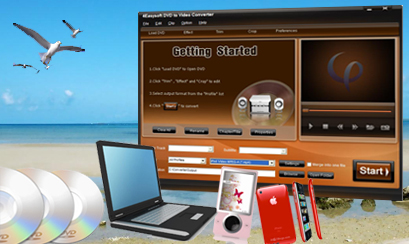
Tip 1: Information about converting a DVD
Converting a DVD refers to converting the audio or video data from a DVD format to a digital copy on your hard disk.
Tip 2: The right type of the DVD converter
If you use a DVD converter, it will compress the video into mpeg-4, avi, DivX, or Ogg Theora. If you use a DVD audio converter, it will compress the audio from the dvd into a format such as mp3, wav, or ogg. To completely convert a DVD you will either need both a DVD audio ripper and a video ripper, or you will need a DVD ripper that does both audio and video ripping.
Tip 3: The portable devices that the output file support
Not only are there DVD converters to convert a DVD to a format your PC can deal with, but there is now even a DVD converter that allows you to put a DVD onto a video iPod, iPhone, iPhone OS 3.0, PSP, Zune, Creative Zen, Wii, etc.
Tip 4: The converting speed
The speed which your dvd ripper can work depends on several factors. One of the big factors is the drive speed. For instance an 8x drive will have the capability of converting the DVD 8 times faster than the DVD will play. Another factor that will effect how fast your DVD converter goes is cpu speed. If you have a slow cpu that will make it so the DVD converter cannot keep up with the drive and will cause a slowdown.
Tip 5: The cleanness of the converter
Nobody likes to have something useless or harmful when downloading the software. So be sure there are no adware, spyware, virus when downloading a software.
Well, take these into consideration, this DVD to Video Converter deserves our try. And for the Mac users, Mac DVD Ripper can be regarded as the best one on Mac.
Hope these tips can be helpful.
Now I'd like to share important tips for you to choose the right converter. It includes two parts:
Part 1: Tips for choosing the right video converter:
Tip 1: The format that the converter supports.
The most powerful video converter software must support as many video file formats as possible such as the common formats (avi, mpeg, wmv, mov, divx mp4,etc), and also the HD videos(HD TS, HD MTS, HD M2TS, , HD MP4, HD WMV,etc) as its input and output video formats. The audio files (AAC, AC3, AIFF, AMR, AU, FLAC, MP3, M4V, MP2, OGG, WAV, WMA. etc) also must be included as its input and output formats. Check out if all the necessary encoders and decoders are included in the software.
Tip 2: The video conversion speed.
A lot of converters support all the possible video formats, but they are really slow and sometimes they freeze causing a lot of frustration. Many video converters do not support multithreading and batch conversion making the process of video conversion a pain. Batch conversion will allow you to convert more than one video files at the same time.
Tip 3: The quality of the converted media file.
Many iPod video converters are really fast but the output is disappointing. Video freezes, audio stops playing, screen turns red or green, short audio or video breaks during playback. This is common for some video converter, especially when you don't know how to use the conversion process properly. Be careful when adjusting video size, bit rate etc.
Tip 4: The friendly user interface
The user interface must be friendly and designed in a way that will allow even a total newbie to access all the controls and functions of the video converter software. If a software company creates a user friendly video converter, chances are that the video converter will work properly apart from being user friendly.
Tip 5: The advanced video editing functions.
Most of the time we just not only want to convert the video into another format, but we also want to edit it while converting. Split segments randomly or exactly, set video effect and deinterlacing, merge files into one, crop video play region to retain what you want, capture highlights, customize output settings are all the basic editing functions. Check out if the converter has these functions when choosing a video converter. Be sure to use the preview feature if any, to see the output result before converting.
Ok, if considering about these, I think any of you can choose the right Video Converter. And for the Mac users, you can also choose the right Mac Video Converter.
Part 2: Tips for choosing the right DVD converter:
Tip 1: Information about converting a DVD
Converting a DVD refers to converting the audio or video data from a DVD format to a digital copy on your hard disk.
Tip 2: The right type of the DVD converter
If you use a DVD converter, it will compress the video into mpeg-4, avi, DivX, or Ogg Theora. If you use a DVD audio converter, it will compress the audio from the dvd into a format such as mp3, wav, or ogg. To completely convert a DVD you will either need both a DVD audio ripper and a video ripper, or you will need a DVD ripper that does both audio and video ripping.
Tip 3: The portable devices that the output file support
Not only are there DVD converters to convert a DVD to a format your PC can deal with, but there is now even a DVD converter that allows you to put a DVD onto a video iPod, iPhone, iPhone OS 3.0, PSP, Zune, Creative Zen, Wii, etc.
Tip 4: The converting speed
The speed which your dvd ripper can work depends on several factors. One of the big factors is the drive speed. For instance an 8x drive will have the capability of converting the DVD 8 times faster than the DVD will play. Another factor that will effect how fast your DVD converter goes is cpu speed. If you have a slow cpu that will make it so the DVD converter cannot keep up with the drive and will cause a slowdown.
Tip 5: The cleanness of the converter
Nobody likes to have something useless or harmful when downloading the software. So be sure there are no adware, spyware, virus when downloading a software.
Well, take these into consideration, this DVD to Video Converter deserves our try. And for the Mac users, Mac DVD Ripper can be regarded as the best one on Mac.
Hope these tips can be helpful.