PQ DVD to iPod Video Converter

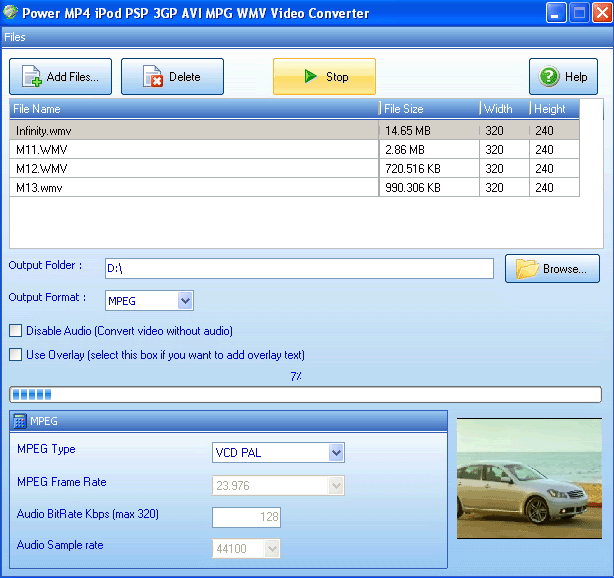
PQ DVD to iPod Video Converter is the easiest-to-use video to iPod converter software for Apple iPod Movie and iPod Video. It provides a One-Click, All-In-One solution to convert DVD to iPod Video, including convert DVD to iPod movies, convert Tivo to iPod, DivX to iPod, Xvid to iPod, MPEG to iPod, WMV to iPod, AVI to iPod, RealMedia to iPod, etc.
Super fast conversion speed with high quality plus advanced video editing features give you everything you need to turn iPod into a portable media center.
Watch DVD, home movies, TV on your video iPod in great quality
What can PQ DVD to iPod Video Converter do for you?
* Convert DVD to iPod Video or Video file to iPod in One Click.
* Compatible with iPod Touch, iPod Classic, iPod nano 4G/8G, TV-Out on all models, etc.
* Up to 4x faster than other DVD recording or ripping software.
* Fully optimized for Dual Core, Hyper-Thread processor.
* Optimized for Processor(SSE2/SSE/MMX/3DNow!) and Graphics Card Acceleration.
* Dolby, DTS Surround audio support.
* High quality MP4 video in H.264 and MPEG-4 format. Support iPod to TV.
* Exact video clip Conversion, easy video crop and aspect ratio adjustment.
* Subtitle and audio language change through DVD menu.
* Easy video splitting, customizing video quality and size before conversion.
* Convert DVD to iPod movie. Convert Tivo to iPod, DivX/XviD to iPod movie, AVI to iPod movie, WMV to iPod movie, MPG/MPEG, dat(VCD), rm, rmvb, VOB, dvr-ms, MOV, etc to iPod movies.
Download:
===============================================================================================================
===============================================================================================================
===============================================================================================================
Quicktime PRO 7.4.5 (Vista Compatible)

Like to take a magic carpet ride?
Just launch QuickTime Player, and there’s no telling where you’re likely to land. The Player may whisk you to the Moon or perhaps to an exotic location on this planet. Take you on a virtual field trip to the National Baseball Hall of Fame and Museum. Or treat you to the latest news, movie trailers, music videos, HBO series or PBS specials.
When you hop aboard QuickTime 7 Player, you’re assured of a truly rich multimedia experience.
Get More with H.264
That’s because QuickTime 7 Player takes advantage of the latest video compression technology. It’s called H.264, and it’s an important new industry standard that’s quickly garnered widespread support. Chosen as the industry-standard codec for 3GPP (mobile multimedia), MPEG-4 HD-DVD and Blu-ray, H.264 represents the next generation of video for everything from mobile multimedia to high-definition playback.
Ultra-efficient, the H.264 codec compresses video tightly — resulting in much smaller files — without sacrificing any quality. So you can watch video of astonishing quality — crisp, clear and brilliantly saturated — in a window up to four times the size you are currently used to seeing.
Full Screen Playback
Tired of pillar bars and letterboxes? Full screen playback, now included in the free QuickTime Player, has been enhanced to allow you to take full advantage of your computer’s widescreen display. Select from three different modes to fit your content to any size screen.
Just Open It and It Works
The new QuickTime 7 Player not only delivers startling quality, but it’s easier to use than ever. It requires no set up for content that streams over the network. Instead, QuickTime 7 Player automatically determines your system’s connection speed and chooses the highest quality stream for the amount of bandwidth you have available. And if you ever lose a connection while watching streaming video, QuickTime 7 Player automatically reconnects. Now, that’s convenience.
You also have the option of using the Player’s new audio and video playback controls. With them, you can easily adjust balance and volume or make changes to bass and treble response. If you're running Mac OS X Tiger or later with a capable video card, you can adjust brightness, color, contrast and tint with sliders in the same control palette, too. Want to speed through a movie? Or really s l o w t h i n g s d o w n? A handy slider lets you set playback speed from 1/2x to 3x normal speed. And by using the new Jog Shuttle, you can adjust the speed at which you search through individual movie frames.
Sounds Really Good, Too
Do you think great video deserves great audio? We do, too. And QuickTime 7 Player delivers truly outstanding multi-channel audio. In fact, it provides you with up to 24 channels of audio. So if you watch a movie that offers surround sound, you’ll be amazed at the heightened audio experience you’ll enjoy from your Mac or PC and your surround-sound speakers. A really good sport, QuickTime 7 Player supports a wide-range of industry-standard audio formats, including AIFF, WAV, MOV, MP4 (AAC only), CAF and AAC/ADTS.
Download:
===============================================================================================================
===============================================================================================================
===============================================================================================================
Unlocker v1.8.7

Ever had such an annoying message given by Windows?

It has many other flavors:
* Cannot delete file: Access is denied
* There has been a sharing violation.
* The source or destination file may be in use.
* The file is in use by another program or user.
* Make sure the disk is not full or write-protected and that the file is not currently in use.
Unlocker is the solution!
1. Simply right click the folder or file and select Unlocker.

2. If the folder or file is locked, a window listing of lockers will appear

3. Simply select the lockers and click Unlock and you are done!
Change Log 1.8.7 - 05/01/2008
* Fixed bug: Unlocker should not create event logs anymore.
* Fixed bug: Unlocker should not take minutes to close on certain configurations anymore.
* Fixed bug: Unlocker should not lock DLLs not used by Unlocker anymore.
* Fixed bug: Fixed potential driver bug.
* Fixed bug: Miscellaneous handle leaks.
* Improved behavior: Improved deleting/renaming/moving files such as C:\WINDOWS\system32\Macromed\Flash\Flash9e.ocx for example.
* Improved behavior: When right-clicking files or folders and selecting Unlocker, those are automatically deselected. It helps with movie files and removable drives.
* Improved UI: Icon looks correct now on Windows Vista.
* Promotional feature: Added fully optional shortcuts to eBay during the installation. Simply untick "eBay shortcuts" in the choose components page during install if you do not wish to have those.
Download:
===============================================================================================================
===============================================================================================================
===============================================================================================================
Yahoo! Messenger 9.0.0.1912 Final

Yahoo! Messenger Features:
• Communication
- Instant Messaging: Send text messages in real-time to your friends on Yahoo! or Windows Live™ Messenger.
- Chat Rooms: Join a chat room to meet new friends while you discuss your favorite topics.
- Photo Sharing: Share photos from your desktop or Flickr, then discuss them over IM while you and a friend view them together.
- PC-to-PC Calls: Make a voice call to another Yahoo! Messenger user for free (microphone and speakers/headset required).
- Phone Out (PC-to-Phone Calls): Call friends on their regular or mobile phones from Messenger for as low as 1¢ a minute (Phone Out account required).
- Phone In (Get a Phone Number for Messenger): Get a new phone number that allows you to receive calls in Yahoo! Messenger (Phone In account required).
- SMS (Text Messaging): Send text messages from Messenger to your friends mobile phones for free.
- Webcam: Plug in your webcam to share live video with your friends on Yahoo! Messenger.
- IM Conferencing: Instant message with many friends at once in a conference room (includes voice capabilities, where available).
- IM with Friends on Other Networks: IM with friends who use Windows Live™ Messenger, Reuters Messaging, and Lotus Sametime — right from Yahoo! Messenger.
- File Transfer: Send files instantly to a friend while you IM (2 GB limit).
• Productivity
- IM Forwarding to Mobile: When you sign out of Messenger, have new IMs sent to your phone as text messages.
- Contact Search Bar: Quickly find a contact to IM, call, SMS or more.
- Yahoo! Search: Start a web search right from your Yahoo! Messenger window.
- Yahoo! Address Book: View and edit your Yahoo! Address Book information for your contacts right from Messenger.
- Stealth/Privacy Settings: Make yourself appear online to some friends, and offline to others.
- Call Forwarding: Have incoming calls to Messenger forwarded to another phone number, even if you're signed out (Phone Out account required).
- Yahoo! Mail alerts: Get notified when new a new Yahoo! Mail message arrives.
- Voicemail: When friends call you on Yahoo! Messenger, they can leave you a voicemail if you're unavailable.
- Message Archiving: Maintain a private archive of your IM conversations.
- Buzz Alert: Get your friend's attention with a click of the Buzz button.
- Yahoo! Updates: Get real-time updates in Yahoo! Messenger about what your friends are posting online, reviewing and generally buzzing about
• Fun & Personalization
- Plug-ins: Add content, services and games to Messenger that you can enjoy on your own, or with friends while you IM.
- Audibles: Send an animated, talking character to a friend to liven up your IM conversation.
- Emoticons: Express your feelings with these animated, smiling faces.
- Avatars: Represent yourself with a stylized, graphic image where you can choose the hair, clothing and more.
- Display Images: Display an image to represent yourself to your friends.
- Skins: Choose a different skin to give your IM world a new look.
- IMVironments: Liven things up with interactive, themed backgrounds in the IM window.
- Yahoo! Games: Play a game of pool, backgammon, checkers and more with a friend while you IM.
- Custom Status Messages: Tell your friends what you're doing, seeing or feeling by customizing your online status message.
- Custom Ringtones: Assign ringtones to different callers, or upload your own audio files to use.
- Customizable Fonts & Colors: IM with a font, color and style that suits your personality.
- Sound Effects & Soundtrack (During Voice Calls): Throw a sound effect in while you're on a call or upload a music file to play as a soundtrack in the background.
System Requirements:
- Microsoft Windows XP, Vista.
Download:

PQ DVD to iPod Video Converter is the easiest-to-use video to iPod converter software for Apple iPod Movie and iPod Video. It provides a One-Click, All-In-One solution to convert DVD to iPod Video, including convert DVD to iPod movies, convert Tivo to iPod, DivX to iPod, Xvid to iPod, MPEG to iPod, WMV to iPod, AVI to iPod, RealMedia to iPod, etc.
Super fast conversion speed with high quality plus advanced video editing features give you everything you need to turn iPod into a portable media center.
Watch DVD, home movies, TV on your video iPod in great quality
What can PQ DVD to iPod Video Converter do for you?
* Convert DVD to iPod Video or Video file to iPod in One Click.
* Compatible with iPod Touch, iPod Classic, iPod nano 4G/8G, TV-Out on all models, etc.
* Up to 4x faster than other DVD recording or ripping software.
* Fully optimized for Dual Core, Hyper-Thread processor.
* Optimized for Processor(SSE2/SSE/MMX/3DNow!) and Graphics Card Acceleration.
* Dolby, DTS Surround audio support.
* High quality MP4 video in H.264 and MPEG-4 format. Support iPod to TV.
* Exact video clip Conversion, easy video crop and aspect ratio adjustment.
* Subtitle and audio language change through DVD menu.
* Easy video splitting, customizing video quality and size before conversion.
* Convert DVD to iPod movie. Convert Tivo to iPod, DivX/XviD to iPod movie, AVI to iPod movie, WMV to iPod movie, MPG/MPEG, dat(VCD), rm, rmvb, VOB, dvr-ms, MOV, etc to iPod movies.
Download:
Code:
http://rapidshare.com/files/149078039/pqdvd_ipod.exe

Crack:
http://rapidshare.com/files/149271635/PQ.rar
===============================================================================================================
===============================================================================================================
Quicktime PRO 7.4.5 (Vista Compatible)

Like to take a magic carpet ride?
Just launch QuickTime Player, and there’s no telling where you’re likely to land. The Player may whisk you to the Moon or perhaps to an exotic location on this planet. Take you on a virtual field trip to the National Baseball Hall of Fame and Museum. Or treat you to the latest news, movie trailers, music videos, HBO series or PBS specials.
When you hop aboard QuickTime 7 Player, you’re assured of a truly rich multimedia experience.
Get More with H.264
That’s because QuickTime 7 Player takes advantage of the latest video compression technology. It’s called H.264, and it’s an important new industry standard that’s quickly garnered widespread support. Chosen as the industry-standard codec for 3GPP (mobile multimedia), MPEG-4 HD-DVD and Blu-ray, H.264 represents the next generation of video for everything from mobile multimedia to high-definition playback.
Ultra-efficient, the H.264 codec compresses video tightly — resulting in much smaller files — without sacrificing any quality. So you can watch video of astonishing quality — crisp, clear and brilliantly saturated — in a window up to four times the size you are currently used to seeing.
Full Screen Playback
Tired of pillar bars and letterboxes? Full screen playback, now included in the free QuickTime Player, has been enhanced to allow you to take full advantage of your computer’s widescreen display. Select from three different modes to fit your content to any size screen.
Just Open It and It Works
The new QuickTime 7 Player not only delivers startling quality, but it’s easier to use than ever. It requires no set up for content that streams over the network. Instead, QuickTime 7 Player automatically determines your system’s connection speed and chooses the highest quality stream for the amount of bandwidth you have available. And if you ever lose a connection while watching streaming video, QuickTime 7 Player automatically reconnects. Now, that’s convenience.
You also have the option of using the Player’s new audio and video playback controls. With them, you can easily adjust balance and volume or make changes to bass and treble response. If you're running Mac OS X Tiger or later with a capable video card, you can adjust brightness, color, contrast and tint with sliders in the same control palette, too. Want to speed through a movie? Or really s l o w t h i n g s d o w n? A handy slider lets you set playback speed from 1/2x to 3x normal speed. And by using the new Jog Shuttle, you can adjust the speed at which you search through individual movie frames.
Sounds Really Good, Too
Do you think great video deserves great audio? We do, too. And QuickTime 7 Player delivers truly outstanding multi-channel audio. In fact, it provides you with up to 24 channels of audio. So if you watch a movie that offers surround sound, you’ll be amazed at the heightened audio experience you’ll enjoy from your Mac or PC and your surround-sound speakers. A really good sport, QuickTime 7 Player supports a wide-range of industry-standard audio formats, including AIFF, WAV, MOV, MP4 (AAC only), CAF and AAC/ADTS.
Download:
Code:
http://rapidshare.com/files/149153017/QuickTimeInstaller.exe
OR
http://www.megaupload.com/?d=Z2O34J07

Keygen:
http://rapidshare.com/files/149275857/QTPROkg.rar
or
http://www.megaupload.com/?d=C51VJPAP
===============================================================================================================
===============================================================================================================
Unlocker v1.8.7

Ever had such an annoying message given by Windows?

It has many other flavors:
* Cannot delete file: Access is denied
* There has been a sharing violation.
* The source or destination file may be in use.
* The file is in use by another program or user.
* Make sure the disk is not full or write-protected and that the file is not currently in use.
Unlocker is the solution!
1. Simply right click the folder or file and select Unlocker.

2. If the folder or file is locked, a window listing of lockers will appear

3. Simply select the lockers and click Unlock and you are done!
Change Log 1.8.7 - 05/01/2008
* Fixed bug: Unlocker should not create event logs anymore.
* Fixed bug: Unlocker should not take minutes to close on certain configurations anymore.
* Fixed bug: Unlocker should not lock DLLs not used by Unlocker anymore.
* Fixed bug: Fixed potential driver bug.
* Fixed bug: Miscellaneous handle leaks.
* Improved behavior: Improved deleting/renaming/moving files such as C:\WINDOWS\system32\Macromed\Flash\Flash9e.ocx for example.
* Improved behavior: When right-clicking files or folders and selecting Unlocker, those are automatically deselected. It helps with movie files and removable drives.
* Improved UI: Icon looks correct now on Windows Vista.
* Promotional feature: Added fully optional shortcuts to eBay during the installation. Simply untick "eBay shortcuts" in the choose components page during install if you do not wish to have those.
Download:
Code:
http://rapidshare.com/files/149273725/unlocker1.8.7.exe===============================================================================================================
===============================================================================================================
Yahoo! Messenger 9.0.0.1912 Final

Yahoo! Messenger Features:
• Communication
- Instant Messaging: Send text messages in real-time to your friends on Yahoo! or Windows Live™ Messenger.
- Chat Rooms: Join a chat room to meet new friends while you discuss your favorite topics.
- Photo Sharing: Share photos from your desktop or Flickr, then discuss them over IM while you and a friend view them together.
- PC-to-PC Calls: Make a voice call to another Yahoo! Messenger user for free (microphone and speakers/headset required).
- Phone Out (PC-to-Phone Calls): Call friends on their regular or mobile phones from Messenger for as low as 1¢ a minute (Phone Out account required).
- Phone In (Get a Phone Number for Messenger): Get a new phone number that allows you to receive calls in Yahoo! Messenger (Phone In account required).
- SMS (Text Messaging): Send text messages from Messenger to your friends mobile phones for free.
- Webcam: Plug in your webcam to share live video with your friends on Yahoo! Messenger.
- IM Conferencing: Instant message with many friends at once in a conference room (includes voice capabilities, where available).
- IM with Friends on Other Networks: IM with friends who use Windows Live™ Messenger, Reuters Messaging, and Lotus Sametime — right from Yahoo! Messenger.
- File Transfer: Send files instantly to a friend while you IM (2 GB limit).
• Productivity
- IM Forwarding to Mobile: When you sign out of Messenger, have new IMs sent to your phone as text messages.
- Contact Search Bar: Quickly find a contact to IM, call, SMS or more.
- Yahoo! Search: Start a web search right from your Yahoo! Messenger window.
- Yahoo! Address Book: View and edit your Yahoo! Address Book information for your contacts right from Messenger.
- Stealth/Privacy Settings: Make yourself appear online to some friends, and offline to others.
- Call Forwarding: Have incoming calls to Messenger forwarded to another phone number, even if you're signed out (Phone Out account required).
- Yahoo! Mail alerts: Get notified when new a new Yahoo! Mail message arrives.
- Voicemail: When friends call you on Yahoo! Messenger, they can leave you a voicemail if you're unavailable.
- Message Archiving: Maintain a private archive of your IM conversations.
- Buzz Alert: Get your friend's attention with a click of the Buzz button.
- Yahoo! Updates: Get real-time updates in Yahoo! Messenger about what your friends are posting online, reviewing and generally buzzing about
• Fun & Personalization
- Plug-ins: Add content, services and games to Messenger that you can enjoy on your own, or with friends while you IM.
- Audibles: Send an animated, talking character to a friend to liven up your IM conversation.
- Emoticons: Express your feelings with these animated, smiling faces.
- Avatars: Represent yourself with a stylized, graphic image where you can choose the hair, clothing and more.
- Display Images: Display an image to represent yourself to your friends.
- Skins: Choose a different skin to give your IM world a new look.
- IMVironments: Liven things up with interactive, themed backgrounds in the IM window.
- Yahoo! Games: Play a game of pool, backgammon, checkers and more with a friend while you IM.
- Custom Status Messages: Tell your friends what you're doing, seeing or feeling by customizing your online status message.
- Custom Ringtones: Assign ringtones to different callers, or upload your own audio files to use.
- Customizable Fonts & Colors: IM with a font, color and style that suits your personality.
- Sound Effects & Soundtrack (During Voice Calls): Throw a sound effect in while you're on a call or upload a music file to play as a soundtrack in the background.
System Requirements:
- Microsoft Windows XP, Vista.
Download:
Code:
http://rapidshare.com/files/149078348/ymsgr900_1912_us.exe
or
http://www.megaupload.com/?d=WBXFP5IE