
Latest ads
-
GOOGLE AI PRO - 18 Month - Rs.500.00
- Sanathbh
- Updated:
-
 📸 SIGMA 85mm F1.4 DG HSM | Art — Nikon Mount
- romeshnonis
- Updated:
-
Singapore V2Ray VPN for Tunneling
- hu KANNA
- Updated:
-
 Plan your Crypto & Forex entries before you take the trade
- romeshnonis
- Updated:
-
 RHCSA, RHCE, AWS, Docker, Kubernetes Training
- Sanjeewani95
- Updated:
You are using an out of date browser. It may not display this or other websites correctly.
You should upgrade or use an alternative browser.
You should upgrade or use an alternative browser.


router එකේ control panel එකේ wifi settings වල තියෙනවා key එක.
හැමතැනම හෙවුව බන්. හොයාගන්න බැරි වුනා එහෙම පොට් එකක්
teamviewer වලින් share කරපං ඕක පෙන්නන්න.හැමතැනම හෙවුව බන්. හොයාගන්න බැරි වුනා එහෙම පොට් එකක්

Default p/w ekanm admin kiyala. log wela thiyena balannanam settings wala athi.මචන් Prolink රවුට්ර් එකේ දැන් තියෙන ශෙයාර් කී එක බලාගන්න විදිය දන්න එකෙක් කියල දීපන්කො..
නැතත්ම් දැන් මම කනෙක්ට් වෙලා ඉන්න Wifi නෙට්වර්ක් එකේ කී එක බලාගන්න විදිය.වින්ඩෝස් 7
ලොකු උදව්වක්..
teamviewer වලින් share කරපං ඕක පෙන්නන්න.
මම තව ටිකක් ට්රයි කරල උඹව contact කරන්නම්. තෑන්ක්ස්


- Go to Control Panel -> Network and Internet -> Network and Sharing Center.
- Click on Manage wireless networks on the left pane.
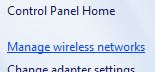
- A list of wireless networks that the PC used to connect to with saved password or security key. Click to highlight on a wireless network connection that user wants to view its network security key, and the right click on it and select Properties.

- Click on Security tab.
- The network security key for the wireless network is hidden by asterisk by default. Instead of using utilities to reveal, display or show original characters of password or key hidden behind asterisks, click on Show characters button to reveal and display the actual original network security key on screen.

Last edited:

- Go to Control Panel -> Network and Internet -> Network and Sharing Center.
- Click on Manage wireless networks on the left pane.
- A list of wireless networks that the PC used to connect to with saved password or security key. Click to highlight on a wireless network connection that user wants to view its network security key, and the right click on it and select Properties.
- Click on Security tab.
- The network security key for the wireless network is hidden by asterisk by default. Instead of using utilities to reveal, display or show original characters of password or key hidden behind asterisks, click on Show characters button to reveal and display the actual original network security key on screen.

ela.thnx kolla


elazzzzz
machan meke hidden characters balanna bane. okkoma bola wetenne. Show option eka deact wela
admin හැටියට නෙමෙයිද ලොගින් උනේ prolink control panel එකට ?machan meke hidden characters balanna bane. okkoma bola wetenne. Show option eka deact wela
admin හැටියට නෙමෙයිද ලොගින් උනේ prolink control panel එකට ?
admin hetiyata ban. thiyena password 1 balaganna be. eka wenas karanna be. mkd meka mage ntwork ekak newei. thiyena ekama change karaganna one
Similar threads


- Replies
- 5
- Views
- 654

