


How To Install
1. Install the program (in offline mode). But do not run the program immediately.
2. Open the Crack Folder, Copy the Crack File, named "imfc0.dll".
3. Now, Paste and Overwrite it into "Local Disk (C-> Program Files -> Xilisoft -> Video Converter Ultimate" directory.
4. Then Restart your computer.
5. Now, finally, Run Xilisoft Video Converter Ultimate, then go to the tab "Tool" -> "Preferences" and Click on "Check for Automatic Updates",
to diasable Automatic updates.
6. If you wish to see whether your program is registered or not, then go to the tab "Help" -> "Enter Licence Code...",
then you will definitely see the sentence in bold letters saying, "Registered Sucessfully", which means that the program is registered.
Download Link
Code:
[URL]http://filesflash.com/tkbtjc22[/URL]මේ වෑඩේට මම ටිකක් මහන්සිවුනා ඒ නිසා අඩුමතරමෙ කමෙන්ට් එකක් වත් දාල යන්න මචන්ල
Features


Xilisoft Video Converter is easy, fast, reliable, and loaded with features. Besides capable of converting standard videos of all popular formats, it also supports the conversion from standard videos to 3D videos as well as the mode conversion among 3D videos. Now you can convert video, audio, and animated images to play on your PSP, PS3, iPod, iPhone, Apple TV, Xbox, Google phones, iPad, iPad2 and other digital multimedia devices. All is made possible with Xilisoft Video Converter.
- Convert nearly all HD/SD video and audio formats
- Support videos shot by iPhone, other smart phones and DVs
- Convert video to iPad, iPod, iPhone, PSP, PS3, Xbox, mobile phone, MP4 players, Google phones
- Edit videos, clip/merge/split files, add watermarks/subtitles/soundtracks

High-Definition, Fast and Expert Video Converter

So many video, audio and picture formats supported – it is more than you can imagine!
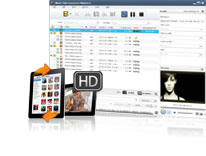
- 3D Videos Conversion
Convert standard videos to 3D videos. Support the conversion among different kinds of 3D videos. (Note: To watch 3D videos will require: 3D glasses and 3D TV or monitor.) - High-Definition Video Converter
Support a wide range of HD video formats, Xilisoft Video Converter allows you to convert between multiform HD formats such as H.264/MPEG-4 AVC, AVCHD Video (*.m2ts, *.mts), Apple TV h.264 720P, MKV, HD WMV, and MPEG2/MPEG-4 TS HD Video, as well as convert videos from HD to SD. - Convert Videos with Super High Speed
Convert a video in an instant with multi-core CPU processing and set the number of cores for conversion to customize conversion speed. - Video and Audio Conversion
Whether you are converting between multifarious video formats (such as AVI, MPEG, WMV, DivX, MP4, H.264/AVC, MKV, RM, MOV, XviD, 3GP, and FLV), audio formats (such as MP3, WMA, WAV, RA, M4A, AAC, AC3, MP2, and OGG), or extracting audio from a video, they can all be done in a matter of clicks. - Transforming between Videos and Pictures
Produce a creative video from your favorite photos within minutes. Create a picture collection from your movies or fun videos as a souvenir/memento. View and enjoy them with your family and friends at your fingertips. - Transfer Converted Video/Audio Files to Devices Directly
Convert and transfer video/audio files to iPod/iPhone 4/iPad/iPad2/PSP in one quick step with Xilisoft Video Converter.

Great Film Clipper to Merge, Clip and Split Files
Make enchanting movies your way and view them on your favorite devices
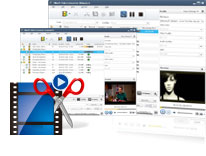
- Merge Several Files into One
Enjoy your video/audio/picture collections differently by merging several of them together; add transitions between every two videos/pictures for enhanced viewing. - Clip Segments from Video
Clip your favorite sections of a video and merge them together to make the video you want with Xilisoft Video Converter. - Split a Single File into Several
Is a file too large for your iPod, iPhone, PSP, or mobile phone? Simply split it into several files to make it fit onto your multimedia device exactly.

Special Effects to Individualize Videos
Put your creative inspiration on the movies and make them look and sound fantastic
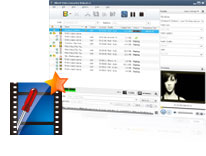
- Crop Frame Size to Retain What You Want
Crop the picture frame of a video to remove any unwanted areas from it using this video converter like a pair of smart scissors. - Adjust Video Settings and Add Special Effects
Adjust video brightness/saturation/contrast. Add artistic effects such as old film, gray, oil painting or canvas to make your video look special. - Add Watermarks to Video
Personalize your video with multiple picture and/or text watermarks added. - Create Video with Subtitles
Add subtitles to your video and adjust their relative transparencies and positions. - Create Video with Soundtrack
Dub your video with your own voice or any soundtrack you fancy.

Professional Settings and Optimized Profiles
Settings and features that help you ease the conversion process
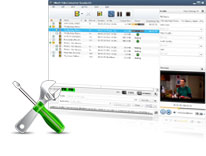
- Optimized Conversion Profiles
Come with optimized and classified conversion profiles for a wide range of multimedia devices. Customize an existing profile and saved it as your own. - Rich Parameter Settings
Adjust general video, audio, picture and tag parameters such as start time, duration, video size, video/audio/picture quality, audio channel, split size, image capture interval, ID3 tag info and much more. More advanced parameters are available for professional users. - Convert a File into Several Formats Simultaneously
Select a variety of output formats for a source, and let Xilisoft Video Converter do the rest. - Determine Output File Size
Compute the output file size precisely with the aid of Xilisoft Video Converter's Bitrate Calculator.

Simple, Quick and Convenient
Providing you with a simpler, quicker and smarter video conversion experience
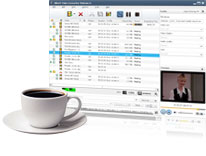
- Video Preview
Preview the original and the edited files side-by-side for easy comparison. - Convert Files in Batches
Xilisoft Video Converter can convert multiple files simultaneously with multi-threading and batch processing. - Gain Higher Conversion Speed
Adopt ATI-Stream and NVIDIA-CUDA GPU Processing acceleration technology to gain substantive improvement in performance when converting between videos with AMD APP&CUDA-enable GPU. - Extra Conveniences
Automatically keep your software updated with the latest features; multiple skins and language interfaces offered; run the application in the background to save CPU resources.
Last edited:


