
Latest ads
-
Shared Hosting වාර්ෂිකව රු 2200 සිට!
- Nadun26
- Updated:
-
 හොඳ, දැන්වීම්-රහිත (ad-free) ආයුර්වේද ඇප් එකක් සොයා ගැනීමට නොහැකි වූ නිසා, මමම එකක් නිර්මාණය කළා
- kitchen_discussions
- Updated:
-
ZTE MF283U 4G Unlocked Router (Used)
- ayanthamaxi
- Updated:
-
 ලංකාවේ හොඳම උපකාරක පන්ති සහ ගුරුවරුන් එකම තැනකින් - TopTuition.lk
- dulithapathum
- Updated:
You are using an out of date browser. It may not display this or other websites correctly.
You should upgrade or use an alternative browser.
You should upgrade or use an alternative browser.


that mean format and reinstall....
there's a repair option on the setup ..


What you will require to do this walkthrough is
- A Windows Vista Ultimate CD or DVD
- A Computer with CD-ROM or DVD-ROM access
- Bios set to boot of the CD/DVD-ROM drive.
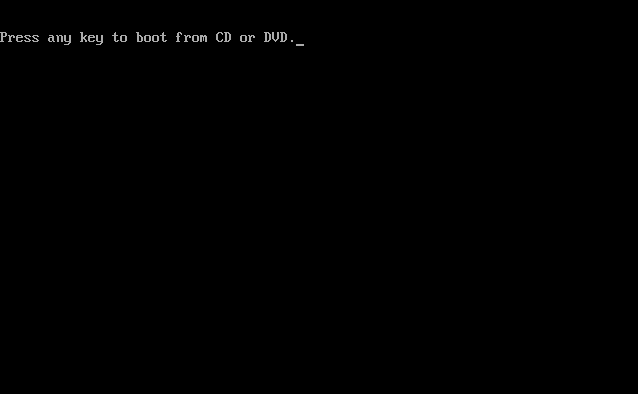
If an Operating System is already on the Computer then the following screen will appear stating "Press any key to boot from CD or DVD", hit any key on the keyboard to continue.
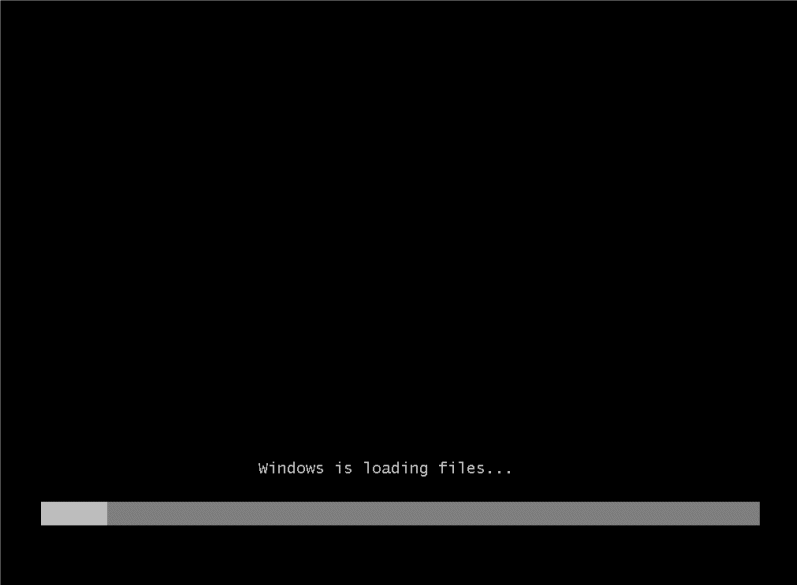
Windows automatically run as the hard drive is blank, and will load files, this may take some time so be patient.
The Windows Vista install will the begin to load.
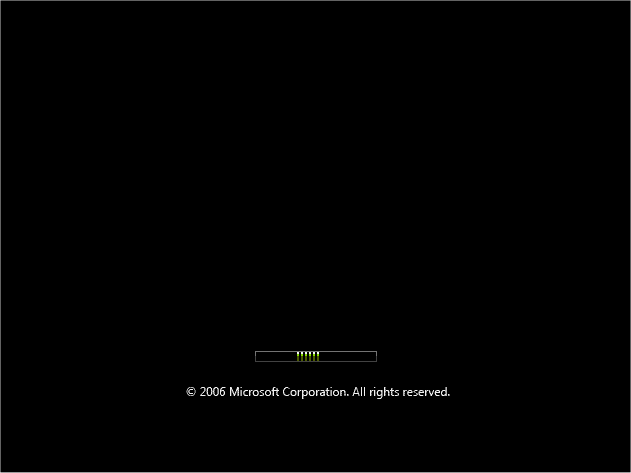
Some of these stages can take quite sometime so be patient.

Now select your install Language,
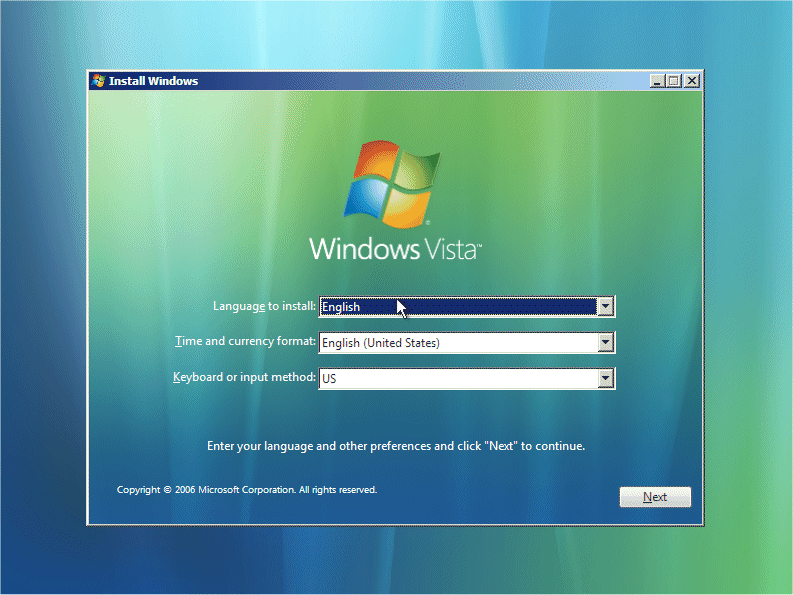
Time and Currency Format,
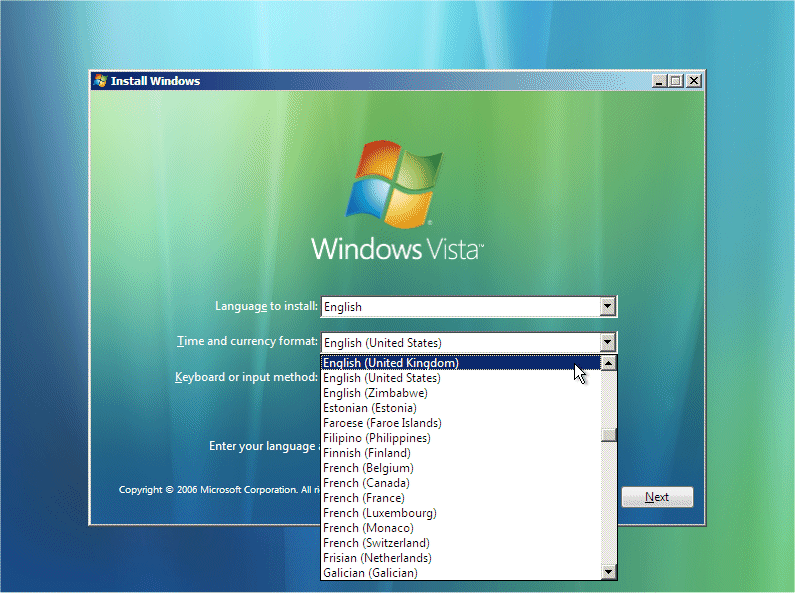
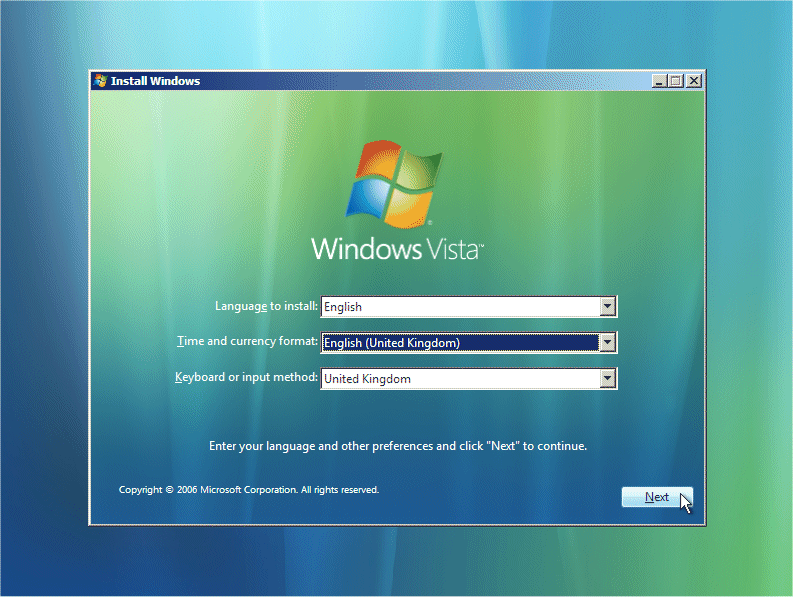
plus keyboard type, once you are happy with the settings, Click on "NEXT" to continue.
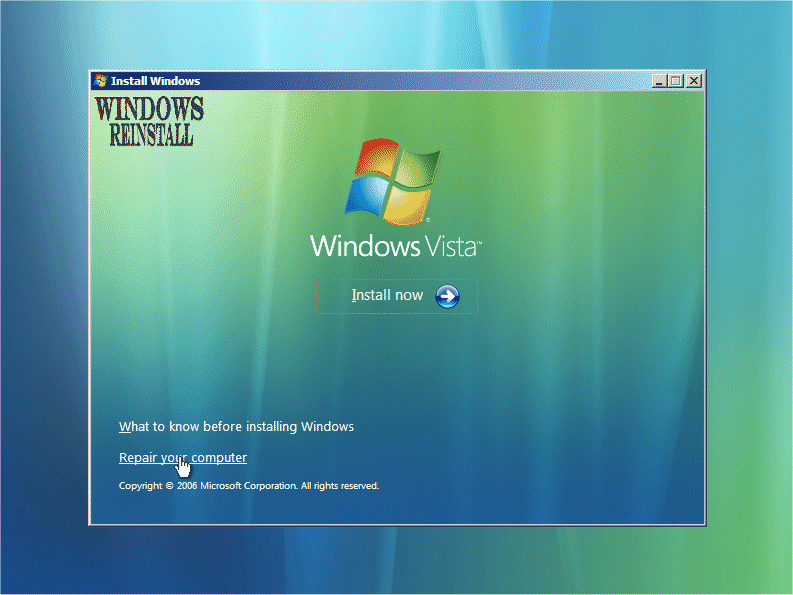
From the next screen click on "Repair Your Computer" to continue.
Windows will now search for Windows Installations.
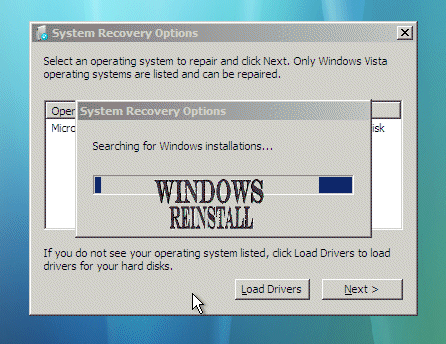
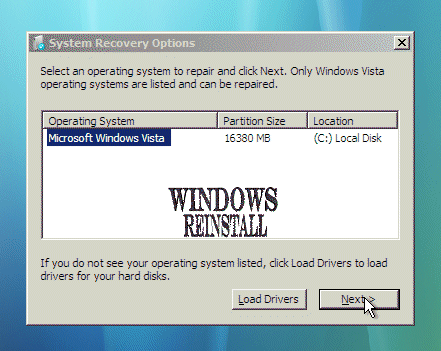
From the next screen select the operating system on which you wish to do a repair. Select it, then press "NEXT" to continue
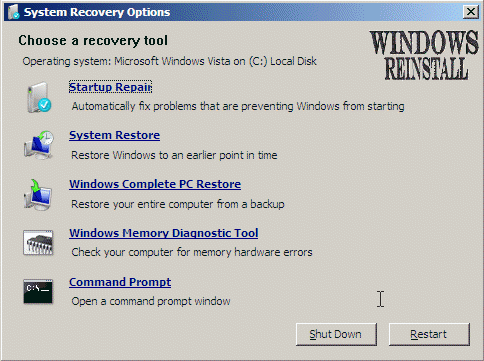
You are now at the "Recovery Options" menu.
PART 2
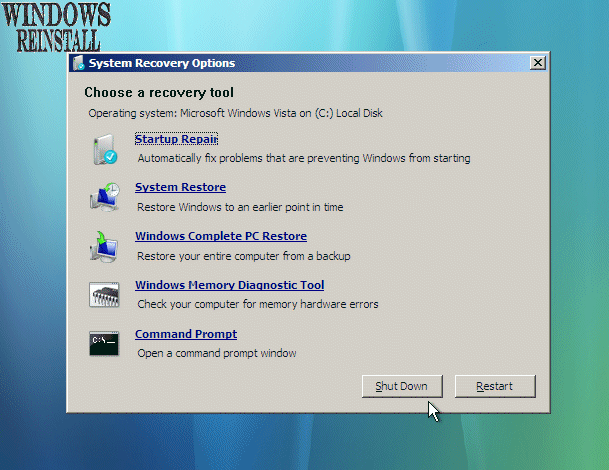
From the "Recovery Options" menu select "STARTUP REPAIR"...
Windows will search for problems (This may take sometime so be patient)....
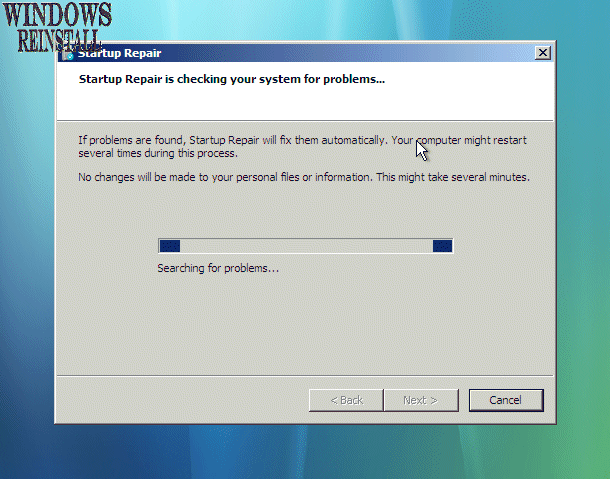
If problems are found then Windows will attempt to repair them...
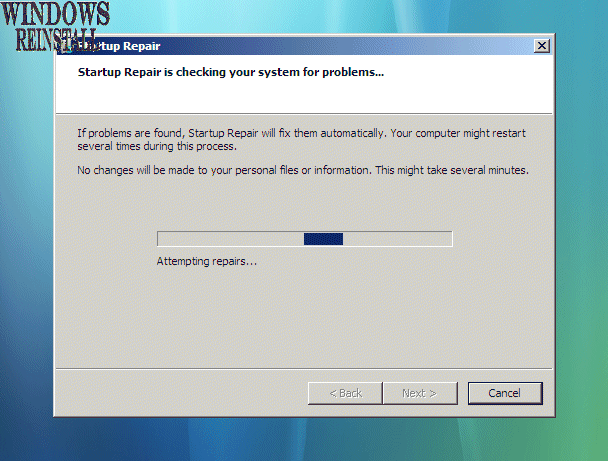
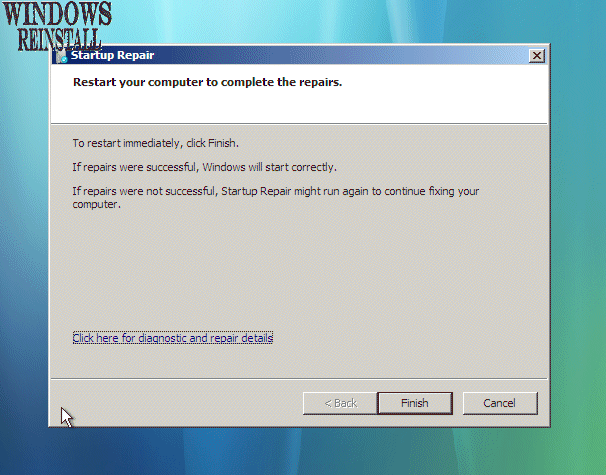
Once completed Windows will prompt you to click "FINISH" to complete the repair. Do so.....
Repair details will now appear, read if need be and then click "CLOSE"....
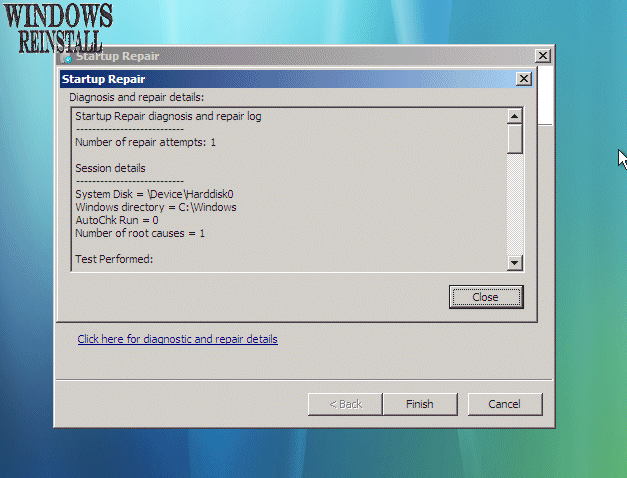
The computer will now reboot, and if Windows was successful in its repair then it should boot to the desktop or login screen.

Similar threads

- Replies
- 0
- Views
- 88

- Replies
- 10
- Views
- 548


