මෙන්න කරනවා නම් වැඩක්, ඔට්ටුයි බැරුවට

මෙන්න කරනවා නම් වැඩක්, ඔට්ටුයි බැරුවට

කාටද පුලුවන් තමන්ගෙ පරිඝනකයෙ CON නමින් ෆොල්ඩර්(folder) එකක් හදන්න, මම නම් මාර ට්‍රය් එකක් දුන්න එත තාම බැරි උනා:baffled::baffled:, පුලුවන් කෙනෙක් ඉන්නවා නම් කොමෙන්ට් එහෙකින් මට කියන්නකො,:rolleyes::rolleyes:


උපුටා ගත්තේ:http://obeadaviya.blogspot.com/:D
 

krizta

Well-known member
  • Nov 9, 2007
    17,906
    3,881
    113
    56
    400 : Bad Request
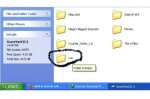
    DONE! :D :P :P
    attachment.php


    :rolleyes::rolleyes::rolleyes:
     

    Attachments

    • untitled.jpg
      untitled.jpg
      17.2 KB · Views: 59

    chaam_luk

    Member
    Aug 16, 2010
    360
    58
    0
    haduwaaaa.....

    command prompt eke meka type karanna
    eg: in drive c
    md \\.\c:\con

    ccccu.jpg


    Can you create a folder named “con”, “prn”, “nul” “com1″ “com2″ “lpt1″ etc. in windows ?

    The answer is NO and YES!
    NO because when create a new folder and try to rename it to any one of the above specified names, you know what happens! In Windows XP the folder name automatically changes back to “New Folder” no matter you try any number of times. Where as in Windows Vista/7 when you try to rename the file you get an error message “The specified device name is invalid”.
    What is the reason for this? Simple, these names represent the internal devices and hence we cannot create folders with the above names.

    YES because it is still possible to create these folders using the command prompt. Here’s the instructions to create it.

    1. Go to command prompt
    2. Type in prompt (FOR EG. TO CREATE CON FOLDER IN E: DRIVE)
    C:\>md \\.\e:\con

    To delete the folder use the following command C:\>rd \\.\e:\con


    :rolleyes::rolleyes::rolleyes::rolleyes::rolleyes::rolleyes::rolleyes:
     
    Last edited:

    haduwaaaa.....

    command prompt eke meka type karanna
    eg: in drive c
    md \\.\c:\con

    ccccu.jpg


    Can you create a folder named “con”, “prn”, “nul” “com1″ “com2″ “lpt1″ etc. in windows ?

    The answer is NO and YES!
    NO because when create a new folder and try to rename it to any one of the above specified names, you know what happens! In Windows XP the folder name automatically changes back to “New Folder” no matter you try any number of times. Where as in Windows Vista/7 when you try to rename the file you get an error message “The specified device name is invalid”.
    What is the reason for this? Simple, these names represent the internal devices and hence we cannot create folders with the above names.

    YES because it is still possible to create these folders using the command prompt. Here’s the instructions to create it.

    1. Go to command prompt
    2. Type in prompt (FOR EG. TO CREATE CON FOLDER IN E: DRIVE)
    C:\>md \\.\e:\con

    To delete the folder use the following command C:\>rd \\.\e:\con


    :rolleyes::rolleyes::rolleyes::rolleyes::rolleyes::rolleyes::rolleyes:


    wadakaarayo dennek wage, ela ela tnx machan
     

    eshan91

    Member
    Apr 20, 2010
    543
    24
    0
    colombo
    කාටද පුලුවන් තමන්ගෙ පරිඝනකයෙ CON නමින් ෆොල්ඩර්(folder) එකක් හදන්න, මම නම් මාර ට්‍රය් එකක් දුන්න එත තාම බැරි උනා:baffled::baffled:, පුලුවන් කෙනෙක් ඉන්නවා නම් කොමෙන්ට් එහෙකින් මට කියන්නකො,:rolleyes::rolleyes:


    උපුටා ගත්තේ:http://obeadaviya.blogspot.com/:D

    :yes::yes: ;);) :oo::oo:Photo shop නම් නෙමෙයි...
    11741113.png