


@*** 5000 වැනි පෝස්ට් එක*** ...
ඔන්න එළකිරි යාළුවනේ අදත් මම පොඩි SOFTWARE කෑලි 3 ක් අරන් ආවා. මේ මගේ 5000 වෙනි පෝස්ට් එක ....
මුලින්ම මම RocketDock ICONS සංස්කරණයේ නවතම සංස්කරණය ඔයගොල්ලන්ට අරන් ආවා ....
මෙම සංස්කරණයේදී Animated Icons RocketDock SOFT එකට ADD කර ගත හැක .....
මෙම ICONS පිළිබද හා තව වැඩි විස්තර මෙම YOUTUBE VIDEO එක තුලින් දිස් වේ .....
Animated Icons මෙම ලින්ක් එක තුලින් DOWNLOAD කර ගත හැක ....
http://rocketdock.com/addons/icons/popular
තව Rocketdock windows SOFT එකේ SKIN වෙනස් කර ගන්න කැමතිනම් මේ ලින්ක් එකෙන් SKINS DOWNLOAD කර ගන්න පුළුවන් ....
http://rocketdock.com/addons/skins/popular
එහෙනම් මෙන්න Rocketdock SOFT එකේ නවතම සංස්කරණය

http://www.mediafire.com/?ps4c7cubp1gqsl1
එහෙනම් දෙවැනි SOFTWARE එක දෙන්නේ පොඩි පොඩි VIDEO EDITING වැඩ වලට ....
VideoCharge Studio SOFT එකේ නවතම සංස්කරණය ....
DOWNLOAD
http://www.filesonic.com/file/2126664134/23.09.2011.VIDEOCHARGE.STUDIO.2.10.1.667.rar
තෙවනුව දෙන්නේ සුපිරි VIDEO PLAYER එකක් ........

DOWNLOAD
http://www.filesonic.com/file/2126330204/23.09.2011.MEDIAREVOLUTION.3.7.1.rar
මේ SOFTWARES ඔක්කොම FULL VERSION නිසා ඔයාලටත් පහසුයි ........



ඔන්න එළකිරි යාළුවනේ අදත් මම පොඩි SOFTWARE කෑලි 3 ක් අරන් ආවා. මේ මගේ 5000 වෙනි පෝස්ට් එක ....
මුලින්ම මම RocketDock ICONS සංස්කරණයේ නවතම සංස්කරණය ඔයගොල්ලන්ට අරන් ආවා ....
Win7 Dock For RocketDock

Win7 Dock For RocketDock
(OS : Windows XP, Vista, 7 | Year : 2011 | + RocketDock 1.3.5 | 7 MB)
Win7 Dock For RocketDock
(OS : Windows XP, Vista, 7 | Year : 2011 | + RocketDock 1.3.5 | 7 MB)
මෙම සංස්කරණයේදී Animated Icons RocketDock SOFT එකට ADD කර ගත හැක .....
මෙම ICONS පිළිබද හා තව වැඩි විස්තර මෙම YOUTUBE VIDEO එක තුලින් දිස් වේ .....
Rocketdock windows
Animated Icons මෙම ලින්ක් එක තුලින් DOWNLOAD කර ගත හැක ....
http://rocketdock.com/addons/icons/popular
තව Rocketdock windows SOFT එකේ SKIN වෙනස් කර ගන්න කැමතිනම් මේ ලින්ක් එකෙන් SKINS DOWNLOAD කර ගන්න පුළුවන් ....
http://rocketdock.com/addons/skins/popular
එහෙනම් මෙන්න Rocketdock SOFT එකේ නවතම සංස්කරණය

http://www.mediafire.com/?ps4c7cubp1gqsl1
එහෙනම් දෙවැනි SOFTWARE එක දෙන්නේ පොඩි පොඩි VIDEO EDITING වැඩ වලට ....
VideoCharge Studio 2.10.1.667
(VideoCharge Studio 2.10.1.667 | 30 Mb )
Main
• Convert A Video, Change Video Or Audio Stream Parameters.
• Convert An Image, Change Image File Format, Parameters.
• Convert A Video Avoiding Changing File Format. Using It, File Of The Same Format Will Be Created Keeping Video And Audio Settings.
• Edit Video Without Reencoding. This Allows You To Save 100% Of Video Quality And Edit Video File Very Quickly.
• Changing Of File Format Without Reencoding. For Example, A Quickly Way To Create FLV Video From MKV Video File.
• Edit Video Files Of All Main Formats, Including Work With DVD And VOB Files.
• Work With Directory Of Files. Batch Processing.
• Create Several Video Files Of Different Formats Or With Different Parameters On The Base Of One Original File For One Generation.
• Extract Frames From The Video Files And Save Them As Image. You Can Create Several Images Of Different Formats On The Base Of One Frame.
• Convert A Video File And Create Thumbnail For It All At Once.
• Create Thumbnail For A Torrent Video File: A Image Which Contains Several Frames From The Video File Organized As A Table With Added File's Metadata: Its Size, Duration, Name, Etc.
• Set Filename And Directory For Created Files Using Templates. It Allows User To Use Formatting While Creating File Names.
• Create Video Of High Quality Using Double Pass Coding.
• Create One Video Clip And Several Thumbnails For It From Well Distributed Frames. For Example, You Can Create A Video Clip Of 1 Minute Duration And Six Thumbnails From The Following Frames: 1, 10s,60s.
• Set Metadata For Video Files. You Can Set Metadata Without Reencoding Too.
(VideoCharge Studio 2.10.1.667 | 30 Mb )
Main
• Convert A Video, Change Video Or Audio Stream Parameters.
• Convert An Image, Change Image File Format, Parameters.
• Convert A Video Avoiding Changing File Format. Using It, File Of The Same Format Will Be Created Keeping Video And Audio Settings.
• Edit Video Without Reencoding. This Allows You To Save 100% Of Video Quality And Edit Video File Very Quickly.
• Changing Of File Format Without Reencoding. For Example, A Quickly Way To Create FLV Video From MKV Video File.
• Edit Video Files Of All Main Formats, Including Work With DVD And VOB Files.
• Work With Directory Of Files. Batch Processing.
• Create Several Video Files Of Different Formats Or With Different Parameters On The Base Of One Original File For One Generation.
• Extract Frames From The Video Files And Save Them As Image. You Can Create Several Images Of Different Formats On The Base Of One Frame.
• Convert A Video File And Create Thumbnail For It All At Once.
• Create Thumbnail For A Torrent Video File: A Image Which Contains Several Frames From The Video File Organized As A Table With Added File's Metadata: Its Size, Duration, Name, Etc.
• Set Filename And Directory For Created Files Using Templates. It Allows User To Use Formatting While Creating File Names.
• Create Video Of High Quality Using Double Pass Coding.
• Create One Video Clip And Several Thumbnails For It From Well Distributed Frames. For Example, You Can Create A Video Clip Of 1 Minute Duration And Six Thumbnails From The Following Frames: 1, 10s,60s.
• Set Metadata For Video Files. You Can Set Metadata Without Reencoding Too.
VideoCharge Studio SOFT එකේ නවතම සංස්කරණය ....
DOWNLOAD
http://www.filesonic.com/file/2126664134/23.09.2011.VIDEOCHARGE.STUDIO.2.10.1.667.rar
තෙවනුව දෙන්නේ සුපිරි VIDEO PLAYER එකක් ........
MEDIARevolution 3.7.1
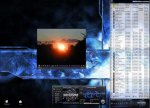
(MEDIARevolution 3.7.1 | 24.05 Mb )
By It's Enormous Function Range And The Support Of Numerous Media Formats MEDIARevolution Is The Only Player You Really Need On Your PC! Apart From Playing Video And Audio Files As Well As DVD's, You Get A Complete Media Administration And A Digital Video Recorder. The Product Rounds Useful Aid Flax For The Daily Work To An Almost Inexhaustible Multimedia Component System Off. Nevertheless It Requires Only A Comparatively Small Memory And Processor Extent Of Utilization.
(MEDIARevolution 3.7.1 | 24.05 Mb )
By It's Enormous Function Range And The Support Of Numerous Media Formats MEDIARevolution Is The Only Player You Really Need On Your PC! Apart From Playing Video And Audio Files As Well As DVD's, You Get A Complete Media Administration And A Digital Video Recorder. The Product Rounds Useful Aid Flax For The Daily Work To An Almost Inexhaustible Multimedia Component System Off. Nevertheless It Requires Only A Comparatively Small Memory And Processor Extent Of Utilization.

DOWNLOAD
http://www.filesonic.com/file/2126330204/23.09.2011.MEDIAREVOLUTION.3.7.1.rar
මේ SOFTWARES ඔක්කොම FULL VERSION නිසා ඔයාලටත් පහසුයි ........







.gif)


