
Latest ads
-
Gampaha Thenya Mishel
- menuka2000
- Updated:
-
 Handmade Character Soft Toy Bluey Bingo
- anil1961
- Updated:
-
 Colombo Dahua POE Switch 8 Ports (DH-PFS3010-8ET-65)
- hashaz2012
- Updated:
-
Singapore V2Ray VPN for Tunneling
- hu KANNA
- Updated:
-
 Dating Website & Online Chat Room
- hotvideo
- Updated:
5TB Free Giveaway....... Limit Times Only - එලකිරි අයට පමණයි
- Thread starter luckgrlS
- Start date
You are using an out of date browser. It may not display this or other websites correctly.
You should upgrade or use an alternative browser.
You should upgrade or use an alternative browser.


How To Check OneDrive Storage Usage
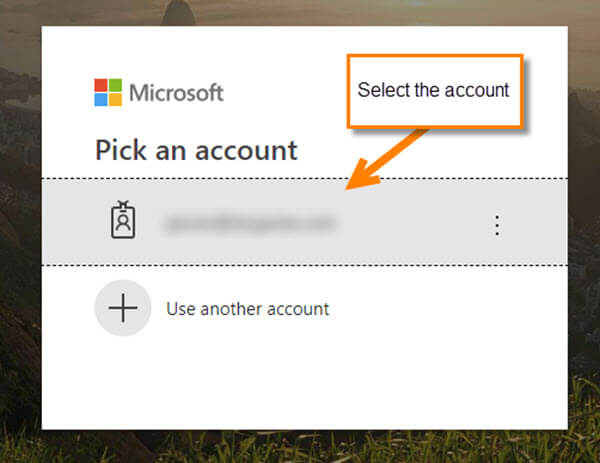
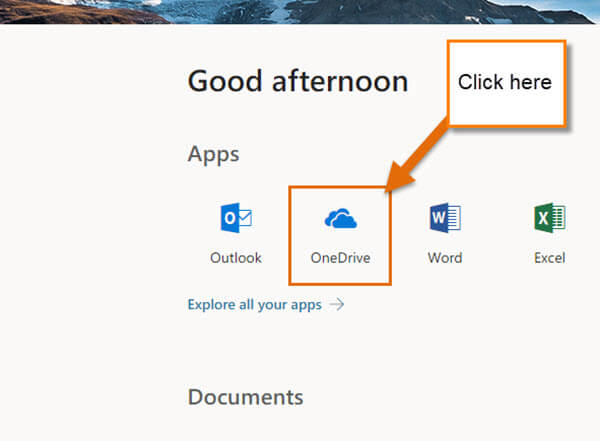
Step 1: Log in to your OneDrive account. The way you can do this is to head over to Portal.office.com and log in to your Office Account. Once in, click on the Cloud icon.
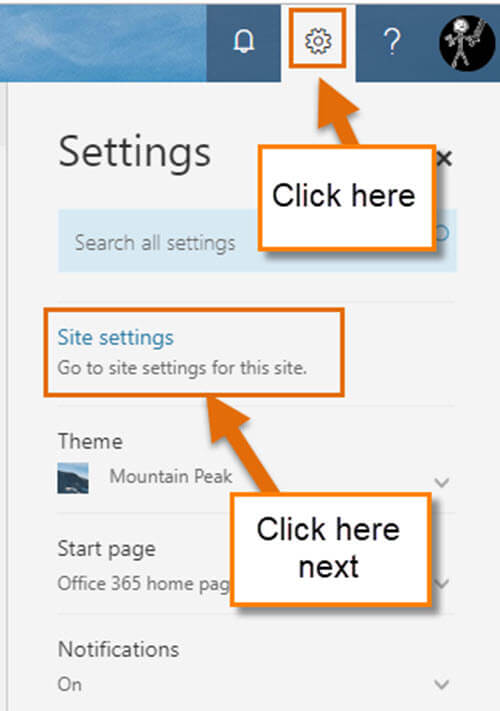
Step 2: Now that we are in the Cloud, go to the top-right and click on the gear icon. This will bring up a menu and you will want to click on Site Settings at the top.

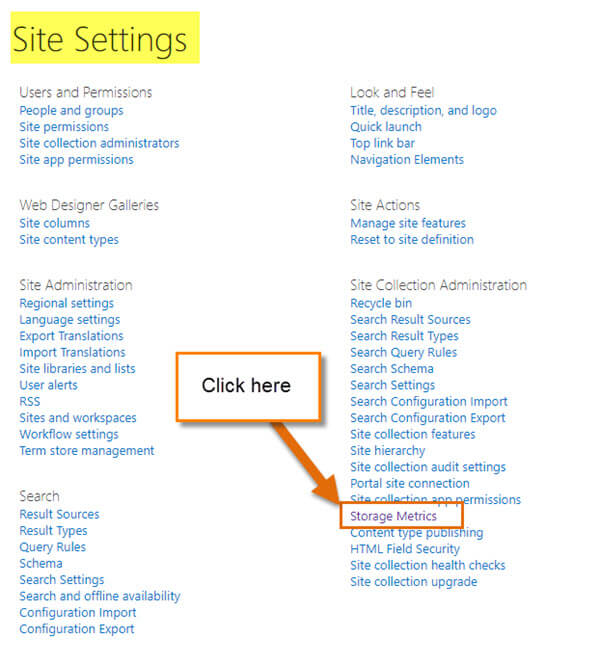
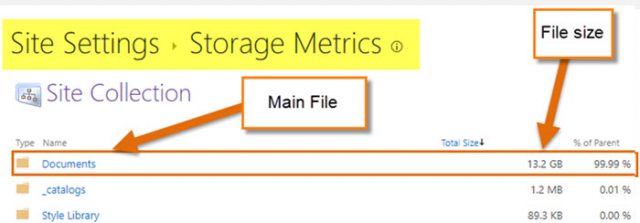
Step 3: On this screen, look under Site Collection Administration and find Storage Metrics. Click it.
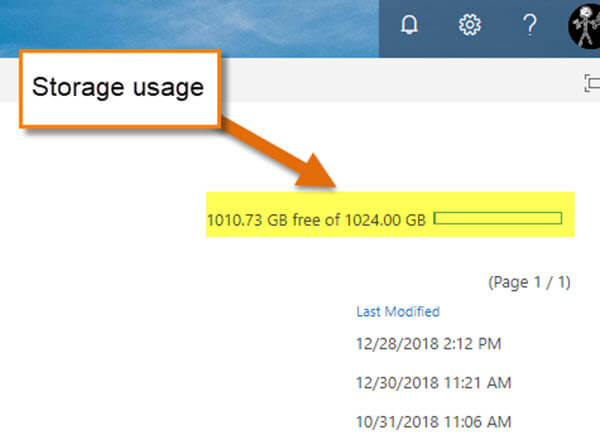
Step 4: Here is where you can see how much of the storage is used. The folder named Documents at the top is where your files are located (at least mine are). To find the amount of storage used, look to the top-right and you will see the Free space meter. It will show you how much space is left on your drive.
That is all you need to do to keep an eye on your storage usage on OneDrive.
Now you can save those files and access them anywhere you are at any time.
Time to save some files!
Step 1: Log in to your OneDrive account. The way you can do this is to head over to Portal.office.com and log in to your Office Account. Once in, click on the Cloud icon.
Step 2: Now that we are in the Cloud, go to the top-right and click on the gear icon. This will bring up a menu and you will want to click on Site Settings at the top.

Step 3: On this screen, look under Site Collection Administration and find Storage Metrics. Click it.
Step 4: Here is where you can see how much of the storage is used. The folder named Documents at the top is where your files are located (at least mine are). To find the amount of storage used, look to the top-right and you will see the Free space meter. It will show you how much space is left on your drive.
That is all you need to do to keep an eye on your storage usage on OneDrive.
Now you can save those files and access them anywhere you are at any time.
Time to save some files!


[email protected]5TB Free Giveaway
Limit Times Only
* ඔන්න ඔයාලට මම අද ඉදලා දවසකට 5 දෙනෙකුට OneDrive 5TB Account Free දෙනවා....
*කරන්න තියෙන්නේ ඔයාලගේ Email ලිපිනය මේකට Post කරන්න
*Account එක මම ඔයාලට PM කරනවා.
*Account එක ඔයාලට ලැබුනම මුලින්ම Log වෙනකොට Password එක වෙනස් කරගන්න පුලුවන්.
සැ.යු. Password එක අමතක කරගන්න එපා.....
දවසකට 5 දෙනාටයි
**********
මතක තියා ගන්න..... OneDrive එක Active වෙන්න ටිකක් වෙලා යනවා..... අද Account ලැබුන අයට හෙට වෙනකොට OneDrive එක බලන්න... Active වෙලා ඇති.
"OneDrive එක Active නැතුව OneDrive ඇතුල් වෙන්න එපා...."
MS Office එකත් නොමිලේම හම්බවෙනවා....


Similar threads

- Replies
- 22
- Views
- 2K


- Replies
- 11
- Views
- 2K

- Replies
- 3
- Views
- 1K


