kawshalyaknight

Well-known member
  • May 12, 2010
    945
    300
    63
    NewYork
    මචන්ල පොඩි උදව්වක් ඔනෙ...මගෙ Tab එකක් තියෙනවා...මම ඒක slow වෙන්න අරන් තියෙන හින්ද data reset එකක් කලා...ආයෙ on කලාම හොදට වැඩ කරනවා...wi fi ඔක්කොම කිසි අව්ලක් නෑ...එත් මචන්ලා Google play store එක දැන් නෑ නෙ...app වල කොහෙවත් නෑ..ඒක remove වෙනවද? default එන app එකක් කියලයි ම්ම් හිතන් උන්නෙ...මම ආයේ install කරන්නත් try කලා...google එකට ගිහින්..එත් error එනව..no device කියලා..... මේකට මොකද කරන්න ඕනෙ ? කොහොමද ආයෙ play store ඉන්ස්ට්ල් කරගන්නෙ ? දන්න කෙනෙක් help එකක් දෙනවද?


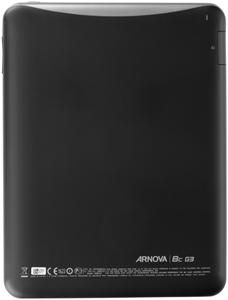
    meka thamai model eka

    90498572DCDADFE80A154156895AC2FC.jpg


    3fc1545d28c6a91d350f80cef8ac5de9_450x450_ic4953310ynt.jpg
     

    sanja_1

    Active member
  • Apr 8, 2013
    585
    77
    28
    Wink Install Market v3.4.4 on Archos Arnova 7 G2 without root or flashing.
    I wanted to install Google Market version 3.4.4 on my Arnova 7 G2, but i didn´t want to install any custom firmware or even root my device. I just wanted to keep the original ROM from Arnova and just add Google Market and other Google apps. After some research and some tries i was able to install Google Market v3.4.4 in my Arnova 7 G2. I think there are many people in my situation so i decided to post here the method i used to help others too.
    With this procedure you can install market v3.4.4 in your Arnova 7 G2 running the official stock ROM from Arnova. Just follow the steps above.

    • DOWNLOAD FILES HERE: Market.3.4.4.rar
    • extract the files you downloaded;
    • connect the tablet to the pc or use your preffered method to transfer files;
    • transfer the files to the internal storage or SD card on the tablet;
    • put all files in a folder ie (Market.3.4.4);
    • disconnect the tablet from pc;
    • using the pre installed file browser in the tablet, browse to the folder you just transfered;
    • install the files in the following order:

    1. GoogleServicesFramework.apk
    2. OneTimeInitializer.apk
    3. SetupWizard.apk
    4. Gmail.apk
    5. Vending-3.4.4-signed.apk
    6. Talk-signed.apk (optional install)
    7. Maps.apk (optional install)

    NOTE: If you have an older market version installed, just install the gmail.apk and Vending-3.4.4-signed.apk and they will be updated.

    After installing all the apps, you will probably get an error. If it happens folow the above steps:
    1. go into settings/manage apps;
    2. Click on Google framework and Clear the cache files (if you have no cache files delete the data files);
    3. Do the same thing (clear cache files and/or delete the data files) for Gmail and Market apps;
    4. Now power down and up again (reboot);
    5. DONT LAUNCH THE MARKET YET, but launch Gmail first and login (It should work);
    6. Now you can launch the Market and Enjoy.

    This method worked for me and i hope it works for you too
     

    kawshalyaknight

    Well-known member
  • May 12, 2010
    945
    300
    63
    NewYork
    Wink Install Market v3.4.4 on Archos Arnova 7 G2 without root or flashing.
    I wanted to install Google Market version 3.4.4 on my Arnova 7 G2, but i didn´t want to install any custom firmware or even root my device. I just wanted to keep the original ROM from Arnova and just add Google Market and other Google apps. After some research and some tries i was able to install Google Market v3.4.4 in my Arnova 7 G2. I think there are many people in my situation so i decided to post here the method i used to help others too.
    With this procedure you can install market v3.4.4 in your Arnova 7 G2 running the official stock ROM from Arnova. Just follow the steps above.

    • DOWNLOAD FILES HERE: Market.3.4.4.rar
    • extract the files you downloaded;
    • connect the tablet to the pc or use your preffered method to transfer files;
    • transfer the files to the internal storage or SD card on the tablet;
    • put all files in a folder ie (Market.3.4.4);
    • disconnect the tablet from pc;
    • using the pre installed file browser in the tablet, browse to the folder you just transfered;
    • install the files in the following order:

    1. GoogleServicesFramework.apk
    2. OneTimeInitializer.apk
    3. SetupWizard.apk
    4. Gmail.apk
    5. Vending-3.4.4-signed.apk
    6. Talk-signed.apk (optional install)
    7. Maps.apk (optional install)

    NOTE: If you have an older market version installed, just install the gmail.apk and Vending-3.4.4-signed.apk and they will be updated.

    After installing all the apps, you will probably get an error. If it happens folow the above steps:
    1. go into settings/manage apps;
    2. Click on Google framework and Clear the cache files (if you have no cache files delete the data files);
    3. Do the same thing (clear cache files and/or delete the data files) for Gmail and Market apps;
    4. Now power down and up again (reboot);
    5. DONT LAUNCH THE MARKET YET, but launch Gmail first and login (It should work);
    6. Now you can launch the Market and Enjoy.

    This method worked for me and i hope it works for you too

    machan meke 1st file eka install wenne nane.......

    1. GoogleServicesFramework.apk

    :(:oo::oo::oo:
     

    Intelligent

    Junior member
  • May 22, 2014
    38
    3
    8
    4EXT / CMW / TWRP Recovery Install කරලානම් තියෙන්නේ GAPPS මෙතනින් අරගෙන Flash කරගන්න
    Code:
    http://goo.im/gapps