

Latest ads
-
ZTE MF283U 4G Unlocked Router (Used)
- ayanthamaxi
- Updated:
-
 ලංකාවේ හොඳම උපකාරක පන්ති සහ ගුරුවරුන් එකම තැනකින් - TopTuition.lk
- dulithapathum
- Updated:
-
 Colombo RidhMathraa ’26 🎶✨
- Tmadhusanka
- Updated:
-
Colombo PXN V10 Pro Direct Drive Racing Wheel (Under Warranty)
- Abdur Rahman
- Updated:
-
USDT ණය සේවාව - USDT Loan Service
- පුරවැසියා
- Updated:
`':..EK SOFTWARE SOLUTIONS..:'`
- Thread starter Clerk_Kent
- Start date
You are using an out of date browser. It may not display this or other websites correctly.
You should upgrade or use an alternative browser.
You should upgrade or use an alternative browser.

dhanushka7171 said:hehe sorry adala nathi deyak meka..
Mata corel X4 tutorials tikak hoyala denna..
CorelDRAW Graphics Suite X3 Essential Training

Size

Category
Date Added
Tropical Software PC Security 6.4
#fullpost{display:inline;}
Lock down your system like never before. Exercize total control over your computer with the following security options: Explorer Control, File Lock , Folder Lock, System Lock, Internet Lock, Shortcut/Program Lock, Restricted System, Window Lock, intruder Detection with Alarm, Flexible and complete password protection and Drag and Drop support. A very powerful and easy to use protection utility.
Download:
http://rapidshare.com/files/52777278/Tropical_Software_PC_Security_6.4.rar
#fullpost{display:inline;}

Lock down your system like never before. Exercize total control over your computer with the following security options: Explorer Control, File Lock , Folder Lock, System Lock, Internet Lock, Shortcut/Program Lock, Restricted System, Window Lock, intruder Detection with Alarm, Flexible and complete password protection and Drag and Drop support. A very powerful and easy to use protection utility.
Download:
http://rapidshare.com/files/52777278/Tropical_Software_PC_Security_6.4.rar

menna ganin..hirushan said:PHotoshop cs v 8.0 Image ready crack ekak ona......

DOWNLOAD patch
Download Crack

Clerk machan  mata puluwan nam Writer's Workbench v8 kiyana software eka hoyala denna.
Official web site eka : http://www.emo.com/

mata puluwan nam Writer's Workbench v8 kiyana software eka hoyala denna. Official web site eka : http://www.emo.com/


Clerk_Kent said:
machan, wht z d password for encrypted file ?
huta PW ekak illuwada....mala keiyai...ehema ekak deela thibbe ne ne ban...upulcranga said:machan, wht z d password for encrypted file ?
sorry machan..try these 2 V8 & V7....100% working....
PowerDVD 8 Deluxe Portable
http://www.warezgarden.com/author/sameer/
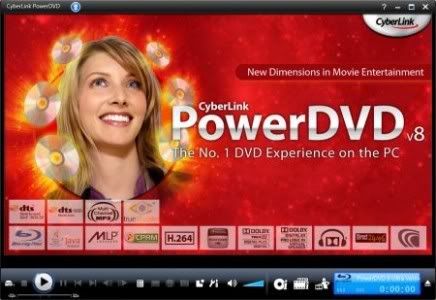
PowerDVD - Play the broadest range of audio and video files and formats. Enjoy the smoothest, brightest, and most natural visuals.
Using PowerDVD you can experience high-definition audio and 8-channel expansion. Navigate quickly with shortcuts, bookmarks and other cool controls. Expand your features online with DVD enhancement packs
Intensely Vivid Images
The second generation of CyberLink’s world-renowned video enhancing technology makes images brighter and colors more natural. CLEV-2 adjusts a scene’s chroma and luminance to enhance image detail, and thus achieves the best possible results for LCD/CRT monitors and playback of overly dark or bright DVD movies.
Smart Video Deinterlacing
CyberLink’s adaptive video deinterlacing technology ensures a smoother and clearer video image while playing video files and DVDs. Deinterlacing is unavoidable as a result of playing interlaced DVD video on modern high-definition (mainly non-interlaced) displays (e.g. TVs). Without advanced deinterlacing, video can appear jagged, blotchy, shadowy, or blurry. CyberLink’s intelligent deinterlacing technology retains video quality and minimizes distortion by analyzing video frame-by-frame and dynamically applying adaptive deinterlacing only when necessary.
Users also have a choice of deinterlacing options, including automatic deinterlacing or user-defined settings. Defining how deinterlacing is performed and by what algorithm is also an option: Pixel
Adaptive, Median or Bob.
Multi-Display Ratios
PowerDVD supports multiple display ratios, letting users play 4:3 DVD movies on widescreen displays and 16:9 DVD movies on 4:3 displays. A natural stretching technology is utilized to avoid losses that would otherwise be created by Pan & Scan cropping or Letterbox display
Superior Audio Fidelity
Cinematic Surround Sound
The second generation of CyberLink’s proprietary audio technology expands 2-channel audio into multi-channel audio (e.g. CD expanded to 5.1 channels). CLMEI-2 maps stereo or general surround sound and converts it for output via a maximum of 7.1-channel systems. Music mode, Movie mode, and the unique Onstage music modes are offered.
Virtual Surround Sound
CyberLink’s Virtual Surround technologies simulates the feeling of surround sound when multi-channel audio is played via two speakers or headphones (CLVS and CLHP). PowerDVD provides a choice of three audio environments for CLVS: Living Room, Theater, and Stadium.
Virtual Surround Sound
CyberLink Headphone and CyberLink Virtual Surround let you enjoy a wider sound image and virtual surround experience via two speakers or headphones.

OR
Portable Cyberlink PowerDVD Ultra Deluxe 7.3


PowerDVD (from CyberLink) is a commercial video player and music player for Windows and recently Turbolinux [1]. It enables the viewing of DVD-Video movies on the user's PC. DVD-Video backups stored on hard disk (created using software such as DVD Decrypter) can also be played. The player can also be used with to play videos and audio/music files in other formats encoded with different codecs, for instance DivX, XviD, Windows Media Video video and MP3 and AAC audio. Newer versions also support full Blu-Ray and HD DVD playback with menus, with CPRM DRM support.

Code:
http://rapidshare.com/files/109692528/Portable_PowerDVD_7.3_Ultra_Deluxe_www.smforum.net.rar
raac said:Clerk machan
Official web site eka : http://www.emo.com/
ne wage full version ekak....
Clerk_Kent said:huta PW ekak illuwada....mala keiyai...ehema ekak deela thibbe ne ne ban...
sorry machan..try these 2 V8 & V7....100% working....
PowerDVD 8 Deluxe Portable
http://www.warezgarden.com/author/sameer/
PowerDVD - Play the broadest range of audio and video files and formats. Enjoy the smoothest, brightest, and most natural visuals.
Using PowerDVD you can experience high-definition audio and 8-channel expansion. Navigate quickly with shortcuts, bookmarks and other cool controls. Expand your features online with DVD enhancement packs
Intensely Vivid Images
The second generation of CyberLink’s world-renowned video enhancing technology makes images brighter and colors more natural. CLEV-2 adjusts a scene’s chroma and luminance to enhance image detail, and thus achieves the best possible results for LCD/CRT monitors and playback of overly dark or bright DVD movies.
Smart Video Deinterlacing
CyberLink’s adaptive video deinterlacing technology ensures a smoother and clearer video image while playing video files and DVDs. Deinterlacing is unavoidable as a result of playing interlaced DVD video on modern high-definition (mainly non-interlaced) displays (e.g. TVs). Without advanced deinterlacing, video can appear jagged, blotchy, shadowy, or blurry. CyberLink’s intelligent deinterlacing technology retains video quality and minimizes distortion by analyzing video frame-by-frame and dynamically applying adaptive deinterlacing only when necessary.
Users also have a choice of deinterlacing options, including automatic deinterlacing or user-defined settings. Defining how deinterlacing is performed and by what algorithm is also an option: Pixel
Adaptive, Median or Bob.
Multi-Display Ratios
PowerDVD supports multiple display ratios, letting users play 4:3 DVD movies on widescreen displays and 16:9 DVD movies on 4:3 displays. A natural stretching technology is utilized to avoid losses that would otherwise be created by Pan & Scan cropping or Letterbox display
Superior Audio Fidelity
Cinematic Surround Sound
The second generation of CyberLink’s proprietary audio technology expands 2-channel audio into multi-channel audio (e.g. CD expanded to 5.1 channels). CLMEI-2 maps stereo or general surround sound and converts it for output via a maximum of 7.1-channel systems. Music mode, Movie mode, and the unique Onstage music modes are offered.
Virtual Surround Sound
CyberLink’s Virtual Surround technologies simulates the feeling of surround sound when multi-channel audio is played via two speakers or headphones (CLVS and CLHP). PowerDVD provides a choice of three audio environments for CLVS: Living Room, Theater, and Stadium.
Virtual Surround Sound
CyberLink Headphone and CyberLink Virtual Surround let you enjoy a wider sound image and virtual surround experience via two speakers or headphones.
OR
Portable Cyberlink PowerDVD Ultra Deluxe 7.3


PowerDVD (from CyberLink) is a commercial video player and music player for Windows and recently Turbolinux [1]. It enables the viewing of DVD-Video movies on the user's PC. DVD-Video backups stored on hard disk (created using software such as DVD Decrypter) can also be played. The player can also be used with to play videos and audio/music files in other formats encoded with different codecs, for instance DivX, XviD, Windows Media Video video and MP3 and AAC audio. Newer versions also support full Blu-Ray and HD DVD playback with menus, with CPRM DRM support.

Code:
http://rapidshare.com/files/109692528/Portable_PowerDVD_7.3_Ultra_Deluxe_www.smforum.net.rar
thnx a lot machan !
Clerk_Kent said:ne wage full version ekak....
OK machan awlak na. Thanks. mamath hewwa hema thenama.


kawuru hari mata help karannako please mta mig33 ato leave softwear akak hadissi ([email protected])
eken mokada machan karanne...4n software ekakda?pamidu said:kawuru hari mata help karannako please mta mig33 ato leave softwear akak hadissi ([email protected])
pamidu said:mata mig33 ato leave softwear 1k hoyala danna plese
mig33 ato leave kiyala software ekak naa wage ban.
Puluwan nam software eke official Website eka wath pennapan. ehema ekak wath naa. ithin kohenda software eka hoyanne?
ne ban aka chat soft wear akak ubata mama invit karannam onenam mata mis call akak dapan .4n softwear akata.nattan pc akat tiyanawa 0775640541Clerk_Kent said:eken mokada machan karanne...4n software ekakda?
nattan mata sms akak eawapan kkkkkkkk tx bye !Clerk_Kent said:eken mokada machan karanne...4n software ekakda?
Similar threads

- Replies
- 34
- Views
- 696

